How to Change Thermostat in House: A DIY Step-by-Step Guide
Learn how to safely change a thermostat in your house with our homeowner-friendly guide. From choosing a compatible replacement to wiring and testing, Thermostat Care walks you through each step for reliable comfort and energy savings.


This guide shows homeowners how to change a thermostat in a house safely and efficiently. You’ll identify your thermostat model, power down the system, remove the old unit, wire the new thermostat correctly, and test operation with a basic cycle. Whether you have a basic non-programmable model or a smart thermostat, the core process remains consistent and manageable.
Why Replacing Your Thermostat Improves Comfort and Efficiency
Replacing an aging thermostat can significantly improve both comfort and energy efficiency in your home. Modern thermostats communicate more reliably with heating and cooling equipment, reducing temperature swings and long cycles that waste energy. According to Thermostat Care, homeowners who upgrade to programmable or smart models often experience smoother HVAC operation and more precise control over daily schedules. A well-chosen thermostat also supports features like adaptive scheduling, learning capabilities, and remote access, which can lead to easier daily routines and better energy management. This section lays the groundwork for why a replacement makes sense and how it fits into your overall home comfort plan.
Identify Your Thermostat Type and Wiring
Thermostats come in several generations: basic non-programmable units, programmable digital models, and smart thermostats that connect to Wi-Fi. Start by noting which type you currently own and what you want from a replacement. Look at the existing base and labeling on the wiring to match terminals (R, Rc, Rh, W, Y, G, C). Many homes rely on a 24-volt control system, but some older setups use different configurations. If you see a C-wire, you have a power source for many smart thermostats; if not, you’ll need a model that works without it or use a C-wire adapter. Document wire colors and terminal names, and take a quick photo for reference. This careful assessment reduces confusion during the replacement and helps you choose a compatible model that supports your comfort goals.
Choose a Compatible Replacement
Selecting the right replacement means matching your system type, voltage, and wiring to the new thermostat’s requirements. If you have a single-stage furnace or boiler, most basic programmable models will work. For heat pumps, multi-stage furnaces, or systems with a C-wire, pick a thermostat designed for those configurations. Check compatibility with your HVAC brand, the number of wires you have, and whether you want smart features such as remote control, voice integration, or energy reports. Keeping the thermostat compatible with your equipment ensures reliable operation, accurate temperature control, and trouble-free troubleshooting in the future.
Safety and Prep: Power Down, Tools, and Workspace
Before you touch any wires, shut down power to the HVAC system at the main circuit breaker. This eliminates the risk of electric shock and protects the control circuitry. Gather the necessary tools: screwdrivers (Phillips and flat-head), a non-contact voltage tester, wire strippers or pliers, and a replacement thermostat that matches your wiring. Clear the workspace, remove the wall plate, and prepare a clean surface for labeling wires. Safety first helps prevent mistakes that could damage your equipment or cause injury, and it makes the installation smoother and quicker.
Wiring Basics: Understanding Terminals and Color Codes
Wiring a thermostat correctly is the heart of a successful replacement. Most systems use standardized terminals: R (or Rc/Rh) for power, W for heat, Y for cooling, G for fan, and C for common power. Some wires may be combined or jumpers may be present for separate heating and cooling controls. If you have a heat pump, you may see additional terminals like O/B for reversing valve. Use a wiring diagram from the thermostat’s manual to map each existing wire to the corresponding terminal on the new unit. Keep wires organized and labeled, and confirm that the most important lines (R, W, Y, G, C) are accounted for before installation.
Installation Overview: What to Expect During Replacement
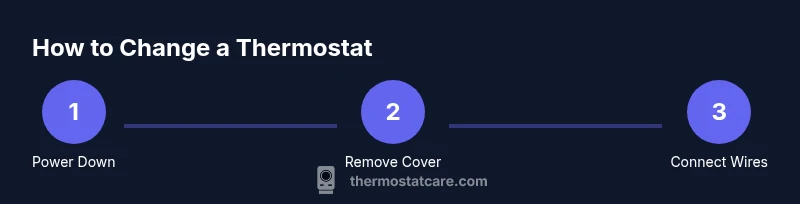
With the right replacement selected, the installation involves four core actions: mounting the new base, connecting wires to labeled terminals, attaching the thermostat body, and securing the wiring so it won’t loosen. Most installations take 30–60 minutes for a standard single-zone system. If you encounter unusual wiring or a missing C-wire, plan for extra time and potential adapter options. Throughout the process, refer to the manufacturer’s wiring diagram, and periodically check that the wires are snug but not overtightened to prevent terminal damage.
Testing, Troubleshooting, and Final Checks
After restoring power, configure the thermostat settings: system type (gas, electric, heat pump), temperature scale, and daily schedule. Run a quick test by triggering heat and then cooling to ensure both modes respond correctly. If the display won’t power on, recheck the wiring at the R and C terminals, and verify the breaker is on. Common issues include loose wires, mismatched terminals, or batteries in older non-smart units. If you run into problems, consult the wiring diagram again or pull a fresh photo of the original setup to spot what might be wrong.
Maintenance and Long-Term Care
To keep your thermostat performing well, update the firmware (for smart models) when available, replace batteries if your unit uses them, and test the system seasonally. Clean the thermostat screen and mounting area to maintain readability, and review your schedules as seasons change to maximize comfort and energy savings. A little proactive care goes a long way toward preventing glitches and ensuring consistent performance over time.
Tools & Materials
- Screwdrivers (Phillips and flat-head, assorted sizes)(Use a small Phillips head for base screws and a flat-head for terminal mounting if needed)
- Non-contact voltage tester(Verify power is off to the thermostat circuit before touching wires)
- Wire strippers or needle-nose pliers(Useful for trimming and bending wires for clean terminal connections)
- Replacement thermostat (matching your system)(Choose a model compatible with your wiring and HVAC type (single-stage, multi-stage, heat pump))
- Wire labels or masking tape(Label wires as you disconnect to simplify reattachment)
- Manufacturer wiring diagram/manual(Reference for terminal mapping and compatibility)
- Pencil and notepad(For quick sketches of wire mapping and settings)
Steps
Estimated time: 45-60 minutes
- 1
Power down the system
Go to the main breaker panel and switch off the HVAC circuit feeding the thermostat. This prevents electric shock and protects control electronics. Confirm no voltage on thermostat wires with your tester before touching anything.
Tip: Double-check by testing at the thermostat terminals after turning off power. - 2
Remove the old thermostat and document wiring
Carefully remove the thermostat faceplate and base. Note which wire goes to each terminal and take a clear photo for reference. If a wire is stuck, use a label to mark it before detaching.
Tip: Label every wire with its terminal name; this reduces miswiring on the new unit. - 3
Prepare the new base and verify compatibility
Position the new base on the wall and ensure it sits plumb. Compare the old wiring with the new thermostat’s terminal layout to confirm you’ll map wires correctly.
Tip: If the new unit requires a C-wire and you don’t have one, consider a C-wire adaptor or a thermostat that works without C-wire. - 4
Connect wires to the new thermostat
Attach wires to the corresponding terminals on the new device: R to R, W to W, Y to Y, G to G, and C to C when available. Keep connections tight but not overtightened.
Tip: Double-check that each wire is fully inserted and secured under its terminal screw. - 5
Mount the thermostat and tidy wiring
Secure the thermostat plate to the wall base and snap the screen or cover into place. Neatly arrange wires behind the unit to avoid pinching or loose connections.
Tip: Use cable organizers or zip ties to keep wires tidy and accessible for future maintenance. - 6
Restore power and configure the unit
Turn the HVAC circuit back on and navigate the thermostat’s setup menu. Input your system type, temperature scale, and daily schedule preferences.
Tip: If you’re using a smart thermostat, connect it to Wi-Fi and install any required apps for remote control. - 7
Test heating, cooling, and exhaust functions
Run a quick test by setting heat and then cooling to confirm proper operation. Observe temperature readings and vent responses, and adjust the schedule if needed.
Tip: Record the test results and save any customized settings for reference.
Questions & Answers
Do I need a professional to install a thermostat?
Most standard installations can be done by homeowners who follow the wiring diagram carefully. Systems with heat pumps or complex wiring may require professional help.
Most basic installations are doable yourself if you follow the wiring guide; call a pro if your system is complex.
Can I reuse old wires with a new thermostat?
Yes, if the wires are in good condition and compatible with the new thermostat terminals. If a wire is damaged, replace it or use a C-wire adapter.
You can reuse wires if they’re in good shape and fit the new thermostat.
What should I do if the thermostat won’t power on after replacement?
Check the main breaker and verify wiring on the R and C terminals. Ensure the 24V supply is present and all connections are secure.
If it won’t power, verify the breaker and wiring, especially the 24V supply.
Is a smart thermostat worth it for a DIY install?
Smart thermostats offer remote access and energy insights but require a stable Wi-Fi connection. They’re typically DIY-friendly with clear installation guides.
Smart thermostats are convenient and feasible to install yourself with the right model.
How do I know which thermostat is compatible with my system?
Check your system’s voltage (usually 24V for most homes) and the terminal map in the HVAC and thermostat manuals. When in doubt, match the terminals R, W, Y, G, and C to the new unit’s diagram.
Look for 24V systems and use the manuals to map terminals to the new thermostat.
What to Remember
- Power down before handling wires
- Map wires to the correct terminals on the new unit
- Secure connections and mount firmly
- Test all modes and adjust schedules as needed
- Consult a professional if you encounter unfamiliar wiring