How Difficult Is It to Install a Nest Thermostat? A DIY Guide
Learn how difficult it is to install a Nest Thermostat, with compatibility checks, a practical step-by-step plan, safety tips, and guidance on when to DIY or hire a pro.


Installing a Nest thermostat ranges from simple to moderate difficulty, depending on wiring and HVAC compatibility. Basic models can be set up in under an hour if you have a common C-wire, while more complex systems or lacking power may require professional help. If you're comfortable with basic tools, you can attempt it; if your furnace uses unconventional wiring or you don't find a C-wire, expect longer setup time or need an adapter.
How difficult is it to install nest thermostat?
The question 'how difficult to install nest thermostat' is common among homeowners starting a DIY smart-home upgrade. According to Thermostat Care, most people overestimate the complexity because the actual difficulty hinges on your existing wiring and the compatibility of your HVAC system. In practice, a typical residential install falls into a moderate category: you can complete it with basic hand tools and careful labeling, but several edge cases can push the project into a higher effort level. The Thermostat Care team found that having a clean set of labeled wires and a C-wire (common power wire) greatly simplifies the process, reducing troubleshooting time and risk of power loss to the thermostat during setup. If your system uses unconventional wiring, are hooked to a power-stealing configuration, or lack a clearly labeled C terminal, plan for additional time and possibly professional help. The goal is to ensure a stable power supply to the Nest and a secure, properly mounted base. With proper preparation, many homeowners complete the install in 60–90 minutes, including app setup and final testing.
-content-isolated-flag-1-0-0-0-0-0-0-0-0-0-0-0-0-0-0-0-0-0-0-0-0-0-0-0-0-0-0-0-0-0-0-0-0-0-0-0-0-0-0-0-0-0-0-0-0-0-0-0-0-0-0-0-0-0-0-0-0-0-0-0-0-0-0-0-0-0-0
Tools & Materials
- Phillips head screwdriver #2(Required to remove the old thermostat and mount the Nest base.)
- Flathead screwdriver(Helpful for terminal screws on some bases.)
- Non-contact voltage tester(Verify power before touching wires.)
- Multimeter(Optional for confirming wire voltage if unsure.)
- Wire cutters/strippers(Trim or prepare conductors as needed.)
- Nest thermostat base and accompanying wires(Provided in Nest kit; ensure compatibility with your wiring.)
- C-wire adapter (if needed)(Only if your system lacks a C-wire and needs an adapter.)
- Electrical tape(Insulate exposed conductors.)
- Step ladder or stable platform(Safe height to reach the thermostat mounting area.)
- Printed HVAC wiring diagram or guide(Helpful quick reference)
Steps
Estimated time: 60-90 minutes
- 1
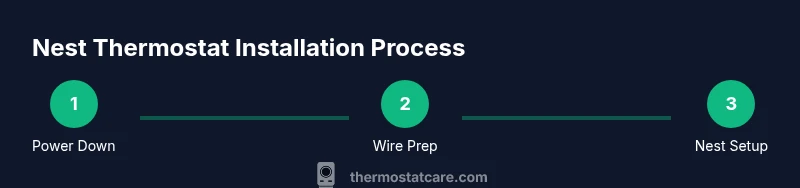
Power down and verify safety
Begin by turning off power at the furnace control board and at the circuit breaker when possible. Use the non-contact tester to confirm no voltage on the old thermostat wires before touching them. This step protects you from shocks and prevents damage to the HVAC system during removal.
Tip: Double-check both the furnace and the breaker shutoffs to avoid back-feed when handling wires. - 2
Remove old thermostat and document wiring
Carefully remove the old thermostat faceplate and base. Take clear photos of how wires are connected to each terminal (R, C, W, Y, G, etc.) and note any unusual labels. This documentation helps you map wires correctly to the Nest terminals later.
Tip: Label wires with painter’s tape if you can’t rely on color alone. - 3
Check for a C-wire and plan wiring path
Inspect whether a C-wire is present and connected to the furnace’s C terminal. If not, decide whether you’ll use a power-sharing method or a C-wire adapter. Knowing this in advance saves troubleshooting time during setup.
Tip: If you don’t find a C-wire, don’t force a connection; consider running a fresh C-wire or using the adapter only if your system supports it. - 4
Mount the Nest base and route wires
Mount the Nest base on the wall, using a level for accuracy and securing it with screws. Thread the labeled wires through the base opening toward the Nest terminals. Keep wires neat and away from sharp edges to prevent wear.
Tip: Ensure the base sits flat against the wall for a secure connection. - 5
Connect wires to Nest terminals
Attach each wire to the corresponding Nest terminal (R to R, G to G, Y to Y, W to W, C to C, as applicable). If a wire color doesn’t match a label, rely on the function you documented earlier. Remove any existing terminal jumpers if Nest does not require them.
Tip: If you’re unsure about a terminal, pause and consult the wiring diagram or Thermostat Care guide before proceeding. - 6
Power up and configure in the app
Restore power and follow the Nest app prompts to connect to Wi‑Fi and configure your heating and cooling settings. The app will guide you through system tests and feature preferences.
Tip: Run the built-in system test to verify heat, cool, and fan operation. - 7
Test and finalize
Cycle through heating and cooling to confirm proper operation. Watch for unexpected shutdowns or incorrect temperatures. Save any custom schedules and ensure the thermostat responds to hold and temperature adjustments.
Tip: Record any error codes and refer to Thermostat Care troubleshooting if needed.
Questions & Answers
Do I need professional help to install a Nest thermostat?
Not always. Many homeowners can complete a Nest installation with basic DIY steps, especially if their wiring includes a standard R, G, Y, W, and a C-wire. Complex systems or uncertain wiring may benefit from professional assistance.
You can often install it yourself if your wiring is straightforward; otherwise, consider a pro for tricky setups.
Is a C-wire required for Nest to work reliably?
A C-wire provides stable power and is highly recommended for reliability. If you don’t have a C-wire, Nest can work with power-sharing or an adapter, but you may encounter occasional power-related issues.
A C-wire is best for reliability; if you don’t have one, be prepared for potential power issues.
Will Nest work with all HVAC systems?
Nest supports many 24V systems, but some oil furnaces, dual-fuel setups, or very old control boards may require adapters or professional installation to ensure compatibility.
Most systems work, but older or unusual setups might not be fully compatible.
How long does installation typically take?
A typical install takes about 60–90 minutes, including app setup and basic testing. Complex systems with adapters or unusual wiring can take longer.
Most installs take about an hour and a half, with longer times for complicated wiring.
What should I do if Nest won’t power on after installation?
Double-check the power source at the furnace and breaker. Verify wiring connections, then run the Nest setup again. If issues persist, consult Thermostat Care troubleshooting guides or consider professional help.
If it doesn’t power on, recheck power and wiring, then retry the setup or seek help.
Is Wi‑Fi required for Nest to function fully?
Wi‑Fi is needed for full smart features, updates, and remote control. Basic on-device operation can work without it, but expect limited functionality.
Wi-Fi is needed for most features; you can still use basic settings offline.
Watch Video
What to Remember
- Assess compatibility before starting
- Gather essential tools and plan time
- A typical Nest install takes 60–90 minutes
- Call a pro for uncertain wiring or safety concerns