Changing Thermostat: A Practical Step-by-Step Guide
A practical, DIY-friendly guide to changing your thermostat, covering compatibility, tools, wiring, programming, and testing for safe, energy-efficient operation in 2026.


By the end of this guide, you'll be able to safely change a thermostat, whether upgrading to a smart model or replacing a faulty unit. You'll confirm compatibility, gather tools, power down properly, swap the device, and complete initial programming. This practical approach comes from Thermostat Care to help DIY homeowners.
Why changing thermostat matters
For homeowners, changing the thermostat is more than a cosmetic upgrade; it directly affects comfort, energy use, and long-term reliability of your HVAC system. The Thermostat Care team emphasizes choosing a model that matches your equipment and daily routines. A well-chosen thermostat can adapt to your schedule, reduce temperature swings, and make it easier to maintain a comfortable home without wasting energy. When you plan a replacement, focus on compatibility with your current furnace or heat pump, the type of power supply (C-wire presence), and whether you want advanced features like smart connectivity or learning capabilities. This is not just about the device itself; it’s about how well it integrates with your home’s electrical layout and HVAC controls. By prioritizing reliability and ease of use, you’ll enjoy consistent comfort and more predictable energy costs. According to Thermostat Care, a thoughtful thermostat replacement can simplify control of heating and cooling, leading to better comfort and predictable costs.
Assessing compatibility and choosing a replacement
Before buying a new thermostat, confirm your system’s compatibility. Check whether your HVAC uses a standard 24-volt control or a more complex multi-stage configuration. Determine the power type: is there a C-wire (common) available, or will you use a battery-powered option? Consider the number of wires run to the old thermostat (2-wire, 3-wire, 4-wire). If you’re upgrading to a smart thermostat, ensure Wi‑Fi availability and whether the new model requires a C-wire or a power extender kit. Reading the installation manual and matching wiring diagrams to your existing setup are essential steps. This planning stage reduces the risk of a non-responsive thermostat after installation and helps you pick a model with the right features for your home. Thermostat Care’s guidance emphasizes selecting a model that supports your HVAC configuration while offering intuitive controls and stable software updates.
Understanding thermostat types and features
Thermostats come in several flavors: basic non-programmable, programmable, and smart Wi‑Fi models. If you’re replacing an older unit, you may want to move to a programmable or smart thermostat for greater energy savings and remote access. Smart models add features like geofencing, voice assistant compatibility, and learning algorithms, but they require reliable Wi‑Fi and an up-to-date app environment. When choosing, consider your comfort with technology, the size of your home, and the types of zones your HVAC system serves. Simple setups are often sufficient for small homes, while larger homes with multiple zones might benefit from smart thermostats that support multi-stage cooling/heating and advanced scheduling. The Thermostat Care team notes that aligning features with your daily routine yields the best long-term gains in comfort and savings.
Tools, safety, and planning
Having the right tools before you start saves time and reduces risk. Gather a screwdriver, a non-contact voltage tester, wire labels, and the new thermostat’s installation guide. Plan the process by labeling wires as you disconnect, taking photos of the wiring layout, and confirming the mounting location matches the new unit’s backplate. Safety first: turn off power at the breaker, verify de-energization with a tester, and avoid touching exposed conductors. A clean work area helps keep small parts from getting lost and makes it easier to reconnect wires correctly. Thermostat Care reminds DIY installers to work methodically and double-check each connection before re-energizing the system.
Wiring basics and common configurations
Most residential thermostats use low-voltage 24-volt wiring with common terminal designations like R, C, W, Y, and G. Some systems combine Rc and Rh at the thermostat. If your old thermostat has multiple stages or a heat pump, you’ll see additional terminals such as W2 or Y2. When transferring wires to the new unit, use the labels you created and consult the new thermostat’s wiring diagram for terminal mapping. If a C-wire is missing, you may need to install a compatible adapter or select a model that works without a C-wire, though that can affect power reliability for certain smart features. The goal is a clean, orderly connection where each wire lands on the correct terminal and is secured without pinching or loose strands.
The installation workflow: a high-level plan
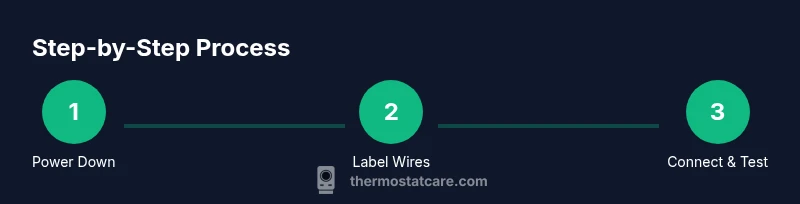
A clear plan reduces errors during the swap. Step one is powering down and verifying de-energization. Step two is removing the old thermostat faceplate and disconnecting wires, labeling them as you go. Step three is mounting the new plate and connecting wires according to the new unit’s diagram. Step four is attaching the display and restoring power, followed by initial configuration. Some homeowners choose to photograph the old wiring and keep a simple notes sheet. This helps ensure a smooth transition, especially if you later change models or need to revert to a previous setup. Thermostat Care recommends following the manufacturer’s sequence for wiring and mounting to protect both safety and device integrity.
Programming and testing your new thermostat
After wiring, power up and program the thermostat with basic settings: desired temperature ranges, occupancy-based schedules, and any local HVAC constraints. Test system functions by running heat, cooling, and fan modes to confirm correct activation and responses. If a mode doesn’t respond, double-check wiring and ensure the unit recognizes the system type. For smart models, pair the device with the app, connect to Wi‑Fi, and perform a firmware update if prompted. The initial test should verify both climate control and user interface responsiveness, ensuring a reliable installation for daily use.
Troubleshooting and common issues after install
If the thermostat doesn’t power on, re-check the power source and battery (if applicable). Ensure all wires are securely seated and that the C-wire (if used) provides a stable supply. For non-responsive displays, verify the mounting plate is properly grounded and that there is no protection circuit tripped at the breaker. If the HVAC system does not respond to thermostat commands, revisit terminal mappings and confirm the correct system type was selected in the setup. When in doubt, consult the installation guide and manufacturer support resources. Thermostat Care offers practical troubleshooting steps that address the most common failure points without unnecessary complexity.
Energy savings, maintenance, and long-term care
A well-maintained thermostat enhances comfort and efficiency over time. Regularly check for software updates on smart models, review scheduling to reflect seasonal changes, and consider energy-saving settings like adaptive recovery. Clean the thermostat interface and ensure vents and wires are free of obstruction to prevent misreads or power issues. If you upgrade to a smart thermostat, enable remote diagnostics and use energy reports to identify opportunities for better control. The Thermostat Care team emphasizes keeping your device current and reviewing settings seasonally to maintain the best possible performance. The broader goal is reliable operation, lower energy waste, and a comfortable home environment.
Tools & Materials
- New thermostat (replacement or upgrade)(Choose a model compatible with your HVAC system and mounting type.)
- Screwdriver set (Phillips #1 or #2, flathead)(Used to remove wall plate and secure terminals.)
- Non-contact voltage tester(Check that power is off before touching wires.)
- Wire labels or masking tape(Label each wire as you disconnect to map to terminals.)
- Wire stripper or scissors(Prepare wires for terminal insertion if needed.)
- User manual for the thermostat(Reference wiring diagrams and programming steps specific to your model.)
- Notebook and pen(Document existing wiring layout and settings for future reference.)
- Safety gloves (optional)(If you prefer extra protection while handling metal components.)
Steps
Estimated time: 60-90 minutes
- 1
Power off and verify de-energized
Go to the main breaker and switch the HVAC circuit to off. Use the non-contact tester on the thermostat wires to confirm there is no voltage before touching any conductors.
Tip: Double-check at the breaker panel; a single lived wire can cause a shock even when the thermostat knob is off. - 2
Remove old thermostat and label wires
Carefully remove the faceplate and disconnect each wire. As you detach, apply labels (R, C, W, Y, G, etc.) and take a close-up photo of the wiring for reference.
Tip: Label wires in the order they appear to avoid cross-connecting terminals on the new unit. - 3
Check compatibility and map wires
Cross-check the new thermostat’s wiring diagram with your labeled wires. If you lack a C-wire and your model requires it, decide whether to use a power extender or select a model that operates without a C-wire.
Tip: If in doubt, choose a model that explicitly supports a C-wire and confirms compatibility with multi-stage systems. - 4
Mount the new back plate
Attach the new mounting plate to the wall ensuring it sits level. Secure it with the screws supplied by the thermostat kit, and ensure there is no wobble.
Tip: Use a stud finder to avoid mounting into a drywall hollow area; a stable mount prevents future misalignments. - 5
Connect wires to the new thermostat
Insert each labeled wire into the corresponding terminal on the new unit. Ensure wires are fully seated and no stray strands are exposed.
Tip: If a terminal accepts a push-in wire, do not twist the copper; trim and straighten the wire for a clean connection. - 6
Attach the display and restore power
Snap the thermostat face onto the back plate and restore power at the breaker. Verify the display lights up and that the unit is receiving power.
Tip: Keep the display facing you to confirm it powers on before finalizing the installation. - 7
Program basics and run a test
Set the basic schedule, temperature range, and mode (heat/cool). Run a quick test to confirm heating and cooling respond to commands.
Tip: Test both modes and the fan separately to ensure full control. Document any unusual delays or incorrect responses.
Questions & Answers
Do I need a professional to change a thermostat?
For many standard homes, replacing a thermostat is a DIY-friendly task. If you have multiple stages, heat pumps, or complex wiring, consider hiring a professional.
Most homes can replace a thermostat themselves, but call a pro for multi-stage or unfamiliar wiring.
Is it safe to replace a thermostat on your own?
Yes, with proper safety steps: power off at the breaker, verify de-energization, and follow the thermostat’s wiring guide closely.
It’s generally safe if you turn off power and follow the wiring guide carefully.
What if my thermostat uses a C-wire?
A C-wire provides a constant source of power. If your new thermostat requires it, you may need to add a C-wire or use a power extender kit.
If your new model needs a C-wire, ensure it’s available or use an extender kit.
Will replacing my thermostat affect energy bills?
A properly installed thermostat with correct programming can improve efficiency and comfort, but savings depend on usage and climate.
It can improve efficiency, but actual savings depend on how you use it.
What tools do I need to replace a thermostat?
You’ll need a screwdriver, voltage tester, wire labels, and the new thermostat’s installation guide.
A screwdriver, a tester, and labels are typically enough to start.
What should I do if the thermostat won’t power on after install?
Recheck all connections, confirm the breaker is on, and verify you used the correct terminals. If issues persist, consult the manual or support.
Check connections and breaker first, then consult the manual if it still won’t power on.
What to Remember
- Plan and verify compatibility before buying.
- Label wires and document the original configuration.
- Power off completely before handling any wiring.
- Double-check connections against the new model’s diagram.
- Test all functions after installation to confirm proper operation.