Can You Install a Smart Thermostat in an Apartment? Here’s How
A practical guide on installing a smart thermostat in an apartment, covering landlord permissions, compatibility checks, wiring basics, and a safe, renter-friendly step-by-step process.


Can you install a smart thermostat in an apartment? Yes, in many cases you can, as long as you can access the existing HVAC wiring and your building allows modifications. This quick guide outlines compatibility checks, wiring basics, and a safe, tenant-friendly installation approach. By following these steps, you’ll learn how to select a compatible model, wire it correctly, and run a test to confirm operation.
Apartment constraints and access to HVAC
In apartments, the ability to install a smart thermostat often hinges on access to the central HVAC wiring and the landlord's permission. According to Thermostat Care, most modern apartments with forced-air or hydronic systems can accommodate a compatible smart thermostat, but renters must review lease language and building policies first. Common constraints include require a C-wire (common) for power, restricted wall space, and existing thermostat mounting plates. If you don’t own the unit, you’ll want written permission and a plan to revert the setup when you move out. This section explains what to look for before you buy a new device and how to verify that your system is compatible with a smart thermostat.
Understanding HVAC compatibility in rental properties
A smart thermostat relies on a stable power source and reliable communication with the HVAC control board. In apartments, you’re more likely to find standard forced-air furnaces with a C-wire or heat-only systems that might require a power extension method. Thermostat Care analysis shows that many apartment systems support smart thermostats, but there can be edge cases with old wiring, proprietary thermostats, or multi-zone setups. The key is to identify the type of control you’re interfacing with (two-wire, three-wire, or more complex) and whether you have access to the C-terminal on the control board. This determines which models and wiring options will work for you.
Wiring realities: the C-wire and power options
Power is the crux of a reliable smart thermostat install. If your current thermostat uses a C-wire, you’re in good shape for most models. If not, you’ll need a common power solution such as a C-wire adapter or a 24V power extender kit. In apartments, space is often tight, so you may need a compact base, a short wiring run, and careful labeling. Always turn off power at the breaker before touching wires, and use a non-contact voltage tester to verify there’s no live current. This reduces the risk of shocks or damage to the furnace control board.
Choosing an apartment-friendly model
Look for thermostats designed for easy installation with limited wiring. Battery-powered models can work, but most renters benefit from a device that supports a C-wire or a power extender. Consider models with a slim mounting plate, clear wiring diagrams, and robust app support. The Thermostat Care team recommends checking compatibility with your HVAC type (gas, electric, or heat pump) and confirming any required add-ons before purchase.
Safety and landlord considerations
Before you begin, obtain written permission from your landlord or property manager, and verify that modifications can be reversed. Keep a record of the device’s model number, wiring labels, and a note about how you’ll revert it when you move out. Do not bypass safety switches or tamper with the furnace controls. In multi-unit buildings, your building’s management may require a licensed technician for certain work or to perform the final wiring check. Always follow local codes and the thermostat manufacturer’s installation guide.
Configuring the thermostat and connecting to Wi‑Fi
Once wired, configure the thermostat with the companion app, connect to your home Wi‑Fi network, and select the appropriate HVAC type. In apartments, you might need to disable some advanced features that aren’t supported by older systems, but you can still benefit from scheduling, geofencing, and energy-use insights. Test heating and cooling modes to confirm air flow and temperature, and monitor the status indicators on the device for any warning icons. This step closes the loop between the hardware and your daily routine.
Troubleshooting common apartment install hurdles
If the device won’t power up, recheck the C-wire connections and ensure the furnace control board is accepting a 24V signal. If fan or heat calls aren’t responding, double-check wire color mapping against the thermostat base diagram and confirm the wiring terminals. For renters, a non-invasive workaround like a power extender kit can solve persistent power issues without rewiring, but consult thermostat manufacturer instructions before using adapters.
Maximizing energy savings in a rental
A smart thermostat helps manage comfort while reducing energy use, especially with occupancy sensing and adaptive schedules. In apartments, consider setting up default schedules for work hours, bedtime, and weekends to avoid unnecessary furnace runs. Use eco modes when you’re away and review monthly energy reports to spot opportunities to adjust cooling setpoints or temperature setbacks. Thermostat Care’s approach emphasizes gradual, science-driven adjustments rather than drastic overnight changes.
Maintenance and what to expect long term
Keep firmware up to date, clean the air filter, and periodically verify that temperature readings reflect actual room conditions. In rental situations, you’ll want a reversible installation plan and a backup strategy in case you move. Store the original thermostat, screws, and wall plate so you can revert quickly if needed. With proper care, a smart thermostat can deliver steady comfort and ongoing energy savings for years to come.
Tools & Materials
- Non-contact voltage tester(To verify power is off before handling wires)
- Screwdrivers (Phillips and flat-head)(Choose sizes matching existing thermostat screws)
- Wire labels or masking tape(Label wires as you disconnect them)
- Thermostat mounting plate(Ensure it matches new thermostat base holes)
- C-wire adaptor or power extender kit (if no C-wire)(Choose compatibility with your model)
- Electrical tape(For securing wire splices and labels)
- Voltage tester(Extra safety check for live lines)
- Smart thermostat of choice(Ensure model supports your HVAC type)
Steps
Estimated time: 60-90 minutes
- 1
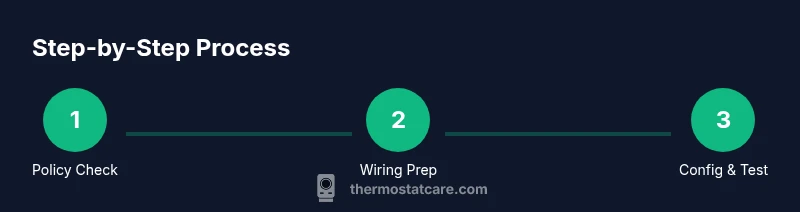
Check policy and compatibility
Review your lease for thermostat modification allowances and confirm that your HVAC system is compatible with the smart thermostat you plan to install. This homeowner-level check helps prevent unexpected building objections and ensures you’re targeting a supported configuration.
Tip: Call your landlord or property manager to confirm before buying equipment. - 2
Power down and confirm wiring
Turn off power to the HVAC system at the main breaker and use a non-contact tester to verify there’s no voltage on the thermostat wires. This reduces shock risk and protects the furnace control board during wiring changes.
Tip: Never work on live wires; double-check the power-off state. - 3
Remove existing thermostat and label wires
Carefully detach the old thermostat, noting which wire goes to which terminal. Label each wire with its terminal name (e.g., R, C, W, Y, G) to guide the new thermostat wiring.
Tip: Take a photo as a backup reference. - 4
Install the new base and mount
Attach the smart thermostat base to the wall using the existing mounting screws. Make sure the base is level and that all wires reach their terminals without being crimped or stressed.
Tip: Use a level to ensure straight mounting for accurate readings. - 5
Connect wires to the new thermostat
Insert wires into the matching terminals on the smart thermostat base (R, C, W, Y, G). If your model requires a C-wire, connect it securely and tuck any extra conductors neatly.
Tip: Double-check that each wire is fully seated and clipped in. - 6
Power up and run the setup
Restore power, then follow the on-screen prompts to configure HVAC type, Wi‑Fi, and account setup. Keep the international power adapter unplugged until the device requests power.
Tip: Have your Wi‑Fi password handy. - 7
Test heating, cooling, and fan
Run through each mode to confirm airflow and temperature changes. If any function fails, recheck wire assignments and app settings before troubleshooting further.
Tip: Brace for short bursts of noise as the system cycles on. - 8
Enable energy-saving features
Set up schedules, geofencing, and eco modes to maximize savings while maintaining comfort. Review energy reports to fine-tune setpoints over the next few days.
Tip: Start with conservative setbacks and adjust gradually. - 9
Finalize and document
Label the wires in the wall for future reference and store the old thermostat for reversibility. Keep a note of model details for future maintenance.
Tip: Document everything in a single home maintenance log.
Questions & Answers
Can I install a smart thermostat in a rental apartment without landlord approval?
Most landlords require notification and permission before modifying the wiring or mounting a wall device. Check lease terms and obtain written consent. If in doubt, consult your property manager.
In most rentals, you should get written permission before wiring or mounting a thermostat to avoid violating lease terms.
Do I always need a C-wire for a smart thermostat?
Many smart thermostats require a C-wire for reliable power, but some battery-powered models or power extender kits can work when a C-wire is unavailable. Verify model requirements before purchasing.
Most require a C-wire, but some battery-powered options exist or you can use a power extender kit.
Will my apartment’s heating system be compatible with a smart thermostat?
Compatibility depends on the control board and wiring present. Common systems include gas furnaces with C-wires, electric heaters, or heat pumps. Review the thermostat’s compatibility list and your HVAC type.
Compatibility depends on your HVAC system and wiring; check the thermostat’s compatibility list.
What should I do if the thermostat won’t power up after installation?
Recheck C-wire connections, verify the control board terminals, and confirm power at the breaker. If issues persist, consult manufacturer’s troubleshooting guide or a licensed technician.
If there’s no power, double-check wires and the breaker, then refer to the manufacturer’s guide or contact a pro.
Is professional installation ever required in apartments?
If the building’s wiring is complex or you’re unsure about safety, hire a licensed technician. This ensures code-compliant wiring and a proper setup, especially in multi-unit buildings.
If you’re unsure, a licensed technician can ensure safety and code compliance.
Watch Video
What to Remember
- Check landlord permissions before install
- Verify C-wire and power are ready
- Choose an apartment-friendly model with reversible installation
- Document wiring and mounting for future moves
- Test all modes and enable energy-saving features