Truck Overheating After New Thermostat? A Troubleshooting Guide
Is your truck overheating after you installed a new thermostat? This Thermostat Care guide provides urgent, step-by-step troubleshooting, bleeding tips, and prevention strategies to stop overheating and protect your engine in 2026.


Most likely the new thermostat isn’t opening, or air is trapped in the cooling system, causing the engine to overheat. If you’re asking why is my truck overheating with a new thermostat, the quickest fix is to re-check thermostat orientation, ensure it is seated properly, bleed air from the system, and confirm coolant level and mix before a test drive. Stop driving if the gauge moves toward hot. Safety first.
Why this happens and what to do right now
According to Thermostat Care, overheating after swapping a thermostat is a common sign of installation errors or air pockets in the cooling system. If you’re wondering why is my truck overheating with a new thermostat, the situation can escalate quickly if you ignore it. Start with safety: pull over if you notice steam or a creeping gauge, turn off the engine, and wait for it to cool before touching anything. This block explains the most frequent causes—installation orientation, air in the lines, or coolant issues—and sets the stage for practical fixes you can perform as a confident DIYer. The goal is to isolate the problem fast without risking engine damage, while still keeping you on the right side of safety rules.
How the cooling system works in a truck
A vehicle cooling system relies on a properly installed thermostat to regulate coolant flow between the engine and radiator. When the engine warms up, the thermostat opens to allow coolant to circulate, preventing hot spots. A new thermostat should behave predictably, opening at the correct temperature, and closing when not needed. Problems arise when the device is installed incorrectly, or when air enters the system, or when coolant is contaminated or not at the proper level. Understanding this flow helps you spot issues quickly during your diagnostics.
Common installation mistakes after thermostat swap
Several simple mistakes can cause overheating after installing a new thermostat. The most frequent are installing the thermostat backward or upside down, not seating the thermostat gasket properly, using an incompatible gasket, and neglecting to flush air from the cooling system. These issues can produce symptoms that mimic a faulty thermostat, such as fluctuating temperature readings or sudden overheating. Another pitfall is reusing old cooling system components, which may not seal correctly with a new thermostat. Double-checking the alignment and seals is essential before moving on to deeper checks.
Bleeding air and checking coolant levels
Air pockets in the cooling system can prevent the coolant from circulating, which fools the gauge into showing overheating. To fix this, locate the bleed points and slowly open them with the engine running (carefully, since some points may be hot). Top up coolant to the required level with the correct mix and vent any air until a steady, bubble-free flow emerges. If the coolant looks dirty or old, consider flushing the system and refilling with fresh, recommended coolant. Remember to replace the radiator cap if it’s worn.
Diagnostic flow overview: symptom → diagnosis → solution
When diagnosing truck overheating after a thermostat swap, start with the simplest checks: coolant level, leaks, and the thermostat seating. If the gauge remains high after a safe test drive, re-check the thermostat orientation and verify that the cooling fans engage with the temperature rise. If the issue persists, consider air bleed, coolant replacement, and a pressure test to locate leaks or a failing water pump. Each step should be documented to avoid repeating tests.
Safety, prevention, and when to seek professional help
Safety is non-negotiable. Never open the cooling system while the engine is hot, wear eye protection, and disconnect the battery if you’ll be handling electrical connections around the radiator area. After you perform basic troubleshooting and the vehicle still overheats, contact a professional. Prevention tips include using the correct coolant type and mix, regularly inspecting hoses and clamps, keeping the coolant reservoir topped up, and performing a routine bleed whenever you replace a thermostat or drain the cooling system.
Steps
Estimated time: 60-90 minutes
- 1
Ensure safety and initial checks
Park on a level surface and let the engine cool completely. Visually inspect for leaks, worn hoses, and the radiator cap. Check coolant level and consider whether the coolant needs replacing. If you observe steam or a hot surface, do not continue—allow the engine to cool fully.
Tip: Always wear eye protection and gloves when working near the radiator and cap. - 2
Verify thermostat orientation
Remove the thermostat housing carefully and verify the thermostat is oriented as per the manufacturer’s arrows or markings. Replace any gasket or O-ring seals. Reinstall the housing securely and don’t overtighten to avoid cracking the housing.
Tip: Take a photo during disassembly to ensure correct reassembly alignment. - 3
Bleed air from the system
With the radiator cap off and the engine running at idle, open bleed valves or outlets one at a time, allowing air to escape. Watch the coolant level rise as air exits. Keep adding coolant as needed, ensuring steady flow without air pockets.
Tip: Do not rush; air pockets can create hot spots and inaccurate temperature readings. - 4
Top up and check coolant mixture
Use the manufacturer-specified coolant type and mix ratio. Fill to the recommended level when the engine is cool. Replace the radiator cap and inspect for any signs of leaks after the system pressurizes.
Tip: If you suspect old or contaminated coolant, flush the system before refilling. - 5
Inspect fans, hoses, and water pump
Turn on the engine and observe that cooling fans engage as the temperature rises. Check fans for proper operation and listen for unusual noises. Inspect hoses for kinks or collapse and look for leaks around the water pump and clamps.
Tip: A failing water pump or fan switch is a common cause of overheating after thermostat work. - 6
Pressure test and road test
If overheating persists, perform a pressure test to locate invisible leaks. After the system passes, take a short test drive while monitoring temperature and fans. If the temperature remains elevated or you notice deterioration, stop and seek professional help.
Tip: Document readings and symptoms to share with a mechanic.
Diagnosis: Truck is overheating after installing a new thermostat
Possible Causes
- highThermostat installed backwards or not seated properly
- highAir trapped in cooling system after drain/refill
- mediumIncorrect coolant level or improper mix
- lowWater pump or radiator issues causing restricted flow
- lowCooling fan not engaging or electrical fault
Fixes
- easyRe-check thermostat orientation and reseat with new gasket; ensure correct installation per housing marks
- easyBleed air from the cooling system and top up coolant to the correct level
- easyFlush and replace coolant with the recommended type and mix; check for leaks
- mediumInspect water pump, hoses, radiator, and fan operation; address leaks or failed components
- mediumPerform a pressure test of the cooling system to locate hidden leaks
Questions & Answers
Why would a new thermostat cause overheating in a truck?
A new thermostat can cause overheating if it’s installed backwards, not seated correctly, or if air remains in the cooling system. Bleeding air and verifying the thermostat orientation often resolves the issue before pursuing more invasive fixes.
A new thermostat can cause overheating if it’s installed wrong or if air is trapped. Bleed the system and recheck the setup first.
How can I tell if the thermostat is installed backwards?
Check for alignment marks on the thermostat and housing. When in doubt, remove and reinstall following the template or a manufacturer guide. A backwards thermostat can restrict flow and cause overheating.
Look for marks on the thermostat and housing to confirm correct orientation; reinstall if needed.
Can air in the cooling system cause overheating after a thermostat swap?
Yes. Air pockets block coolant flow and raise temperatures. Bleeding the system and topping up coolant usually resolves this quickly.
Air pockets can block flow; bleed and refill to fix the overheating.
Should I flush coolant when overheating continues after thermostat replacement?
If the coolant is old or contaminated, flushing the system and refilling with the correct mix is advisable. This can remove residues that impede flow and cooling efficiency.
A coolant flush can help if the fluid is dirty or degraded.
When should I seek professional help for engine overheating?
If overheating persists after basic checks, or you notice leaks, steam, or shifting gauge readings, consult a mechanic. Ongoing overheating can damage the engine.
Call a mechanic if it keeps overheating after you’ve tried bleeding, topping up, and checking the thermostat.
Can a faulty radiator cap cause overheating after thermostat replacement?
Yes. A worn cap can fail to maintain system pressure, leading to boiling and overheating. Inspect or replace the cap if you suspect it’s not sealing.
A bad radiator cap can cause overheating by not keeping pressure.
Is it safe to drive a truck that runs hot after a thermostat swap?
No. Driving when the gauge indicates high temperatures risks engine damage. If you must move it, keep RPMs low and limit driving distance until the issue is diagnosed.
Don’t drive if the engine runs hot; get it checked.
Watch Video
What to Remember
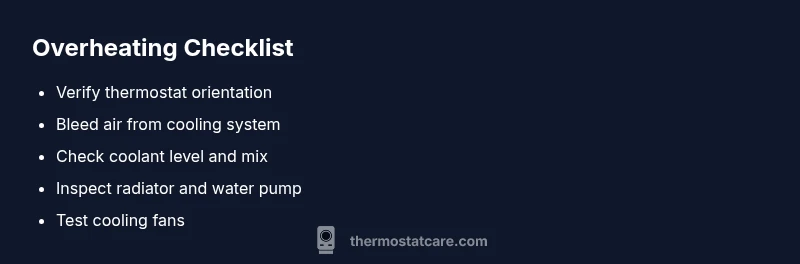
- Re-check thermostat orientation and seating first
- Bleed air and confirm coolant level
- Inspect for leaks and verify cooling fan operation
- Seek professional help if overheating persists