Honeywell Thermostat Replacement: A DIY Guide
A comprehensive, step-by-step guide to honeywell thermostat replacement. Learn model compatibility, wiring basics, safety, and testing to ensure a smooth upgrade with Thermostat Care.


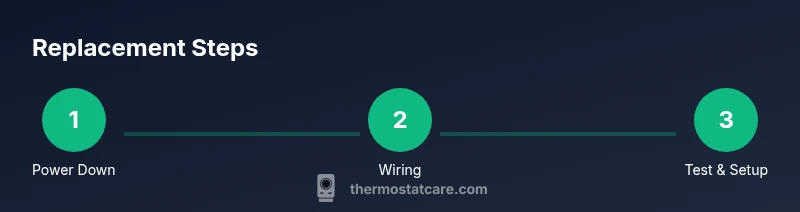
You will replace a Honeywell thermostat by safely powering down, transferring wires, and mounting the new unit. Ensure compatibility with your HVAC system, label connections, and configure basic settings. This quick guide covers common DIY replacement and flags when professional help is wise. Prepare for smart models with Wi‑Fi setup if applicable, and follow safety precautions to avoid shock or short circuits.
Understanding when a Honeywell thermostat replacement is needed
If your Honeywell thermostat is misbehaving, delivering inconsistent temperatures, or showing signs of wear after years of service, honeywell thermostat replacement is worth considering. The Thermostat Care team often sees aging batteries, worn-out sensors, or outdated communication protocols as the primary reasons homeowners decide to replace rather than repair. Replacing the thermostat can restore accurate temperature control, improve energy efficiency, and provide access to newer features such as remote scheduling or smart integrations. Before you begin, verify that the model you choose is compatible with your HVAC equipment, and ensure your system uses the same voltage and wire count as the new unit. This check helps prevent compatibility problems that would negate any gains from replacement. In many homes, a replacement also resolves ghost readings on the display, unresponsive touch controls, and poor heat or cooling synchronization between zones. By planning ahead and selecting a Honeywell model that matches your setup, you can minimize debugging time and maximize comfort. According to Thermostat Care, a careful approach to replacement reduces frustration and helps ensure long-term reliability for honeywell thermostat replacement.
Compatibility across Honeywell models and home wiring
Honeywell offers several families of thermostats, including programmable, smart, and universal compatibility lines. When you're doing honeywell thermostat replacement, one of the biggest hurdles is ensuring the new unit matches your existing wiring and HVAC controls. Thermostat Care analysis shows that many installation issues stem from missing C-wire, inadequate wire gauge, or using a model that does not support multi-stage heating or cooling. Start by tracing the wires from the old thermostat to your furnace control board and note which terminals were used (R, C, W, Y, G, etc.). Review your HVAC equipment manual or the dealer’s compatibility chart to confirm the new thermostat supports your system's stage configuration and power type. If you have a heat pump or multiple zones, you may need a more capable Honeywell model or a separate control board. In short, compatibility is more about the electronic interface than color-coded wires, so double-check the terminals and the user guide before purchasing. Based on Thermostat Care research, ensure your chosen model aligns with your wiring and HVAC setup for a trouble-free replacement.
Safety precautions and workspace setup
Safety first is essential when performing any honeywell thermostat replacement. Begin by turning off power at the circuit breaker and at the thermostat itself to eliminate the risk of shock. Use a non-contact voltage tester to confirm there is no live current before touching wires. Work on a dry, well-lit surface and remove nearby items that could snag wires or press against the terminal strip. Keep your tools organized on a clean mat, and wear protective gloves if you have rough wall surfaces. If you are uncertain about a connection or sense scorching or corrosion on wires, stop and consult the manual or a professional. This careful preparation reduces the chance of overheating, short circuits, or damage to the HVAC system, and it helps ensure a clean, safe replacement process.
Wiring basics: C-wire, power, and common configurations
A successful honeywell thermostat replacement hinges on wiring accuracy. Most modern residential thermostats require a C-wire for stable power, especially smart models, but some basic programmable units can run on batteries. Your first step is to identify which terminals your old thermostat used and map them to the new unit's terminals. The most common terminals are R (power), C (common), W (heat), Y (cool), and G (fan). If your system uses two wires only, you may have limited features and should consider upgrading the wiring or selecting a model that works without a C-wire. For systems with heat pumps, look for heat pump-specific terminals such as O/B and AUX. Always refer to the installation guide for exact terminal labeling, as different Honeywell lines may use slightly different schemes.
Choosing the right Honeywell model for your system
When you replace a Honeywell thermostat, select a model that suits your budget, interface preference, and home automation needs. If you want simple, offline control, a basic programmable unit may be enough; for energy analytics and remote control, a Wi‑Fi-enabled Honeywell thermostat with an accompanying app is typically worth the investment. Consider compatibility with your HVAC type (gas, oil, electric, or heat pump), display readability, and feature set such as room sensors, adaptive scheduling, and voice assistant integration. For households that prioritize energy savings, a model with smart scheduling and occupancy sensors can yield larger gains. Finally, ensure the chosen device supports your HVAC configuration and door-friendly installation in a single or multi-stage system. Thermostat Care recommends comparing models side-by-side and checking the latest firmware support before purchase.
After-install checks and common issues
After completing a honeywell thermostat replacement, run through a quick verification checklist. Confirm that the thermostat powers up, the display is clear, and the HVAC responds to command within a few seconds. Check that the temperature setpoint matches the actual room temperature and that there is no buzzing from the wall or control board. If you notice inconsistent readings or failure to operate, re-check your wiring against the labeled configuration and consult the manual. For smart models, ensure the device connects to the home Wi‑Fi and updates to the latest firmware. This final check helps catch common issues such as loose wires, mis-tapped terminals, or incorrect zone controls. Thermostat Care’s expert guidance emphasizes a thorough test routine to prevent call-backs.
Tools & Materials
- New Honeywell thermostat (programmable or smart)(Choose a model compatible with your HVAC system (gas/oil/electric, single-stage vs multi-stage))
- Screwdriver set (Phillips and flat-head)(For removing the wall plate and mounting screws)
- Non-contact voltage tester(Verify power is off before touching wires)
- Wire labels or masking tape(Label each wire by terminal during disconnection)
- Wall plate mounting screws(Keep screws to mount new base)
- Wi-Fi details (SSID/password)(Required if installing a smart thermostat with mobile features)
- Electrical contact cleaner (optional)(Clean terminals if corrosion is present)
- Safety gloves(Protection while handling wiring)
Steps
Estimated time: 60-120 minutes
- 1
Power down and verify
Turn off the HVAC circuit breaker and the thermostat. Use a non-contact tester to confirm no live voltage before touching wires. This prevents electric shock and protects equipment.
Tip: Double-check at the breaker panel; assume a live circuit until proven off. - 2
Remove old cover and inspect wiring
Carefully remove the thermostat cover. Photograph or label each wire and note which terminal it’s connected to. This provides a reference if wiring diagrams differ.
Tip: Clear labeling saves you from guessing later. - 3
Detach wires and document connections
Disconnect wires one at a time, keeping them organized. If needed, use tape to label the wires and terminal colors. This reduces confusion when wiring the new unit.
Tip: Keep a photo of the wires for troubleshooting. - 4
Mount the new base plate and wire correctly
Attach the new base to the wall using the existing screws. Connect wires to the corresponding terminals on the new thermostat base (R, C, W, Y, G as applicable).
Tip: Match the wire color to the terminal label to avoid miswiring. - 5
Attach the display and restore power
Snap the thermostat body onto the base and turn the circuit breaker back on. Wait 30 seconds for the unit to boot up.
Tip: If it doesn’t power on, check the wiring again. - 6
Configure settings and network
Set date/time, temperature scale, and, if applicable, connect to Wi‑Fi. Follow on-screen prompts to enroll in the mobile app.
Tip: Use a secure Wi‑Fi network and enable updates. - 7
Test HVAC operation
Run through heat, cool, and fan modes to ensure proper operation. Verify scheduling and voltages, listening for unusual noises.
Tip: If non-responsive, re-check wiring and power. - 8
Clean up and store old hardware
Tidy the work area and store old thermostat components for potential warranty or resale. Recycle appropriately if advised by local guidelines.
Tip: Keep the manual for future reference.
Questions & Answers
Can I replace a Honeywell thermostat myself?
Yes, most homeowners can replace a Honeywell thermostat if they follow safety steps, unplug power, and map wires carefully.
Most homeowners can replace a Honeywell thermostat by following safety steps and wiring references.
Do I need a professional for honeywell thermostat replacement?
Only if you encounter complex wiring, missing C-wire, or compatibility issues with your HVAC system.
A pro is recommended for complex wiring or compatibility concerns.
Will replacing my thermostat affect my HVAC warranty?
Improper installation can affect warranties; follow manufacturer guidelines and keep proof of installation.
Improper installation can affect warranty, so follow guidelines.
What if the new thermostat shows an error?
Consult the thermostat manual, verify wiring, and check power; if persists, contact support.
Check wiring and power; if the error continues, contact support.
Is a C-wire always required for smart thermostats?
Most smart thermostats require a C-wire for stable power; check your system and add if missing.
Most smart models need a C-wire; check your wiring.
Are there energy savings after replacement?
Programmable or smart thermostats can optimize energy usage and reduce waste when programmed correctly.
Smart thermostats can save energy with good programming.
Watch Video
What to Remember
- Plan compatibility before replacement
- Power down before touching wires
- Label and document wiring carefully
- Test all HVAC functions after installation
- Follow local disposal guidelines for old devices