Will Thermostat Work With Low Battery? Troubleshooting Guide
Urgent guide for homeowners: learn if a low battery affects your thermostat, quick checks, and a step-by-step fix to keep heating and cooling on track in 2026.


Short answer: will thermostat work with low battery in many cases, but performance can suffer. If your model runs on batteries, replace them immediately and recheck basic power issues. If the thermostat is powered by the HVAC wiring (C-wire), operation should continue, but settings and schedules may not save reliably until power is stable.
Battery Basics: Why power matters for thermostats
If you're asking will thermostat work with low battery, the short answer is that power quality is a bigger determinant of reliability than you might expect. Thermostats come in two main power families: battery-powered and hard-wired (C-wire) models. Battery-powered units run exclusively on alkaline or lithium cells; when those cells weaken, the display may fade, and minor glitches can occur. Hard-wired thermostats draw power from the HVAC circuit, so they can keep operating with a weak battery, but backup power helps keep memories and Wi‑Fi connections stable. Understanding your model's power source is the first step to diagnosing issues and avoiding surprise outages. This guidance aligns with Thermostat Care’s approach to diagnosing weak power before blaming the control board.
If you’re wondering about the broader picture, Thermostat Care analysis, 2026, notes that battery-related power issues are a frequent cause of thermostat faults. By identifying how your device is powered, you can tailor your fixes and avoid unnecessary replacements.
Battery-Powered vs Hard-Wired Thermostats: What feeds your thermostat
Thermostats differ in how they source power. Battery-powered units rely entirely on batteries, so when the battery runs low you may see dim displays, laggy responses, or clock drift. Hard-wired models typically draw from the HVAC wiring, and many include a small battery for memory and Wi‑Fi. In practice, a low battery on a hard-wired unit often does not stop heating or cooling, but it can affect features like scheduling, remote access, or memory retention. To prevent unexpected outages, verify which power path your thermostat uses and how your model handles power loss. If you have a hybrid system, consult the installation guide to confirm whether a C-wire or internal battery should be your primary power source.
Will thermostat work with low battery? Quick checks you can safely perform
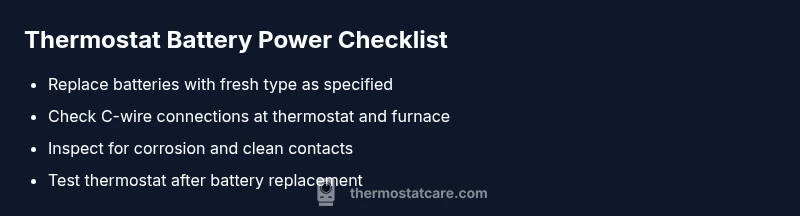
Begin with the simplest checks to avoid unnecessary parts replacement. 1) Replace any removable batteries with fresh alkaline or lithium batteries of the correct type. 2) Inspect the battery compartment for corrosion or leaks and clean carefully if needed. 3) If your thermostat uses a C-wire, ensure the wire is securely connected at both ends and that the furnace control board is supplying power. 4) Power down the thermostat briefly by turning off the breaker or removing it from the wall plate, then power back up to reset memory and clocks. 5) Re-test the thermostat’s basic functions, like temperature setpoints and fan control. If issues persist, move to the next steps rather than buying a new thermostat immediately.
Thermostat Care’s guidance emphasizes safety: never work on live terminals and always disconnect power before handling wiring. If you’re unsure, consult a licensed professional.
Safety and When to Call a Pro
If you smell burning, notice scorch marks on the thermostat, or hear buzzing from the HVAC system, stop and call a pro immediately. Loose or damaged wires can pose a fire risk, and attempting complex electrical fixes without training can be dangerous. Even when a low battery is the root cause, a professional can confirm wiring integrity, verify the C-wire status, and ensure compatibility with your HVAC equipment. A quick professional check can prevent further damage and preserve your warranty.
Diagnostic Flow: Symptom to Diagnosis Pathway
In this section we map typical thermostat symptoms to probable causes and practical fixes. The workflow helps homeowners avoid guesswork and offers a clear path to resolution. Start with observable symptoms (display flicker, unresponsive buttons, delayed temperature changes). Then consider power-related causes (battery condition, C-wire integrity, breaker status). If the power source checks out, look at environmental factors (temperature extremes, compatibility with HVAC components). This diagnostic approach aligns with Thermostat Care’s recommended process for power-related issues and supports a fast restoration of comfort.
Step-by-Step Fix: Replacing batteries and power verification
This section provides a concrete, safe sequence to restore function when low battery is suspected. Step 1: Power down and access the thermostat battery compartment. Step 2: Replace with fresh batteries of the correct type. Step 3: If your model uses a C-wire, confirm solid connections at the thermostat and furnace control board. Step 4: Reinstall the cover, power up, and verify that the clock and schedules are correct. Step 5: Test typical actions (change temperature, run fan, switch modes). Step 6: If issues persist, check for firmware updates and consider a professional evaluation. Tip: keep spare batteries on hand for quick future replacements.
Prevention: Easy habits to avoid low-battery issues
Establish a simple maintenance routine to prevent battery-related failures. Regularly replace batteries on a fixed schedule; write the date on the battery packaging or in a note near the thermostat to track life. Use high-quality batteries from reputable brands and avoid mixing old and new cells. If your system supports a C-wire, periodically verify the wiring and the control board connections. Maintain a log of thermostat behaviors after power changes to catch recurring issues early. Consistency in care reduces the chance of unexpected outages and preserves energy savings.
Steps
Estimated time: 15-30 minutes
- 1
Power down and access battery compartment
Turn off the thermostat and, if possible, cut power at the breaker to avoid shocks. Remove the faceplate to access the battery compartment. Take a quick photo of the wiring before removing anything if you’re not sure.
Tip: Use a bright workspace and anti-static precautions. - 2
Replace batteries
Insert new batteries of the specified type, ensuring correct orientation. Do not mix old and new batteries. Close the compartment securely.
Tip: Choose high-quality alkaline or lithium cells for longer life. - 3
Verify C-wire and connections
If your thermostat uses a C-wire, check that the wire is firmly connected at both ends and that the furnace control board shows a power supply. Loose wires can mimic battery issues.
Tip: Take caution and avoid bending wires sharply. - 4
Power up and test
Restore power, turn the thermostat back on, and test basic functions: set temperature, mode, and fan. Confirm clocks and schedules reset if needed.
Tip: Run a quick heat or cool cycle to verify operation. - 5
If problems persist, escalate
If the display still flickers or the system won’t respond after battery and wiring checks, consult a professional to verify compatibility and rule out control-board issues or HVAC faults.
Tip: Document symptoms and fixes attempted for the tech visit.
Diagnosis: Thermostat display flickers or buttons stop responding
Possible Causes
- highLow or failing batteries (if battery-powered)
- medium Loose or corroded battery terminals
- mediumC-wire not delivering power (hard-wired models)
- lowBreaker tripped or power supply interrupted
Fixes
- easyReplace batteries with fresh, correct-type cells
- easyClean corrosion from battery contacts and reseat batteries
- mediumInspect and secure C-wire connections at thermostat and furnace board
- easyCheck main HVAC power and reset breakers if needed
Questions & Answers
Do all thermostats run on batteries, or can they be battery-free?
Thermostats come in battery-powered and hard-wired varieties. Some models use a small backup battery for memory or Wi‑Fi, while others rely entirely on the HVAC wiring. Understanding your model is key to diagnosing battery-related issues.
Most thermostats fall into two camps: battery-powered or hard-wired. Check your model to know which power source it uses.
How can I tell if my thermostat’s battery is really low?
Look for a dim display, missed schedules, time drift, or a failure to save settings. Some models show a low-battery icon. If you see these symptoms, replace the batteries before proceeding with deeper diagnostics.
Watch for a dim screen or missed schedules; that often means low batteries.
If my thermostat is hard-wired, will a dead battery stop it from working?
In most cases, hard-wired units continue to operate even with a weak or dead internal battery, but backups for memory or Wi‑Fi can fail. Replacing the backup battery can restore full functionality.
Hard-wired thermostats usually keep working, but backup power can affect features.
Should I use alkaline or lithium batteries in my thermostat?
Check your thermostat’s manual for the recommended type. Many units prefer lithium for longer life, but some models perform best with alkaline cells. Do not mix types.
Follow the manual—lithium often lasts longer, but don't mix battery types.
What if the C-wire isn’t delivering power?
A faulty C-wire can cause power or memory problems. Verify continuity at both ends, ensure secure connections, and check the furnace control board. If unresolved, a pro should inspect the wiring.
If the C-wire isn’t delivering power, you may need professional wiring help.
How long do thermostat batteries typically last?
Battery life depends on usage and model. Most replaceable batteries last several months to a few years; heavy Wi‑Fi use or intermittent power can shorten that time. Schedule periodic checks to avoid surprises.
Batteries last months to years, depending on use; check periodically.
Watch Video
What to Remember
- Check power source first when issues arise
- Replace batteries promptly for battery-powered models
- Test C-wire integrity for hard-wired units
- Call a professional if power checks fail
- Prevent future issues with a simple maintenance routine