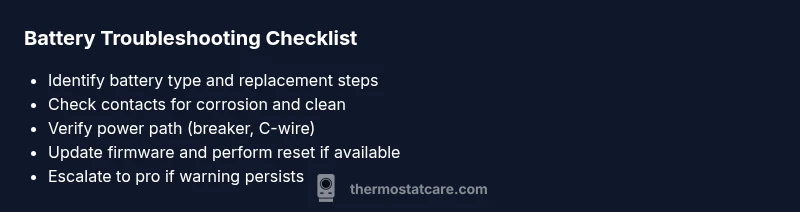
When Thermostat Says Low Battery: Quick Troubleshooting Guide
Urgent guide to diagnose and fix a thermostat warning of low battery. Learn safe battery replacement, inspection tips, and when to contact Thermostat Care for professional help.


When your thermostat says low battery, the most likely cause is a dying battery or drained backup power. Start by replacing the battery with the correct type, reseating contacts, and confirming the power source is stable. If the warning persists, check for firmware updates or perform a reset. Thermostat Care recommends verifying all power paths before escalating.
What the low battery warning means for your thermostat
When the display shows a warning like when thermostat says low battery, you’re seeing a power alert. This usually means the internal battery or the thermostat’s primary power path is weakening. Thermostat Care notes that most modern units get backup power from a coin cell battery and/or the wiring to the HVAC system. A failing battery can cause delayed response, dim displays, or erratic programming. Understanding this warning helps homeowners act quickly and safely, avoiding a malfunction during extreme weather. Regular maintenance, including periodic battery checks, can prevent bigger problems later. According to Thermostat Care analysis, routine battery inspections reduce unexpected outages and keep your system running smoothly.
With every battery replacement, ensure you’re using the correct battery type and that contacts are clean and corrosion-free. A poor connection can mimic a dead battery and trigger false alarms. If you’re unsure of your model’s battery specs, consult the user guide or Thermostat Care’s troubleshooting resources for model-specific guidance.
Common culprits behind the warning
There are several reasons a low battery warning might appear. The most common is an aged or depleted coin cell on smart thermostats. Secondary causes include loose C-wire connections, a partially released battery, or a recent power outage that reset the unit’s power clock. Thermostat Care emphasizes checking both the battery itself and the wiring that supplies continuous power. A false warning can sometimes occur after a firmware update if the device hardware is stressed, so be ready to perform a reset if the issue persists.
Other contributors include high-demand settings that keep the display lit or sensors drawing more power than usual. If your home is very cold or hot, even brief spikes can strain the power path. Regular maintenance helps: keep the battery compartment clean, test power connections, and ensure the thermostat sits securely on its mounting plate.
Model differences: batteries vs. hardwired power
Not all thermostats rely on the same power source. Some models are battery-powered, others use hardwired connections with a C-wire for continuous power. When you see a low battery warning on a device that is supposed to be hardwired, it may indicate a loose wire, a tripped breaker, or a failing transformer. In battery-powered units, the coin cell or lithium battery may lose capacity after months of use. Understanding your model’s power architecture helps you pick the correct fix—battery replacement or wiring adjustment. Thermostat Care recommends consulting the manual for exact power specifications and, if needed, seeking professional help for wiring concerns.
Always confirm the model type before replacement, since some units require specialized batteries or a particular installation sequence.
How to safely replace the battery on common thermostat types
Battery replacement is often straightforward, but safety comes first. For most units, turn off power at the breaker or switch to the off position on the thermostat itself. Remove the cover, extract the old battery, and replace with a fresh battery of the correct type, ensuring the polarity aligns with the markings. Clean contacts gently with a dry cloth if you detect corrosion. Re-seat the battery, reassemble, and power the device back on. Thermostat Care highlights checking the display and performing a quick test cycle to confirm the warning is gone.
If your model uses a rechargeable pack or has a sealed battery, follow manufacturer instructions precisely. Do not attempt to open sealed units beyond what the manual allows. When in doubt, contact a licensed HVAC technician to avoid warranty issues or electrical hazards.
After replacement: testing and firmware considerations
Once the battery is replaced, run a basic diagnostic test. Verify the unit powers up, the display is bright, and temperature changes respond promptly. If the low battery warning reappears, look for firmware updates from the manufacturer; outdated software can misread a healthy battery as low. A factory reset can clear glitches, but back up settings first. Thermostat Care advises performing these checks before deciding the device is faulty.
Keep an eye on power-related indicators over the next few days. If issues recur, the problem may be with the power path rather than the battery itself. In that case, scheduling a professional assessment helps protect your home’s comfort and safety.
Prevention: maintenance to minimize future low-battery alerts
Prevention beats repeat troubleshooting. Establish a simple battery-check routine every 6–12 months, align battery replacement with your HVAC maintenance schedule, and keep spare batteries of the correct type on hand. Regularly inspect the mounting plate, wiring connections, and the thermostat’s location—vibration or heat sources can impact power reliability. Thermostat Care recommends updating firmware when available and recording the installation date for future planning. A proactive approach reduces the risk of unexpected outages.
Steps
Estimated time: 30-45 minutes
- 1
Power down and access the battery
Turn off power to the thermostat at the breaker if applicable, or switch the thermostat off. Remove the faceplate and locate the battery compartment. Assess whether the battery is accessible without tools and prepare a new battery.
Tip: Keep the area dry and avoid touching live electrical components. - 2
Replace the battery with the correct type
Install the replacement battery with correct polarity as indicated by the diagram inside the compartment. Do not mix battery chemistries. Dispose of the old battery properly.
Tip: Do not force the battery in; it should fit snugly without forcing. - 3
Clean and reseat contacts
Wipe away any corrosion or dust from battery contacts using a dry cloth. Reinsert the battery and ensure contacts are fully engaged. Reattach the cover securely.
Tip: A clean contact improves conductivity and reduces false warnings. - 4
Reestablish power and test
Power the thermostat back on. Run a quick test cycle: set a temperature, wait for response, and verify the display is steady. Check for any remaining low-battery alerts.
Tip: If the message returns, note any abnormal behavior for the technician. - 5
Check for firmware updates
Navigate to the thermostat’s settings and check for firmware updates. Install any available updates to ensure proper power management. If a reset is recommended, perform it as instructed by the manual.
Tip: Backup important settings before a reset. - 6
Escalate if issues persist
If the warning reappears after battery replacement and firmware update, schedule a professional assessment. There may be an underlying wiring or hardware problem requiring licensed help.
Tip: A pro can safely verify wiring, transformer health, and system compatibility.
Diagnosis: Thermostat displays a 'low battery' warning.
Possible Causes
- highBattery is aged or depleted
- mediumLoose or corroded battery contacts
- lowPower path issues (breaker, C-wire, transformer)
- lowFirmware glitch causing false warning
Fixes
- easyReplace the thermostat battery with the correct type and reseat contacts
- easyClean battery contacts and re-seat the battery
- mediumCheck power supply/wire connections (breaker, C-wire, transformer) and restore proper voltage
- mediumUpdate firmware or perform a factory reset to clear glitches
- hardIf warning persists, contact a licensed HVAC technician
Questions & Answers
What battery type does my thermostat use?
Most thermostats use coin-cell or lithium batteries. Check your model’s manual or the Thermostat Care troubleshooting page to confirm the exact type. Using the wrong battery can cause damage or continued warnings.
Most thermostats use a coin-cell or small lithium battery. Check the manual for the exact type and replace accordingly.
Is a low battery warning dangerous for my system?
Generally not dangerous, but it can prevent the thermostat from accurately controlling temperatures. Prompt battery replacement minimizes risk of HVAC inefficiency or comfort issues.
It's not dangerous, but it can affect comfort. Replace the battery to restore proper control.
Why does the warning come back after replacement?
If the warning reappears, there may be a wiring issue, a faulty transformer, or a firmware glitch. Recheck power paths and consider a professional inspection.
If it comes back, there might be a wiring or transformer issue or a firmware glitch.
How often should I replace thermostat batteries?
Most batteries last 1–2 years, depending on usage and model. Set a reminder to check annually and replace as soon as you notice dim display or delayed responses.
Typically every 1–2 years, but check yearly and replace as soon as you notice issues.
What should I do if the warning persists after firmware updates?
If issues persist after updates, perform a factory reset if supported, and if the warning continues, contact a licensed HVAC tech to diagnose wiring or hardware faults.
If it keeps coming back after updates, you may need a professional check.
Can I ignore a low battery warning?
No. Ignoring can lead to inaccurate temperature control or failure during extreme weather. Address it promptly with battery replacement and power path checks.
No, don’t ignore it. Fix the battery and power path to keep your system dependable.
Watch Video
What to Remember
- Replace batteries promptly
- Check and secure contacts
- Test power path if warning persists
- Update firmware before resetting
- Call a pro for persistent issues