White Rodgers Thermostat Not Working: Troubleshooting Guide
Dealing with a white rodgers thermostat not working? This practical guide helps homeowners diagnose power, wiring, and setting issues quickly, with safe steps and clear next actions.


The most likely cause is a power or power-supply issue. Start by replacing batteries (if battery-powered), verify the 24V supply, and ensure the furnace is powered on. Reset the thermostat and check wiring connections. If the display remains blank or the system won’t respond, contact a professional. This approach covers the majority of common White Rodgers thermostat not working situations.
Quick checks you can perform now
When your white rodgers thermostat not working, the fastest path to clarity is to rule out power and basic hardware issues. Begin with the simplest checks: confirm the thermostat is powered (batteries installed and fresh if applicable), verify the furnace’s power is on, and ensure the display is not blank due to a dead battery. If the display is faint or intermittently flickers, replace the batteries and re-seat all connections. A quick reset often resolves minor glitches. According to Thermostat Care, many issues stem from power supply and wiring rather than a faulty thermostat unit itself. This means you can usually fix it without replacing the device if you follow the steps carefully.
Power sources and the basics
Most White Rodgers thermostats rely on either battery power or 24-volt power from the HVAC system. First, identify which power method your model uses. If it’s battery-powered, replace with high-quality alkaline batteries and note the date of replacement. For 24V-powered units, check that the furnace disconnect switch is on, the door panel is properly closed, and the circuit breaker feeding the HVAC equipment hasn’t tripped. A tripped breaker is a common, easy fix that can restore operation without touching the thermostat itself. If the power supply is stable but the thermostat still won’t respond, move to wiring checks.
Inspecting wiring safely
Wiring issues are a frequent culprit. Before touching any wires, turn off the HVAC power at the breaker to reduce shock risk. Inspect the thermostat wires for damage, re-seat loose terminals, and confirm the C-wire (common) is connected if your model requires it. At the furnace, verify the corresponding wires are firm on the control board terminal strip. A loose wire or corroded connector can prevent 24V from reaching the thermostat, causing it to behave as if it’s dead. If you’re unsure, photograph terminal labels first and then disconnect gently to re-tighten.
Diagnostic flow: symptom to diagnosis
Symptoms guide you toward likely causes. If the display is blank, the power supply or battery is most likely the issue. If the thermostat shows readings but won’t affect heating or cooling, wiring or a misconfigured setting might be the problem. A non-responsive touchscreen (if equipped) often points to a software glitch or battery issue. When in doubt, follow a structured path: confirm power, check wiring, perform a reset, test control signals, and only then consider hardware replacement. Thermostat Care emphasizes a methodical approach to avoid unnecessary parts replacement.
Step-by-step fix for the most common cause
- Replace batteries (if applicable) and re-test the thermostat.
- Ensure the HVAC circuit is powered and the furnace switch is ON.
- Re-seat all thermostat wires; tighten terminals at both ends.
- Reset the thermostat to default settings (without deleting critical schedules if possible).
- If still unresponsive, inspect the 24V circuit at the furnace control board or consult a professional to test the transformer.
- Consider upgrading to a newer model if the current unit is outdated or incompatible with your system. Pro tip: label wires before disconnecting and keep a small flashlight handy for dark basements or attics.
Safety notes and common mistakes to avoid
Never work on live electrical components. Always switch off power at the breaker before inspecting wiring. Avoid forcing loose wires or using tools that could nick insulation. Do not assume the problem is the thermostat itself if the furnace doesn’t run after thermostat commands. A misconfigured system setting or a faulty zone panel can mimic thermostat failures. When in doubt, stop and call a professional to prevent electrical hazards or HVAC damage.
Prevention and routine maintenance to reduce future issues
Regularly replace batteries if you use a battery-powered model and perform an annual power check of the HVAC circuit. Clean dust from the thermostat face and screen to prevent sensor or display issues. Keep terminal screws snug and inspect wire insulation for wear. Update the thermostat firmware if your model supports updates. A simple maintenance routine reduces the likelihood of recurring failures and keeps your system running smoothly.
When to call a professional and what to expect
If you’ve completed power and wiring checks, performed a reset, and the thermostat still won’t cooperate, it’s time to call a licensed technician. A pro can verify 24V transformer health, board integrity, and compatibility with your furnace. Expect a diagnostic visit to include voltage tests, terminal integrity checks, and potential recommendations for parts replacement or unit upgrade. The Thermostat Care team recommends proactive professional support for complex electrical or HVAC issues to ensure safety and proper operation.
Steps
Estimated time: 25-40 minutes
- 1
Power check and battery replacement
Turn off power to the HVAC system at the breaker before touching any wires. If your model uses batteries, replace them with fresh alkaline cells and test the thermostat. If it powers on, re-enter any schedules and confirm the display remains stable.
Tip: Keep spare batteries on hand and note the date of installation. - 2
Verify HVAC power and furnace switch
Ensure the furnace disconnect is set to ON and the main power switch near the furnace is engaged. A tripped breaker is a common cause of non-responsive thermostats.
Tip: If a breaker trips, reset it and monitor for repeated trips; persistent trips require a pro. - 3
Inspect thermostat wiring
Carefully remove the thermostat cover and confirm all wires are properly connected to their labeled terminals. Re-seat any loose wires and verify the C-wire is present if your model requires it for power.
Tip: Take a photo of the wiring before you loosen any terminals. - 4
Reset and reconfigure
Perform a factory reset on the thermostat if available, then re-enter settings and schedules. Check if commands now translate into HVAC actions.
Tip: Avoid factory reset if you rely on complex schedules you may need to re-create. - 5
Test 24V signal at the furnace
If you have access, test for 24V at the thermostat wires when the system calls for heat or cool. Absent voltage indicates transformer or control-board issues that may require professional service.
Tip: If unsure about voltage testing, stop and call a pro. - 6
Consider an upgrade if needed
If the thermostat is old or incompatible with your HVAC system, upgrading to a modern model can resolve persistent issues and improve efficiency.
Tip: Choose a model with compatibility for your system and features you’ll actually use.
Diagnosis: Thermostat not responding or display blank
Possible Causes
- highPower issue (batteries dead or 24V supply interrupted)
- mediumLoose or damaged wiring at thermostat or furnace
- mediumTripped circuit breaker or blown fuse in HVAC circuit
- lowOutdated or incompatible thermostat model
- lowSoftware glitch requiring reset or reconfiguration
Fixes
- easyReplace batteries or restore 24V power; verify furnace is powered
- easyReseat and secure all wiring at thermostat and control board
- easyReset the thermostat to default settings and reconfigure
- mediumTest the 24V transformer and control board; look for signs of damage
- mediumReplace with a compatible thermostat if the unit is outdated
Questions & Answers
What is the first thing I should check when my White Rodgers thermostat not working?
Begin with power checks: replace batteries if battery-powered and confirm the 24V power from the HVAC system is present. A quick reset can clear many glitches.
First check the power and try a quick reset; batteries and 24V supply are the usual culprits.
Why would the thermostat display be blank even though the furnace runs?
A blank display often points to power issues (batteries or 24V supply). Replace batteries and ensure the transformer is delivering power.
A blank display usually means power problems; start with batteries and the power supply.
Can loose wiring cause the thermostat not to respond to commands?
Yes. Loose or corroded wires can prevent proper signals from reaching the furnace. Reseat wires at both ends and secure terminals.
Loose wires can stop commands from getting through—re-seat them and test.
Is it safe to reset or replace the thermostat myself?
Resetting is generally safe if power is off and you follow the manual. Replacement is fine if you choose a compatible model and follow installation steps, but consult a pro if unsure.
You can reset safely if you cut power first; replacement is okay if you pick a compatible model, otherwise call a pro.
When should I replace a thermostat rather than repair?
If the unit is old, frequently failing, or incompatible with your system, upgrading to a newer model is usually more reliable and efficient.
If it’s old or unreliable, upgrading to a newer model is often the best move.
What should I do if voltage tests show no power to the thermostat?
Stop and call a licensed HVAC technician. Testing and repairing 24V power components requires specialized tools and safety precautions.
If there’s no power detected, it’s time to call a pro for safe, accurate testing.
Can a thermostat repair affect home safety systems?
Yes, improper wiring or power problems can affect HVAC safety features. Always prioritize safety and professional help when unsure.
Wiring and power issues can affect safety features, so safety comes first and get a professional if unsure.
Watch Video
What to Remember
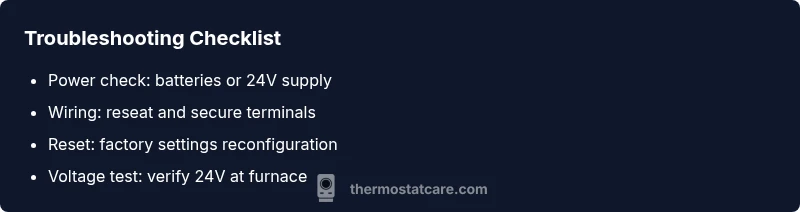
- Verify power first: batteries or 24V supply.
- Check wiring connections at both ends.
- Reset and reconfigure before considering replacement.
- Call a professional when unsure or voltage tests fail.
- Maintain regular checks to prevent future issues.