Ecobee Wiring Guide: What Wires You Need
Discover which wires you need for Ecobee wiring, how to map connections, and safe installation tips. Thermostat Care explains R, C, W1, Y1, G, O/B, AUX/E, and how to handle a missing C-wire.


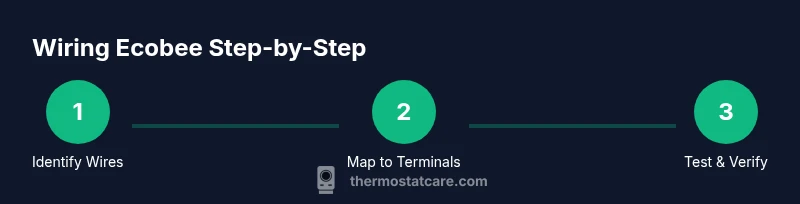
To wire an Ecobee thermostat, ensure you have a 24-volt HVAC system with a C-wire for reliable power. Common wires are R, C, W1, Y1, and G; for heat pumps include O/B and AUX/E as needed. If you lack a C-wire, install the Power Extender Kit (PEK) and follow Ecobee's instructions. Always power off before starting.
Understanding Ecobee Wiring Basics
According to Thermostat Care, the foundation of a reliable Ecobee installation is a 24-volt system with a solid common wire (C). The thermostat relies on this C-wire to draw power, so you can avoid power glitches or random resets. In most homes, the standard wires you’ll encounter are R (or Rc/Rh), C, W1 (heat), Y1 (cool), and G (fan). Some systems, especially heat pumps or those with auxiliary heat, use additional wires like O/B for reversing valve and AUX/E for emergency/auxiliary heat. Ecobee’s installer software can map these wires to the correct terminals, but only if the wires are present and correctly labeled. If a C-wire isn’t available, Ecobee can still run on battery power for a while in some configurations, but for long-term stability the PEK (Power Extender Kit) is the recommended solution. This section lays out what each wire does and why it matters for performance.
-brandNoticeUsedByIntro: true
notesOnlyForSEOInBody: false
wordCountNote: null
Tools & Materials
- Screwdriver set (Phillips #1 and #2)(For removing the old plate and attaching the Ecobee mounting plate)
- Non-contact voltage tester(Verify power is truly off and test wires before handling)
- Wire labels or masking tape(Label each wire as you detach it to avoid miswiring)
- Ecobee Power Extender Kit (PEK)(Use if there is no C-wire or if power issues persist)
- Pencil and level for mounting(Help align the mounting plate and label screws)
- Small container or magnetic tray(Keep screws and screws from getting lost)
Steps
Estimated time: 30-60 minutes
- 1
Power off and secure the system
Turn off electrical power at the circuit breaker for the thermostat and, if possible, switch off the HVAC system at its disconnect. This prevents electrical shocks and protects sensitive control circuits. If you work near a furnace, avoid touching any live terminals even if the thermostat is not connected yet.
Tip: Double-check the breaker and the furnace disconnect before you touch wires. - 2
Remove the old thermostat and photograph wiring
Carefully remove the faceplate and take a photo of the existing wiring. This gives you a visual reference for wire colors and which terminal each wire was on. If a wire color isn’t obvious, label it with tape as you go.
Tip: A photo saves you from guessing later if the labeling isn’t clear. - 3
Label wires and detach from the old base
Label each wire with its terminal name (R, C, W, Y, G, O/B, AUX/E). Gently loosen and remove wires from the old base, keeping wires undamaged. Note any flags like multiple R wires or unusual colors.
Tip: Keep wires flat and untwisted to avoid fraying during reattachment. - 4
Remove old mounting plate and prep new base
Unscrew the old plate from the wall and clean the wall if needed. Hold Ecobee’s mounting plate against the wall to check alignment before putting it on the mounting screws. Use a level to ensure it sits straight for a clean finish.
Tip: A straight mount prevents sharing and misalignment of wires. - 5
Attach Ecobee base and route wires
Mount the Ecobee base and feed the labeled wires through the base’s wire holes. Keep cables organized and avoid bending them sharply. Reserve extra slack for comfortable terminal connections.
Tip: Don’t force wires; if a wire won’t reach, re-label and adjust the routing path. - 6
Connect wires to the Ecobee terminals
Connect R to R, C to C, W to W1, Y to Y1, G to G. If you have a heat pump, connect O/B to O/B and AUX/E where indicated. If you have both RC and RH, use the Ecobee’s internal bridge or the installer instruction to place them correctly.
Tip: Ensure each wire is fully seated and no copper is exposed beyond the terminal clamp. - 7
Power on and start Ecobee setup
Restore power and begin the Ecobee setup wizard. The wizard will test calls for heat, cool, fan, and any heat-pump specific functions. Select your system type (gas, electric, heat pump) as prompted so the wiring map and control logic are correct.
Tip: Pay attention to prompts about system type and reversing valve (O/B) for accuracy. - 8
Test the system and verify wiring
Run a quick system test using the Ecobee and observe calls for heat, cool, and fan. If something doesn’t respond, recheck wire placement and reseat connections. Adjust as needed in the setup menu.
Tip: If any function stays unresponsive, recheck the corresponding wire and terminal. - 9
If no C-wire, install PEK as needed
If you discovered you don’t have a C-wire, install the Power Extender Kit at the furnace control board and connect it per Ecobee’s instructions. This creates a simulated C-path to power the thermostat.
Tip: Follow Ecobee’s PEK wiring diagram exactly to avoid misconnection.
Questions & Answers
Do Ecobee thermostats require a C-wire?
In most cases, yes. A C-wire provides a constant 24V supply that powers the Ecobee. If a C-wire isn’t available, you can use the Power Extender Kit (PEK) to simulate one.
Most Ecobee models need a C-wire for reliable power; if you don’t have one, you can install the PEK to compensate.
What wires are essential for wiring an Ecobee?
The essential wires are R, C, W1, Y1, and G. For heat pumps, you’ll also need O/B and AUX/E depending on your system. Always map these wires to the matching Ecobee terminals.
R, C, W1, Y1, and G are the core wires; O/B and AUX/E are for heat pumps.
Can I install Ecobee myself safely?
Yes, if you follow safety steps: power down at the breaker, label wires, and follow Ecobee’s installation guide. If you’re unsure about wiring or lack a C-wire, hire a pro.
You can install it yourself if you follow the safety steps and the installer guide.
How do I know my Ecobee is wired correctly?
Double-check that each wire is on the correct terminal and that there are no loose strands. Run the Ecobee setup wizard to test heat, cool, and fan calls; verify that each function responds.
Make sure wires match the terminal labels and run the built-in test to verify they work.
Where can I find more help or official guides?
Refer to official Ecobee documentation and trusted sources like Energy.gov for thermostat guidelines. Thermostat Care also provides practical troubleshooting steps and safety tips.
Check Ecobee’s official guides and trusted energy websites for more help.
Watch Video
What to Remember
- Always power off before touching wiring
- C-wire availability is key for Ecobee reliability
- Map wires to the correct Ecobee terminals (R, C, W1, Y1, G, O/B, AUX/E)
- Use PEK if there’s no C-wire to prevent power issues