What Wires Are Needed for a Smart Thermostat: A DIY Wiring Guide
Learn which wires power a smart thermostat, how to identify them, and what to do if you lack a C-wire. A practical, step-by-step guide from Thermostat Care for DIY homeowners.


To power a smart thermostat, you’ll typically connect R, C, W, Y, and G at the thermostat. Heat-pump setups use O/B; some systems need AUX/E. If there’s no C-wire, you may need a Power Extender Kit or add-a-wire. Always turn off power and verify compatibility before wiring.
What wires are needed for a smart thermostat?
If you're upgrading to a smart thermostat, you may be wondering what wires are needed. In most homes, a 24-volt HVAC system powers the thermostat through a dedicated C-wire for constant power, plus a handful of control wires. According to Thermostat Care, the majority of modern installations rely on a C-wire to prevent power interruptions that cause reboot loops and missed setpoints. For conventional furnaces, typical terminals include R (power), C (common), W (heat), Y (cool), and G (fan). Heat-pump configurations add O or B for reversing valve control and AUX/E for auxiliary heat during cold snaps. The exact wiring depends on your equipment and the thermostat you select. If you don’t have a C-wire yet, you’ll need to plan for a power source or consider an adapter solution that preserves your current wiring without compromising safety.
Common wire colors and functions you’ll encounter
Wiring colors follow long-standing conventions, but color alone isn’t a guarantee of function. The red wire typically carries 24VAC power from the furnace to the thermostat (R). White is usually the heat call (W), yellow is the cooling signal (Y), and green controls the blower (G). The blue, brown, or sometimes black wire often serves as C (common) in many systems, though some setups use blue for B. Always verify by checking the terminal labels on the furnace control board and the thermostat’s wiring diagram. When in doubt, power down and map each conductor to its terminal with a simple continuity test or a multimeter.
How heat pumps change the wire map
Heat pumps introduce additional wires or altered roles for existing conductors. The O or B terminal controls the reversing valve for heat and cool modes, and AUX/E handles supplemental heat. If your system has two-stage heating or cooling (for example W2 or Y2), you’ll need extra conductors to support those stages. Before buying a thermostat, review your equipment’s stage count and confirm that the thermostat supports O/B and AUX/E for your model. If there are extra wires, careful labeling helps prevent cross-connection when you install the new device.
Do you actually have a C-wire? How to verify
To confirm you have a C-wire, inspect the furnace’s terminal strip for a C terminal with a wire attached. At the thermostat, look for a connected wire on the C terminal. If you see C at both ends and the same conductor in between, you likely have a usable C-wire. For a more definitive check, power on the system and probe between R and C with a multimeter; you should read approximately 24 VAC. If there’s no C-wire connected, you’ll need a plan for power, such as running a new conductor or using a PEK.
If there’s no C-wire, what are your options?
Not every home has a spare conductor to power a smart thermostat. If there’s no C-wire, you have several viable options. You can run a dedicated C-wire from the furnace, use a Power Extender Kit (PEK) that piggybacks on existing wires, or select a thermostat designed to operate with batteries or limited wiring. Each option has pros and cons in terms of cost, complexity, and reliability. For most DIYers, a PEK or projecting a new C-wire with careful planning is a practical balance between effort and durability.
Planning the wiring map before you start
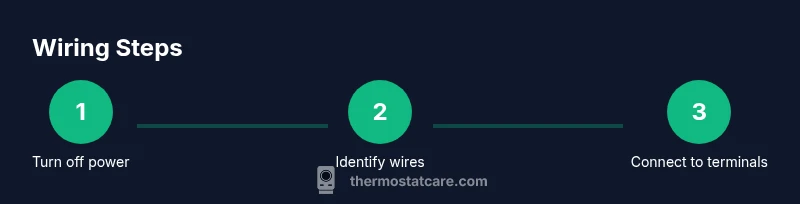
A clear wiring map saves time and reduces errors. Start by listing each wire from the furnace terminal strip and trace it to the old thermostat. Note which wires you’ll reuse on the new thermostat and which will be left unused. Label each conductor with tags or tape so you can easily identify R, C, W, Y, G, and any O/B or AUX/E wires. Create a small diagram showing terminal-to-wire mapping and bring it with you to the install. This advance planning makes the installation smoother and reduces the chance of miswiring.
Safety, power-off practices, and best-practice installation
Electrical work around HVAC gear carries risk. Always shut off power to the HVAC circuit at the breaker and at the furnace disconnect before touching any wires. Use insulated tools, keep wires organized, and avoid forcing conductors into terminals. If you’re unsure about a step, pause and seek professional help. After wiring, reassemble the thermostat and power the system back on slowly, watching for any error codes or unusual behavior on the display. Safety first protects you and your HVAC system.
Common wiring mistakes and how to avoid them
Mistakes can derail a smart thermostat install. Avoid assuming wire functions from color alone, double-check terminal labels, and never mix up R and RC/RH. Ensure wires are fully inserted and secured under each terminal screw. If you’re replacing a two-wire thermostat, confirm that the device supports battery operation or that a PEK is installed correctly. Finally, always verify the system after installation by testing heat, cool, and fan functions.
Testing, configuring, and confirming correct operation
Once wiring is complete, power the HVAC system back on and configure the thermostat according to the manufacturer’s instructions. Run a few test cycles for heat and cool, check fan operation, and ensure the hold and scheduling features respond correctly. If you see erratic readings or the display stays blank, re-check the wire mapping, confirm a solid connection at each terminal, and consult the thermostat’s compatibility list. A careful test phase confirms the install works as intended.
Tools & Materials
- Safety gear: insulated gloves(Keep hands protected when handling exposed conductors)
- Screwdriver set (Phillips #2 and flathead)(Used to remove faceplates and secure terminal screws)
- Wire strippers/cliers(Strip insulation cleanly without nicking conductors)
- Multimeter or voltage tester(Helpful to verify voltage and confirm C-wire presence)
- Electrical tape and labeling labels(Label wires for easy mapping during install)
- New thermostat (compatible with your HVAC)(Check model for O/B, AUX/E, and W2/Y2 support)
- Power Extender Kit (PEK) or additional conductor(Choose if your current wiring lacks a C-wire)
- Camera or smartphone to photograph wiring(Capture a reference before disconnecting wires)
Steps
Estimated time: 45-90 minutes
- 1
Power off
Turn off the HVAC circuit breaker and the furnace disconnect. This prevents electrical shock and protects sensitive electronics while you work.
Tip: Double-check that the power is truly off by trying to operate the existing thermostat after disconnecting power. - 2
Remove the old thermostat
Carefully remove the thermostat faceplate and backplate to expose the wiring. Take a photo of the existing connections for reference.
Tip: Label every wire as you disconnect it to avoid confusion later. - 3
Identify and label wires
Label each conductor and note its function (R, C, W, Y, G, O/B, AUX/E). This helps map to the new thermostat terminals.
Tip: Keep wire ends tidy and avoid bending or pinching wires. - 4
Check for a C-wire
Inspect the furnace control board for a C terminal and confirm a conductor is attached. If you see C at both ends, you may have a usable C-wire.
Tip: If you’re unsure, use a multimeter to measure between R and C with the system powered to verify ~24 VAC. - 5
Decide how to address missing C-wire
If no C-wire exists, choose a plan: run a new conductor, install a PEK, or select a thermostat with battery operation. Each option has different installation complexity.
Tip: PEK is often the simplest DIY solution when a new wire run is difficult. - 6
Mount the new thermostat base
Attach the new thermostat mounting plate to the wall following the manufacturer’s instructions. Ensure the wall is clean and the plate is level.
Tip: Dry-fit the plate before mounting to confirm alignment with the wall box. - 7
Connect wires to the correct terminals
Reconnect R, C, W, Y, G, and any O/B or AUX/E wires to the matching terminals on the new thermostat.
Tip: Make sure each wire is fully inserted and secured under the terminal screw. - 8
Reassemble and restore power
Attach the faceplate, restore the power at the breaker, and verify the thermostat powers on without error codes.
Tip: If the display is blank, recheck wiring and terminal seating before diagnosing further. - 9
Configure and test
Complete the thermostat setup, run heat and cool tests, and confirm accurate temperature readings and control of HVAC.
Tip: Document your wiring map for future maintenance and keep a copy of the wiring diagram from the thermostat manual.
Questions & Answers
Do all smart thermostats require a C-wire?
Most smart thermostats benefit from a C-wire for reliable power, but some models can operate with battery power or a PEK. Always check the specific model’s requirements.
Most smart thermostats need a C-wire for reliable power, though some can work with battery power or a power extender kit. Check your model’s requirements.
What if my system uses a heat pump with O/B wiring?
If you have a heat pump, you’ll typically need an O/B wire for the reversing valve and possibly AUX/E for auxiliary heat. Ensure your thermostat supports O/B and AUX/E for your setup.
Heat pumps use O/B for the reversing valve and AUX/E for auxiliary heat. Make sure your thermostat supports these terms.
Can I use a standard battery-powered thermostat without a C-wire?
Some thermostats can run on batteries or power from a single pair of wires with a power extender, but reliability may be reduced in some setups. Check the manufacturer’s guidance.
Some thermostats run on batteries or with a power extender, but reliability varies. Verify the model’s guidance.
How do I identify wires if colors don’t match the standard?
Don’t rely on color alone. Follow terminal labels on the furnace and thermostat, and map each conductor with photos or a multimeter to confirm functions.
Don’t rely on color alone. Use terminal labels and map each wire, possibly with a multimeter, to confirm functions.
Is DIY thermostat wiring safe for a typical homeowner?
DIY wiring is feasible for many homeowners, but it requires care and attention to safety. If you’re unsure, hire a licensed HVAC technician.
DIY wiring can be safe if you follow steps carefully, but don’t hesitate to contact a pro if unsure.
What should I do if the thermostat shows a blank screen after wiring?
A blank screen typically indicates a wiring seating issue or power problem. Recheck all terminal connections, reseat wires, and verify 24V supply at R and C.
If the screen is blank, recheck connections and verify power between R and C.
Watch Video
What to Remember
- Identify required wires before buying a smart thermostat
- Verify presence of a C-wire; plan alternatives if missing
- Map wires to terminals accurately to avoid miswiring
- Test thoroughly after installation to ensure reliable operation
- Follow safety protocols to protect yourself and equipment