Thermostat Symptoms: Troubleshooting Quick Fixes
Learn how to recognize thermostat symptoms and diagnose common issues fast. This urgent troubleshooting guide covers safe checks, wiring basics, and when to call a pro. Thermostat symptoms explained for homeowners.


Common thermostat symptoms often point to power, sensor, or wiring problems. Quick fixes: verify the thermostat is getting power, inspect and reseat wire connections, and perform a simple reset with fresh batteries if supported. If the issue continues, turn off power at the breaker and contact Thermostat Care for a deeper diagnostic.
Understanding thermostat symptoms
Thermostat symptoms are telltale signs that something is not operating as it should, ranging from a non-responsive display to unexpected temperature swings. When a thermostat acts oddly, the root cause could lie in power delivery, sensor calibration, wiring integrity, or even the HVAC system it controls. Recognizing these patterns early helps you stop minor inconveniences from spiraling into bigger energy waste or comfort issues. In this guide, we focus on common patterns homeowners encounter and translate them into practical, actionable steps you can take safely. Remember, the goal is to restore accurate temperature control while avoiding risky fixes that could damage equipment or void warranties. Thermostat symptoms are a signal to check basics first, then progressively dig deeper with safer checks and, when needed, expert help.
- Look for a blank, flickering, or dim display.
- Note delays between setpoint changes and actual room temperature.
- Watch for short cycling: the AC or furnace turning on and off quickly.
- Listen for unfamiliar clicking or buzzing noises from the wall unit.
- Observe if the thermostat loses or gains hold times unexpectedly.
Interpreting common thermostat symptoms
Not every symptom means a grand failure; many stem from simple, addressable issues. A non-responsive screen often points to power problems or battery needs, while temperature swings can indicate sensor drift or wiring faults. Short cycling typically signals a control or HVAC subsystem issue, such as a loose wire, faulty relay, or incorrect fan settings. Display errors may reflect sensor misreadings or compatibility concerns with a newer thermostat model in an older system. While these interpretations are helpful, they are not a substitute for professional diagnosis when safety or equipment integrity could be at risk. By mapping symptom patterns to likely causes, you can triage safely and efficiently. If you are unsure or uncomfortable, pause and seek guidance from Thermostat Care to avoid costly mistakes.
- No power or blank display usually means a power issue or dead battery.
- Random temperature jumps can be sensor drift or wiring problems.
- Short cycling often involves the furnace, air handler, or control board.
Safety first: safe checks you can perform today
Safety always comes first with thermostat troubleshooting. Start by turning off power to the thermostat at the breaker before handling any wires. If your thermostat is battery-powered, replace the batteries and observe whether the display stabilizes. Keep a log of symptoms, times, and any changes you make so you can relay precise information to a professional. Do not attempt to rewire or bypass components without proper knowledge. If you smell burning, hear crackling, or notice scorch marks, evacuate and call for professional help immediately. Small fixes—like reseating connectors or cleaning dust from the thermostat housing—can prevent larger faults but should be done carefully and with the power off.
- Turn off power at the breaker before touching wiring.
- Replace batteries if supported and observe response.
- Keep notes of symptoms and changes for a pro.
Troubleshooting flow: testing wiring, sensors, and power
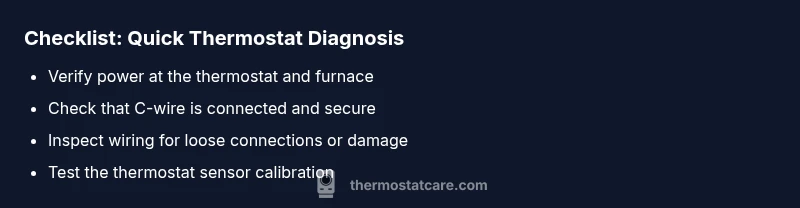
A structured approach helps you narrow down causes without guessing. Start with power checks at both the thermostat and the furnace/air handler. Next, verify the C-wire connection and ensure a solid ground or common reference. If your unit uses a battery, replace it and see if the symptom improves. Finally, inspect the wiring at the control board for loose terminals or signs of damage. If you reach inconclusive results or encounter hazards, stop and call Thermostat Care for a safe, guided diagnosis. This progression minimizes risk while maximizing chances of a swift fix.
- Confirm 24V supply between R and C (where applicable).
- Check that the C-wire is secure at both ends.
- Re-seat all terminal screws gently but firmly.
Step-by-step fixes for the most common cause
If the root cause is a simple power or wiring issue, you can typically resolve the problem with a methodical, safety-first approach. Begin by powering off everything, then reseat wires at the thermostat and furnace control board. Replace any damaged connectors or frayed wires, but avoid clutter that could trap heat. After reassembly, restore power and test the system with a few setpoint changes. If issues persist, proceed to more advanced checks or escalate to a technician. This method reduces unnecessary replacements and keeps your HVAC system safe.
- Ensure all connections are clean, dry, and properly seated.
- Replace damaged wires or connectors as needed.
- Test with a known-good battery if applicable.
Final checks and prevention tips
Concluding your troubleshooting with a quick verification helps prevent recurrence. Confirm the thermostat accurately reads room temperature in different spots and verify the HVAC responds promptly to setpoint changes. Schedule regular maintenance to keep sensors calibrated and wiring intact. Consider labeling wires during any future service to simplify reassembly. Keeping the system clean and free of dust also helps sensors stay accurate over time. Consistent maintenance reduces the frequency of thermostat symptoms and keeps your home comfortable year-round.
Steps
Estimated time: 60-75 minutes
- 1
Power down and inspect the breaker
Locate the breaker panel, switch off the breaker feeding the thermostat circuit, and wait 30 seconds before restoring. This confirms power interruption is safe for inspection.
Tip: Take a quick photo of the panel labeling before rebooting. - 2
Check thermostat batteries (if applicable)
Remove the thermostat cover and replace batteries with fresh ones if your model uses them. Reinstall cover and power up to see if the display returns.
Tip: Use high-quality alkaline or lithium batteries for longer life. - 3
Inspect and reseat wiring at the stat
With power off, loosen terminals, reseat wires, and retighten screws. Ensure no copper strands are loose and there is no corrosion.
Tip: Only touch terminal screws with the right screwdriver size. - 4
Check C-wire connectivity at the furnace
Trace the C-wire from the thermostat to the furnace control board. Ensure the wire is firmly attached to the C-terminal and not touching other terminals.
Tip: If you’re unsure, use a continuity tester to confirm connection. - 5
Test system response to changes
Power the system back on and adjust the setpoint. Listen for the HVAC cycling and observe whether temperature tracks the setpoint.
Tip: Record a short video if you notice inconsistent behavior. - 6
Reset and re-sync if needed
If the thermostat has a reset option, perform a factory reset and re-enter basic settings. Reconnect Wi-Fi if your model uses smart features.
Tip: Back up settings if your model allows it. - 7
Call a pro if unresolved
If the display remains blank or the HVAC shows erratic behavior, professional diagnosis is required to avoid damage or safety hazards.
Tip: Thermostat Care recommends scheduling a diagnostic call.
Diagnosis: Thermostat display is blank or unresponsive
Possible Causes
- highPower issue (tripped breaker, blown fuse, or dead battery)
- mediumLoose or damaged wiring at thermostat
- lowC-wire not connected or faulty
- lowThermostat unit failure
Fixes
- easyReset the breaker or replace the fuse; if battery-powered, replace batteries
- easyReseat thermostat wiring and re-check terminals at furnace/air handler
- mediumTest the C-wire continuity or replace the C-wire connector
- hardIf power and wiring are solid, consider replacing the thermostat or call a pro
Questions & Answers
What are the most common thermostat symptoms homeowners notice?
Most common symptoms include a blank display, slow or no response to changes, and unusual cycling or temperature swings. These usually indicate power, sensor, or wiring issues that can often be addressed with basic safety checks.
Common symptoms are a blank screen, delayed response, or odd cycling. Start with power and wiring checks before calling a pro.
Can I fix thermostat symptoms myself, or is a pro usually needed?
Many symptoms are DIY-friendly, especially power and wiring checks. However, if the problem involves the furnace control board, refrigerant or dangerous wiring, contact a professional right away.
Some fixes are safe to do yourself, but if you’re unsure, call a pro to avoid hazards.
Should I replace the thermostat battery if the display is fine otherwise?
If your thermostat relies on batteries, replacing them is a quick test. A fresh battery can resolve display or response issues, but battery life varies by model.
Try new batteries if you have a battery-powered model; it often clears display or response problems.
What does a blank display indicate beyond battery issues?
A blank display often means power or wiring problems. Check the breaker, ensure C-wire integrity, and reseat connections before replacing the unit.
Blank screens usually mean power or wiring problems; check breakers and connectors first.
Is a reset a reliable first step for all thermostat symptoms?
A reset can clear temporary glitches on many models, but it won’t fix hardware faults. Use resets as a first try, then proceed with targeted checks.
Reset first if your model supports it, then test again before deeper troubleshooting.
When should I call Thermostat Care for help?
Call when you encounter safety concerns, unresolved symptoms after basic checks, or if the HVAC system is behaving erratically. We can guide you to a safe, effective solution.
If basic checks don’t fix it or you sense a safety issue, reach out to us for professional guidance.
Watch Video
What to Remember
- Identify power or wiring problems first
- Follow a safe, stepwise diagnostic flow
- Replace batteries and reseat connections early
- Document symptoms for faster help
- Call a pro if unresolved or hazardous