Thermostat set to cool but AC not turning on: Troubleshooting guide
Urgent troubleshooting guide for homeowners facing a cooling mismatch: thermostat set to cool but AC not turning on. Learn quick checks, diagnostic flow, and when to call a pro.


According to Thermostat Care, a thermostat set to cool but AC not turning on is usually caused by power or configuration issues. Start with quick checks: confirm the thermostat is powered, set to Cool, and the fan mode is correct. Check the circuit breaker, replace batteries if needed, and reset the thermostat. If it still won’t start, inspect the outdoor unit.
Realities of a cooling mismatch: thermostat set to cool but ac not turning on
When your thermostat set to cool but ac not turning on, the issue is often a simple mismatch between power, mode, and connection. In many homes the fix is a few quick checks rather than a full system replacement. In Thermostat Care's experience, most cooling hiccups can be resolved by validating basic signals before touching electrical components. Start with the fundamentals: is the thermostat powered, is the display active, is the system actually in Cool mode, and is the fan setting appropriate? These steps pinpoint most common culprits and save you from unnecessary service calls. This guide is designed for homeowners and DIY enthusiasts who want to restore comfort quickly while staying safe and informed. We’ll walk you through a practical diagnostic flow, practical tests you can perform, and clear thresholds for when a pro is needed. Do not proceed if you notice burning smells, buzzing, or overheating hardware; those are signs to stop and call a licensed HVAC technician immediately.
In addition to the steps below, remember that many issues stem from a single misread setting or a tripped breaker, not a failed compressor. Take a calm, methodical approach to avoid creating new problems while you troubleshoot.
Common culprits to rule out first
Before you dive into complex repairs, check these high-probability culprits. Power-related issues (like a tripped breaker or a blown fuse) are at the top of the list, followed by thermostat misreads or incorrect mode selection. Wiring problems, a dead or dying thermostat battery (if applicable), and a dirty or loose wire connection can also prevent a call for cooling. Environmental factors, such as a clogged condensate line or a safety switch on the outdoor unit, can stop the system from starting even if the thermostat looks fine. Address these basics first, because they’re inexpensive and fast to fix. From Thermostat Care’s perspective, addressing these items reduces the need for professional visits and keeps your system running smoothly.
Check thermostat settings and power quickly
Power up the thermostat and verify that it shows a live display. Confirm that the thermostat is set to Cool and that the fan is in Auto or-On as appropriate for your setup. If your thermostat is wired, check the C-wire connection (common) to ensure it is secure, as a loose common can cause intermittent cooling. If the thermostat is battery-powered, replace batteries with high-quality alkaline or lithium cells. A quick reboot—power cycling the thermostat—can clear minor glitches. For many users, these steps restore cooling without touching the indoor equipment.
Inspect wiring, sensors, and control components
If the quick fixes don’t resolve the issue, inspect visible wiring at the thermostat and the air handler or furnace. Look for loose terminals, corroded connectors, or signs of insulation damage. Sensor calibration is another potential culprit; a misreading indoor temperature can keep the system from engaging. If you feel comfortable, reseat connections and gently wiggle wires to test for looseness (do this with the power off). Note any unusual smells or signs of overheating, which require professional intervention. Remember: incorrect wiring can damage equipment or create safety hazards, so proceed with caution.
How the thermostat communicates with the HVAC system
Thermostats send low-voltage signals to call for cooling. If those signals don’t reach the air conditioner because of wiring faults, a blown fuse, or a tripped safety switch, the AC won’t start even though the thermostat shows Cool. In some setups, a reversible heat/ cool system requires a jumper between Rh and Rc; if that jumper is missing or damaged, cooling may not engage. Understand your system’s wiring diagram and look for mismatches between the thermostat and the outdoor unit. Miscommunication is a common failure mode that’s easy to fix when you know what to look for.
Safe testing techniques to confirm the issue
Never bypass safety interlocks or electrical components. Start with air handler/furnace power off, verify that all disconnects are on, and then restore power while observing the thermostat. If the unit has an outdoor condenser, listen for a click or hum when cooling should start. If you hear buzzing, humming, or smell burning, shut down and call a professional. Use a multimeter only if you’re trained to do so, and never exceed the equipment’s voltage ratings. Document every step you take to relay accurate information to a pro.
Diagnostic flow you can follow before calling a pro
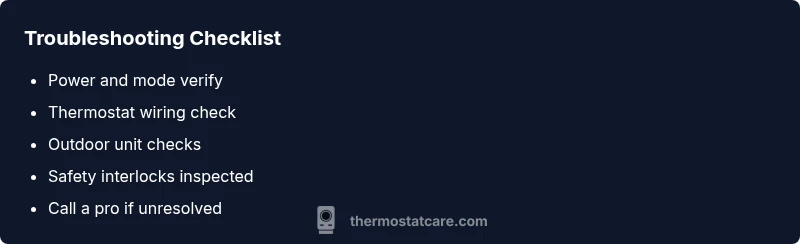
If the AC still won’t start after the above checks, proceed through a structured diagnostic flow: 1) Confirm power and cooling mode; 2) Cycle power to the thermostat; 3) Inspect the thermostat wiring at both ends; 4) Check the outdoor unit disconnect and contactor; 5) Listen for the outdoor condenser and fan operation; 6) If all else fails, schedule a professional evaluation with a detailed note of what you observed. Following this flow helps you communicate clearly with an HVAC technician and often reduces repair time.
Maintenance and prevention to avoid future cooling faults
To prevent future issues, keep the thermostat area clean and dry; replace batteries on schedule if applicable; secure all wire connections; and periodically test the system in both cooling and heating modes to spot early signs of trouble. Clean or replace air filters regularly to reduce system strain, and schedule annual professional inspections to catch sensor or control board degradation before it affects cooling. A proactive approach saves time, money, and frustration when the heat returns.
Steps
Estimated time: 60-90 minutes
- 1
Power down and reset
Turn off the thermostat and the corresponding breakers, then wait 60 seconds before restoring power. This resets minor glitches and confirms the thermostat is ready to communicate.
Tip: Label the breakers before turning them off to restore the exact circuit. - 2
Verify cooling mode and fan
Ensure the thermostat is set to Cool and that the fan is on Auto or On as appropriate for your system. A mis-set mode is a common reason for no cooling.
Tip: If your system uses Rc/Rh, verify the jumper is intact if required by your model. - 3
Check thermostat wiring
Inspect the C-wire for a secure connection and verify all terminal screws are tight. A loose common wire can prevent cooling signals from reaching the AC.
Tip: Do not force wires into terminals; use a gentle push and ensure no stray strands bridge terminals. - 4
Power cycle the outdoor unit
If you have access to the outdoor disconnect, switch it off, wait 30 seconds, then switch it back on. Listen for the compressor and contactor to engage.
Tip: Do this only if you’re comfortable; incorrect handling can be dangerous. - 5
Inspect for obvious faults
Look for burnt smells, buzzing sounds, or visible damage. If you notice any of these, stop and call a pro immediately.
Tip: Safety first: never touch live electrical components. - 6
Call a professional if needed
If the issue persists after these steps, an HVAC technician can diagnose electrical faults, sensor calibration, or refrigerant concerns that require specialized tools.
Tip: Provide the technician with details about what you checked and observed.
Diagnosis: AC won't turn on when thermostat is set to cool
Possible Causes
- highPower issue (breaker, fuse, or disconnect)
- highThermostat miscalibration or incorrect mode
- mediumWiring or sensor fault
- lowOutdoor unit safety switch tripped or contactor failure
Fixes
- easyEnsure thermostat and outdoor unit disconnects have power; reset breakers or fuses if needed
- easyReset the thermostat and cycle power at the main disconnect
- mediumInspect and reseat thermostat wiring at both ends; secure any loose connections
- mediumCheck outdoor unit disconnect and test the contactor; listen for compressor hum
- hardIf issues persist, call a pro for electrical checks and refrigerant/system diagnostics
Questions & Answers
Why does my thermostat show cooling but the AC won’t start?
This usually means a signal isn’t reaching the outdoor unit. Check power, mode, and wiring first. If no fault is found, a professional check is advised to inspect relays, wiring, and refrigerant circuits.
Usually a signal issue between the thermostat and outdoor unit; start with power, mode, and wiring checks, then call a pro if needed.
Could a dead battery cause this issue?
If you have a battery-powered thermostat, a dead battery can cause erratic readings or no response. Replace with fresh batteries and test cooling functionality.
Yes, dim or dead batteries can cause the thermostat to misread or not respond; replace them and test.
Is it safe to reset the thermostat myself?
Yes, a standard reset is safe when done with the power off. Use the power cycle method described earlier and ensure all connections are secure before powering back on.
Resetting is safe if you follow the power-down steps and secure connections afterward.
When should I call a professional for this issue?
If you’ve exhausted basic checks and the AC still won’t engage, or you notice burning smells, electrical buzzing, or refrigerant concerns, contact a licensed HVAC technician.
Call a pro if basic fixes don’t work or you notice electrical issues or smells.
Can thermostat wiring affect outdoor compressor operation?
Yes. Incorrect or loose wiring can prevent the thermostat from calling for cooling, which stops the outdoor compressor from starting.
Wiring problems can block the cooling signal to the outdoor unit.
What maintenance helps prevent this problem?
Regularly replace air filters, keep the thermostat area clean, and schedule annual professional checks to catch sensor and wiring issues early.
Regular maintenance helps catch issues before they cause cooling problems.
Watch Video
What to Remember
- Check power and mode first
- Confirm thermostat wiring is secure
- Cycle power to reset and test outdoor unit
- Call a pro for electrical or refrigerant issues
- Maintain system regularly to prevent repeats