Thermostat Programming: A Practical Guide for Homeowners
A comprehensive, step-by-step guide to thermostat programming for energy savings and comfort. Learn how to set schedules, customize for weekdays and weekends, troubleshoot issues, and optimize across brands.


This guide shows you how to program your thermostat for comfort and energy savings. You’ll learn the basics of scheduling, how to adapt schedules to weekdays vs weekends, and how to troubleshoot common issues across major brands. Before you start, gather your thermostat, smartphone, the manual, and a stable Wi‑Fi connection. By the end, you’ll have a working schedule that fits your daily routine.
What thermostat programming is and why it matters
Thermostat programming is the process of creating a planned schedule for when your heating or cooling system turns on, off, or changes temperature. The goal is simple: maximize comfort while minimizing energy use. When you program intelligently, you avoid wasting energy during when you’re away or asleep, and you maintain a comfortable baseline for mornings and evenings. According to Thermostat Care, properly configured schedules align with real household patterns and climate, which leads to more predictable energy bills and fewer temperature swings. The concept works best when you combine a regular routine with adaptive features like occupancy sensing, geofencing, or smart learning. Even a basic 2- or 3-period schedule (wake, leave, sleep) can yield noticeable gains in comfort and efficiency over a thermostat left on a single, fixed setting.
In practice, you’ll see two kinds of gains. First, you’ll reduce energy waste by avoiding unnecessary heating or cooling when no one is home. Second, you’ll improve comfort by ensuring temperatures rise or fall to match your routines. This is especially valuable in shoulder seasons when outdoor temperatures swing rapidly. The more you tailor the schedule to your actual days, the more pronounced the savings will be. For many homes, the biggest payoff comes from aligning the thermostat with occupied hours and using smaller temperature differentials when you’re away.
Getting ready: what you need before you start
Before you begin programming, gather the essentials so you won’t be scrambling mid-setup. Have your thermostat model and manual handy, a smartphone or tablet with the thermostat’s app installed, a stable Wi‑Fi connection, fresh batteries if required by the device, and a pen and notebook to jot down your preferred timings. Ensure you know your home’s typical occupancy window, usual wake and bed times, and any seasonal adjustments you plan to make. If you’re using a learning or smart thermostat, you may also want to enable energy-saving modes and ensure firmware is up to date. A well-prepared start minimizes backtracking and makes the process smoother.
Thermostat Care emphasizes that knowing your baseline routines is the first step toward a meaningful schedule. Start with a simple framework, then refine in small steps. This approach helps you verify each change and avoids overhauling your entire program in one sitting. Collectively, these preparations increase your chances of getting a reliable schedule that sticks.
Core concepts: schedules, setbacks, and holds
Most programmable thermostats work with a few core concepts: schedules, setbacks, holds, and, in some cases, vacation modes. Schedules define a sequence of times and setpoints for different parts of the day. Setbacks are deliberate temperature reductions (or increases in cooling mode) to save energy when you’re away or sleeping. Holds are temporary overrides that keep a temperature until a later time or until you manually release it. Vacation modes let you maintain a reduced energy profile when you’re away for extended periods. Understanding these concepts helps you design a robust program. Start with a simple wake/leave/sleep pattern, then add a second weekday block or a weekend variation if needed. When you test, measure comfort and energy changes over a typical week to decide if further tweaks are worth it.
Step-by-step: design a simple schedule (overview)
A basic, effective starting point is a three-step schedule: wake, leave, and sleep. You’ll set a preferred temperature for each period and define the time boundaries that match your day. For many people, this means a higher temperature in summer mornings and a lower one in winter evenings. Start by selecting a consistent wake time, then set the temperature to a comfortable level for that period. Next, set a return time for when you’ll be home and adjust to a climate that feels comfortable. Finally, assign a bedtime temperature that keeps you cozy without overcooling or overheating. You can test this schedule for a week and adjust by 1–2 degrees as needed. The aim is a stable routine that reduces energy use without sacrificing comfort.
Brand differences: how to adapt the steps to your thermostat
Thermostats vary in their interface and terminology. Some use a touchscreen menu with grid-based options; others rely on voice commands or a companion app. The core logic remains the same, but the path to get there differs. If you’re using a non‑smart model, you’ll navigate physical buttons to set up each period. For smart thermostats, you’ll likely manage schedules through a mobile app, where you can copy, tweak, or automatically adjust settings. Take time to learn your model’s navigation and note any peculiar steps—such as confirming changes, saving new profiles, or syncing with an external sensor. In Thermostat Care’s experience, brand-specific quirks are usually minor, but knowing them saves time and avoids frustration.
Advanced tuning: optimizing for energy savings
Once you have a reliable basic schedule, you can fine-tune for energy savings. Consider reducing setback gaps: smaller temperature differences between periods can still deliver savings without compromising comfort. Group similar days (weekdays vs weekends) to create fewer unique profiles, which simplifies maintenance. If you have a smart thermostat, enable occupancy-based adjustments or geofencing to automatically shift temperatures when you arrive or leave. Seasonal changes demand recalibration: re-evaluate your wake and sleep times as daylight hours shift and temperatures vary. Finally, run a monthly quick audit: compare actual energy usage against your previously set targets and adjust gradually. The goal is a set-it-and-forget-it approach that still adapts to real-life patterns.
Thermostat Care findings indicate that regular reviews of your schedule, at least seasonally, help sustain longer-term energy savings and comfort.
Troubleshooting common problems with programming
If your schedule isn’t saving energy or your home feels uncomfortable, start with the basics: confirm the schedule is enabled and that time settings are correct. Check that the device is receiving power and that the correct mode (heat, cool, auto) is selected. A common issue is a mismatch between app and thermostat settings; re-sync and re-save your profile. If a hold or vacation mode is active, verify the end time is set correctly and that you don’t have conflicting overrides. For learning thermostats, it may take a few days for the system to settle into an optimized pattern. If you’re adjusting multiple times per day, consider simplifying to a more stable routine to reduce skews. Thermostat Care recommends documenting changes so you can track what works over time.
Maintenance and updates: keeping your schedule current
Regular maintenance means reviewing and updating your programming as household routines change. Revisit wake times, work-from-home days, and seasonal shifts at least every 3–6 months. Update firmware if available, and ensure compatibility with any new smart devices or assistants in your home. If your thermostat has a learning feature, disable it if you prefer a fixed schedule, or monitor its suggestions and adjust accordingly. Keep a simple log of when you made changes and the outcomes, which helps you refine your approach over time. Maintaining a current schedule pays off in comfort and energy efficiency.
Real-world scenarios: before and after examples
In a typical home, switching from a fixed schedule to a three-period programming plan yields visible improvements in comfort and energy use. For example, setting a warmer wake-time temperature and cooler night temperature aligns with occupants’ routines and reduces heat loss or gain during unoccupied hours. On weekdays, a small shift for late evenings can prevent overheating in summer and underheating in winter. On weekends, a more relaxed schedule can reduce energy without sacrificing comfort when people sleep in or stay indoors later. Documenting these changes and comparing week-to-week energy use helps verify that programming choices are delivering the intended benefits. Thermostat Care’s practical guidelines emphasize small, iterative adjustments that fit real-life patterns.
Tools & Materials
- Programmable thermostat (digital or smart)(Model should support at least 2-3 schedules and holds)
- Smartphone or tablet with thermostat app(Ensure app is up to date and linked to the device)
- Manual or quick-start guide for your thermostat(Essential for brand-specific steps)
- Stable Wi‑Fi network(Needed for app-based programming and updates)
- Batteries (if required by device)(Keep spares on hand)
- Pen and notebook(Record preferred schedules and changes)
- Ladder or step stool (if needed)(Useful for wall-mounted units at some heights)
- Safety gloves (optional)(When removing wall panels or wiring cover)
Steps
Estimated time: 30-45 minutes
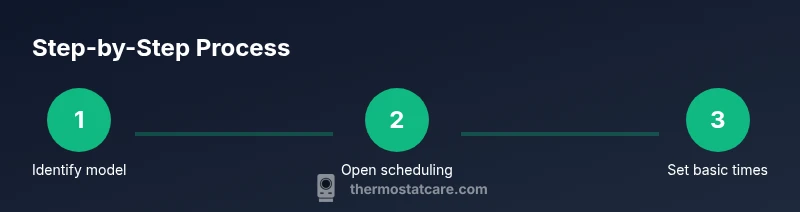
- 1
Identify thermostat model and access method
Locate the model number on the device or in the app. Review the manual to understand supported scheduling features and terminology. This helps you choose the correct path for programming and avoids brand-specific pitfalls.
Tip: Note any unique menu names and the exact path to the scheduling screen. - 2
Open scheduling interface
Access the scheduling screen either on the thermostat itself or via the app. If using the app, ensure the device is online and synced with your account before making changes.
Tip: If the app shows an error, refresh the connection and retry. - 3
Set wake/come-home period
Choose a wake or come-home time and set the target temperature for that period. This creates a baseline comfort window when you start your day or return home.
Tip: Keep the wake temperature at a comfortable level to prevent temperature shock when you first enter the home. - 4
Create daytime/away period
Define a daytime or away period with a reduced heating or cooling setpoint to save energy while you are out. This is the core savings block for most households.
Tip: If you’re away for more than a day, enable a vacation mode if your thermostat supports it. - 5
Set bedtime period
Program a bedtime period where temperature is adjusted for overnight comfort and efficiency. This often involves a gradual, comfortable change rather than abrupt shifts.
Tip: Consider a slightly cooler setting for sleep in summer and a warmer setting in winter if you prefer it consistent year-round. - 6
Add a hold or override if needed
Apply a temporary hold if you expect changes to your routine (weekend guests, sick days). Adjust end times to return to the regular schedule.
Tip: Document the reason for the hold to avoid confusion later. - 7
Name and save the schedule
Give the schedule a clear name (e.g., Weekday Routine) and save it. Verify that the schedule is active and that any conflicting overrides are disabled.
Tip: Test the schedule by manually changing the thermostat and observing the response. - 8
Test and iterate
Run the schedule for a full day and note comfort and energy outcomes. Make small adjustments (1–2 degrees) as needed and re-test.
Tip: Keep a short log of changes and outcomes to guide future refinements.
Questions & Answers
Do all thermostats support programming?
Most digital and smart thermostats support scheduling, but some basic or legacy models may have limited or no programmable features. Check the manual or the manufacturer's website for your model.
Most digital thermostats support scheduling, but older models may not. Check your manual or the manufacturer’s site for confirmation.
Can I program my thermostat from my phone?
Many modern thermostats offer smartphone apps that let you create and adjust schedules remotely. Ensure your device is connected to Wi‑Fi and linked to your account.
Yes, most newer thermostats let you program from your phone once connected to Wi‑Fi.
Why isn’t my schedule saving after I set it?
Check for a saved confirmation, ensure the device has power, and verify you’re not working offline. If the thermostat is learning, give it time to settle. Re-syncing with the app can help.
Schedule not saving? Confirm the save, check power, and re-sync with the app if needed.
What’s the best starting schedule for a typical home?
A three-block schedule (wake, away, sleep) is a solid starting point. Adjust temperatures gradually and align times with your daily routine.
Start with wake, away, and sleep blocks and tweak from there.
How often should I review my programming?
Review your schedule at least seasonally, or whenever your routine changes. Small adjustments over time keep energy savings consistent.
Review your schedule seasonally or when your routine changes.
Is a learning thermostat better than a fixed schedule?
Learning thermostats can optimize over time but may override your preferences. If you have a strong schedule, you may prefer fixed programming with occasional tweaks.
Learning thermostats can optimize on their own, but fixed schedules give you direct control.
Watch Video
What to Remember
- Program for wake, away, and sleep to cover daily patterns.
- Keep changes incremental to preserve comfort.
- Test schedules and log results for improvements.
- Brand-specific steps vary; use the manual as your guide.
- Regular updates sustain energy savings over time.