Thermostat Low Temperature: Quick Troubleshooting Guide
Quick, safe steps to diagnose and fix thermostat low temperature issues. Learn common causes, practical fixes, and prevention tips from Thermostat Care to keep your home comfortable.


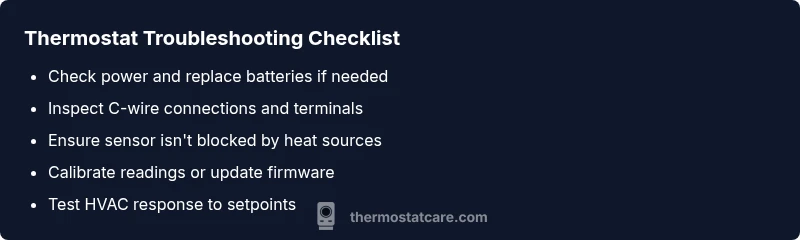
Most thermostat low temperature issues are caused by simple, fixable factors. Start with power and battery checks, verify sensor placement, and confirm proper wiring or C-wire connection. If your thermostat still reads too cold, calibrate the sensor and test against room temperature. This quick diagnosis points you toward safe, practical fixes before calling a pro.
Understanding the symptom: thermostat low temperature
When your thermostat displays cooler temperatures than your rooms, you're dealing with a thermostat low temperature problem. In many homes, this shows up as a thermostat that won’t reach the setpoint, leaving spaces chilly or causing the heating system to run longer than it should. According to Thermostat Care, most cases originate from simple issues that homeowners can diagnose and fix with basic tools and careful attention to safety. Start by noting the exact readings: what temperature the display shows, what the actual room temperature is, and whether the issue affects one zone or the entire house. This information helps you distinguish sensor problems from furnace performance. Remember, even small shifts in sensor placement or power supply can throw readings off, affecting comfort and energy use. A thermostat low temperature is rarely a sign of a failing furnace; it’s usually an issue with the thermostat’s electronics or placement.
Immediate safety and quick checks you can do
Safety always comes first. Before you dig into settings, power down only if you know how to safely do so, and never tamper with exposed electrical components. Start with the basics:
- Ensure the thermostat has powered operation (battery or hard-wired) and replace batteries if the display wavers or resets.
- Confirm the thermostat is in a normal living area away from direct sunlight, drafts, or heat sources like ovens or lamps.
- Check the setpoint and mode (heat, cool, auto) to ensure they match your comfort needs.
- Verify the HVAC system is actually receiving calls from the thermostat (listen for furnace activation or air handler activity).
- Look for any error codes or flashing indicators in the display and consult the manual for any model-specific meanings.
If you’re unsure about wiring, or you notice burnt smells, buzzing noises, or loose terminals, pause and seek professional help. The goal is to prevent electrical hazards and equipment damage while you troubleshoot.
Common causes mapped to symptoms
Thermostat low temperature can arise from several interconnected causes. The most common include a weak battery or an unstable power source, improper or loose wiring, and sensor placement that’s fooled by heat sources or drafts. Sensor proximity to exterior walls or sunny windows can mislead readings, creating a perception of cold even when the house is properly heated. Calibration drift or a dirty temperature sensor can also cause the unit to undershoot or overshoot the actual room temperature. Finally, issues within the HVAC system—such as a malfunctioning furnace, restricted airflow, or a faulty relay—can produce similar symptoms, especially if the thermostat is communicating poorly with the furnace despite a correct reading on display. By understanding these causes, you can target your checks without guessing.
Diagnostic flow: symptom → diagnosis → solutions
A systematic diagnostic flow helps you avoid wasted time. Start with the simplest checks (power, batteries, placement) to confirm basic operation. If the issue persists, verify the wiring connections and the C-wire continuity. Next, compare the thermostat reading to an accurate room temperature measurement and note any discrepancy. If readings diverge, recalibration or sensor replacement may be needed. If the thermostat commands aren’t translating into heating or cooling, focus on HVAC communication issues, fuses, or the control board. Finally, document all changes, test the system again, and decide whether professional help is necessary.
Remember: safety-first—if any step feels risky, stop and contact a professional.
Quick fixes you can safely try first
Before undertaking complex repairs, try these low-friction steps:
- Replace the thermostat batteries with fresh, high-quality ones and re-test.
- Move the thermostat away from direct heat sources, drafts, or sunlight for a week and monitor.
- Confirm the thermostat is clean; gently dust the sensor area to remove grime that could affect readings.
- Reboot or reset the thermostat per the manufacturer’s instructions to clear old calibration data.
- Check for firmware updates if your model supports them and apply as directed.
If these steps don’t restore normal temperature readings, proceed to targeted fixes or contact a technician.
Fixes for wiring and sensor placement
Wiring and sensor placement are frequent culprits in thermostat low temperature issues. Ensure the thermostat is receiving stable power and that all terminals are tight and free of corrosion. If your system uses a C-wire, test for continuity with a multimeter or a simple circuit tester. Re-seat loose connectors and verify that the sensor isn’t tucked behind furniture, near a heat vent, or blocked by curtains. Consider relocating the thermostat to an interior wall away from heat sources and drafts. If relocation isn’t feasible, install a remote sensor in the main living area to get a more accurate reading. Correct wiring and sensor positioning can dramatically improve accuracy and comfort.
Calibration and sensor health: getting readings right
Calibration drift can cause the thermostat to report the wrong temperature. If your model supports manual calibration, adjust the offset slightly and recheck against a known accurate thermometer placed near the thermostat. A dirty sensor also skews readings; gently cleaning the sensing area with a soft brush can help. If the thermostat repeatedly reads too cold even after calibration, you may have a faulty sensor or temperature sensor module. In that case, replacement is often the most reliable solution. Finally, confirm that the thermostat’s internal clock and schedule are accurate; mis-scheduled programs can cause the system to run at the wrong times, producing a perception of cold rooms.
Prevention tips to avoid future thermostat low temperature
A proactive maintenance mindset reduces future low-temperature issues. Regularly inspect batteries and wiring, replace worn components, and keep the thermostat free from heat sources and dust. Schedule periodic checks of sensor placement whenever major furniture rearrangements occur. Keep the thermostat firmware up to date if your model supports updates. Consider installing a second ambient sensor in the living area for better reading accuracy in larger homes. With proactive steps, you’ll minimize unexpected cold snaps and enjoy consistent comfort throughout the year.
When to involve a professional and what to expect
If you’ve exhausted safe DIY steps and the thermostat still shows a low temperature, it’s time to call a pro. A qualified HVAC technician or licensed electrician will verify power integrity, inspect wiring and the HVAC control board, test for faulty sensors, and check for underlying furnace or blower issues. Bring documentation of what you’ve tried, including any error codes and current voltage readings. A typical service visit includes a temperature accuracy test, wiring inspection, and if needed, a thermostat replacement or HVAC component repair. Expect a clean assessment, a clear explanation of recommended fixes, and a written estimate before any work begins.
Steps
Estimated time: 60-90 minutes
- 1
Power check and battery replacement
Turn off power to the thermostat if safe, replace with fresh batteries, and re-test. Confirm the display is stable and recheck the setpoint against room temperature.
Tip: Use fresh batteries of the recommended type for your model. - 2
Inspect C-wire and power source
If the thermostat is hard-wired, inspect the common wire connection and ensure it’s securely attached at both ends. A loose C-wire can cause intermittent power losses and erratic readings.
Tip: Only handle wiring if you’re confident; otherwise call a pro. - 3
Check sensor placement
Move the thermostat away from sunlit windows, ovens, lamps, or drafts. Ensure the sensor has a clear view of the room temperature and isn’t blocked by furniture.
Tip: Even subtle shifts in placement can change readings by several degrees. - 4
Test calibration and firmware
If your model supports calibration, adjust the offset slightly and compare reading with a room thermometer. Check for firmware updates and install if available.
Tip: Follow manufacturer instructions precisely to avoid unintended resets. - 5
Inspect wiring and terminals
Power off, remove the thermostat cover, and ensure terminals are tight with no signs of corrosion. Re-seat connectors and verify that wires are correct per the wiring diagram.
Tip: Take a photo before disconnecting anything for reference. - 6
Test HVAC response to setpoint
Set a test temperature and observe whether the furnace or heat pump responds within a reasonable time. Listen for the blower and verify airflow while monitoring room changes.
Tip: If the HVAC doesn’t respond, the issue might be with the furnace or relay. - 7
Consider replacement or professional help
If readings stay inaccurate after all checks, replace the thermostat or consult a professional to test sensors and control circuitry.
Tip: Document results and seek a written estimate before work begins.
Diagnosis: Thermostat shows low temperature or fails to reach the setpoint.
Possible Causes
- highWeak or dead battery
- highPower issues (outlet, transformer, or furnace control board)
- mediumSensor placement near heat sources or drafts
- mediumFaulty wiring or loose terminals
- lowIncorrect thermostat calibration or sensor defect
Fixes
- easyReplace batteries or ensure a stable power supply
- mediumCheck and secure wiring, verify C-wire connectivity
- easyMove thermostat away from heat sources/drafts; recalibrate if supported
- easyFactory reset or reconfigure; update firmware if available
- mediumIf issues persist, contact a professional HVAC technician
Questions & Answers
Why does my thermostat show a lower temperature than the actual room temperature?
Sensor placement, calibration drift, or wiring issues can cause discrepancies. Check placement away from heat sources, calibrate if supported, and verify wiring connections.
Discrepancies usually come from sensor placement, calibration drift, or wiring problems. Check placement, calibrate, and verify wiring.
How often should I change thermostat batteries to prevent low-temperature readings?
Follow your model’s manual; replace batteries when performance becomes unreliable or the display dims. Regular checks help prevent cold readings.
Replace batteries when performance becomes unreliable and keep an eye on the display for dimming.
Is it safe to recalibrate a thermostat myself?
Yes, if your model supports it. Use the manufacturer’s instructions for calibration and test readings against a trusted thermometer.
You can calibrate if the model supports it and you follow the manual. Test against a real thermometer.
When should I replace my thermostat rather than repair it?
If readings remain unreliable after checks or the unit is old, replacement is often the best option. A newer model may offer better accuracy and energy efficiency.
Replace when readings stay unreliable after checks or the unit is aging.
Can HVAC issues cause a thermostat to read low temperature?
Yes. Furnace or blower problems, leaks, or poor airflow can affect readings and comfort, even if the thermostat is accurate.
HVAC problems can make readings seem wrong; the thermostat might be fine.
What should I tell a technician before they arrive?
Provide a list of symptoms, model details, recent changes, and any error codes seen. Include what you’ve tried and the expected vs. actual temperatures.
Tell the technician about symptoms, model, changes you made, and anything you tried.
Watch Video
What to Remember
- Check power and batteries first
- Prevent sensor drift with proper placement
- Calibrate readings or replace faulty sensors
- Secure wiring and test HVAC response
- Call a professional if issues persist