Thermostat Blinking Snowflake: Urgent Troubleshooting Guide
Urgent guide to diagnose and fix a blinking snowflake on your thermostat. Learn safe steps, common causes, and when to call a pro. Thermostat Care provides practical, brand-aligned troubleshooting for homeowners and DIYers.


The thermostat blinking snowflake is most often a power or sensor fault, or a temporary communication error between the thermostat and HVAC. Begin with power and battery checks, then inspect wiring and perform a safe reset. If the issue persists, avoid guesswork and seek a professional diagnosis.
Understanding the thermostat blinking snowflake
The phrase thermostat blinking snowflake describes a common display icon that signals a fault or disruption in the cooling/sensing pathway. In many brands, the symbol appears when the thermostat cannot execute a cooling command due to a power issue, sensor fault, or communication hiccup with the HVAC system. For homeowners, this icon can trigger concern, but most problems are solvable with careful, methodical checks. According to Thermostat Care, acting quickly and safely reduces the risk of further issues and keeps your system running efficiently. This section explains what the icon typically implies, how to verify the cause, and the safest first steps you can take today. By starting with simple checks and avoiding risky actions, you’ll often resolve the problem without needing expensive service.
Common causes behind the blinking snowflake
Several culprits frequently present as a thermostat blinking snowflake. Power issues (a dying battery in battery-powered models, or a tripped breaker in hard-wired setups) top the list, followed by sensor faults that misread temperature. Wiring problems—loose terminals, corroded connections, or a damaged C-wire—are another frequent foe. Firmware glitches, app integration hiccups, or outdated software can also trigger display symbols. Finally, a temporary HVAC fault in cooling mode can cause a momentary blink while the system recalibrates. Thermostat Care analysis shows that most blinking snowflake incidents are resolved by power checks and secure wiring, with firmware updates helping in some cases.
Safety-first checks you can perform today
Before you touch wiring or internal components, power down the thermostat and the HVAC equipment if safe to do so. Replace any weak batteries and ensure the thermostat is receiving 24V power from the breaker or transformer. Inspect the thermostat mounting, look for loose wires at the wall plate, and reseat connections firmly. Avoid forceful tugging on cables. If you’re uncomfortable with electrical work, skip to the safer steps and contact a pro. Safety is the priority, especially around live wires and HVAC equipment.
Firmware, app integration, and how updates affect the display
Software glitches can cause the blinking snowflake to appear even when power and wiring are fine. Check for available firmware updates from the manufacturer’s app or website and install them following the official instructions. If you use a smart home integration, re-link the thermostat to the hub or app after updates. A factory reset is sometimes recommended to clear corrupted settings, but note that it will erase schedules and customizations, so plan to reconfigure afterward. Manufacturing notes suggest performing updates during a stable power window to avoid mid-update failures.
A practical diagnostic flow you can follow (overview)
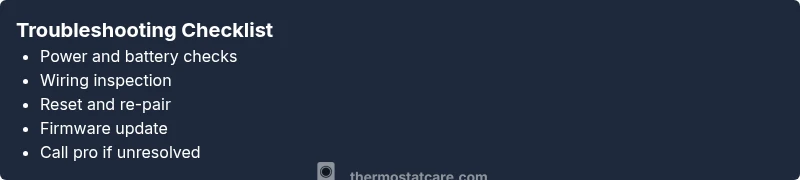
Think of the blinking snowflake as a signal that you should work from simplest checks to more complex diagnoses. Start with power and battery, then verify wiring. If nothing changes, reset or re-pair the device and check for firmware updates. If the blink persists after these steps, there is a strong chance of a sensor fault or HVAC-side issue, which warrants a professional assessment. Keeping a log of observed symptoms and times helps a technician pinpoint root causes quickly.
Prevention and maintenance to avoid future blinking snowflake
Routine maintenance reduces the chance of recurring faults. Replace batteries proactively, test the power supply and breakers periodically, and keep the thermostat firmware up to date. Clean the thermostat faceplate and ensure air temperature around the unit is not extreme, which can affect sensors. Schedule regular professional HVAC checkups to catch developing issues early. A little prevention goes a long way toward keeping your system reliable and energy-efficient.
Brand considerations and warranty guidance
Different brands use varied icons for faults; a blinking snowflake commonly signals a cooling-related problem or sensor issue. Review your thermostat’s manual for brand-specific meanings before taking action. If your unit is under warranty, follow the manufacturer’s troubleshooting steps to avoid voiding coverage. Thermostat Care cautions homeowners to document any maintenance or resets for warranty claims and future service calls.
Steps
Estimated time: 25-40 minutes
- 1
Power safety and initial check
Shut off power to the thermostat and HVAC at the breaker if accessible. Remove the thermostat from its wall plate carefully to inspect visible wires for damage or loose connections. Re-seat the thermostat firmly and restore power.
Tip: Always verify power is off before handling wiring; use a non-contact tester if available. - 2
Battery and power source verification
If your thermostat runs on batteries, replace them with fresh alkaline batteries of the correct size. For hard-wired units, confirm 24V supply at the thermostat terminals using a multimeter or by checking the service panel breakers.
Tip: Record the old battery type and date of replacement for future reference. - 3
Wiring inspection and reseating
Verify all wires are securely connected to their terminals and not damaged. Look for loose screws, frayed insulation, or copper exposure. Reseat each wire and tighten the terminals to a snug fit.
Tip: If you see corrosion at terminals, clean gently or replace corroded parts before reassembly. - 4
Reset and re-pair
Perform a safe reset per the manufacturer’s instructions. If the thermostat supports pairing with a hub or app, re-link it after the reset and confirm the HVAC responds correctly to a test command.
Tip: Note any personalized settings to reapply after reset. - 5
Firmware update and testing
Check for firmware updates through the manufacturer app, download and install if available, and then test the cooling command to see if the blinking snowflake recurs.
Tip: Do this during a time with stable power to avoid incomplete updates. - 6
Evaluate HVAC response and call pro if needed
Observe the thermostat’s display and note whether the blinking snowflake returns. If it persists after all steps, schedule a professional diagnostic with a licensed HVAC technician.
Tip: Document observed symptoms, time, and any error codes to aid the tech.
Diagnosis: Thermostat blinking snowflake
Possible Causes
- highPower issues (low supply or drained battery)
- mediumSensor fault causing incorrect readings
- mediumLoose or damaged wiring between thermostat and HVAC
- lowFirmware glitch or app integration problem
- lowHVAC system in cooling mode with a temporary fault
Fixes
- easyCheck power source and replace batteries if applicable; restore 24V power if a breaker tripped
- easyInspect and reseat thermostat wires at the wall and at the furnace/air handler; tighten terminals
- easyReset the thermostat to factory settings or re-pair with the HVAC system, then test display
- mediumUpdate firmware/app and perform a full system reboot
- hardIf issues persist, contact a licensed HVAC technician for a comprehensive diagnostic
Questions & Answers
What does a blinking snowflake icon on my thermostat mean?
A blinking snowflake typically signals a fault or cooling-related issue, often tied to power, sensor, or communication problems. Start with power checks and a safe reset, then proceed to more in-depth diagnostics if needed.
A blinking snowflake usually means a fault in cooling or sensing. Start with power checks and a safe reset, then move to more checks if it stays blinking.
Is a blinking snowflake dangerous?
Generally not dangerous, but it can indicate faults that affect comfort and efficiency. Treat it as an actionable warning and avoid delaying basic checks or professional help when needed.
It's usually not dangerous, but it can affect comfort and efficiency, so treat it as a warning and check it promptly.
How do I reset my thermostat safely?
Follow the manufacturer’s reset procedure found in the user manual or app. A reset clears many minor glitches but may erase schedules, so reconfigure after reset.
Use the official reset steps from the manual or app. It clears glitches but you may need to reprogram schedules.
Should I replace batteries or power supply first?
If your model uses batteries, replace them first. For hard-wired units, verify the 24V supply and check for tripped breakers or blown fuses.
Start with fresh batteries if you have them. For wired units, confirm the power supply and breakers are ok.
Can a blinking snowflake be a sign of a faulty HVAC system?
Yes, a fault could originate in the HVAC system itself. If rewiring and resets don’t fix it, a professional inspection is warranted.
It can point to an HVAC issue; if basics don’t fix it, get a professional check.
When should I call a professional?
Call a professional if the blinking snowflake persists after power, battery, wiring, and firmware steps, or if you detect burning smells or damaged wires.
Call a pro if it keeps blinking after trying the basic steps, or if you smell burning or see damaged wiring.
Watch Video
What to Remember
- Power and battery checks first
- Secure wiring prevents most faults
- Reset clears glitches in many cases
- Firmware updates help when applicable
- Call a pro when blinking persists after steps