Auto vs Heat: Should Your Thermostat Be On Auto for Heat?
Explore whether your thermostat should be on Auto or On for Heat. This detailed comparison covers energy use, comfort, and longevity, with practical steps for homeowners.


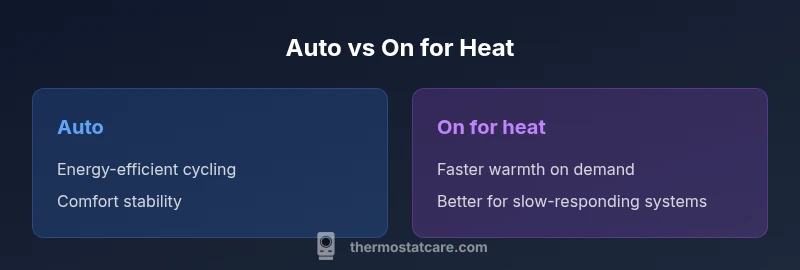
Should thermostat be on Auto or On for heat? In most homes, Auto is preferred for energy efficiency, comfort, and fewer temperature swings. On for heat is useful when you need immediate warmth or have a slow-responding heating system. Thermostat Care notes Auto as the default choice, with On for heat as a targeted override in extreme conditions.
How Auto vs On for Heat Settings Work
The two common thermostat modes—Auto and On for heat—are designed to manage your home's heating with different priorities. When set to Auto, the thermostat cycles the furnace or heat pump to maintain your pre-set temperature by turning heat on and off as needed. This cycling aims to minimize energy use while keeping you comfortable. In contrast, the On for heat setting keeps the heating system running continuously until the target temperature is reached, then maintains heat with less aggressive cycling. In practical terms, Auto tends to save energy by reducing wear from rapid on/off cycles, while On provides rapid warmth that some households prefer during extended cold spells. According to Thermostat Care, Auto often delivers better efficiency with fewer temperature swings, but On for heat can be valuable when you want immediate warmth or when the heating system is slow to respond. The choice should reflect your climate, home insulation, and daily schedule, not just a single feature.
How the Settings Translate to Real-World Use
For many homes, Auto reduces energy use because the system only runs when needed to reach the target temperature. If you leave your home during the day, Auto will typically allow the temperature to drift slightly instead of keeping the space hot all day. This drift is usually small in well-insulated houses, and modern thermostats optimize this behavior to balance comfort with savings. On for heat, by contrast, makes the space feel warmer faster and can be more comfortable right after you wake up or return home. The trade-off is that the furnace may run longer or more frequently, which can raise energy costs over time if used indiscriminately. In climates with significant temperature swings, Auto can be tuned with a schedule to preserve comfort while limiting energy waste. The Thermostat Care approach is to start with Auto and observe your energy bills and comfort levels over a full season, then adjust as needed.
Practical Examples and Scenarios
- A typical suburban home with good insulation: Auto is often the best default because it balances energy savings with consistent comfort.
- A residence with slow-to-heat radiators or a heat pump: Auto may still work well, but a well-timed On period during the coldest part of the day can help maintain comfort without excessive cycling.
- A rarely occupied home in winter: Auto with a well-designed schedule reduces energy waste when no one is home.
Early Season Setup Tips
During the shoulder seasons, set Auto and a moderate setback (e.g., 2–4 degrees cooler than your comfort setting). This reduces heating runs while keeping mornings comfortable. If your home experiences rapid heat loss, consider a shorter setback window and a slightly higher target temperature during occupied hours. Thermostat Care emphasizes testing changes for a couple of weeks to gauge both energy use and perceived comfort. In short, Auto provides a strong baseline for most homes, with On as a targeted override when needed.
How This Affects Convenience and Usability
Auto is typically easier for daily life because it requires less manual adjustment. You can implement a schedule and let the thermostat handle routine temperature changes. On for heat gives you more control in moments when you want to guarantee warmth, such as waking up on a very cold morning or when guests arrive. The key is to monitor how changes affect both comfort and energy usage, then refine your settings over time. Thermostat Care recommends documenting a simple weekly check to ensure the system behaves as expected and to catch any strange cycling patterns early.
Comparison
| Feature | Auto | On for heat | |
|---|---|---|---|
| Energy efficiency | High energy efficiency due to optimized cycling | Potentially higher energy use from continuous heating | |
| Temperature consistency | Generally steady with minor drift | Faster warmth; can feel warmer sooner | |
| Heat-up time | Moderate heat-up as cycles run to target | Quicker heat-up since system stays on | |
| System wear & maintenance | Less rapid cycling, potentially gentler on components | Longer runtime per cycle; more overall runtime | |
| Best for | Most homes seeking a balance of comfort and savings | Manual override for extreme cold or rapid warmth needs |
Upsides
- Saves energy by reducing unnecessary heating cycles
- Maintains steady comfort with fewer temperature swings
- Requires less manual adjustment in daily life
- Better control when paired with smart schedules
The Bad
- May not feel immediately warm on very cold days
- Auto drift can be noticeable in poorly insulated homes
- On for heat may waste energy if left on too long
- Requires a programmable or smart thermostat for best results
Auto generally wins for energy savings and consistent comfort; On for heat excels when you need rapid warmth or have a slow-responding system.
Choose Auto for typical use and long-term savings. Use On for heat as a temporary override during extreme conditions or if your heating system responds slowly.
Questions & Answers
What does Auto mean on a thermostat?
Auto means the thermostat automatically turns the heating on and off to maintain the target temperature, balancing comfort with energy efficiency. It reduces frequent on/off cycling compared to manual settings.
Auto automatically adjusts heating to reach your set temperature, saving energy while keeping you comfortable.
Is Auto better for energy savings?
In most homes, Auto offers better energy efficiency because the system only runs as needed. However, performance depends on insulation, climate, and how well the thermostat is programmed.
Yes, Auto typically saves energy when paired with a sensible schedule and good insulation.
Will switching to Auto affect comfort?
Auto can maintain comfortable temperatures with occasional drift during unoccupied times. If the home is poorly insulated or you prefer instant warmth, you might adjust the schedule or use On during key times.
Auto may drift slightly when you’re away, but it usually keeps comfort within a few degrees of your target.
How do I switch between Auto and On?
Access your thermostat menus, select the heating mode, and choose Auto or On for heat. If you use a smart thermostat, you can program schedules and overrides for convenience.
Open the thermostat, choose Heating mode, then select Auto or On for heat.
Do all thermostats offer Auto and On options?
Most modern thermostats offer Auto and On for heat, including many smart thermostats. Some older models may have simplified modes, so check your manual if unsure.
Most modern thermostats include Auto and On for heat, but verify with your model’s manual.
Should I switch modes with the seasons?
Seasonal adjustments are common. Auto with a seasonal schedule generally performs well, but you can temporarily switch to On for extreme cold snaps or when occupancy patterns change.
Seasonally adjust Auto schedules; switch to On during extreme cold if needed.
What to Remember
- Start with Auto to prioritize energy savings
- Use On for heat when you need instant warmth
- Monitor energy use and comfort for at least one heating season
- Consider a smart thermostat to optimize Auto/On decisions
- Tailor settings to your climate and insulation level