How to Test a Thermostat Without Removing It From System
Learn a safe, practical method to test a thermostat without removing it from the system. This Thermostat Care guide covers tools, diagnostics, steps, and tips to verify sensor accuracy, connections, and HVAC response.


By following these non-invasive checks, you can verify thermostat accuracy and system response without removing the unit. This guided method covers battery status, display codes, real temperature readings, and automatic HVAC responses, using only basic tools. It helps homeowners confirm proper operation and identify when to call a professional. Start today.
Why testing a thermostat without removing it matters
When a thermostat seems unreliable, homeowners often assume it must be replaced or removed for testing. In reality, many issues can be diagnosed with the unit still mounted. According to Thermostat Care, testing without removal lets you verify sensor accuracy, signal integrity, and the HVAC response without the disruption of taking the system offline. This approach saves time, reduces risk to other components, and helps you distinguish between a faulty thermostat, a sensor, or an HVAC problem. By staying mounted, you preserve the control wiring and avoid accidental miswiring that can happen when moving parts. In this guide, we cover practical checks you can perform with common household tools to confirm whether your thermostat is the problem or if the issue lies deeper in the heating or cooling circuit.
Safety considerations before you begin
Testing a thermostat without removing it from the system is generally safe when you follow basic precautions. Always start with the power on the thermostat in a normal operating state, but never attempt repairs that involve cutting wires or opening the HVAC enclosure while power is live. If you smell smoke, hear buzzing, or notice heat around wiring, close the panel and switch off the corresponding breaker. Keep children and pets away from the work area. Use insulated tools and avoid touching exposed conductors. This section prioritizes safety to protect you and the HVAC equipment while you identify simple sensor or wiring faults that may be the root cause of the trouble.
What you’ll need to test without removal
- Digital multimeter (DMM) — essential for sensor and circuit checks
- Fresh batteries for the thermostat — essential if the unit is battery-powered
- Thermostat manual or model documentation — essential for wiring diagrams and diagnostics
- Non-contact voltage tester — optional for quick live-checks
- Smartphone or computer for apps/portal — optional for app-based diagnostics
Methods to verify thermostat function
There are several non-destructive methods you can use to verify that your thermostat is functioning correctly without removing it from the system. Start with basic power and display checks, then move to sensor accuracy, and finally observe the HVAC’s response to setpoint changes. Remember, even when you test without removal, you’re validating the control signal path and sensor data, not replacing components. The goal is to confirm that the thermostat communicates properly with the HVAC, reflects the actual room temperature, and initiates correct heating or cooling calls. If any part fails, note the symptom and move to a targeted check rather than jumping to a full replacement. This cautious approach aligns with best practices from Thermostat Care for 2026.
A practical, step-by-step testing approach
- Start with a safe baseline: ensure the thermostat is in its normal operating state and the HVAC system is powered. This single action sets the stage for accurate observations.
- Verify the display and power: confirm the screen is on and showing a current temperature. A dead display often signals power or battery issues rather than a failed sensor.
- Check the batteries: if the unit is battery-powered, replace with fresh batteries and recheck the display and readings. Batteries are a common source of intermittent faults.
- Compare readings with room temperature: use a simple room thermometer to check whether the thermostat reads within 1–2 degrees of ambient room temperature. Larger gaps suggest a sensor problem or calibration drift.
- Trigger a heat call and observe: temporarily increase the setpoint to activate heating and listen for the furnace or heat pump to start. If there’s no response within 5–10 minutes, inspect the wires at the thermostat terminals and ensure the controller is sending a signal.
- Trigger a cool call and observe: lower the setpoint to activate cooling and confirm the AC responds. Again, note the time to response and any abnormal behavior.
- Inspect connections if issues persist: with power off, gently reseat or tighten the thermostat wires at the terminal strip. Loose or corroded connections are frequent causes of erratic readings and non-response.
- If readings still don’t align, consult the manual and consider professional help: some situations require equipment-specific diagnostics beyond basic checks. Document any error codes or abnormal behavior for reference.
Tips & Warnings
- Use the thermostat’s diagnostic features if available; many models include self-test options that don’t require disassembly.
- Do not bypass safety controls or attempt to wire-nut components; this can create a fire hazard or HVAC damage.
- If you smell burning, hear buzzing, or notice heat near wiring, shut the system off at the breaker and contact a pro.
- Document any error codes or odd readings with timestamps; this helps when you seek support.
- If you are uncomfortable with any step, stop and consult a qualified technician. Even non-invasive testing can pose risks if power is not managed correctly.
Troubleshooting when readings don’t align
Strange readings are often caused by sensor misalignment, battery depletion, or a fault in the control signal between the thermostat and the HVAC. If the thermostat shows a temperature far from ambient and fails to respond to setpoint changes, recheck battery power, test the display, and verify the wiring connections. Should inconsistencies persist, consult the installation manual to confirm sensor placement and calibration steps. Remember, environmental factors like direct sun exposure, proximity to windows, or drafts can skew readings and should be minimized during testing. The goal is to isolate whether the issue is the thermostat or the heating/cooling equipment itself. The Thermostat Care team recommends performing these checks to maintain reliable climate control in 2026.
Tools & Materials
- Digital multimeter (DMM)(Auto-ranging preferred; used to verify sensor and wiring continuity)
- Non-contact voltage tester(Optional for quick live-checks without contact)
- Fresh batteries for thermostat(Use the battery type specified in the manual)
- Thermostat manual or model documentation(Helpful for wiring diagrams and diagnostics)
- Small screwdriver (Phillips/flathead)(Only needed if you open the panel with power off)
- Smartphone or computer with thermostat app(Optional for app-based diagnostics)
Steps
Estimated time: 40-60 minutes
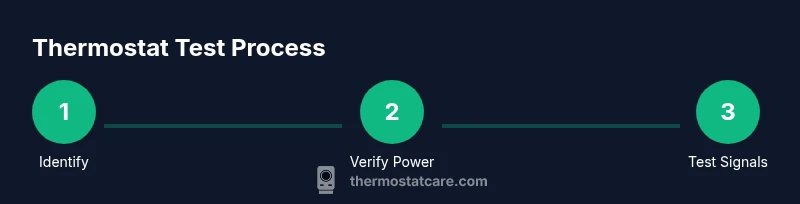
- 1
Identify the thermostat model
Locate the model information on the thermostat label or in the user manual. This determines which diagnostic steps are applicable and what sensors or features you can test without removing the unit.
Tip: Having the exact model handy prevents chasing model-specific instructions later. - 2
Confirm the thermostat is powered
Check that the thermostat display is visible and that the HVAC circuit is on. A powered unit is essential for meaningful readings and proper signal testing.
Tip: If the display is dim or absent, replace batteries first and retest. - 3
Check the battery status and display
If the unit uses batteries, replace them with fresh ones and ensure the display responds promptly to button presses.
Tip: Keep spare batteries nearby to avoid mid-test interruptions. - 4
Compare readings with room temperature
Use a room thermometer to verify that the thermostat’s current reading is within 1–2 degrees of ambient temperature.
Tip: Consistent delta across multiple readings indicates sensor stability. - 5
Test heat call
Raise the setpoint to trigger heating and listen for the furnace or heat pump engaging within 5–10 minutes.
Tip: If there is no response, verify that the thermostat is calling for heat and check related fuses. - 6
Test cool call
Lower the setpoint to trigger cooling and confirm the AC responds in a similar timeframe.
Tip: Lack of response suggests wiring or signal issues between thermostat and equipment. - 7
Inspect wiring connections
With power off, gently reseat or tighten wires at the thermostat terminal strip to ensure solid contact.
Tip: Avoid forcing wires; if terminals are corroded or damaged, consult a pro.
Questions & Answers
Do I need to remove the thermostat to test it effectively?
No. Many diagnostic checks can be performed with the thermostat mounted, including battery checks, display tests, and signal tests. If issues persist, consider brand-specific self-diagnostic modes or professional help.
No, you can test it with the unit in place using built-in diagnostics and careful observation.
What tools do I need for testing without removal?
A digital multimeter and fresh batteries are the core tools; a manual or model documentation helps with model-specific steps. Optional items include a non-contact tester and a smartphone with the thermostat app.
You’ll typically use a multimeter and fresh batteries; a manual can guide you through model-specific tests.
Why isn’t the thermostat responding after a setpoint change?
Possible causes include weak batteries, sensor drift, loose wiring, or a disrupted signal path to the HVAC. Recheck power, battery, and connections, and consider professional diagnostics if the issue remains.
Common causes are battery or wiring problems; recheck those before seeking help.
Can environmental factors affect thermostat readings?
Yes. Direct sunlight, drafts, or close proximity to heat sources can skew readings. Move the thermostat or shield it from sunlight when testing for more accurate results.
Yes, sunlight and drafts can affect readings, so test in a stable environment.
How long should testing take?
A thorough non-invasive test should take about 40–60 minutes depending on system complexity. If you encounter issues early, pause and reassess rather than forcing progress.
Plan for around an hour if you go step by step.
Watch Video
What to Remember
- Test without removal to minimize downtime
- Battery and sensor checks are common fault sources
- Accurate readings require calm, methodical steps