How to Tell If Your Nest Thermostat Is Fully Charged
Learn how to determine if your Nest thermostat battery is fully charged, what charging looks like in practice, and how to optimize power reliability with clear, step-by-step guidance.


How to tell when nest thermostat is fully charged: there isn’t a precise, user-facing battery percentage on most Nest thermostats. These devices draw power from the HVAC system via the C-wire and recharge automatically whenever they have a stable supply—so you don’t typically see a ‘fully charged’ indicator.
Understanding what "fully charged" means for the Nest thermostat
The phrase how to tell when nest thermostat is fully charged often confuses homeowners because modern Nest models aren’t designed to show a battery percentage like a smartphone. Instead, they operate on a power system that blends house power with a rechargeable internal cell. When the thermostat has a stable power supply—typically via a C-wire or a suitable power-sharing method—the internal battery is kept topped up automatically. In practical terms, a device that keeps running smoothly without unexpected reboots or lighting issues is a sign that charging is being maintained adequately. According to Thermostat Care, most users won’t find a traditional “percent charged” readout, and that’s by design: reliability comes from consistent power rather than a battery gauge. If you want to know how your setup behaves, observe the thermostat’s performance over several days, looking for stability rather than a numeric charge.
How charging works in normal operation
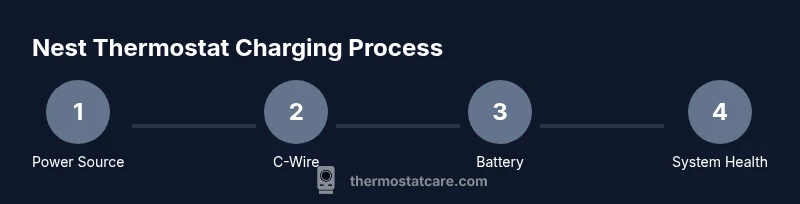
Nest thermostats draw power from the HVAC system and from a small internal battery. When the C-wire provides continuous power, the device can maintain battery health without needing frequent recharging sessions you’d notice on a phone. The charging cycle is ongoing and automatic; there’s no manual charging prompt and no standard percent to monitor. This design helps ensure the thermostat stays functional during demand spikes. The Thermostat Care team found that consistent power delivery reduces instances of a dead or slow-responding display and minimizes unexpected reboots, which users might misinterpret as a charge issue. To the user, the best indicator is steady operation rather than a percentage meter.
The role of C-wire and power-sharing in charging
Power reliability hinges on two things: a solid C-wire connection and compatible wiring at the furnace or air handler. The C-wire acts as the constant power supply for the thermostat’s electronics, while the HVAC system’s transformer helps keep the internal battery topped up. If the C-wire connection is loose, corroded, or mismatched with your thermostat model, charging can become inconsistent, leading to slow response or odd reboots. In such cases, you won’t see a number telling you the battery is full; you’ll notice performance anomalies instead. TheThermostat Care team emphasizes ensuring a clean, continuous feed from the C-wire as the most reliable way to keep the Nest charged.
Signs you may not be getting reliable charging
Because Nest devices don’t show a standard battery percentage, you have to watch for behavioral cues. Frequent resets, a dim or flickering display, or a noticeable slowdown in responsiveness can indicate power issues. While these signs aren’t proof of a specific charge level, they point to charging inefficiency or power delivery problems that should be addressed before they escalate. If you see any of these indicators, verify wiring, check the C-wire continuity at both ends, and consider using the Nest Power Connector if your system uses power sharing rather than a continuous C-wire.
Practical steps to improve charging reliability
Start by confirming a solid C-wire connection at both the thermostat and the control board. If you suspect a poor connection, reseat wires after powering down the HVAC system. Clean any corrosion from terminals and ensure no frayed insulation is contacting metal. If your setup uses power stealing rather than a dedicated C-wire, consider upgrading to a dedicated C-wire or using the Nest Power Connector to stabilize power. After making changes, reboot the thermostat and monitor for stable operation over several days. These steps help maintain ongoing charging without needing to read a battery percentage.
Signs of a battery-related issue you can address now
If the thermostat reboots during usage, the screen dims unexpectedly, or you notice long wake times, these can be power-related symptoms rather than a true battery charge status. By focusing on a stable power supply—C-wire integrity, clean connections, and proper control-board wiring—you reduce the chance of charging problems. Remember that most Nest models prioritize consistent power delivery over explicit charge readings, so your diagnostic efforts should center on power reliability and system compatibility.
Common myths and misconceptions about charging
A frequent misconception is that all Nest thermostats must show a bright battery icon or a percent full indicator. In reality, charging behavior is engineered for reliability; a smooth-running device is a sign of enough power. Another myth is that charging must happen at specific times; in truth, the system charges whenever it has access to stable power. The Thermostat Care analysis shows that the best predictor of healthy charging is uninterrupted C-wire power and proper wiring rather than chasing a battery reading.
Quick checks you can perform today (non-invasive)
- Inspect the C-wire at the thermostat and furnace for secure connections. - Look for loose or corroded terminals. - Confirm the thermostat has a stable power source and isn’t running on a marginal supply. - Reboot the device after any wiring fixes and monitor performance. By following these steps, you improve charging reliability without needing to measure a battery percent.
Thermostat Care's guidance on charging and maintenance
In our experience, the most dependable way to ensure Nest stays charged is to prioritize a solid C-wire connection and a clean, compatible wiring setup. When possible, use a dedicated C-wire rather than relying on power stealing. If problems persist, consult a professional to verify compatibility and correct any wiring issues. The goal is stable power delivery rather than obtaining a precise charge percentage.
Tools & Materials
- Multimeter (optional)(Check C-wire voltage if you’re comfortable with electrical testing)
- Screwdriver set(For terminal access at thermostat and furnace)
- Nest Power Connector (optional)(Can stabilize power on some power-sharing systems)
- Wire stripper/pliers(Useful for addressing frayed wires)
- User manual for your Nest model(Model-specific guidance)
Steps
Estimated time: 60-90 minutes
- 1
Check the thermostat power source at the furnace/control board
Power down the HVAC system before inspecting wiring. Verify that the C-wire is connected securely to the thermostat and to the control board, and ensure there are no signs of corrosion or loose terminals. A stable source is the foundation of reliable charging.
Tip: Take a quick photo of wire connections before unplugging anything to aid reassembly. - 2
Inspect C-wire connections at both ends
Trace the C-wire from the thermostat to the furnace or air handler. Make sure it’s firmly inserted and not partially connected. If you find a loose fit, reseat the wire and secure the terminal screws.
Tip: Apply minimal force when reseating; avoid bending wires sharply. - 3
Test circuit integrity with a multimeter (optional)
If you’re comfortable, measure voltage between C and R wires at the thermostat. A steady reading indicates adequate power. If the voltage is inconsistent, look for wiring or transformer issues at the control board.
Tip: Only perform this test if you know how to handle electrical components safely. - 4
Consider the Nest Power Connector if needed
If your system frequently relies on power stealing, installing the Nest Power Connector can help stabilize charging and reduce reboot events. Follow the manufacturer’s installation steps carefully.
Tip: This is optional; consult the manual or a professional if unsure. - 5
Reboot the thermostat and monitor performance
After wiring adjustments, reboot the Nest thermostat and monitor its behavior for several days. Look for consistent response times, no unexpected reboots, and steady screen brightness.
Tip: If issues recur, revisit wiring and consider professional support. - 6
Document results and set expectations
Note any changes in performance and how long the device remains stable. A steady period with no anomalies is a good indicator that charging is reliable.
Tip: Keep a simple log—date, issue observed, actions taken, and outcome.
Questions & Answers
Is there a battery level indicator on Nest thermostats?
Most Nest models do not display a battery percentage. Charging is managed automatically via the C-wire or other power sources. Performance consistency is a better indicator of charging health than a visible percentage.
Most Nest thermostats don’t show a battery percentage; rely on stable power and smooth performance as your charging health indicator.
What if my Nest keeps rebooting or shows dim screens?
Frequent reboots or a dim display usually point to power delivery problems. Check C-wire connections, verify voltage at the thermostat, and consider adding a Nest Power Connector if your system uses power stealing.
If the thermostat reboots or looks dim, check the wiring and power supply, and consider a power connector if needed.
Can I overcharge the Nest thermostat battery?
No. The thermostat is designed to manage charging automatically when it has access to stable power. For reliability, focus on consistent power delivery rather than trying to read a charge percentage.
No, it won’t overcharge; keep power stable and watch for performance cues instead.
Should I replace wiring to improve charging?
Often yes if current wiring is old or damaged. Replacing or upgrading the C-wire ensures a steadier power supply and reduces charging issues. If unsure, consult a pro.
Replacing bad wiring can improve charging reliability; seek professional help if needed.
What is the safest first step to diagnose power issues?
Start with a visual inspection of the C-wire at both ends, tighten terminals, and reboot the thermostat. Avoid opening high-voltage components; use professional help for deeper diagnostics.
Begin with a wiring visual check and a safe reboot; avoid touching high-voltage parts.
When should I call a professional?
If you notice persistent reboot cycles, frequent power outages, or if you’re not confident working with low-voltage HVAC wiring, contact a licensed HVAC technician.
Call a professional if issues persist or you’re unsure about wiring.
Watch Video
What to Remember
- Verify a stable power supply to avoid charging issues.
- Understand that Nest charging is automatic and not shown as a percent.
- Use C-wire and proper wiring, not guesswork, to maintain battery health.
- Watch for performance cues (reboots, dim display) rather than a charge indicator.
- If in doubt, seek professional help to protect your system.