How Long to Charge Nest Thermostat
Discover how long it takes to charge Nest Thermostat, what factors affect charging time, and expert tips to keep power steady. Thermostat Care breaks down charging dynamics for homeowners and DIY enthusiasts.


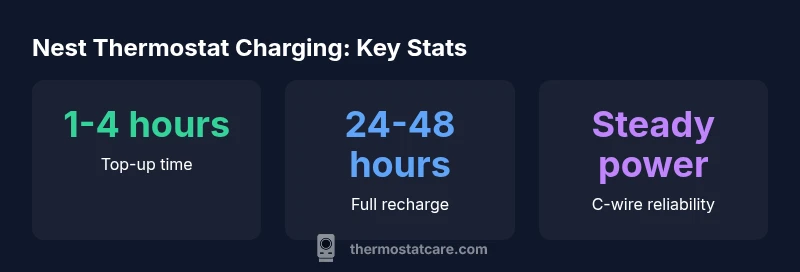
According to Thermostat Care, Nest Thermostat charging happens automatically whenever the device has power from your home's wiring; there is no user-initiated charging port. In typical installations with a steady 24V supply, a low battery can recover in 1-4 hours, while a full recharge may take up to 48 hours if usage remains high.
How Nest Thermostat power works
The Nest Thermostat is powered by your home’s 24-volt HVAC circuit. It does not have a user-accessible charging port; instead, its internal battery is charged whenever the thermostat receives power through the C-wire or the system’s power-draw during normal operation. In installations with a healthy C-wire and a stable 24V supply, the device usually keeps the battery topped up with minimal intervention from the user. If the C-wire is present but the system cycles frequently, you may notice brief power dips, but the thermostat typically recovers automatically. In practice, charging is automatic, driven by steady power rather than a manual charging session. This means that even when you are away from home, the thermostat can stay powered as long as the circuit remains connected. Thermostat Care’s analysis highlights that consistent power delivery is more important than any single charging event, especially in homes with variable weather patterns and high thermostat activity. Remember: a well-wired setup provides the most reliable charging baseline.
Charging expectations for typical installations
In most homes with a continuous 24V supply and a properly connected C-wire, a low battery often recovers within 1-4 hours of observing normal operation. If the unit experiences sustained heavier use—such as frequent scheduling changes, constant Wi‑Fi activity, or power-hungry features—the time to full recharge can extend toward 24-48 hours. This longer window reflects the device balancing energy between operation and storage, not a problem to be solved with an external charger. It is also common for users to see minor fluctuations in battery level during rapid temperature swings or when HVAC cycles are short but frequent. Thermostat Care recommends ensuring that the C-wire is secure and that the power supply remains within the recommended voltage range for your model. With proper wiring, charging should be seamless and largely invisible to daily use.
When to worry: signs your Nest isn't charging properly
If you notice repeated battery drain during typical usage, or if the thermostat reports a power issue or shows a warning icon during normal operation, it may indicate a charging fault. Common causes include a loose C-wire, a tripped breaker, or a degraded power connector within the furnace or air handler. Look for the battery indicator in the thermostat’s UI, and note any messages like “Power” or “Low Battery” that persist despite HVAC activity. If you see these signs frequently, pause heavy thermostat tasks (such as constant remote access or long Wi‑Fi sessions) and re-check wiring connections. Thermostat Care emphasizes that persistent power issues should be diagnosed by verifying the C-wire continuity and, if needed, consulting a professional to rewire or replace components. In many cases, a simple tightening of the C-wire and a quick system reset can restore charging behavior.
Step-by-step checks you can perform safely
- Ensure the C-wire is firmly connected at both the thermostat and the control board.
- Confirm the thermostat firmware is up to date, as updates can improve power management.
- Inspect the HVAC power supply for voltage stability; use a multimeter to verify 24V is within the recommended range.
- If your installation uses a Power Extender Kit (PEK), verify its wiring and placement according to the manufacturer’s instructions.
- Minimize simultaneous power-hungry tasks on the thermostat while testing for charging behavior (e.g., streaming video, frequent remote access).
- Consider temporarily reducing energy-intensive features to see if charging improves, which can indicate a power draw issue rather than a charging fault.
How charging time varies by power source
Power availability dramatically influences charging speed. With a full C-wire connection and stable 24V, top-ups occur quickly (1-4 hours). Without a dedicated C-wire, the thermostat relies more on stored energy, extending top-ups and potentially slowing full recharge (24-48 hours or longer under heavy use). In rare cases of intermittent power, the device may show longer cycles between charging events, making it appear as though charging is slower overall. Thermostat Care’s guidance emphasizes optimizing power delivery first before pursuing other fixes. This approach reduces battery stress and keeps the thermostat ready for routine operation during weather changes.
Maintenance tips to keep power steady
- Keep the control board and furnace area clean and dry to prevent corrosion or loose connections.
- Inspect wires for wear or damage and replace any frayed conductors promptly.
- Use a surge protector to safeguard the HVAC power line from voltage spikes that can disrupt charging.
- Schedule periodic checks with a qualified technician to verify C-wire integrity and overall system power health.
- Update firmware regularly, as manufacturers optimize power management and battery usage in newer releases.
- If you rely on remote access or smart features, consider turning off nonessential functions during peak heating or cooling cycles to reduce power demand.
What to do if you need a battery replacement or upgrade
If the Nest Thermostat shows persistent low-battery warnings despite a verified power supply, a battery replacement or hardware upgrade may be warranted. Because the device integrates with the home’s electrical system, a professional assessment ensures compatibility with your HVAC setup and minimizes risk. In many cases, replacing the thermostat’s internal battery or upgrading to a newer model with improved energy management can yield longer periods of reliable operation between charges. Always check warranty coverage before pursuing repairs, and document any signs of damage or unusual charging behavior for a smooth service experience.
Nest Thermostat charging times under different power scenarios
| Power Scenario | Estimated Charging Time | Notes |
|---|---|---|
| Steady 24V supply with C-wire | 1-4 hours | Common in wired systems |
| Limited 24V power / no C-wire | 4-8 hours | Slower top-ups, avoid heavy use |
| Power interruption (no C-wire) | N/A | Battery-dependent operation during outages |
| Continuous operation (high usage) | 24-48 hours | Depends on HVAC cycling and Wi‑Fi activity |
Questions & Answers
Do Nest Thermostats need a C-wire to charge?
In most installations the C-wire provides a stable power source that keeps the thermostat charged. If your setup uses only two wires, charging still happens, but the system may rely more on battery storage and occasionally show charging warnings. Ensure the C-wire is properly connected for best charging performance.
Most Nest Thermostats charge best when the C-wire is connected. If you don’t have a C-wire, charging still happens but may be less reliable.
Can I charge Nest Thermostat faster?
There isn’t a manual charging port to speed up the process. Charging speed depends on consistent power delivery from your HVAC wiring. To optimize, verify the C-wire continuity and ensure the power supply stays within spec during operation.
You can’t manually charge it faster. fix power delivery and C-wire for better charging.
What should I do if the thermostat shows a Power issue?
If a Power issue appears, check for loose connections, confirm the C-wire is secured, and inspect the control board wiring. Reset the thermostat after addressing wiring, and monitor whether the power icon reappears. If problems persist, contact a technician to inspect the HVAC power circuit.
Power issues usually come from wiring or connectivity problems. Check wiring, reset, and if needed call a pro.
Does Wi-Fi affect charging time?
Wi‑Fi activity adds to the thermostat’s energy use, especially when streaming data or performing frequent updates. While it doesn’t prevent charging, heavy network usage can extend perceived charging time if the device is drawing more power for features.
Yes, heavy Wi‑Fi use can add to energy use and slightly affect charging time.
Is it safe to run Nest on battery only for long periods?
Running on battery-only is not the intended operation model. The thermostat is designed to stay powered by the HVAC system; relying on battery could lead to periodic power losses during HVAC cycling. Use a proper C-wire connection for consistent power.
Battery-only operation isn’t recommended; keep the C-wire connected for steady power.
“"Charging is largely automatic when the thermostat remains connected to a steady power source. Troubleshooting should start with the wiring and power supply before pursuing component replacements."”
What to Remember
- Power delivery is the primary driver of charging time.
- Most setups top up quickly when C-wire is present.
- Without consistent power, expect longer recharge windows.
- Smart usage and firmware updates can influence charging behavior.
- If issues persist, verify wiring before considering replacements