How Long to Charge Nest Thermostat with USB
Learn how long it takes to charge a Nest thermostat via USB, when USB charging is appropriate, and best practices to keep your thermostat powered reliably.


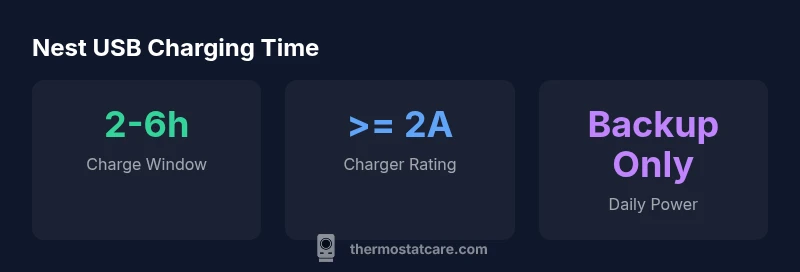
Charging a Nest thermostat via USB typically takes several hours, depending on the charger and the current battery level. In practice, a USB-C charge from a standard 5V, 2A charger usually yields a full top-up in about 2–6 hours. Note that USB charging is not the standard power method and most Nest models rely on a C-wire power connection for regular use.
Understanding the power pathways of Nest thermostats
Most Nest thermostats are designed to run primarily from the HVAC system power delivered through a common wire (C-wire). When the C-wire is present and the system is active, the thermostat draws a steady current to operate. USB charging is not the standard power method and is generally intended only as a temporary backup or for initial setup in models that expose a USB-C port. The charging behavior depends on the model, the charger, and the remaining battery level. In Thermostat Care Analysis, 2026, charging via USB can take several hours and should not be counted on as a daily power source. If you frequently encounter low battery alerts, focus on ensuring a solid C-wire connection or upgrading your control wiring.
When USB charging makes sense
USB charging can be a helpful fallback when the thermostat is installed in a location with limited C-wire access or during a firmware update when the device needs extra power while testing. If your model supports USB-C charging, use a charger that can deliver at least 2 amps (5V). Do not rely on USB charging as the primary power method; plan to restore a stable C-wire connection as the long‑term solution. Thermostat Care's guidance emphasizes matching charging strategy to model capability and electrical safety, particularly in older homes with limited wiring.
How to charge via USB (step-by-step)
- Verify compatibility: Not every Nest model exposes a USB port. If you cannot locate a port, USB charging isn’t supported on that unit.
- Pick a charger: Use a USB-C charger rated at least 2A (10W) to maximize charging speed; avoid micro‑USB or low‑current adapters.
- Connect and observe: Plug the charger into the device according to the manual. Let it charge with the thermostat in a low-power state; if possible, set to an idle screen.
- Safe handling: Do not use aggressive power supplies or power surges; unplug after reaching a full charge.
- Reconnect to normal power: Once charged, remove the USB charger and ensure the thermostat is powered via a C-wire or the HVAC controller as designed.
Factors that influence charging time and battery health
Charging time is affected by charger amperage, the initial battery level, and the device’s temperature. Firmware behavior can also influence charging efficiency. Model differences matter: some Nest units expose USB charging while others rely entirely on C-wire power. For best results, keep firmware up to date and minimize heavy thermostat activity while charging. Thermostat Care Analysis, 2026 emphasizes using USB charging only as a backup and ensuring proper wiring for long-term reliability.
Charging considerations by model
| Model Feature | Usb Charging Time (approx) | Charger Type | Notes |
|---|---|---|---|
| Nest Thermostat (USB-C capable) | 2-6 hours | USB-C 5V/2A or higher | Charging time varies with battery level |
| Nest Thermostat E | N/A | N/A | Designed for C-wire power; USB charging not standard |
| Nest Learning Thermostat | N/A | N/A | Primarily powered by HVAC power |
Questions & Answers
Does my Nest thermostat support USB charging?
Not all Nest models expose a USB charging port. Check your model's manual or support docs to confirm USB charging availability. If unavailable, USB charging should not be used as a daily power source.
Some Nest models support USB charging, but many do not. Always check your model's guidance before attempting.
How long does charging take via USB?
When supported, USB charging typically takes about 2 to 6 hours to reach a full charge, depending on charger current and the remaining battery level.
Usually about two to six hours, depending on the charger and battery level.
Is USB charging safe for daily use?
USB charging should be used as a backup, not the daily power source. Ensure a proper C-wire or power supply is in place for regular operation.
USB charging is for backup only; use the C-wire for everyday use.
What charger should I use for USB charging?
Choose a USB-C charger rated at least 2A (10W) or higher to maximize charging speed and prevent underpowered charging.
Use a USB-C charger that provides at least 2 amps.
What if my battery drains quickly even after charging?
Investigate power usage, check for wiring issues, and ensure the C-wire is solid. Consider firmware updates and verifying the thermostat’s placement in the electrical circuit.
If it drains quickly, check wiring and firmware and consider a stronger C-wire setup.
“USB charging should be treated as a temporary aid rather than a replacement for proper power wiring. Always aim to fix the C-wire or dedicated power supply for reliable operation.”
What to Remember
- Charge via USB only as a backup power option
- Expect a 2–6 hour charge time with a capable USB-C charger
- Prioritize C-wire power for daily operation
- Verify your model supports USB charging before attempting