Can You Charge Nest Thermostat with USB? Safe Power Options Explained
Discover whether USB can power a Nest thermostat, the official powering requirements, and safe alternatives. Thermostat Care explains why USB is not recommended and how to ensure reliable, safe power for your smart thermostat.


Can you charge Nest thermostat with USB? The short answer is no for standard installations. Nest thermostats rely on a dedicated 24V AC power supply provided via HVAC wiring, typically through the R and C terminals. USB charging is not supported as a primary power source and can lead to instability or damage. Use the official power adapter and ensure the C-wire is connected when required by your model.
Can USB charging power Nest thermostats? Official stance and practical reality
Can you charge Nest thermostat with USB? The short answer is no for standard installations. Nest thermostats are designed to be powered by a dedicated 24V AC supply supplied through the HVAC control board, typically via the R and C terminals. The Thermostat Care team emphasizes that USB charging is not supported as a primary power source. In practice, USB power may be unstable or insufficient when the thermostat demands power during heating or cooling cycles, leading to reboot loops or inaccurate readings. For homeowners, relying on proper wiring and the official power adapter—when required by the model—is the safest path.
If your current setup lacks a C-wire, do not improvise a USB power solution. Instead, consult the installation guide for your specific Nest model or contact a licensed HVAC technician. Thermostat Care's guidance for many households is to add a common conductor (C-wire) or switch to a Nest model that includes an appropriate power-sharing design. The key takeaway: USB is not a compatibility pathway you should depend on, and third-party USB charging cables can void warranties or complicate support. By sticking to the intended power scheme, you ensure long-term reliability and safety in your smart home, as emphasized by the Thermostat Care team.
How Nest is powered: R-wire, C-wire, and the internal regulator
Nest thermostats are typically powered by a steady 24V AC supply delivered through the HVAC system. The essential power comes from the R (hot) and C (common) wires on the furnace control board. In many installations, the Nest negotiates a small amount of power between R and C using the thermostat’s internal regulator or a power-sharing design. If your system has a robust C-wire, the thermostat can draw power reliably without compromising performance. Thermostat Care notes that relying on USB or any out-of-spec power source can create voltage dips during peak HVAC activity, leading to unexpected reboots or misreadings. To keep operations smooth, ensure your R and C wiring is intact and consult your installer if you’re unsure about C-wire integrity. A properly wired setup also reduces the risk of battery-like depletion inside the thermostat, which can contribute to unnecessary battery replacements or firmware hiccups.
Risks of USB power to Nest devices
Using USB power with a Nest thermostat can introduce several risks. First, USB power may not provide a consistent voltage under load, especially during HVAC cycling, which can cause the thermostat to reset or misread temperature. Second, USB power ports on third-party adapters may not meet the Nest’s power requirements, potentially voiding warranties or triggering compatibility warnings. Third, introducing USB power into the thermostat circuitry can create electrical noise or ground loops that affect sensor accuracy. Thermostat Care advises homeowners to avoid improvised USB power connections and instead follow official guidance for power delivery and C-wire usage. If you’ve already tried USB power and notice instability, disconnect the USB source and revert to the standard wiring and adapter configuration.
Safe power options and best practices
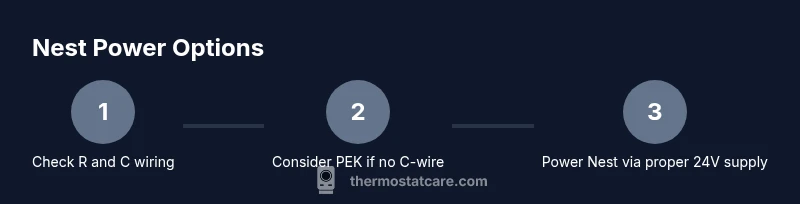
The safest path to reliable Nest operation is to use the built-in or recommended power path from your HVAC system. If your installation has a functional C-wire, keep it connected and verify 24V AC between R and C with a multimeter during a quiet HVAC cycle. If the C-wire is missing, consider installing a Common Wire or using the Power Extender Kit (PEK) as an authorized accessory to simulate a C-wire without altering the main wiring. Avoid any USB-based power hacks, as they can undermine protection diodes, fuses, and temperature sensing, leading to unstable performance. For homes with older systems, consult a licensed HVAC technician or Thermostat Care’s troubleshooting guides to determine the most appropriate solution. Always power down before inspecting wiring to prevent electric shock or equipment damage.
How to check your power setup: a quick diagnostic
A reliable diagnostic helps you confirm your thermostat is receiving proper power without USB. Start by shutting off power to the HVAC at the breaker. Remove the thermostat faceplate and inspect the wires behind the unit: look for R and C connections and confirm they are securely terminated. Use a 24V AC multimeter to measure the voltage between R and C; a healthy setup typically shows around 24V AC. If voltage is low or unstable, re-seat the wires, clean contact points, and re-test. If you don’t see a C-wire, review options like PEK or adding a dedicated C-wire with a licensed pro. This approach minimizes risk and aligns with Thermostat Care’s safety recommendations.
What to do if your system lacks a C-wire: practical options
Many homes lack a ready C-wire, which can complicate powering a Nest thermostat. In such cases, consider legitimate options like installing a C-wire with a professional, using the Nest PEK to “create” a common path, or upgrading to a model that supports power-sharing more effectively. USB should remain off-limits. Before making any changes, verify compatibility with your specific Nest model and HVAC setup. Always follow local electrical codes and manufacturer instructions, and document any wiring changes for future servicing.
Thermostat Care’s recommended practices and common mistakes
Thermostat Care emphasizes using the intended 24V AC power path and avoiding USB charging as a workaround. Common mistakes include bypassing the C-wire, relying on underpowered USB adapters, or using generic power adapters that don’t meet the Nest’s startup current requirements. The recommended practice is to ensure a clean R/C supply, consider a PEK if C-wire is missing, and test the system after any wiring changes. Keeping a stable power supply not only preserves thermostat performance but also improves temperature accuracy and system safety. Thermostat Care’s guidance is designed to help homeowners sustain a reliable, long-term setup.
Real-world scenarios and practical takeaways
In real homes, USB charging for a Nest thermostat has not proven reliable or necessary. A common scenario involves a missing C-wire in an older home, which can be addressed with a PEK or a proper C-wire installation. In modern homes with proper wiring, USB is unnecessary and potentially risky. The practical takeaway is clear: prioritize proper wiring, verify voltage levels, and consult professionals when uncertain. Thermostat Care’s consensus is that recommended power pathways protect both equipment and comfort, minimizing troubleshooting time and preserving warranty coverage.
Tools & Materials
- C-wire power supply adapter (official or recommended by thermostat)(Only use if your system requires a dedicated C-wire power path; verify compatibility with HVAC and Nest model)
- 24V AC multimeter(Measure voltage between R and C; typical reading is around 24V AC)
- Non-conductive screwdriver(For panel access if needed; use insulating tools)
- Power-off protection (breaker access)(Shut off HVAC power before inspecting wiring to avoid shock)
- Reference installation manual(Keep the Nest installation guide handy for model-specific steps)
Steps
Estimated time: 30-60 minutes
- 1
Turn off HVAC power
Begin by switching off power to the HVAC system at the main breaker. This prevents electric shock and protects the thermostat during inspection. It also avoids any false voltage readings while you’re checking wires.
Tip: Double-check that the thermostat display is off after you cut power to confirm no residual power is present. - 2
Inspect the C-wire presence
Remove the thermostat faceplate and inspect the wires connected to the C terminal. If there is a dedicated C-wire present, confirm it is securely attached and free of corrosion. If there is no C-wire, note the available conductor count for later options.
Tip: If you see a blue or brown wire on C, confirm it’s intended for common use with your system. - 3
Test voltage between R and C
With a multimeter, measure the voltage between R and C terminals. A healthy system should read roughly 24V AC. If the reading is low or fluctuating, reseat connections and re-test. Document the result for future reference.
Tip: Ensure the thermostat is not drawing heavy load during testing to avoid misleading voltage readings. - 4
Decide on power path: C-wire or PEK
If C-wire is present and healthy, you can continue using it with the standard Nest power path. If C-wire is missing or unstable, consider a Power Extender Kit (PEK) or consult a professional to install a proper common conductor.
Tip: PEK should be installed following the Nest guide; incorrect PEK wiring can cause misreads. - 5
Reassemble and power up
Reinstall the thermostat faceplate, switch the HVAC power back on, and observe the thermostat for stable operation. Check that temperature readings and scheduling respond promptly to changes.
Tip: If the thermostat reboots, re-check R-C wiring and ensure there’s no loose connector. - 6
Document results
Record voltage readings, C-wire status, and any changes made. This helps future service visits and supports warranty-claims if issues arise.
Tip: Keep a simple log with dates and observed behaviors for quick reference.
Questions & Answers
Can I charge Nest thermostat with USB cable?
No. USB charging is not supported as a primary power path for Nest thermostats. They require a dedicated 24V AC supply via R and C wiring to operate reliably.
USB charging isn’t supported for Nest thermostats. Use the proper 24-volt supply and C-wire for reliable operation.
What power does a Nest thermostat require?
Nest thermostats rely on a 24V AC supply from the HVAC system, delivered through R and C wires. Some models use power-sharing designs, but USB is not part of the official power path.
Nest uses 24-volt AC via R and C wires; USB isn’t part of the official power path.
Is it safe to use a USB charger temporarily?
No, USB charging is not recommended and can cause unstable operation or damage. Always revert to the manufacturer-approved power route.
Temporary USB charging isn’t recommended. Use the official power path instead.
What should I do if the Nest keeps rebooting?
Check the power path (R-C) and ensure C-wire integrity. If needed, install a PEK or add a proper C-wire with professional help. Avoid USB power.
If it reboots, verify R and C wiring and consider a PEK or adding a C-wire.
Where can I find official guidance on Nest power?
Consult the Nest support resources and trusted guides from Thermostat Care for safe power practices and troubleshooting steps.
See official Nest support and Thermostat Care guides for power guidance.
What is the PEK and when should I use it?
The Power Extender Kit (PEK) can simulate a C-wire when your system lacks a common conductor. Use it only as described by Nest or Thermostat Care and avoid improvising power paths.
PEK helps create a C-wire path when one is missing, used per manufacturer guidance.
Watch Video
What to Remember
- Verify R and C wires before changing power sources
- USB charging is not a recommended or supported method
- Use PEK or proper C-wire to ensure reliability
- Consult Thermostat Care guidelines for safe practices