How to Remove Nest Thermostat from Wall
Learn how to safely remove a Nest thermostat from the wall with a clear, expert approach. This guide covers safety, tools, step-by-step removal, and post-removal options for patching or upgrading your thermostat system.


To remove a Nest thermostat from the wall, power down your HVAC system, remove the display by gently pulling it away from the base, detach the mounting plate, and label or cap wires before taking the unit off the wall. This guide provides a safe, structured approach with practical tips and safety reminders.
What removing a Nest thermostat entails and why it matters
Removing a Nest Thermostat from the wall is a straightforward task when you approach it with the right precautions. The NestDisplay unit sits on a mounting plate connected to house wiring. Before you start, recognize that you are temporarily disconnecting a live signal path that controls your home’s heating and cooling. The Thermostat Care team notes that careful handling prevents wall damage and preserves wire labels for future upgrades. This process is not just about getting the device off the wall; it also prepares you to install a replacement thermostat or to patch the wall cleanly if you decide to discontinue the Nest system. By understanding the layout and taking a measured approach, you reduce risk and keep your HVAC system stable during the transition.
Safety-first mindset and the power-down prerequisites
Safety first is not optional here. Start by turning off power to the HVAC system at the main breaker, then confirm the Nest display is unpowered. This minimizes the risk of short circuits, electrical shocks, or arcing when you handle wiring or the mounting plate. If your system’s power doesn’t shut off at the breaker, consult a licensed electrician. While Thermostat Care’s analysis shows most homes can safely proceed with basic precautions, never skip this step. Wear eye protection, work in a well-lit area, and keep a clear workspace to prevent dropped screws or damaged wall surface.
Understanding the mounting plate and where wires live
The Nest thermostat is mounted on a base plate that hides the wall wiring. The faceplate attaches to this base or simply sits atop it, depending on the model. You’ll typically see two screws holding the base to the wall and a multi-terminal wiring harness at the back of the base. Before you loosen anything, inspect how the wires are routed and whether any quick-release connectors exist. Document or photograph wire positions to ensure accurate reassembly. If you’re upgrading to a different thermostat, this step saves you from guesswork when mapping terminals.
Tools and preparation: what you’ll need before you start
Having the right tools on hand makes removal smoother and safer. A precision Phillips screwdriver (sizes #0 or #1), a plastic pry tool, a small tray to hold screws, and a ladder or stable step stool are essential. A smartphone or camera helps you capture wiring positions for later reassembly. Keep a damp cloth handy to wipe dust from the wall and plate. If the thermostat is mounted high, consider a helper to stabilize you and the device during removal.
Step-by-step overview: the plan before you pick up a tool
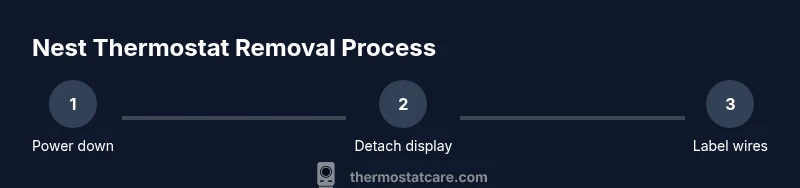
You’ll follow a simple sequence: power down, remove the display, detach the base plate, disconnect wiring or label it, remove the mounting plate, patch the wall if needed, and test power with a replacement or the original wiring reconnected. This overview helps you stay organized and reduces the chance of mislabeling wires or leaving the wall exposed. A calm, methodical approach keeps your HVAC system safe and ready for a future upgrade.
Detaching the faceplate: how to remove the display safely
To detach the display, grip the top and bottom edges with both hands and lift gently away from the wall. If there’s a small gap, slide a plastic pry tool between the display and the base to release any clips. Do not pry along the sides with excessive force, which could crack the screen or damage the base. Once the display is free, set it aside where it won’t be damaged.
Handling wires and connectors: preserving or labeling connections
With the display removed, you’ll often see a wiring harness or terminal block at the back of the base. If there are screws, loosen them just enough to separate the wires without pulling; if there are quick-release connectors, gently disconnect them one by one. Label each wire according to its terminal (e.g., R, W, Y) using masking tape. This labeling makes future reinstallation or replacement easier and prevents miswiring that could trigger error codes.
Finalizing removal and wall patching options
After you remove the base, decide whether you’ll patch the wall or reuse the mounting location for a new thermostat. If patching, use spackle to fill screw holes, sand smooth, and repaint to match the wall. If you’re keeping the wall open for a future device, cover the exposed wiring with a small electrical box cover plate. This keeps dust out and maintains wall aesthetics. Thermostat Care recommends documenting the wall patch with photos for your records.
Post-removal considerations: system readiness and next steps
With the Nest removed, you may need to restore HVAC power and test the system using a different thermostat or the existing wiring. If you plan to reinstall, verify your wire mappings against the new device’s terminal layout. If you’re not upgrading immediately, store the Nest components safely in a labeled container. Thermostat Care also suggests scheduling a quick check with a licensed professional if you see frayed insulation or exposed conductors during removal.
Tools & Materials
- Precision Phillips screwdriver (size #0 or #1)(Have both sizes on hand; some screws are smaller than others.)
- Plastic pry tool or guitar pick-style tool(Gently separate the display from the base without scratching.)
- Small tray or container for screws(Keeps fasteners organized and prevents loss.)
- Ladder or stable step stool(Use a secure surface if the thermostat is high on the wall.)
- Smartphone or camera(Capture wiring positions for easier reassembly.)
- Safety glasses(Protect eyes from dust or debris during removal.)
Steps
Estimated time: 45-60 minutes
- 1
Power down the HVAC system
Locate the main breaker for your heating and cooling system and switch it to off. Confirm the Nest display remains unpowered by observing if the screen goes dark. This protects you from shocks while handling wiring or the mounting plate.
Tip: If you’re unsure which breaker controls the system, label the panel and shut off the main breaker as a precaution. - 2
Remove the Nest display from the wall
Grasp the display with both hands at the top and bottom and pull it straight out from the wall. If resistance is felt, gently slide a pry tool into the gap to release any clips. Place the display face-down on a soft surface to avoid scratches.
Tip: Avoid twisting the display; it’s designed to detach evenly when pulled straight away from the base. - 3
Disconnect or label the wiring harness
If the back of the base has a wiring harness, disconnect it one wire at a time or loosen the terminal screws just enough to release the wires. Label each wire with its terminal marker (R, W, Y, G, C) to simplify reinstallation or replacement.
Tip: Use masking tape and a permanent marker to label wires before removal. - 4
Remove the mounting plate
With the wires detached, unscrew the mounting plate from the wall using the screwdriver. Keep screws in the tray and note their length to ensure you don’t accidentally use the wrong size if you reattach later.
Tip: If the wall has damage where the plate was mounted, assess whether you’ll patch it now or later. - 5
Patch or prep the wall for future use
If you’re not reinstalling immediately, cover exposed wiring with a blank wall plate and patch the screw holes with spackle. Allow it to dry, then sand smooth and repaint to match the wall. This keeps the area neat and protected.
Tip: Take photos of the patched area for future reference. - 6
Store Nest components and label for future use
Place the Nest display, screws, and base in a labeled container. This keeps parts organized if you decide to reuse the Nest hardware in the future or as a reference when upgrading to a new thermostat.
Tip: Label the container with the date and device model for easy retrieval. - 7
Reconnect power and test the system (if upgrading)
If you’re installing a new thermostat, follow its wiring diagram and reconnect the labeled wires to the corresponding terminals. Restore power at the breaker and test the HVAC operation to confirm proper function.
Tip: Double-check wire mappings against the new device’s manual before powering up. - 8
Review safety and plan next steps
Confirm the area around the wall is clean and free of exposed conductors. If you notice damage, contact a professional. Decide whether you’ll patch later or immediately install a replacement thermostat.
Tip: Keep safety as your top priority; don’t rush, especially near wiring.
Questions & Answers
Do I need to turn off power at the breaker before removing the Nest thermostat?
Yes. Turning off power to the HVAC system minimizes the risk of electric shock and protects the wiring during removal. If you’re unsure, consult a licensed electrician.
Yes—power off the HVAC at the breaker to stay safe and prevent damage.
Will removing the Nest thermostat damage my HVAC system?
When you follow proper steps, removal should not damage the HVAC system. Always disconnect power, label wires, and handle the base gently.
If you proceed carefully and disconnect power, removal won’t damage the system.
What if the thermostat is mounted high on the wall?
Use a stable ladder and have a helper. Do not overreach; move the ladder as needed, keeping a clear area around the thermostat.
Get a steady ladder and a helper to stay safe when reaching high.
Can I reuse the wires with a different thermostat?
In most cases, yes, as long as the terminals match the new thermostat’s wiring diagram. Label wires to avoid cross-connection.
Yes, as long as you wire by the new thermostat’s guide and keep labels.
What should I do with the exposed wall after removal?
Patch the wall with spackle, sand smooth, and repaint if desired. Installing a blank wall plate also helps keep the area tidy.
Patch the wall or install a blank plate to finish the job neatly.
What if I see frayed wires?
Do not attempt to repair; stop removal and contact a professional to assess any hazards.
If you see frayed wires, stop and call a pro for safety.
Watch Video
What to Remember
- Power down before touching wiring
- Label wires to simplify reinstallation
- Store parts in labeled containers for future use
- Patch the wall to maintain aesthetics and safety
- Double-check connections when installing a new thermostat