How to Open a Honeywell Thermostat to Replace the Battery
A complete, step-by-step guide to safely open a Honeywell thermostat, identify the battery type, replace it correctly, and test the unit for reliable performance.


Learn how to safely open a Honeywell thermostat to replace the battery, identify the correct battery type, and reseal the housing without damaging components. This quick guide covers turning off power, locating the access panel, and confirming the new battery is seated properly. We’ll also highlight safety steps and common mistakes to avoid. By following these steps, you’ll restore reliable operation and energy efficiency quickly.
Why opening the Honeywell thermostat to replace the battery matters
Battery power is the lifeblood of many Honeywell thermostats. When a battery is weak or dead, the thermostat may misread room temperature, fail to wake up, or lose wireless connectivity with smart-home hubs. Understanding how to safely access the battery compartment helps you avoid accidental damage and ensures reliable climate control in your home. According to Thermostat Care, battery issues are a frequent source of thermostat performance problems, especially in older units or models that rely on non-replaceable power from the HVAC system. This section explains why timely battery changes matter, what you can expect during the process, and how model differences influence access. You’ll learn to identify whether you have a coin-cell or an appliance-style battery, recognize early signs of battery fatigue, and prepare your workspace for a clean, safe swap.
Safety first: power, electricity, and static risks
Before touching the thermostat, take a moment to reduce risk to yourself and equipment. If your thermostat is battery-powered and entirely isolated from live mains, you can work with minimal risk, but you should still avoid metal tools that could short contacts. If your Honeywell model is connected to the house power, consider turning off the HVAC circuit breaker to prevent accidental startup while you’re inside the housing. Wear non-conductive gloves if you have them, and work on a clean, dry surface. Static discharge can cause damage to sensitive electronics, so ground yourself by touching a metal part away from the device briefly before beginning. Finally, never work around wet surfaces or in a humid environment; moisture increases the risk of corrosion on battery contacts.
Find model information and battery type
Honeywell publishes multiple thermostat designs, and battery replacement steps vary by model. Start by locating the model number on the thermostat housing, then consult the user manual or Honeywell’s official support site for the precise battery type. Common replacements include coin-cell batteries (such as CR2032) and small AA/AAA cells, but some models use built-in non-replaceable packs or require service instead of DIY changes. If you can remove the cover safely, check the inside for battery markings or a label near the battery slot. When in doubt, capture a quick photo of the battery area with your phone to reference later. Knowing the exact battery type before you remove anything minimizes the chance of installing the wrong cell and having to redo the step.
Gather the right tools and clean workspace
Collect only the essentials to minimize lost pieces. You’ll typically need a fresh battery of the correct type, a plastic pry tool or fingernails to lift panels, a small screwdriver if your model uses screws, and a clean cloth to wipe away dust and fingerprints. A flashlight or phone light helps you see the battery compartment clearly. Keep a shallow tray or mat to hold small parts during the swap, and have a trash bag handy for the old battery. If your model uses screws, have a precision bit set ready. Finally, ensure you have a calm, well-lit area away from pets and children to avoid accidental disturbance during the battery change.
Step-by-step overview: plan before you touch
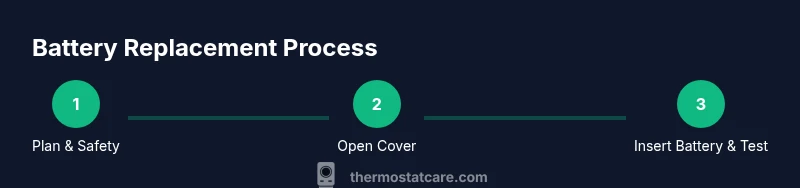
Take a moment to map out the sequence before you touch the thermostat. The plan generally involves: 1) powering down or isolating the thermostat, 2) removing the front cover with a non-metal tool, 3) locating and removing the old battery, 4) inserting the new battery with correct polarity, 5) reseating the cover and restoring power, and 6) verifying the display and functions. This upfront plan reduces the chance of dropping parts or misorienting connectors. If you have multiple Honeywell models in your home, write down the steps for each unit to avoid cross-model mistakes, especially when batteries are sized differently.
Remove the front cover and gain access
Use a plastic pry tool or your fingernails to gently pop the front cover away from the housing. Start at a small notch or edge and work around the perimeter with steady, even pressure. Avoid using metal tools that could scratch the case or bend delicate clips. Once loosened, lift the cover straight up or away from the unit, depending on the model. If screws secure the cover, use a small screwdriver to remove them before lifting. Keep the cover and screws in a labeled container so you don’t lose them. Take a moment to inspect the battery slot for corrosion or debris; if you see grime, wipe it clean with a dry cloth before proceeding.
Remove and inspect the old battery
Carefully lift the old battery from its contacts, noting the orientation (which side is positive). If you see corrosion or leakage, stop and dispose of the battery safely according to local guidelines, then clean the contacts gently. Do not reuse damaged batteries or force a stuck cell. Compare the old battery type with the replacement to confirm compatibility. If you’re replacing a coin-cell, use a fresh battery of the same size and voltage. If your model uses a pack, refer to the manual for replacement steps or service options.
Install the new battery correctly
Place the new battery into the contact area with the correct polarity. For coin cells, positive side usually faces up; for other configurations, follow the molded polarity indicator. Press the battery down so it seats firmly on the contacts without wiggling. Some models require you to adjust a spring or retainer clip; ensure it’s secure. If you’re using a pack, align it according to the model’s orientation and reconnect any connectors if applicable. Double-check that no metal tools touched exposed contacts during placement. Once installed, gently reseat the battery cover or retainer and prepare to reassemble.
Reassemble the thermostat and test the display
Reattach the battery cover or pack, then snap the front panel back into place. If screws were removed, reinstall them snugly without over-tightening. Restore power to the thermostat by turning on the breaker or reconnecting it to the HVAC system, as appropriate. Observe the display as it powers up; you should see the startup screen or a normal temperature readout. If the display appears dim or unresponsive, power down again and recheck the battery seating and polarity. A quick test of basic functions, like adjusting temperature and green/amber status indicators, helps confirm that the replacement was successful.
Troubleshooting if the display doesn’t respond
If the screen remains blank after replacement, first double-check battery polarity and ensure the battery is fully seated. If the issue persists, verify you selected the correct battery type for your model; some Honeywell thermostats require specific coin-cell sizes. Check for a loose connector behind the battery slot or a misaligned cover that blocks contacts. Consult the manual for reset instructions, as some models require a soft reset to wake the display. If nothing works, contact Honeywell support or a qualified technician to avoid further damage to the thermostat.
Maintenance tips for longer battery life
To extend battery life and avoid frequent changes, consider scheduling regular battery checks every 6 to 12 months, depending on usage. Keep batteries at room temperature away from extreme heat or cold, which can degrade performance. If your model supports a low-power mode or energy-saving feature, enable it to minimize drain. Finally, store spare batteries in a cool, dry place and label them with replacement dates so you know when to swap them. Integrating these habits with your broader thermostat maintenance routine can improve reliability and energy efficiency over time.
What to do if your model isn’t opening as described
If your Honeywell thermostat doesn’t respond to the standard front-cover removal technique, refer to the exact model’s manual for model-specific access steps. Some units use a recessed screw method or require a panel that must be opened with a small magnet, while others may not be user-serviceable. In such cases, avoid forcing components, as that can damage the device. Contact Thermostat Care or Honeywell support for guidance, and consider professional service if you suspect a deeper electrical or motherboard issue. Always prioritize safety and warranty terms when attempting access.
Tools & Materials
- New battery (type compatible with model)(Coin cell like CR2032 or AA/AAA as specified by model)
- Plastic pry tool(Use to pop covers; avoid metal that can scratch)
- Small screwdriver(Phillips #0 or #1 if screws secure the cover)
- Soft lint-free cloth(Wipe contacts and prevent dust transfer)
- Flashlight or phone light(Improve visibility in tight battery compartments)
Steps
Estimated time: Total time: 15-25 minutes
- 1
Power down and prepare workspace
Turn off any nearby power to the thermostat as required by model guidelines. Clear the area of clutter and ensure good lighting. This step reduces the risk of accidental contact with live parts and keeps small components from being misplaced.
Tip: Organize screws and battery parts in a labeled tray to prevent mix-ups. - 2
Remove the front cover
Gently insert a plastic pry tool at the indicated edge or notch and pry the cover away in a slow, even motion. If your model uses screws, remove them with a precision screwdriver. Keep screws in a small dish.
Tip: Avoid using metal tools that can scratch or bend clips. - 3
Locate and remove the old battery
Expose the battery slot and carefully lift the old battery from its contacts. Note orientation (positive vs negative). If there is corrosion, stop and address it before proceeding.
Tip: Take a photo of the orientation for reference when installing the new battery. - 4
Inspect and dispose of old battery
Assess for any signs of leakage or swelling. Do not reuse damaged batteries. Dispose of the old battery according to local guidelines or recycling programs.
Tip: Do not mix old batteries with new ones in the same container. - 5
Install the new battery
Insert the new battery with correct polarity. Coin cells usually have the positive side facing up. Ensure it sits firmly and does not wobble.
Tip: Double-check polarity before pressing the battery to the contacts. - 6
Reassemble the cover
Replace the cover or battery pack and secure any screws. Make sure the panel sits flush with the housing and all clips snap into place.
Tip: Do not overtighten screws; this can crack the housing. - 7
Restore power and test
Turn the HVAC power back on if you turned it off. Observe the thermostat startup screen and verify basic functions like temperature adjustment and display brightness.
Tip: If the display is dim, recheck battery seating and polarity. - 8
Run a quick function test
Set a target temperature and confirm that the thermostat communicates with the HVAC system. Check for Wi-Fi status if applicable and ensure the status indicators respond correctly.
Tip: Document any unusual delays or errors for later support. - 9
Quality check and cleanup
Inspect the unit for any loose parts, clean the exterior, and store tools. Keep a spare battery accessible for the next change.
Tip: Note the replacement date for future maintenance. - 10
Troubleshooting if it fails to power
If the unit won’t power on after replacement, re-evaluate polarity, verify that you used the correct battery type, and check for a loose connector behind the panel. Reset instructions in the manual may help.
Tip: If nothing works, seek professional support rather than forcing components. - 11
Safety and disposal reminder
Always recycle old batteries and follow local guidelines. If you’re unsure, contact your local waste authority for safe disposal options.
Tip: Never throw batteries into regular trash. - 12
Documentation and routine
Record the model, battery type, and replacement date in your maintenance log so you’ll know when to replace next.
Tip: Set a calendar reminder for future maintenance.
Questions & Answers
Do all Honeywell thermostats require a battery replacement?
Not all Honeywell thermostats require battery replacement. Some models are hardwired or use different power arrangements. Check your specific model’s manual for exact power requirements.
Not all Honeywell thermostats need a battery change. Check your model’s manual to confirm the power setup.
What type of battery does my Honeywell thermostat use?
Battery types vary by model. Common options include CR2032 coin cells and AA or AAA batteries. Always confirm the exact type from your thermostat label or manual before buying.
Battery types vary; common options are CR2032 coin cells or AA/AAA batteries. Check the label or manual.
What should I do if the thermostat won’t power on after replacing the battery?
First verify correct polarity and battery seating. If the device still won’t power, ensure you selected the correct battery type and consult the manual for reset steps. If problems persist, contact support.
If it won’t power on after replacement, recheck polarity and seating, then try any reset steps in the manual or contact support.
Is it safe to open a Honeywell thermostat while the HVAC is powered?
If the thermostat is hardwired to the system, turn off the HVAC circuit breaker to avoid unexpected energization. If it’s battery-only, you can proceed with caution, but avoid touching live terminals.
Turn off HVAC power if the unit is connected to the system. Battery-only units can be handled with caution.
How should I dispose of an old thermostat battery?
Dispose of old batteries according to local guidelines. Many coin cells and alkaline batteries are accepted at recycling centers or household hazardous waste programs.
Dispose of old batteries per local guidelines and recycle where possible.
How can I tell if the battery is causing problems?
Common signs include a dim or blank display, delayed responses, or the unit rebooting unexpectedly. Other issues may involve wiring or sensors, so verify battery seating and polarity first.
Battery issues often show as dim displays or slow responses; recheck seating and polarity first.
Watch Video
What to Remember
- Power down and prepare before opening the unit.
- Confirm the correct battery type from the model label or manual.
- Install with correct polarity and test after replacement.
- Dispose of old batteries responsibly.