How to Change Battery in a Thermostat: A Homeowner's Guide
Learn how to safely change the battery in your thermostat with a clear, homeowner-friendly guide. Verify battery type, replace with fresh cells, and test performance. Thermostat Care provides practical, expert guidance for DIY troubleshooters.


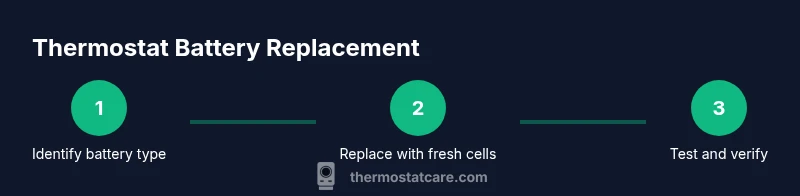
To change the thermostat battery, first confirm the required battery type from your manual, then remove the battery cover and replace with fresh batteries aligned with the correct polarity. Reassemble, power the thermostat back on, and run a quick test to ensure the display powers up and the schedule updates. According to Thermostat Care, using the correct battery type is essential for reliable performance.
Why replacing the thermostat battery matters for reliability
Your thermostat relies on a steady power source to run the display, logic, and scheduling that keeps your home comfortable. When the battery gets weak or dies, you may see a dim display, slow response, or incomplete programming. Regular battery maintenance helps prevent unexpected temperature swings and ensures the HVAC system runs efficiently. According to Thermostat Care, most common issues stem from battery-related power loss, not the HVAC itself. A healthy battery also supports critical features such as Wi-Fi connectivity for remote control and firmware updates. Before you touch the device, remember that many thermostats are designed with low-voltage connections and sealed enclosures. If you ignore the battery, you risk intermittent failures that can cause the system to default to an inefficient mode. By following the correct replacement procedure, you minimize these risks, prolong the device’s life, and preserve comfort. This section breaks down the practical steps, so you can confidently handle a routine battery change without tools beyond a few common items.
How to locate the model and identify the correct battery type
Identify your thermostat model number or family name first. The model number tells you exactly which battery type to use (AA, AAA, or a coin cell). If you’re unsure, consult the user manual or the manufacturer’s website. Thermostat Care recommends keeping a small log of your thermostat model and battery type so future replacements are quick. Some thermostats display a low-battery icon or offer a diagnostics screen that confirms battery health. Always verify the polarity markings inside the battery compartment and follow the device’s labeling. If you replace with the wrong type, you risk poor performance or a non-functional display. When in doubt, pause and check the documentation before inserting new cells.
What you’ll need before you begin
Before you start, assemble the essentials: fresh batteries of the exact type your thermostat requires, a clean non-metallic surface to work on, and a soft cloth to wipe off dust. A small screwdriver or coin is handy if your model uses a recessed battery cover. Have the owner’s manual handy for model-specific instructions and safety notes. If you’re replacing a lithium coin cell, never mix it with alkaline cells. Thermostat Care emphasizes using fresh batteries rather than recharged ones to maintain consistent voltage. Finally, ensure you have good lighting so you can see polarity markers clearly.
Accessing the battery compartment safely
Power down the thermostat by removing any plug-in adapters or turning off associated breakers if your unit is hard-wired. Gently pry open the battery cover using a fingernail or a small non-metal tool, taking care not to bend tabs. Once open, inspect the battery contacts for corrosion or residue. If you see grime, wipe lightly with a dry cloth. Do not use liquids or solvents that could seep into the electronics. If the cover feels stiff, don’t force it—consult the manual for the correct release method. Handling components with dry hands reduces the risk of short circuits or dents in the housing. A calm, deliberate approach prevents damage and keeps the device intact for your next maintenance.
Replacing the batteries: proper orientation and seating
Remove the old cells and align the new ones with the polarity markings. Many thermostats require the positive end facing a specific direction; if you’re unsure, re-check the markings and the step-by-step in the manual. After placing the batteries, gently reseat the cover to ensure the clips engage securely. A loose cover can allow dust in or cause intermittent power loss. If you’re using coin cells, verify the battery height and diameter to avoid wobbling. Thermostat Care notes that even a small misalignment can cause the unit to fail to read the new battery.
Close the cover, re-power, and run a quick test
With the batteries seated, snap the cover back into place and re-attach any power sources. Turn the thermostat on and confirm the display lights up and the touchscreen responds. Check basic functions like the home screen, temperature setting, and scheduling. If the device connects to Wi-Fi, observe whether it re-syncs with your network. A successful test includes the HVAC responding to a setpoint change and the schedule updating within a few moments. If the display remains blank, double-check battery polarity and contact cleanliness. Thermostat Care emphasizes patience; many issues resolve with a careful re-seat.
Troubleshooting common issues after replacement
If the display is dim or missing sections, inspect battery contacts for corrosion or bent tabs. Clean gently with a dry cloth and re-seat the batteries. A battery that is not fully seated can produce intermittent power loss, so ensure each cell sits snugly. If your thermostat still won’t power on, try replacing with a new set of batteries of the correct type. Some smart thermostats require a moment to boot after battery replacement; do not force reboots. For stubborn issues, consult the manufacturer’s troubleshooting guide or Thermostat Care for model-specific steps.
Battery disposal and long-term maintenance
Dispose of old batteries according to local regulations, and never mix batteries of different chemistries in the same device. Consider keeping a small spare stock of the exact battery type for future replacements. Regularly inspect contacts for corrosion and clean gently as part of a broader thermostat maintenance routine. If your home experiences frequent temperature swings, check the battery level more often. Thermostat Care suggests documenting each replacement to track battery life across seasons and to catch electrical issues early.
Common mistakes to avoid
Avoid mixing old and new batteries, which can create voltage imbalances. Do not force the battery cover or use excessive force when closing the compartment. Never touch exposed terminals with metal tools; this can create a short. Never ignore a blinking display or low-battery icon; these are signals of power problems that can affect comfort control. Finally, don’t skip the manual; model-specific details matter for correct installation and long-term reliability.
Verifying system accuracy after the battery change
After successful replacement, verify that the thermostat is maintaining the setpoints and communicating with the HVAC system. Observe response times to changes in temperature and check that scheduled programs run as expected. If you notice inconsistencies, test the system at various times of day and under different settings. Thermostat Care recommends keeping logs of performance after battery changes to identify trends that could indicate a faulty sensor or a failing component.
Tools & Materials
- Replacement batteries (type as specified by your thermostat manual)(Check the manual for exact battery type (AA/AAA/coin cell) and voltage.)
- Soft cloth or dry microfiber(For cleaning contacts; avoid liquids.)
- Small screwdriver or coin (if required for your model)(Used to remove stubborn battery covers; follow model guidance.)
- Owner’s manual(Keep handy for model-specific steps and polarity indicators.)
Steps
Estimated time: 20-30 minutes
- 1
Power down and locate the battery compartment
Turn off any external power or disconnect from power if wired. Locate the battery housing by removing the front cover or panel per your manual. This initial step prevents short circuits and prepares you for safe access.
Tip: If the cover is tight, use a soft cloth to protect the housing while prying gently. - 2
Open the battery cover
Carefully release the latch or screws holding the cover. Remove the cover to expose the battery compartment and inspect the battery contacts for corrosion or dirt.
Tip: Do not use metal tools that could bend tabs; a plastic opening tool helps. - 3
Remove old batteries
Take out the old batteries one at a time. Take note of their orientation so you can match the polarity when inserting new cells.
Tip: If the batteries are hot or swollen, set the thermostat aside and replace with fresh ones in a different location. - 4
Check polarity and clean contacts
Examine polarity markings inside the compartment. Clean any residue from contacts with a dry cloth. Ensure there are no bent tabs that could affect contact.
Tip: A clean, dry surface improves conductivity and reduces ghost readings. - 5
Insert new batteries
Place the new batteries in the correct orientation. Press firmly to ensure full contact. Double-check that all cells are seated evenly.
Tip: Do not mix battery brands or chemistries within the same device. - 6
Close the battery cover
Replace the cover, align it with the housing, and secure latches or screws. A snug fit prevents dust ingress and movement.
Tip: If the cover won’t close, review polarity or check for obstructions. - 7
Reconnect power and test
Restore power if needed and turn the thermostat on. Confirm the display lights up and the screen responds to inputs.
Tip: Run a quick test by changing a setting and verifying the HVAC responds. - 8
Run a basic diagnostic
If available, run a quick diagnostic from the thermostat menu to confirm battery health and basic system status.
Tip: Some models show a battery health indicator—note its reading. - 9
Note disposal and safety
Dispose of old batteries per local guidelines. Do not throw them in regular trash, especially if they’re rechargeable.
Tip: Keep a spare set for routine maintenance and avoid delays during extreme weather. - 10
Document and store
Record the date of replacement and any observations about performance. Store manuals and parts in a safe, accessible place.
Tip: A quick log makes future maintenance faster and reduces guesswork.
Questions & Answers
Do I need to turn off power to the thermostat before replacing the battery?
Most thermostats don’t require turning off house power; you can simply access the battery compartment. If your unit uses a C-wire or is wired in, proceed with caution and consult the manual for any safety notes.
Most units don’t need you to switch off house power; just open the battery cover and replace the cells. If you’re wired to power, consult the manual for safety steps.
What battery types do most thermostats use?
Many thermostats use AA or AAA alkaline or lithium cells, while others rely on small coin cells such as CR2032. Always check the manual for the exact type and voltage.
Most thermostats use AA or AAA batteries, or a small coin cell like CR2032. Always check your manual for the exact type.
Why is the thermostat still blank after battery replacement?
Check that the new batteries are seated correctly and oriented with the correct polarity. Inspect the battery contacts for corrosion or debris and clean if needed.
If the screen stays blank, re-check battery seating and polarity, and clean any dirty contacts.
Can I replace the thermostat battery if the unit is part of a smart home system?
Yes. Replacing the battery is typically independent of the smart features. After replacement, allow the thermostat to reboot and re-sync with the network if required.
Yes, you can replace it; give the unit time to reboot and reconnect to your network if needed.
How often should I replace thermostat batteries?
Replacement frequency varies with usage and the battery type. Monitor the display for low-battery alerts and replace when you see them to avoid comfort disruptions.
It depends on usage; watch for low-battery alerts and replace promptly to avoid issues.
Watch Video
What to Remember
- Verify battery type before replacement.
- Insert batteries with correct polarity.
- Test the thermostat after reassembly.
- Dispose of batteries properly.
- Keep the manual handy for model-specific steps.