When to Change Honeywell Thermostat Battery: A DIY Guide
Learn exactly when to replace the battery in your Honeywell thermostat with practical, step-by-step instructions, safety tips, and troubleshooting guidance from Thermostat Care.


Replace the Honeywell thermostat battery when the display dims, the touchscreen becomes sluggish, or the system prompts a low-battery warning. Always consult your model’s manual for exact battery type and replacement steps. This quick guide will help you decide if a change is due and how to proceed safely in your model.
Understanding Honeywell Thermostat Battery Basics
If you’re asking when to change honeywell thermostat battery, start with the basics. A Honeywell thermostat relies on its battery to keep time, preserve schedules, and maintain display functions even when the power to your HVAC is off. According to Thermostat Care, battery power supports the clock, memory, and display and its life depends on usage patterns, Wi‑Fi activity, and backlight settings. In practice, you’ll find either a standard AA/AAA battery enclosure or a small internal cell; always check your model’s manual or the battery door for the exact type. Before you replace anything, locate the battery compartment, note the orientation, and have a replacement on hand. With these basics in mind, you can plan a battery change without disrupting your home comfort.
Thermostat batteries are not universally uniform across all Honeywell models, so knowing your specific model is essential. The Thermostat Care team recommends verifying the exact battery configuration before opening the panel to avoid damage or incorrect installation. This upfront check helps ensure you select the correct battery type and avoid wasted replacements.
Signs It's Time to Change the Battery
Battery health in Honeywell units isn’t governed by a fixed calendar; it’s driven by how you use the thermostat. Common indicators include a dim or flickering display, slower response to button presses, and occasional resets of schedules or time. Some models will issue a low-battery warning on screen before the unit powers down certain features. If you notice these symptoms, it’s time to inspect the battery compartment and confirm the battery type before buying a replacement. Thermostat Care analysis shows that battery life varies with model and usage, so some homes need replacements sooner than others. Proactive replacement prevents unexpected outages during extreme weather.
How to Locate Your Honeywell Model's Battery Type
Locating the correct battery type starts with your specific model number. Check the user manual, the label on the back or inside the battery cover, or the Honeywell support site for battery specifications. Some models use standard AA or AAA alkaline batteries, while others rely on button cells or an internal rechargeable pack. If you’re unsure, photograph the battery area before removal and compare it with official diagrams. As a rule, never mix old and new batteries, and always replace in the same configuration as the original install.
Understanding Battery Types Commonly Used in Honeywell Thermostats
Honeywell’s thermostats span a range of generations. Older, non-smart models typically use standard disposable batteries, while newer Wi‑Fi-enabled thermostats may rely on button cells, rechargeable packs, or a combo of power from the HVAC system plus a battery backing. When replacing, verify the battery type, terminal orientation, and terminal count on the device label. If the label is unclear, refer to the model-specific manual. The right battery type ensures the unit maintains accurate time, stores schedules, and preserves settings through power fluctuations.
Step-by-Step Battery Replacement Overview
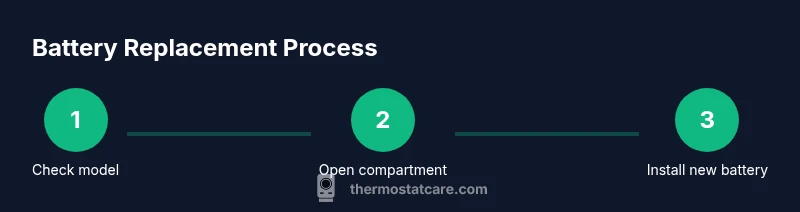
The process is straightforward but requires attention to polarity and model-specific steps. Begin by turning off or pausing HVAC operations if your model offers that option, then remove the front cover to access the battery compartment. Take out the old battery, inspect for corrosion or leakage, and replace with the new battery in the same orientation. After reassembling the panel, power the thermostat back on and verify the display and settings. If you notice any interruption, consult the manual or Thermostat Care guidance before proceeding.
Safety Considerations and Warnings
Work in a dry, well-lit area and avoid touching metal contacts with bare fingers to prevent short circuits. Do not mix battery types or brands within a single unit, and promptly replace any battery showing signs of leakage. If you smell chemical odor or notice corrosion around the battery door, cease replacement and consult a professional. Always follow the specific safety instructions provided in your Honeywell model manual.
Extending Battery Life and Maintenance
Regularly cleaning the battery compartment with a dry cloth can help prevent dust buildup that affects connection quality. Limiting unnecessary Wi‑Fi activity or excessive backlight brightness can reduce drain on the battery. Consider scheduling battery checks twice a year—before winter and before summer—to minimize the risk of failures during peak heating or cooling periods. Keeping a small supply of the correct replacement batteries on hand is a practical readiness habit for homeowners.
Troubleshooting After Replacement
If the display remains dim or the thermostat fails to recognize the new battery, recheck the polarity and seating of the battery. Ensure the contact points are clean and free of corrosion; a soft eraser can help restore clean contact surfaces. If issues persist, reset the device following the model’s reset procedure or consult the Honeywell support resources. Thermostat Care notes that some models require a simple reset after battery changes to restore scheduled programming.
When to Seek Professional Help
Battery replacement is typically a low-risk, DIY task, but if you encounter a stubborn battery compartment, a cracked panel, or recurring power issues, consider professional inspection. A technician can verify that there are no broader electrical or wiring concerns affecting the thermostat’s performance. The Thermostat Care team recommends using official replacement parts and following your model’s official maintenance schedule for best results.
Tools & Materials
- Replacement battery compatible with your Honeywell thermostat model(Check the model manual for exact type (e.g., AA/AAA or button cell).)
- Screwdriver (as needed)(Philips head #1 or flathead depending on the model screws.)
- Soft lint-free cloth(For dust removal and wiping around the battery door.)
- User manual or official battery guide(Keep handy to confirm orientation and steps for your exact model.)
- Safety gloves (optional)(To keep hands clean if you handle multiple components.)
Steps
Estimated time: 20-40 minutes
- 1
Confirm battery type and readiness
Review your Honeywell model’s manual or label to confirm the exact battery type and any model-specific requirements. Gather the replacement battery and the required tools before opening the panel to avoid interruptions.
Tip: Take a quick photo of the battery orientation before removal to ensure correct reinstallation. - 2
Power down or set to OFF
If your model offers a power-off option, enable it to prevent accidental resets while you work. If not, you can proceed with caution, knowing the unit remains safe to handle during this maintenance.
Tip: Avoid touching any exposed HVAC wiring while the panel is open. - 3
Open the battery compartment
Carefully remove the front cover to access the battery area. Be gentle to avoid cracking the housing. Note how the battery is seated and how many batteries are present.
Tip: If there are small screws, use the appropriate screwdriver to remove them and keep track of the fasteners. - 4
Remove the old battery
Gently lift the battery, noting polarity. Inspect for corrosion or leakage. If you see corrosion, clean the contacts with a dry cloth before installing the new battery.
Tip: Dispose of the old battery at an appropriate recycling point. - 5
Insert the new battery
Place the new battery into the compartment with the correct orientation, matching the + and - terminals as indicated. Ensure it sits firmly and makes full contact with the terminals.
Tip: Do not force the battery into place; it should click or sit flat without resistance. - 6
Close the compartment and power on
Reattach the cover securely and restore power to the thermostat or restart the device from the settings menu. Verify that the display lights up and the time is correct.
Tip: If the screen doesn’t illuminate, double-check the battery seating and polarity. - 7
Run a quick test
Check that the thermostat responds to commands, and confirm that the HVAC system begins when called. Verify that schedules and time settings are preserved after replacement.
Tip: If you use Wi‑Fi features, confirm they reconnect properly after the reset. - 8
Record the replacement date
Log the date of replacement in your home maintenance notebook or app so you can track battery life over time and plan future checks.
Tip: Keep a spare replacement battery on hand near the thermostat location.
Questions & Answers
Do all Honeywell thermostats require batteries?
Most Honeywell thermostats rely on batteries for clock, memory, and display functions, but some models also draw power from the HVAC circuit. Always confirm your model’s power setup in the manual.
Most Honeywell thermostats use batteries for essential functions, but some models rely additionally on the HVAC power supply. Check your manual for specifics.
How can I tell a dying battery before a low-battery warning?
Look for a dim display, slower responsiveness, or a sporadic clock. If you notice these signs, plan a battery check before issues arise.
Watch for a dim screen or slow responses—the battery may be nearing the end of its life.
What should I do if the thermostat won’t power on after replacing the battery?
First recheck the battery orientation and seating. If the unit still won’t power, consult the manual for reset steps or contact Honeywell support.
If it won’t power on after replacement, recheck the battery and try the reset steps in the manual, or reach out to support.
Can I use any battery brand for my Honeywell thermostat?
It’s best to use the battery type specified in your model’s manual. Mixing brands is not recommended, and using an incorrect type can cause malfunctions.
Use the battery type your model specifies; don’t mix brands.
How often should I replace the thermostat battery for typical use?
There isn’t a universal interval; replacement should be based on signs of battery drain and model guidelines. Plan a check when schedules or displays begin to act oddly.
There isn’t a fixed schedule—replace when you notice signs of drain or per your model’s guidance.
Is battery replacement safe for DIY homeowners?
Yes, battery replacement is typically a straightforward DIY task. Follow model-specific steps and safety notes, and disconnect HVAC power if recommended by the manual.
Yes, it’s usually a safe DIY task as long as you follow the manual and safety tips.
Watch Video
What to Remember
- Check model manual to confirm battery type before replacement
- Replace promptly when you see dim display or slow response
- Verify polarity and test the thermostat after replacement
- Log replacement date for future maintenance