How to Troubleshoot a Honeywell Thermostat Says Wait
Urgent guide to fix the 'wait' state on Honeywell thermostats. Learn quick checks, diagnostic flow, and when to call a pro. Thermostat Care analysis, 2026.


The most likely cause is a temporary 'wait' hold or a low battery/power issue. Start by checking power, batteries, and the wiring; if you have a smart Honeywell model, perform a soft reset or reboot. If the issue persists, check for software updates or a trapped C-wire; avoid improper wiring.
Understanding the 'Wait' State on Honeywell Thermostats
If you see honeywell thermostat says wait, you're not alone. This wait state can occur on many Honeywell models when the thermostat is pausing to confirm a setting, conserve power, or protect equipment. According to Thermostat Care, most wait messages are benign and short-lived, but persistent waits can disrupt comfort and energy use. In this guide, we break down what causes the wait, how to verify you’re addressing the right problem, and when to escalate to a pro. The key is to approach the issue with a calm, safety-first mindset and follow a clear diagnostic path.
Quick Fixes to Try First
Before diving into deeper troubleshooting, start with the simplest checks. The 'wait' indication often stems from power, battery, or a minor software hiccup. Start by confirming the thermostat has power, replace batteries if needed, and perform a soft reset. If you are using a Honeywell smart thermostat, a reboot can clear transient faults. Keep in mind that some models enter a temporary hold when a schedule conflicts with a manual override – in such cases, cancel the hold and re-enter your schedule. If you still see the wait message, proceed with the diagnostic steps below.
In-Depth Troubleshooting: Common Causes
There are several frequent triggers for the honeywell thermostat says wait warning. Common causes include a low or interrupted power source, a loose or missing C-wire, outdated firmware, or a temporary storage of hold settings after a battery swap. In rare cases, a faulty indoor sensor or a minor wiring fault can produce a delayed response. By verifying power, inspecting wiring, and checking for firmware updates, you can usually pinpoint the root cause without professional help.
Step-By-Step Repair Scenarios
The following steps cover the most typical scenarios you’ll encounter when diagnosing a honeywell thermostat says wait issue. Follow these steps in order, and use each tip to confirm the fix.
Safety, Warnings, and Prevention
Safety comes first when dealing with electrical components. Always cut power at the breaker before inspecting wiring, and never force connections. After completing fixes, monitor the thermostat for a full cycle to ensure the issue won’t recur. Regular maintenance, like battery checks and firmware updates, helps prevent future wait states and keeps your system operating efficiently.
Steps
Estimated time: 20-45 minutes
- 1
Check power and battery
Power issues are the most common cause. Verify the thermostat is receiving power from the HVAC circuit and replace batteries if needed. Use a multimeter if you have one to confirm proper voltage.
Tip: If battery contacts are corroded, clean gently with a dry cloth. - 2
Perform a soft reset
For most Honeywell thermostats, a soft reset clears temporary faults without losing settings. Remove the power for 30 seconds, then restore power and wait for the device to boot fully.
Tip: Avoid unplugging HVAC wires; only power-cycle the thermostat unit itself. - 3
Check C-wire and wiring connections
A loose or missing C-wire can cause hold states. Turn off power, inspect the wire at both the thermostat and the furnace control board, and reseat securely.
Tip: Take a photo before disconnecting wires to aid reassembly. - 4
Update firmware and review settings
If your model supports firmware updates, install the latest version. Also review any manual holds or scheduling conflicts that might trigger a wait condition.
Tip: After updates, re-enter your preferred schedule to ensure it’s active. - 5
Test after fixes
Cycle through heating and cooling once more to confirm the ‘wait’ state no longer blocks operation. Watch for consistent performance across multiple cycles.
Tip: Document the tested outcomes for future reference. - 6
Call a pro if issues persist
If the problem remains after these steps, electrical faults or control-board issues may be present. A licensed technician can diagnose safely.
Tip: Do not attempt to repair high-voltage components yourself.
Diagnosis: Thermostat displays 'Wait' and does not trigger heating or cooling on schedule
Possible Causes
- highTemporary hold due to battery or power issues
- highC-wire not connected or loose
- mediumSoftware glitch or outdated firmware
- lowFaulty thermostat sensor or wiring short
Fixes
- easyCheck power to the thermostat (breaker) and replace batteries if needed
- easyReconnect or secure the C-wire, ensuring proper wiring
- easyPerform a soft reset or firmware update
- mediumConsult a professional if wiring faults or sensors appear defective
Questions & Answers
What does wait mean on a Honeywell thermostat?
Wait indicates a temporary hold or fault preventing immediate operation. It can be caused by power, wiring, or software issues, and is usually resolved with basic checks.
Wait usually means a temporary hold or fault that stops heating or cooling; try power, wiring, and software checks.
Can a dead battery cause the wait message?
Yes, a dead or weak battery can trigger a wait state in some models, especially older or battery-backed thermostats. Replacing batteries often resolves it.
Yes, a bad battery can trigger wait.
Is it safe to reset a thermostat myself?
In most cases, a soft reset is safe and can clear a temporary fault. Do not disconnect HVAC wiring or power supplies beyond the thermostat’s own power.
Yes, a soft reset is usually safe; follow the steps in your manual.
Should I check the C-wire first?
If you’re seeing a persistent wait, inspect or secure the C-wire. A loose C-wire can prevent thermostat power and cause hold states.
Check the C-wire if the problem keeps happening.
When should I call a professional?
Call a pro if you find damaged wiring, a faulty control board, or if multiple troubleshooting steps fail.
Call a professional if wiring or board faults are suspected.
Can firmware updates fix the issue?
Firmware updates can fix bugs that cause false wait states. Ensure your device is connected and up to date.
Updating firmware can resolve some wait issues.
Watch Video
What to Remember
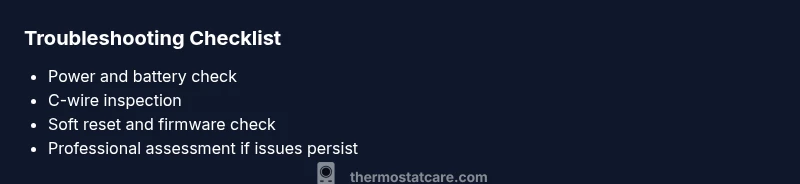
- Check power and batteries first
- Verify C-wire integrity
- Do a soft reset before heavier work
- Update firmware when available
- Call a pro for electrical or board faults