Honeywell Thermostat Heat Troubleshooting
If your Honeywell thermostat won't heat, this urgent, step-by-step guide helps diagnose power, wiring, and sensor issues safely. Learn checks, fixes, and prevention tips from Thermostat Care.


The Honeywell thermostat not working heat is most likely caused by a power issue or a tripped breaker, not the thermostat itself. Start with basic checks: ensure the thermostat is powered, verify the furnace is receiving power, and test the C-wire. If the issue persists, proceed with the step-by-step troubleshooting below.
Why the honeywell thermostat not working heat Happens
If you’re dealing with honeywell thermostat not working heat, you’re not alone. According to Thermostat Care analysis, the most common culprits are power issues, miswired connections, and sensor faults rather than a defective thermostat. A quick reality check: many heat-call failures originate outside the thermostat itself, in the furnace, the breaker panel, or in the control wiring between devices. By understanding these patterns, you can quickly triage and prevent needless replacements. This section explains the primary causes in plain terms and why your Honeywell unit might appear stubborn today, even if it worked fine yesterday. The goal is to empower you to identify the root cause before you reach for tools or call a technician.
Quick Checks You Can Do Right Now
Before you dive into advanced troubleshooting, perform a few safe, low-effort checks. First, confirm the thermostat has power — check the display, lights, or backlight. If the screen is dim or blank, replace the batteries if your model uses them, or verify the 24V power supply from the furnace. Next, look at the furnace and the circuit breakers: a tripped breaker or a blown fuse is a frequent offender behind honeywell thermostat not working heat. Also inspect the HVAC filter; a clogged filter can reduce heating performance and trigger odd thermostat behavior. Finally, ensure the thermostat is set to Heat and that the scheduled program isn’t overriding it. If your home uses a C-wire, ensure it’s properly connected and delivering constant power. If these checks fail to resolve the issue, proceed to the diagnostic flow below.
Understanding Heat Call Signals and Sensor Impact
A thermostat controls your heating system by sending a heat call when it detects a need for warmth. If there’s a mismatch between what the thermostat expects and what the furnace can deliver, you’ll see no heat even if the thermostat display looks normal. Sensor faults, wiring corrosion, or a loose C-wire can fool the thermostat into thinking heat is not required. The Honeywell family of thermostats also uses battery backup in some models; battery depletion can interfere with heat calls. According to Thermostat Care Analysis, 2026, many heat issues are resolved by correcting wiring and power rather than replacing the unit. Understanding these signals helps you decide whether to replace a sensor, re-seat a connector, or rewire a loose terminal.
Step-by-Step Fixes for the Most Likely Cause
This section walks you through practical fixes in a safe, logical order. Start with power and simple hardware checks, then move to wiring and settings. If a step doesn’t resolve the problem, move to the next one rather than repeating steps. Step 1: Power to the thermostat and furnace — ensure the furnace door is closed, the blower is running when expected, and there’s 24V across the thermostat circuit. Step 2: Check batteries (if applicable) and replace as needed. Step 3: Inspect the C-wire terminal at both the thermostat and furnace control board; reseat or replace the wire as necessary. Step 4: Inspect wiring at the furnace control board for loose or corroded terminals; tighten connections safely. Step 5: Verify settings: ensure the thermostat is set to Heat, with an active scheduled program that doesn’t override the manual setting. Step 6: Reset or re-pair the thermostat if your model supports it, then retest heat call. Tip: If you’re uncomfortable with wiring, stop and contact a professional. Estimated time: 45-60 minutes.
Safety, Warnings, and When to Call a Pro
Working with electrical components carries risk. Always shut off power at the breaker before poking around the thermostat wiring. If you smell burning plastic, hear buzzing, or see scorch marks near the furnace or control board, evacuate and call a licensed HVAC technician immediately. Do not bypass safety interlocks or bypass the furnace’s disconnect switch. For many homeowners, a pro visit is the fastest route to a lasting fix, particularly if your thermostat is older or the furnace shows signs of wear like frequent trips or inconsistent heat calls. Thermostat Care recommends seeking professional help whenever you’re unsure about wiring, gas safety, or furnace operation.
Prevention Tips to Keep Honeywell Thermostats Healthy
To reduce future heat issues, perform routine maintenance and mindful operation. Replace thermostat batteries on a schedule if your model uses them. Keep the furnace area clean, replace air filters regularly, and ensure adequate airflow. Calibrate and test the thermostat periodically to verify heat calls respond promptly. Avoid placing the thermostat in direct sunlight or near drafts, which can confuse temperature readings. Use the correct mode (Heat) and avoid over-tightening thermostat screws when mounting the device. Finally, consider a routine inspection by a qualified technician every 1-2 years to catch problems early.
Quick Summary for Troubleshooting
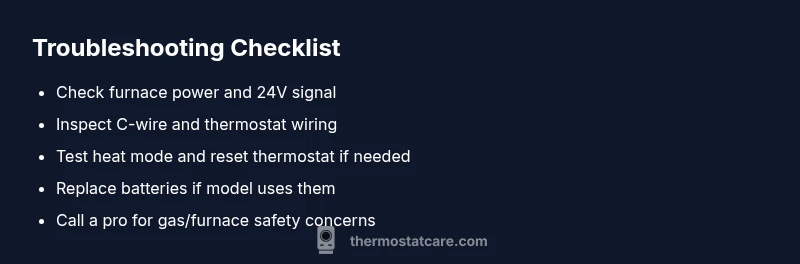
Quick, practical actions can save you time: confirm power, inspect the C-wire, test the furnace's power, and verify Heat mode is active. If the issue persists, use the step-by-step guide to methodically isolate the fault. Keep safety first and don’t hesitate to call a pro if you’re unsure.
Steps
Estimated time: 45-60 minutes
- 1
Power and furnace check
Turn off the main power, then check the furnace panel for indicators of power and air flow. Restore power and verify there is 24V between the thermostat wires and the furnace control board when the thermostat calls for heat.
Tip: Keep a photo of the wiring layout before disconnecting anything. - 2
Battery and display test
If your model uses batteries, replace them with fresh ones and check the display. A weak battery can prevent heat requests from reaching the furnace.
Tip: Use high-quality alkaline or lithium batteries for reliability. - 3
Check the C-wire connection
Inspect the C-wire at both ends for a solid connection. Reseat screws firmly and look for damaged insulation or frayed conductors.
Tip: Power down before adjusting wires to avoid shorts. - 4
Inspect furnace wiring and terminals
Open the furnace panel only if you’re comfortable; look for loose or corroded terminals and tighten or replace as needed. Ensure the thermostat wires are intact where they connect to the control board.
Tip: Never force connectors; if a terminal is corroded, replace the terminal block. - 5
Verify thermostat settings
Double-check that the thermostat is in Heat mode and that any programs don’t override the manual setting. Temporarily switch to a manual hold to test heat demand.
Tip: Record the exact settings you modified for reference. - 6
Reset or re-pair the thermostat
If your model supports it, perform a reset or re-pair the device with the Wi-Fi or app. Test heat call after the reset to confirm proper communication with the furnace.
Tip: Follow the manufacturer’s reset steps exactly to avoid data loss.
Diagnosis: Honeywell thermostat not working heat
Possible Causes
- highPower issue (tripped breaker or faulty supply)
- highLoose or corroded wiring at thermostat or furnace control board
- mediumFaulty C-wire or sensor problems
Fixes
- easyReset breakers and verify 24V supply to thermostat and furnace
- easyRe-seat or replace C-wire and inspect terminal blocks for corrosion
- easyConfirm thermostat is set to Heat and not overridden by a program
- mediumPerform a factory reset or re-pair the thermostat if supported
Questions & Answers
Why is my Honeywell thermostat not heating even though it's set to heat?
Common causes include power issues, wiring problems, sensor faults, or furnace-related faults. Start with power and wiring checks before replacing the thermostat. If the issue persists, consult your furnace manual or a professional.
Most often, it's power or wiring. Check power to the furnace and thermostat, then verify wiring and C-wire connections.
Can replacing batteries fix honeywell thermostat not working heat?
If your model uses batteries, weak cells can prevent heat calls from being sent. Replace with high-quality batteries and re-test the heat function.
Yes, replacing batteries can resolve power-related issues in some models.
What should I do if the thermostat display is blank or dim?
First check the power supply and replace batteries if applicable. If the display remains blank, verify the 24V power circuit and consider a professional check for control-board issues.
If the screen is blank, power may be cut or the device may need a reset.
Is it safe to reset my Honeywell thermostat to fix heat problems?
A reset can restore default settings and clear minor software glitches. Follow the manufacturer steps precisely and reconfigure your schedules afterward.
Resetting can fix glitches, but you’ll need to re-enter your settings.
When should I call a professional for honeywell thermostat not working heat?
If power, wiring, or gas/furnace safety concerns arise, or if heat problems persist after basic troubleshooting, seek a licensed HVAC technician.
Call a pro if you’re unsure about wiring or gas safety or if the furnace shows abnormal behavior.
Watch Video
What to Remember
- Power and wiring check first; most heat issues start here.
- Test the C-wire and thermostat settings before assuming thermostat failure.
- Follow a safe step-by-step process and call a pro if unsure.
- Regular maintenance reduces future heat problems.