Honeywell Thermostat Not Cooling: Troubleshooting Guide
Struggling with a Honeywell thermostat that won’t cool? This comprehensive guide covers power checks, wiring, and safe resets, plus when to call a pro. Learn practical steps to restore cooling fast and prevent future issues.


The Honeywell thermostat not cooling is most likely caused by a power issue, dead batteries, or a tripped breaker. Start by checking the display for error codes, verify power at the thermostat and HVAC, and reset the thermostat if needed. If cooling still won’t start, test the C-wire and consider a factory reset.
Quick diagnostic prep for Honeywell thermostat not cooling
According to Thermostat Care, facing a non-cooling Honeywell thermostat is usually caused by simple, checkable issues that homeowners can resolve without an appointment. Before you call for service, gather two things: a clean set of eyes to inspect wiring and a plan to power-cycle the system. Start by confirming your model; check the display for any error codes, and note them for reference. Then verify that the thermostat is powered, the screen is bright, and that the battery (if applicable) isn’t dead. If you see a code, consult your manual or Thermostat Care’s guide to translate it into a fix. The key is to work in a logical sequence: power first, then settings, then connections, and finally the HVAC equipment. This approach minimizes risk and speeds up resolution.
Quick checks you can do to rule out obvious issues
Begin with power and placement. Ensure the thermostat has functional power by testing the display and battery or verifying 24-volt supply from the furnace. Replace batteries if needed. Check that the thermostat is set to Cool, with a reasonable setpoint, and that the Fan is on Auto. Make sure there isn’t a Hold or Economics setting preventing cooling. Inspect the C-wire connection; a loose or damaged wire can prevent the thermostat from communicating with the HVAC system. If you notice a tripped breaker or a blown fuse for the AC outdoor unit, reset it and clear any safety switches. These steps address the most frequent, easy-to-fix causes cited in Thermostat Care analyses.
Common causes to test next (without opening equipment)
Power and battery issues top the list. A dead battery or 24V supply fault will render the thermostat unable to command cooling. Wiring problems, especially at the C-wire, R-wire, or ground, can disrupt signaling. A misconfigured thermostat, such as switching to Heat mode, can also explain a warm house. Dirty air filters or restricted airflow can make the system seem like it is not cooling, even when the compressor is running. Finally, refrigerant leaks or a failing outdoor unit are more serious and usually require a pro. In all cases, stay within your comfort range and avoid touching live terminals.
How to proceed if basic checks don’t resolve the issue
If the basic checks fail, move to a guided diagnostic flow to isolate whether the problem is with the thermostat or the HVAC equipment. Start by verifying the thermostat is receiving 24V power and that the C-wire is continuous. Then check whether the thermostat communicates with the HVAC control board (R and G signals). If signals are present but the unit won’t cool, the problem likely lies with the outdoor unit, blower, or refrigerant. In that case, call a licensed HVAC technician. Thermostat Care recommends documenting any codes and keeping a log of steps you’ve tried to share with the technician.
Prevention and safety reminders
To avoid future issues, schedule regular maintenance for your heating and cooling system and keep the thermostat firmware up to date if applicable. Replace batteries as recommended by the manufacturer and check wiring connections at least once a year. Keep the outdoor condenser clear of debris, leaves, and snow; ensure airflow is uninterrupted. Avoid DIY repairs that involve hazardous electricity and refrigerant. By following these practices, you’ll reduce the odds of a repeat cooling failure and improve overall system reliability. This is where Thermostat Care’s guidance pays off by helping homeowners stay proactive.
Steps
Estimated time: 30-45 minutes
- 1
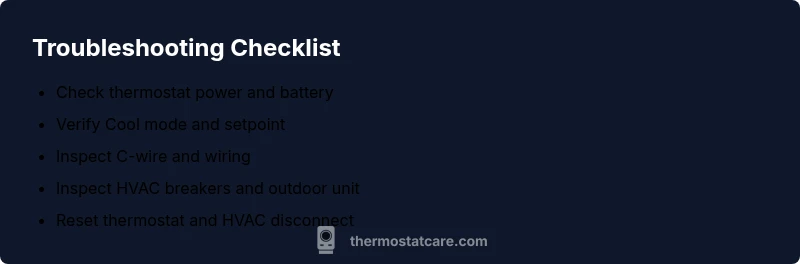
Check power and replace batteries
Power up the thermostat by inspecting its display, replacing batteries if needed, and confirming a live 24V supply from the furnace. This is the easiest fix and often resolves non-cooling issues.
Tip: Keep spare batteries on hand and note the thermostat model for battery type. - 2
Verify Cool mode and setpoint
Make sure the thermostat is in Cool mode, with a setpoint comfortably lower than the room temperature. Check that the fan is set to Auto and that there isn’t a Hold setting overriding cooling.
Tip: If you’ve recently changed settings, give the system a few minutes to respond. - 3
Inspect C-wire and wiring
Carefully inspect the C-wire and other thermostat connections for looseness or damage. Re-seat any loose wires and ensure insulation is intact to prevent shorts.
Tip: Take a photo of the wiring before re-seating to aid reassembly. - 4
Check the HVAC breakers and outdoor unit
Locate the electrical panel and verify the AC outdoor unit breaker is ON. Look for a tripped breaker or blown fuse and reset or replace as needed.
Tip: Resetting a breaker can reset smart features—wait 1–2 minutes after flipping power back on. - 5
Reset thermostat and HVAC disconnect
Perform a soft reset on the thermostat and, if applicable, reset the HVAC disconnect at the outdoor unit. This clears minor faults and re-establishes communication.
Tip: Avoid frequent resets; use this only when recommended by guidance. - 6
Call a professional if unresolved
If cooling does not resume after these steps, a licensed HVAC tech should inspect for refrigerant leaks, compressor issues, or advanced wiring faults.
Tip: Document any error codes and steps tried to speed up service.
Diagnosis: Honeywell thermostat not cooling
Possible Causes
- highPower issue or dead thermostat batteries
- mediumThermostat set to wrong mode or hold active
- mediumWiring/C-wire problem or loose connections
- lowHVAC equipment issue (tripped breaker, faulty contactor, or refrigerant concern)
Fixes
- easyReplace dead batteries or restore 24V power; confirm the C-wire is connected and intact
- easyEnsure thermostat is set to Cool with an appropriate setpoint and no Hold active
- easyInspect thermostat wiring for loose or damaged wires, reseat connectors, and verify C/R are secure
- easyCheck the HVAC outdoor unit breaker/fuse and ensure the disconnect is on; reset as needed
- hardIf the issue persists, contact a licensed HVAC technician for refrigerant or compressor diagnostics
Questions & Answers
What is the most common cause of a Honeywell thermostat not cooling?
The most frequent culprits are power issues, dead batteries, or a misconfigured thermostat. Checking these basics often resolves the problem without professional help.
Power issues or misconfiguration are usually the first things to check. Start with batteries and cooling mode.
Can a dead battery cause cooling failure in a Honeywell thermostat?
Yes. A dead battery can prevent the thermostat from powering the cooling control. Replace the batteries and verify 24V power to restore function.
A dead battery can stop cooling. Replace it and confirm power to the thermostat.
What should I do if the outdoor unit breaker is tripped?
Reset the breaker for the outdoor unit and ensure the disconnect is on. If it trips again, call a pro to inspect for faults.
Reset the outdoor breaker and check the disconnect. If it trips again, contact a technician.
When is it time to call a professional?
If you suspect refrigerant leaks, compressor failures, or persistent electrical faults, a licensed HVAC technician is needed.
Call a professional if the problem seems advanced or involves refrigerant or wiring safety.
Why is there no cooling even though the thermostat display is on?
This often points to a signaling issue between the thermostat and HVAC control board, or airflow problems. Check wiring and airflow first.
If the display is on but not cooling, check wiring and airflow before calling a pro.
Watch Video
What to Remember
- Power and wiring first; test batteries and 24V supply
- Verify Cool mode and correct setpoint before deeper checks
- If unresolved, escalate to a licensed HVAC pro for refrigerant/major component issues