Honeywell Thermostat Air Conditioning Not Working: Troubleshooting Guide
Step-by-step guide to diagnose and fix honeywell thermostat air conditioning not working. Safe fixes, diagnostic flow, and when to call a pro from Thermostat Care.


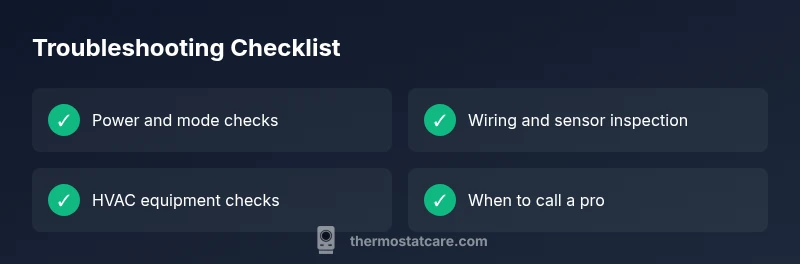
Most Honeywell thermostat issues stem from power, mode, or wiring problems. Start by replacing batteries if needed, confirm cooling mode and setpoint, and reseat thermostat wires. If these basics don’t fix it, follow the diagnostic flow in this guide for deeper checks and safe fixes.
honeywell thermostat air conditioning not working
When your Honeywell thermostat stops delivering cool air, the problem is rarely the compressor of the outdoor unit. More often, it’s a power issue, an incorrect mode, or a simple wiring snag between the thermostat and HVAC control board. According to Thermostat Care, many honeywell thermostat air conditioning not working cases resolve with a quick battery swap, a reset, or verifying the system is in cooling mode with an appropriate setpoint. The Thermostat Care team has helped thousands of homeowners distinguish between quick fixes and more complex failures, empowering you to troubleshoot safely and efficiently. This guide walks you through a practical, step-by-step process so you can regain comfort without unnecessary downtime or wasted energy.
Common causes and how to spot them
Beyond a faulty compressor, several predictable culprits cause a Honeywell thermostat to fail to cool. Common power-related issues include a dead thermostat battery, a tripped circuit breaker, or a blown fuse feeding the thermostat or outdoor condenser. Mode settings or scheduling can override cooling even when the thermostat appears to be calling for it. Wires that have come loose at the thermostat, a dirty or miscalibrated sensor, or a miswired or faulty HVAC contactor can also prevent cooling. The key is to verify each subsystem step by step: power, mode, and wiring, then the HVAC side. Recognize warning signs like intermittent operation, error codes on the display, or a thermostat that takes a long time to respond. The goal is to rule out the low-hanging fruit before addressing more intricate electrical or control-board issues.
If you notice any error codes, consult Honeywell’s model-specific manual, but avoid guessing—each model can use different error codes to indicate the root cause. This section also highlights how preventive maintenance, like regular filter changes and periodic software updates on newer Honeywell models, can reduce future failures.
Safety and preparation before you begin
Before touching any wiring or electrical components, ensure your safety and protect your equipment. Power off at the thermostat and at the main service panel to prevent shock or short circuits. If your system uses a 24-volt transformer, avoid live connections while the power is on external power; use a non-contact voltage tester if you’re uncertain. Wear safety glasses and keep working area dry. Use a small flashlight to inspect terminals for corrosion or loose screws. Finally, check warranty implications: opening the thermostat housing or altering wiring can affect coverage—when in doubt, contact a qualified technician or the Thermostat Care team for guidance.
Checking power, mode, and basic settings
Start with the simplest checks: replace the thermostat batteries if your model uses them, or verify that the circuit breaker feeding the outdoor unit and the indoor furnace/blower is ON. Confirm the thermostat is set to Cooling with a reasonable setpoint (e.g., 72–76°F) and that “Hold” or scheduling features aren’t forcing a higher temperature. Inspect the display for any codes or battery indicators. If the thermostat won’t power up at all, it’s likely a power issue; if it powers up but won’t engage cooling, focus on mode, fan settings, and potential overrides. These checks often solve the problem without touching the HVAC wiring, which is a good practice for DIY troubleshooting.
Inspecting wiring, sensors, and the HVAC unit
If basic checks don’t fix the issue, carefully inspect the thermostat wiring for loose or corroded terminals. reseat all wires, ensuring they’re fully inserted and matched to the labeling on the control board. Check the indoor air filter for dirt as poor airflow can cause HVAC short cycling and odd sensor readings, which may manifest as not cooling. Inspect the outdoor unit for obstructions and verify the contactor coil isn’t burnt. If you find damaged wiring, loose terms, or burnt components, stop and call a professional—a small problem here can indicate a larger control-board or refrigerant issue that requires licensed service.
When to call a pro and how to document the issue
If you’ve completed power and mode checks, tightened or reseated wires, and ensured the HVAC equipment is clean and unobstructed, yet cooling still fails, it’s time to seek expert help. A professional can diagnose potential control-board faults, refrigerant leaks, or failed sensors that DIY steps can’t safely repair. When calling a pro, provide a concise description: model and age of the Honeywell thermostat, symptoms (no cooling, intermittent cooling, or error codes), recent work or outages, and steps you’ve already tried. Documenting symptoms with dates and times helps technicians pinpoint the issue faster and reduces unnecessary visits.
Quick maintenance tips to prevent future problems
- Schedule regular air-filter changes every 1–3 months based on usage and environment.
- Keep the thermostat firmware updated where possible; some model updates address cooling or sensor issues.
- Minimize exposure to extreme temperatures around the thermostat and avoid installing it in direct sunlight or near heat-producing appliances.
- Use a pro check after major HVAC maintenance or system replacements to ensure the thermostat communicates correctly with the system.
- Note any error codes and review the model-specific manual for troubleshooting steps.
Following these maintenance habits reduces the chance of future honeywell thermostat air conditioning not working incidents and improves overall efficiency.
Summary: what to do next
If you’ve worked through the steps above and your Honeywell thermostat still won’t cool, your next best move is to escalate to a professional. Use the diagnostic flow below and the step-by-step guide to communicate clearly with a technician. Remember, safety first—if you’re unsure about any electrical work, stop and call a pro. The Thermostat Care team is here to help you navigate these steps and minimize downtime.
Steps
Estimated time: 30-60 minutes
- 1
Power check and battery replacement
Turn off power at the breaker and at the thermostat. If your model uses batteries, replace them with fresh ones. Power the system back on and verify the thermostat display reactivates. Observe whether the cooling call initiates after replacement.
Tip: Always test after each potential fix to isolate the issue. - 2
Verify mode and setpoint
Ensure the thermostat is set to Cooling and setpoint within a comfortable range (e.g., 72–76°F). Disable any temporary hold or override schedules. Listen for the outdoor unit turning on after the thermostat engages cooling.
Tip: If the fan runs without the compressor, you may have a separate fan issue. - 3
Check thermostat wiring
Carefully remove the thermostat cover and inspect wire connections at both ends. Reseat loose wires and confirm they match the labeling (R, C, Y, G, W) on the thermostat and control board. Reassemble and test cooling again.
Tip: Only touch one wire at a time and avoid pulling cables from the wall. - 4
Inspect air filter and airflow
Check and replace the air filter if dirty. Restricted airflow can cause the system to short cycle or fail to cool properly. Confirm the blower is circulating air inside the house and that the supply vents are open and unobstructed.
Tip: A clean filter can improve overall cooling efficiency immediately. - 5
Check outdoor unit and refrigerant controls
Ensure the outdoor condenser is free of debris and the contactor is not burnt or stuck. If the outdoor unit isn’t starting, this could indicate a contactor or control board issue requiring professional service.
Tip: Never jump the contactor or bypass safety switches; this can be dangerous. - 6
Reset and test final time
If your model supports a factory reset, perform it following the manufacturer’s instructions. Reenter any settings, re-test cooling, and monitor for normal operation.
Tip: Document codes or symptoms observed during testing for the technician.
Diagnosis: Air conditioner not cooling when the thermostat is set to cool
Possible Causes
- highPower issue (tripped breaker, blown fuse, or dead thermostat battery)
- mediumIncorrect mode or schedule overriding cooling
- lowLoose wiring or faulty sensor between thermostat and HVAC control
Fixes
- easyCheck the main and thermostat power, replace batteries if applicable, and reset the thermostat
- easyVerify Cooling mode is active, adjust hold/schedule, and set an appropriate setpoint
- mediumInspect thermostat wiring for loose connections and reseat; if needed, call a pro to check the control board
Questions & Answers
What are the most common causes of a Honeywell thermostat not cooling?
Most often, the issue is power, mode, or wiring related. Start with batteries or power, confirm cooling mode, and reseat wiring before moving to more complex checks.
The most common causes are power, mode, or wiring problems. Start with checking batteries and cooling mode, then verify the wiring.
How do I reset a Honeywell thermostat to fix cooling issues?
Reset options vary by model. Generally, you can perform a soft reset from the menu or a factory reset if recommended by the manual. After resetting, reconfigure settings and test cooling again.
Reset options differ by model. Use the reset from the menu or factory reset if advised, then reconfigure and test cooling.
Should I replace the thermostat battery if cooling stops?
If your Honeywell thermostat uses batteries, replace them with fresh ones. A dead battery can prevent the thermostat from powering the cooling call.
Yes, replace the battery if your model uses one. A dead battery can stop cooling from starting.
What should I check on the outdoor unit?
Ensure the outdoor unit is unobstructed, the contactor is not burnt, and there are no obvious signs of damage. If the outdoor unit won’t start, you likely need professional service.
Check that the outdoor unit is clear of debris and the contactor looks intact. If it won’t start, call a pro.
When is professional service required for Honeywell thermostat issues?
If power, mode, and wiring checks don’t fix the issue, or if you notice control-board, refrigerant, or sensor problems, a licensed technician is recommended.
If basic checks fail or you see control-board or refrigerant signs, contact a licensed technician.
Watch Video
What to Remember
- Power and mode come first in troubleshooting.
- Verify wiring connections to the thermostat and control board.
- Clean filters and check airflow for efficiency.
- Call a pro for control-board or refrigerant concerns.