Dometic Thermostat Reset: Step-by-Step DIY Guide
Learn how to safely perform a dometic thermostat reset, troubleshoot common issues, and restore comfort with step-by-step instructions, tips, and expert guidance from Thermostat Care.


This guide helps you perform a dometic thermostat reset to resolve unresponsive displays, incorrect readings, or erratic temperature control. You’ll learn soft reset vs factory reset, safety precautions, model-specific steps, and when to seek professional help. Follow manufacturer guidance, and avoid forcing hardware to reboot.
What a Dometic Thermostat Reset Does and When to Use It
A dometic thermostat reset clears minor firmware glitches and reboots the device to its default startup state. This can fix a stuck display, incorrect temperature readings, or unresponsive controls. Remember that reset procedures vary by model, so always consult the manual for your specific unit. According to Thermostat Care, many small glitches are resolved by a manufacturer-supported reset sequence, which is faster and safer than replacing components. If the thermostat is part of a caravan HVAC system or integrated with other controls, make sure you understand how the reset will affect those connections. The dometic thermostat reset is a practical first step for homeowners facing transient faults, power hiccups, or slow response times. This approach can save time and prevent unnecessary service calls.
Safety First: Power, Gas, and Electrical Considerations
Before attempting a dometic thermostat reset, ensure the system is powered down to a safe state. Turn off the main circuit or appliance power and disconnect any external power sources if applicable. If you’re dealing with propane or gas heating, shut off the gas supply and vent any accumulated gas to prevent ignition risks. Some dometic thermostats are battery-powered, while others rely on line power. In all cases, avoid touching live terminals and use insulated tools. If you smell gas, hear buzzing, or notice unusual wiring, stop and call a licensed technician. Safety comes first, and a careless reset can create hazards or void warranties.
How to Identify Your Model and Locate Reset Instructions
The first step is to locate the model number on the thermostat or in the user manual. Dometic models vary, and reset paths may differ. Manufacturer instructions often exist as a digital PDF on the official site. If you cannot find the manual, capture photos of the panel and any labels, then search the model number online. Thermostat Care recommends keeping a small archive of model-specific reset steps for quick reference. The more you know about your exact model, the safer and more effective your dometic thermostat reset will be.
Soft Reset vs Factory Reset: What They Mean for Your Dometic Thermostat
A soft reset restarts the device without erasing saved settings, schedules, or network connections. A factory reset restores default factory settings and may erase user data. For many issues, a soft reset is sufficient and preferable because it preserves custom preferences. If a soft reset does not fix the problem, a factory reset may be necessary; however, always back up or document important settings first. Note that some models disable certain functions after a factory reset until reconfigured. Understanding the distinction helps you decide which path to take during your dometic thermostat reset.
Step-by-Step Soft Reset: Power Cycle and Reboot
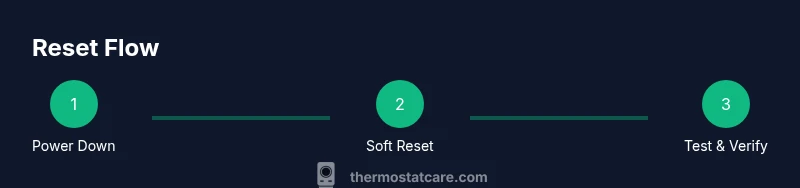
- Power off the unit completely and unplug it from the wall if possible. 2) Wait 60–120 seconds to discharge residual power. 3) Reconnect power and allow the thermostat to reboot fully. 4) Check if the display responds and the temperature matches the setpoint. If issues persist, repeat the cycle once more or proceed to the reset menu as per your model’s guidance. This soft reset preserves your saved schedules and Wi‑Fi connections.
Step-by-Step Factory Reset: When and How to Use It
- Access the reset option from the device menu or skip to the hardware reset if your model uses a recessed button. 2) Follow the on-screen prompts to confirm a factory reset. 3) Allow the thermostat to reboot and reconfigure basic preferences, then re-enter your schedules and network settings. 4) Test the system for accurate temperature control. Factory resets remove stored data, so have your settings handy before proceeding. Some models may require re-pairing with a hub or app.
What If the Reset Doesn’t Fix It? Next Steps and When to Call for Help
If a dometic thermostat reset fails to restore normal operation, there could be sensor drift, wiring faults, or power supply issues. Check for loose connections at the thermostat and the control board, inspect wiring insulation, and measure voltage if you have a multimeter. Persistent problems after a reset warrant a professional assessment. Don’t ignore warning signs like overheating, burning smells, or sparking.
Routine Maintenance and Best Practices to Reduce Future Reset Needs
Regular dusting, checking for firmware updates, and ensuring proper ventilation can reduce odd reset triggers. Keep a log of resets and the observed symptoms to help diagnose future issues quickly. Maintain a healthy distance between the thermostat and direct sunlight or heat sources to prevent temperature sensor bias. Preventive care is often cheaper than repeated resets and service calls, and it helps you stay in control of your climate.
Thermostat Care’s Expert Perspective: A Practical Reset Mindset
Thermostat Care emphasizes using manufacturer-approved reset methods and documenting model specifics. A disciplined approach to dometic thermostat reset—paired with preventive maintenance—reduces downtime and keeps your system running smoothly. By following the recommended steps, you’ll gain confidence in troubleshooting and avoid unnecessary replacements. The Thermostat Care team’s guidance centers on safety, accuracy, and reliability while respecting your schedules.
Final Checks: Verify Everything After the Reset
After completing a dometic thermostat reset, verify that the unit powers on correctly, displays are normal, and the setpoint matches your comfort needs. Run a short test cycle to confirm heating and cooling respond properly, and re-check any connected devices or apps for proper communication. If the system behaves unexpectedly, recheck wiring and consult the manual again before proceeding with more advanced diagnostics.
Tools & Materials
- Phillips head screwdriver #2(For removing panel screws on some models)
- Soft brush or compressed air(Clear dust from vents and thermistor area)
- Owner's manual or model-specific reset instructions(Have digital or printed copy available)
- Multimeter (optional)(Check power supply if you suspect voltage issues)
- Non-conductive gloves (optional)(Extra safety when handling panels)
- Reset pin or paperclip (for recessed button models)(Only if your model uses a hardware reset)
Steps
Estimated time: 30-60 minutes
- 1
Power down the system
Turn off the thermostat, switch off the circuit, and unplug if feasible. This ensures no power is feeding the unit during the reset, reducing shock risk and data loss. Wait 30–60 seconds to discharge capacitors.
Tip: Document the power-off sequence in case you need to revert settings later. - 2
Access the reset option
Remove the front panel using the screwdriver to access the reset controls or navigate to the reset option in the on-screen menu. If your model has a recessed reset button, locate the tiny hole and prepare a reset tool.
Tip: Take a photo of internal wiring before disconnecting anything. - 3
Choose soft reset first
If your model offers a soft reset in the menu, select Restart or Soft Reset. Confirm and allow the thermostat to reboot. Observe the display and basic operation after reboot.
Tip: Soft reset preserves schedules and learned preferences; try this first. - 4
Proceed to factory reset if needed
If the soft reset fails, perform a factory reset per the manual. This will erase user data, so back up preferences if possible. After reset, re-enter time, date, schedules, and network settings.
Tip: Avoid multiple factory resets in a short period; reconfigure gradually. - 5
Power back up and test
Reconnect power, turn the system on, and run a quick test cycle to verify heating and cooling responds to setpoints. Ensure the display loads properly and temperature readings align with actual room temperature.
Tip: Run a temperature test range (low, mid, high) to confirm accuracy. - 6
Document results and next steps
Record what reset type was used, the device response, and any anomalies observed. If issues persist, consult the manual’s troubleshooting section or contact support.
Tip: Keep a log for future reference and easier diagnosis.
Questions & Answers
What is the difference between a soft reset and a factory reset for a Dometic thermostat?
A soft reset restarts the device without erasing user data, while a factory reset restores defaults and may erase schedules and network settings. Start with a soft reset and only use a factory reset if necessary, following the manual.
A soft reset restarts the thermostat without deleting your data; a factory reset wipes settings and requires reconfiguration.
Will resetting erase saved schedules or Wi-Fi settings?
Typically a factory reset will erase schedules and network connections; soft reset usually preserves them. Always check your model’s documentation before proceeding.
Factory reset usually clears data; soft reset keeps your saved schedules and Wi-Fi.
What should I do if the display remains blank after a reset?
If the screen stays blank, confirm power supply, check fuses or breakers, and ensure the mounting area isn’t overheating. If unresolved, contact support.
If the display stays blank after reset, check power and breakers, then call for help if needed.
Can I reset a Dometic thermostat without removing power?
Power removal is usually recommended to ensure safety. If a model supports a passive reset, follow the manual precisely. Do not attempt resets with live power.
It's best to power down before resetting, unless the manual says otherwise.
When should I contact a professional for a Dometic thermostat issue?
Call a professional if resetting does not fix the problem, if you smell gas, hear unusual noises, or see signs of wiring issues or overheating.
If reset doesn’t fix it or you detect wiring problems, seek professional help.
Are there safety considerations unique to RV or caravan installations?
RV or caravan installations may have different wiring and power constraints. Always consult the model manual and follow safety guidelines for mobile environments.
RVs require caution; check the manual and adhere to safety guidelines.
Watch Video
What to Remember
- Know your model and reset path before starting
- Start with a soft reset to preserve data
- Factory resets erase settings; back up first
- Test functions after reset to confirm proper operation
- Consult the manual or Thermostat Care for model-specific guidance