Color Coding for Honeywell Thermostat Wiring: A Homeowner’s Guide
Learn how to identify, map, and safely connect Honeywell thermostat wiring by color codes. This step-by-step guide covers common wire colors, safety checks, and troubleshooting tips for reliable HVAC performance in 2026.


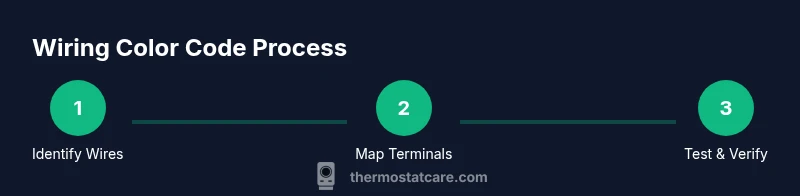
You’ll learn how to color code Honeywell thermostat wiring, identify common wire colors, and safely connect or verify a 24-volt HVAC setup. This quick guide covers typical R, C, W, Y, and G wires, heat-pump O/B if present, and how to label wires for future maintenance. According to Thermostat Care, follow step-by-step checks to avoid miswires.
Color code honeywell thermostat wiring: overview
Color code honeywell thermostat wiring is a practical skill for homeowners and DIY enthusiasts. Understanding the color conventions helps you identify each wire's function quickly, reduce wrong connections, and troubleshoot issues without guesswork. While many Honeywell models follow common HVAC color norms, variations exist based on installer practices and whether you have a conventional heat/cool system or a heat pump. The Thermostat Care team emphasizes consulting the thermostat’s wiring diagram and the equipment’s control board before making changes. This knowledge lays the foundation for safe wiring, accurate labeling, and reliable system operation.
Common wire colors and their roles
In most residential HVAC installations, standard color codes guide wire identification. However, colors may vary by region or installer, so always double-check with the manual and test where possible. Typical mappings include:
- Red (R, Rc, Rh): power from the transformer to the thermostat.
- White (W): heat call.
- Yellow (Y): cooling call.
- Green (G): fan activation.
- Blue or Brown (C): common wire, completing the circuit.
- Orange (O) or Brown (B): heat pump reversing valve control.
- Aux/E or others: auxiliary heat or emergency heat in heat pump setups.
If you encounter unfamiliar colors, don’t assume—label the wires and verify with a multimeter or contractor guidance. Thermostat Care recommends verifying each conductor’s function against the equipment’s control board before connecting to a new thermostat.
Safety first: power off and tools
Before touching thermostat wiring, cut power to the HVAC system at the main breaker panel. Use a non-contact voltage tester to confirm no live voltage where the thermostat wiring terminates, and remove the thermostat cover carefully. Gather essential tools: a digital multimeter, a voltage tester, screwdriver set (Phillips and flat-head), wire labels, and a pen and notebook for mapping. Keep a bright light handy and work on a non-conductive surface. This safety checklist helps prevent shocks, short circuits, and equipment damage.
How to safely identify wires in the wall
Begin by removing the thermostat faceplate and gently pulling the wire bundle from the wall cavity. Note how many conductors are present and their insulation colors. Label each wire with a tape marker or color-coded sticker. If a wire is not clearly connected to a terminal, retract it slightly and reassess. Use the multimeter to confirm the presence of low-voltage signals when the system is powered by a trained technician, or consult the original installation diagram. This step creates a reliable map for any future replacements.
Mapping wires to Honeywell terminals
Honeywell thermostats use a set of standard terminals. A typical mapping looks like this: R/Rc/Rh for power, C for common, W for heat, Y for cooling, G for fan, and O/B for heat pumps. If your wire colors deviate, rely on the wire’s function rather than color alone. For humbler setups, you may see Rh and Rc bridged with a jumper. Label each terminal after you verify function, and double-check connections before powering on the thermostat. A correctly mapped wiring scheme prevents false heat calls, cooling failures, and display errors.
Step-by-step verification process
Once you’ve mapped wires to the correct terminals, reassemble the thermostat housing and restore power. Start by turning the thermostat to a mode that requests heat or cool, and observe which wires energize corresponding terminals. Use the multimeter to confirm voltage presence on R and C when the system is powered. If a C-wire is missing, consider an add-a-wire kit or a dedicated power extender, but only after confirming compatibility with your Honeywell model. Document every change for future maintenance and ensure the panel cover is securely fastened.
Wiring examples: standard vs heat-pump configurations
- Standard 4-wire setup: R, W, Y, G, plus C if available. R supplies power, W calls heat, Y calls AC, G runs the fan, and C completes the circuit.
- Heat-pump setup: Add O or B for reversing valve control. Some systems consolidate Rh and Rc with a jumper; in others, they are separate. W1 is for auxiliary heat if present. Labeling and verifying the functions are crucial because heat-pump wiring can differ between manufacturers and models, including Honeywell variants.
Common mistakes and how to fix them
Common missteps include assuming color equals function, forgetting to bridge Rc and Rh when required, and skipping the C-wire. Miswiring can lead to short-cycling, no power to the thermostat, or a blank display. If you observe a blinking power indicator or unresponsive controls, revisit the wiring map, recheck terminal connections, and confirm the power supply. If in doubt, consult a qualified HVAC technician. Remember to power down before reworking any connections.
Honeywell compatibility considerations and planning for upgrades
Before upgrading or replacing a Honeywell thermostat, check model compatibility with your HVAC system, especially regarding C-wire requirements and heat-pump support. Some older systems may not support certain smart features without additional wiring upgrades. The Thermostat Care team recommends ensuring the C-wire is properly connected if the new thermostat demands constant power. Keep a wiring diagram from the old thermostat for reference and confirm all safety guidelines are followed during installation.
Tools & Materials
- Digital multimeter(Measure voltages and verify continuity)
- Non-contact voltage tester(Safety check before handling wires)
- Screwdriver set (Phillips and flat-head)(Thermostat faceplate and screw terminals)
- Wire labels or painter’s tape(Label each conductor before disconnecting)
- Pen and notebook(Document wire color, terminal, and function)
- Cable stripping tool(For trimming insulation if needed)
- Flashlight or headlamp(Illumination in tight spaces)
Steps
Estimated time: 60-90 minutes
- 1
Power down the system
Turn off the HVAC power at the main breaker and verify with a non-contact tester. This prevents electric shock and protects control boards during inspection.
Tip: Always double-check that the power is off before touching wires. - 2
Remove the thermostat cover
Gently detach the front panel to expose the wiring. Avoid pulling wires out of terminals; take a visual inventory first.
Tip: Keep track of screws and how the faceplate attaches to avoid reassembly issues. - 3
Label each conductor
Attach labels to wires before disconnecting anything. Note color, length, and which terminal each wire connects to on the existing thermostat.
Tip: Use contrasting labels and write clearly to prevent misreading later. - 4
Verify conductor functions
With power still off, inspect connectors and use the multimeter to confirm which wires are associated with R, W, Y, G, C, and O/B by checking continuity and expected resistance patterns.
Tip: If a wire doesn’t show a clear function, pause and research the system diagram. - 5
Map wires to Honeywell terminals
Match each labeled wire to the corresponding terminal on the Honeywell base: R to R, W to W, Y to Y, G to G, C to C, O/B to O/B. Keep Rh and Rc bridged if required by the model.
Tip: When in doubt, refer to the thermostat’s wiring diagram in the manual. - 6
Reassemble and power up
Reconnect all wires, reattach the thermostat cover, and restore power. Observe the thermostat as it boots and tests each function (heat, cool, fan, and standby).
Tip: If the screen is blank, recheck the C-wire connection first. - 7
Test thermostat performance
Set to heat and verify operation, then switch to cool. Confirm that the system activates accordingly and the display responds properly.
Tip: Note any alarms or codes and consult the manual for trouble codes. - 8
Document and label for future
Create a wiring map with terminal assignments and wire colors. Store the map with the thermostat manual for future maintenance.
Tip: Update the map if you ever change a wire or replace a device.
Questions & Answers
What does C-wire do and do I need it for my Honeywell thermostat?
The C-wire provides a continuous return path for power, enabling many smart thermostats to operate without batteries. If your Honeywell model requires constant power, you should have a C-wire connected. If it’s missing, consider an adapter or adding a wire, but ensure compatibility with your system.
A common wire, C-wire, provides continuous power for smart thermostats. If your model needs it, connect it to C; if missing, check compatibility before adding a new wire.
How can I tell R from Rc or Rh on my Honeywell?
R is the power feed from the transformer. Some systems bridge Rc and Rh with a jumper. If your thermostat has separate Rc and Rh terminals, keep the jumper only if the system requires it.
R is the power wire. Some thermostats have Rc and Rh bridged; keep the jumper if your system requires it.
Can I install a thermostat without using the color code as a guide?
Color coding is a guide, not a guarantee. Always verify each wire’s function with the equipment diagram and voltage testing before connecting to a new thermostat.
Color is a guide, not a rule. Verify each wire’s function with diagrams and tests.
What if a wire color doesn’t match the standard mapping?
Nonstandard colors require verification rather than assumptions. Trace the wire to its terminal on the control board, label it, and map it to the appropriate thermostat terminal.
If colors don’t match, trace to the control board and map it to the right terminal.
Is a multimeter necessary for all Honeywell wiring changes?
A multimeter helps confirm voltages and wire functions, reducing miswires. It’s highly recommended for any thermostat wiring task, especially with heat pumps or older systems.
Yes, a multimeter is highly recommended to avoid miswires.
Watch Video
What to Remember
- Identify wires safely before disconnecting any connections
- Label and map each conductor to its function
- Verify power presence and continuity using a meter
- Confirm compatibility with Honeywell terminals and C-wire needs
- Document wiring details for future maintenance