Checking a Thermostat: A Complete Troubleshooting Guide
Learn how to diagnose and fix thermostat issues safely. This guide covers power, wiring, sensors, and settings to help homeowners troubleshoot common thermostat problems in 2026. Includes a quick-check checklist, step-by-step instructions, and pro tips from Thermostat Care.


To check a thermostat, you will verify power, wiring, and settings to identify common failure points. Start by powering down the thermostat and HVAC, then inspect the display and run a quick functional test. Look for loose wires, improper terminals, battery health (if applicable), and sensor calibration issues that can cause heating or cooling to misbehave.
Why checking a thermostat matters
Checking a thermostat is a practical, homeowner-friendly way to keep your heating and cooling running smoothly. When the thermostat isn’t reading correctly or failing to trigger the HVAC system, you may notice room temperatures drift, unexpected heating cycles, or a blank display. By understanding how power, wiring, and sensor calibration affect performance, you can quickly identify whether the issue lies with the device itself or with external factors like wiring or airflow. This guide centers the idea that small, correctable issues often underlie most thermostat problems, and addressing them early saves energy and prevents needless calls to a technician. In the year 2026, homeowners who perform a careful check using a methodical checklist typically resolve many problems without major replacements. According to Thermostat Care analysis, most frequent causes are loose connections, dead batteries, or misconfigured settings that drift over time. This means you can often restore comfort with a safe, structured inspection rather than a full replacement.
Safety and preparation before you begin
Safety comes first when checking a thermostat. Begin by cutting power to the thermostat at the circuit breaker to avoid electric shock or damage to the HVAC system. If your setup allows, switch off the furnace or air handler separately to ensure no power is flowing through the equipment. Keep the area well-lit and dry, and remove jewelry or loose clothing that could catch on wiring. Have a basic toolkit ready (screwdriver, tester) and a camera or smartphone to document the original wiring before you move anything. Taking these precautions reduces risk and makes it easier to undo any changes if needed. If you smell burning or notice melted wire insulation, stop immediately and contact a licensed technician.
Understanding thermostat types and common failure modes
Thermostats come in several varieties, including hard-wired, battery-powered, and smart Wi-Fi models. Each type has its own failure modes. For hard-wired units, loose terminals or broken conductors can cause intermittent power loss or no power at all. Battery-powered units may fail when batteries run low, leading to dim displays or unresponsive controls. Smart thermostats introduce software glitches and connectivity issues, which can manifest as unresponsive screens or incorrect scheduling. Common signs include a blank display, inaccurate temperature readings, slow response to changes, and alarms or error codes. Recognizing the most frequent problems helps you narrow down the root cause quickly.
Tools and materials you’ll need
Before you start, assemble a small toolkit and reference materials. You’ll typically need a screwdriver set (Phillips and flathead), a non-contact voltage tester, a digital multimeter (optional but helpful), replacement batteries if your unit uses them, and your thermostat’s manual for model-specific wiring diagrams. A notebook or phone for documenting wire colors and terminal labels is also handy. Having these items on hand keeps you from pausing mid-inspection and reduces the chance of mistakes.
Step-by-step diagnostic workflow
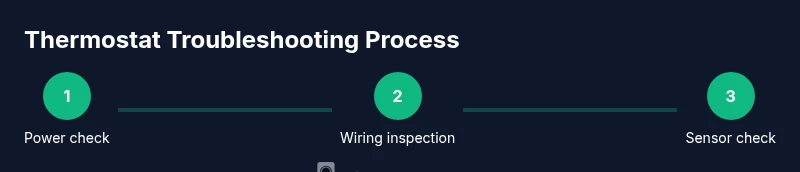
This section maps out a practical diagnostic flow you can follow in about 25–40 minutes. It emphasizes safety, organization, and clear record-keeping to avoid confusion. Start with power confirmation, then verify the display and basic operation, followed by a careful wiring check, battery assessment, sensor calibration verification, and a controlled power-up test. If any step reveals a loose wire, corrosion, or obvious damage, address it immediately and re-test. If problems persist after these checks, you may be facing a component failure or a mismatch between thermostat settings and HVAC equipment.
Interpreting symptoms and deciding next steps
Different symptoms point to different root causes. A blank screen often indicates power or battery issues, while a jittery or slowly responding display suggests sensor drift or a software glitch. An inaccurate temperature reading typically signals a miscalibrated sensor or improper placement (away from heat sources, direct sun, or drafts). If the thermostat controls the HVAC but shows no response, you should inspect wiring, confirm the thermostat is correctly configured for the heating/cooling mode, and verify compatibility with your system. Depending on the findings, you may repair wiring, recalibrate sensors, replace batteries, reset the device, or plan a thermostat upgrade if the unit is outdated or defective.
Maintenance, prevention, and when to upgrade
Prevention is easier than repair. Regularly inspect wiring connections, clean dust from the thermostat housing, and ensure the location remains free from drafty airflow and direct sunlight. Replace batteries on battery-powered units at the first sign of weakness. Keep the thermostat firmware current if you use a smart model and always back up settings before making changes. If your thermostat is several years old or exhibits recurring issues, cost-benefit analysis often favors replacement with a newer, more reliable model that supports energy-saving features and better compatibility with your HVAC system.
Tools & Materials
- Screwdriver set (Phillips and flathead)(for opening the unit and tightening terminals)
- Non-contact voltage tester(verify power is off without touching live wires)
- Digital multimeter(useful for precise voltage checks on wiring; optional)
- Replacement batteries(if your model uses removable batteries (coin cell or AA/AAA))
- Owner’s manual(model-specific wiring diagrams and safety notes)
Steps
Estimated time: 25-40 minutes
- 1
Power down safely and verify no live current
Locate the circuit breaker feeding the thermostat and switch it off. If your system allows, also power down the furnace or air handler. Use the non-contact voltage tester to confirm no voltage is present before touching wires.
Tip: Double-check the display remains blank or reads 'off' after cutting power. - 2
Remove the cover and document wiring
Gently remove the thermostat cover with the appropriate screwdriver. Photograph or sketch how wires are connected to each terminal before removing anything. Label wires if colors aren’t obvious.
Tip: Keep the wires untangled and avoid pulling on them when removing the cover. - 3
Inspect and secure terminal connections
Check every terminal for looseness, corrosion, or damaged conductors. Re-seat wires and tighten screws to snug (do not overtighten). Compare with the manual’s terminal layout if available.
Tip: If a terminal is pitted or frayed, replace the wire lead rather than forcing a poor connection. - 4
Check battery health and display functionality
If your model uses batteries, replace them with fresh ones and re-test the display. Ensure the thermostat powers up and shows a readable temperature. Confirm that basic controls respond (increase/decrease setpoint).
Tip: Record any error codes shown after power-up for later reference. - 5
Verify sensor placement and calibration
Ensure the temperature sensor is not blocked by direct sun, vents, or warm electronics. If your thermostat supports calibration, follow the manual to adjust offset so the displayed temperature matches actual room temperature.
Tip: Calibrations can fix gradual drift; perform a spot check after an hour of operation. - 6
Power up and run a controlled test
Reconnect wiring, reassemble the faceplate, and restore power. Run a quick test by setting heat and cool commands and observe whether the HVAC responds within a reasonable timeframe. Document any inconsistent behavior or error codes.
Tip: If the system still won’t respond, consider a reset or professional assessment.
Questions & Answers
What is the first step if my thermostat isn’t turning on?
Begin by checking the power at the circuit breaker and replacing any weak batteries if the unit uses them. If the display still won’t power up, inspect the wiring for looseness or damage and consult the manual for model-specific troubleshooting steps.
First, flip the circuit breaker off and back on, then check batteries and wiring for looseness. If it still won’t power, refer to your thermostat’s manual for model-specific steps.
Can I fix a thermostat without a professional?
Many issues can be resolved at home, especially wiring connections and battery replacements. Do not work on live wires if you’re unsure, and avoid bypassing safety features. If you encounter damaged wiring or persistent failures, contact an HVAC technician.
Some fixes you can handle at home, like battery swaps and checking connections. If you’re unsure or see damaged wiring, call a professional.
Why is my thermostat showing a blank screen?
A blank screen usually means power or battery problems, or a blown fuse in the system. Start by replacing batteries (if applicable) and verifying the power supply. If the screen remains blank, inspect connections and seek professional help if necessary.
A blank screen often points to power or battery issues. Check batteries and power supply, then inspect wiring if needed.
How do I tell if the problem is with the thermostat or the HVAC system?
Test the thermostat’s commands and observe whether the HVAC responds. If the system does not react to any setting changes despite a powered thermostat, the problem may lie with the HVAC or control wiring rather than the thermostat itself.
If the HVAC won’t respond to thermostat commands even after checking the thermostat, the issue might be with the HVAC or its wiring.
Is it safe to reset my thermostat?
Resetting can clear glitches but won’t fix hardware faults. Follow model-specific instructions and note any error codes that appear after reset. If problems recur, consider a replacement or professional assessment.
Resetting can clear software glitches, but it won’t fix hardware problems. Check codes and seek help if issues come back.
When should I replace my thermostat rather than repair it?
If the unit is old, repeatedly unreliable, or has sensor drift that can’t be corrected, replacement is often more cost-effective and provides better compatibility with modern HVAC systems.
If it’s an old or frequently failing thermostat, replacement is often the smarter choice.
Watch Video
What to Remember
- Power down safely before inspecting wiring.
- Tighten and verify all terminals are secure.
- Replace batteries and calibrate sensors where applicable.
- If issues persist, upgrade to a modern thermostat for better reliability.