Can Thermostat Cause No Heat? Troubleshooting Guide
Urgent, practical guide to diagnose if your thermostat is causing no heat, with a step-by-step flow, safety tips, and when to call a pro. Learn to verify power, wiring, batteries, and settings to restore heat quickly.


If you’re wondering can thermostat cause no heat, the most common culprits are power or settings rather than furnace failure. The quickest fix is to confirm power to the stat, replace batteries if needed, ensure the thermostat is in Heat mode, and verify it is actively calling for heat. If heat still won’t come, follow the diagnostic flow below.
Can a thermostat cause no heat? What homeowners should know
When heat fails, homeowners often blame the furnace, but in many cases the thermostat is the actual bottleneck. Can thermostat cause no heat? Yes—more often than not it’s a power issue, a misconfigured setting, or a disconnected wire. According to Thermostat Care, a large portion of no-heat calls start with the thermostat not being powered or set to the correct mode. In this guide, we treat the thermostat as the first point of failure and work outward with a safe, methodical approach. Expect simple checks you can perform without specialized tools. Remember: even small misplacements in wires or battery power can stop heat from being produced, so start with the basics and progress to more involved checks only if needed.
Throughout this article you’ll see the phrase can thermostat cause no heat used repeatedly, because it helps you stay focused on the thermostat as the potential root cause rather than assuming the furnace is at fault.
Thermostat Care’s practical rule of thumb: if the display is dead, if the temperature reading is erratic, or if heat never engages when you raise the setpoint, these are strong signals to inspect the thermostat first before calling for furnace service.
How thermostats control heat: the basic pathway
A modern thermostat acts as the conductor of your heating system. When you set Heat, the thermostat sends a call for heat to the furnace or boiler via the control wiring. If the thermostat lacks power, has dead batteries (if it’s battery-powered), or is misprogrammed, the call for heat never reaches the equipment. This is why can thermostat cause no heat happens far more often in practice than you might expect. The flow is simple: power to the stat → thermostat logic engages → heat call is transmitted → furnace/boiler responds and fans start. If any link breaks, you won’t feel warmth. In many houses, the culprit is a loose C-wire, an outdated thermostat, or a stale battery that leaves the device unresponsive.
Power, batteries, and mode: the first checks
The fastest checks are electrical: is the thermostat powered? If you have a battery-powered thermostat, replace the batteries with fresh ones and observe any change. For a wired thermostat, verify the display is on and there are no blank screens. Next, confirm the thermostat is set to Heat and that the fan or Eco mode isn’t preventing call for heat. Also verify the setpoint is above the ambient temperature so the system will engage. These early checks address the most common causes of can thermostat cause no heat and are the easiest to fix without tools. If the display flickers or dies when touching the terminals, you likely have a wiring or power problem that needs attention.
Common thermostat-related causes of no-heat
Beyond batteries and power, several thermostat-related issues can cause no heat. A disconnected or loose C-wire can prevent the thermostat from powering correctly, especially in electronic models. Incorrect mode selection (e.g., cooling instead of heating) will keep heat from turning on. A faulty or outdated thermostat can misread room temperature or fail to send a proper heat call. Dirty or damaged thermostat terminals, frayed wires, or a tripped circuit breaker feeding the furnace can also mimic no-heat conditions. Understanding these causes helps you distinguish thermostat problems from HVAC equipment failures. Thermostat Care notes that these root causes are often fixable by homeowners with basic tools and careful inspection.
Checking the HVAC system outside the thermostat
If the thermostat seems to be functioning, the next layer to inspect is the HVAC side. Check the furnace or boiler power switch and the dedicated breaker. Confirm the gas valve is open (for gas furnaces) and that the blower is receiving power. Listen for normal ignition behavior if you have a gas furnace—ignition failures can present as no heat even when the thermostat is calling. Ensure air filters aren’t clogged; a dirty filter can cause safety routes to shut down heat unexpectedly. Remember, some issues are safety-critical; if you smell gas or hear unusual noises, evacuate and call a professional immediately.
Step-by-step quick tests you can perform
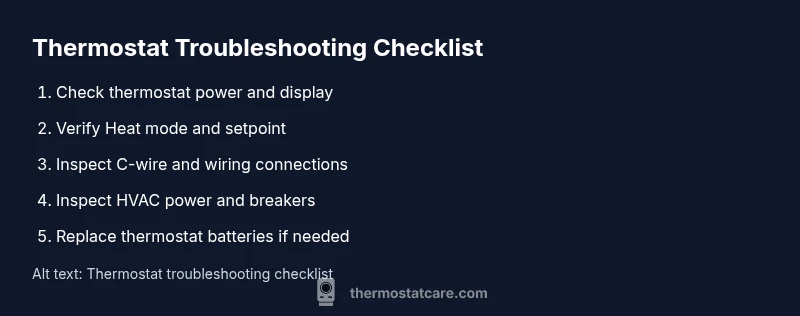
Run through a simple diagnostic routine you can perform with minimal tools. Start by checking the thermostat’s power and display. Then confirm Heat mode and confirm the setpoint is above room temperature. Inspect the wiring for loose connections and ensure the C-wire is intact. If you’re comfortable, you can test continuity on thermostat wires with a multimeter, but do not disconnect live wires without power off. These tests help you isolate can thermostat cause no heat to either the thermostat itself or the wiring, before you move to more advanced checks.
When to reset and re-pair your thermostat
Software glitches can masquerade as hardware faults. A factory reset or re-pairing with your HVAC system can resolve stuck logic, misreads, or stale network configurations. Before you reset, note down any custom schedules or presets, as you may need to re-enter them after the reset. After resetting, re-enter your basic heat preferences and ensure the thermostat sends a call for heat. If the heat returns after a reset, you’ve resolved the issue; if not, you’ll know your problem lies deeper in the HVAC system or wiring.
Different thermostat types and what to watch
Battery-powered thermostats rely on internal cells; if the batteries fail, they can stop sending heat calls. Thermostats with a C-wire require a constant 24V power source; if that wire is damaged or disconnected, you’ll see power issues or a blank screen. Some smart thermostats also rely on a Wi-Fi connection; an outage can delay or prevent heat calls. By understanding your thermostat type, you can tailor the checks and prevent misdiagnoses when you ask can thermostat cause no heat. Thermostat Care emphasizes knowing your model to troubleshoot effectively.
Prevention: routine maintenance to avoid no-heat problems
Prevention is the best cure. Schedule regular checks for battery health, wiring integrity, and thermostat firmware updates if applicable. Replace air filters on schedule to prevent restricted airflow that triggers safety shutoffs. Keep the thermostat and furnace areas clean and dust-free. A small habit—checking the thermostat power every season—hands you early warning signs before a real no-heat emergency occurs.
Quick recap: functions and failures—the essentials
In summary, can thermostat cause no heat? Yes, often due to power, wiring, or settings. Start with power and mode checks, then wiring, and only escalate to HVAC service if the thermostat and wiring test do not resolve the issue. Thermostat Care’s guidance reinforces a measured approach to identify whether the thermostat is the culprit and how to fix common faults quickly.
Steps
Estimated time: 60-90 minutes
- 1
Check thermostat power and display
Ensure the thermostat is powered, replace batteries if needed, and confirm the screen is on. A dark or blank display is a primary clue that the thermostat is not receiving power. Verify the device is properly seated on its wall mount and that there are no loose wires.
Tip: If the display flickers, power issues are likely and wires should be checked carefully. - 2
Verify Heat mode and setpoint
Make sure the thermostat is set to Heat, not Auto or Cool, and that the setpoint is higher than the current room temperature. Some thermostats have a hold or schedule feature that can override the temperature you intend to reach.
Tip: Disable any energy-saving modes temporarily to test heat call responsiveness. - 3
Inspect thermostat wiring and C-wire
Turn off power to the thermostat at the breaker. Remove the cover and check all wire connections. If the C-wire is loose or disconnected, reconnect securely. Look for signs of corrosion or damage on terminals.
Tip: Take a photo of the wiring before disconnecting anything to ensure correct reassembly. - 4
Check HVAC power and breakers
Go to your main electrical panel and verify the furnace/air handler breaker is ON. If you have a gas furnace, confirm the gas valve is open and the furnace has power. A tripped breaker or closed gas valve can mimic thermostat problems.
Tip: If the breaker trips again after reset, call a professional—there may be an electrical fault. - 5
Test the thermostat with a multimeter
If you’re comfortable, test the thermostat wires for continuity and 24V power when calling for heat. Do not touch live terminals. This confirms whether the thermostat is sending the signal to the furnace.
Tip: Only perform this test if you have experience with electrical testing. - 6
Inspect furnace ignition and air flow
A dirty filter or blocked vent can prevent heat from being produced or lead to safety shutoffs. Check and replace the air filter if dirty. Listen for the furnace igniting; if ignition fails, professional service may be needed.
Tip: Regular maintenance reduces the risk of ignition failure. - 7
Reset or re-pair the thermostat
If all prior steps fail, perform a factory reset and re-pair the thermostat with your HVAC system. Re-enter schedules and settings after the reset. If heat returns, the issue was likely a software glitch.
Tip: Document any changes you’ve made for future reference.
Diagnosis: No heat after setting thermostat to Heat and raising the setpoint
Possible Causes
- highThermostat power or battery failure
- highIncorrect mode or schedule in thermostat
- mediumLoose or damaged thermostat wiring (including C-wire)
- lowHVAC equipment safety switch or breaker tripped
Fixes
- easyReplace batteries or restore power to the thermostat and confirm Heat mode
- easyCheck and tighten thermostat wiring, especially the C-wire, at both ends
- easyReset the thermostat or re-pair with HVAC if features fail to respond
- mediumInspect breakers and furnace safety switches; if a breaker trips, reset and monitor, and call a pro if repeated
Questions & Answers
Can a thermostat really cause no heat, or is it always the furnace?
Yes, a thermostat can cause no heat. Common thermostat-related issues include dead power, incorrect mode, or loose wiring that prevents a heat call from reaching the furnace. Always start troubleshooting at the thermostat before assuming HVAC equipment failure.
Yes—thermostats often cause no heat. Start by checking power, mode, and wiring at the thermostat before assuming the furnace is at fault.
What should I check first if there is no heat?
First check the thermostat power and display, then confirm it’s set to Heat with a higher setpoint. Inspect batteries if present and ensure the C-wire is connected. If the thermostat seems fine, move on to checking the furnace power and breakers.
Start with the thermostat power and display, then the Heat mode and setpoint. If needed, inspect the wiring and furnace power.
Why is my thermostat display blank but there is heat elsewhere?
A blank display usually means the thermostat isn’t getting power or has a dead battery. Check the power source, replace batteries, and ensure the unit is properly connected. If the display remains blank, the thermostat wiring or control board may need professional attention.
A blank screen usually means the thermostat isn’t powered. Check batteries and power connections, and consider professional help if it stays blank.
Is it safe to open the furnace cabinet to troubleshoot?
Opening a furnace cabinet can expose dangerous parts and flammable gases. Only perform basic, non-invasive checks on the thermostat or exterior controls. If you suspect furnace issues or gas is involved, call a licensed technician immediately.
Don’t open the furnace cabinet yourself if you’re not trained. Call a professional for safety-critical checks.
How often should I replace thermostat batteries?
If you’re using a battery-powered thermostat, replace the batteries at least yearly or when you notice reduced performance. Some models alert you when battery life is low. Regular replacement helps prevent power-related no-heat situations.
Change the batteries yearly or when the model indicates low power.
When should I call a professional?
Call a professional if you have ruled out thermostat issues but still experience no heat, or if you detect gas, persistent tripping breakers, or ignition problems. Some problems involve high-voltage risks or gas safety concerns that require licensed technicians.
If in doubt or you suspect gas or electrical issues, it’s best to call a pro.
Watch Video
What to Remember
- Test power first: a dead thermostat is the most common culprit.
- Verify Heat mode and setpoint before deeper checks.
- Loose wiring or a bad C-wire is a frequent cause of no-heat problems.
- If heat still won’t engage after checks, call a professional.