Can a Thermostat Be Moved? A Practical Relocation Guide
Learn whether you can relocate your thermostat, what to check, and a clear step-by-step plan for safe relocation. Practical tips from Thermostat Care to keep HVAC performance intact.


Definition: A thermostat can be moved in many homes, but relocation hinges on power availability, wiring continuity, and wall structure. Before relocating, confirm the C-wire is available at the new spot, ensure the new location isn’t exposed to heat sources, drafts, or direct sunlight, and verify compatibility with your HVAC control board. For smart models, consider connectivity, mounting height, and adherence to local electrical codes.
Can You Move a Thermostat? The Core Idea
According to Thermostat Care, moving a thermostat is a common consideration when optimizing comfort and energy use, but it isn’t always straightforward. The core idea is that relocation is feasible when the existing low-voltage wiring reaches the new location, the power source remains reliable, and the wall can physically support a new mounting plate. This block lays the groundwork by clarifying what "moving" really means: reframing the thermostat's position without compromising safety, electrical connections, or HVAC performance. We’ll distinguish between traditional mechanical thermostats and modern smart models, since the latter require additional attention to connectivity and power management. By starting with a solid plan, you reduce the chance of miswiring or inaccurate temperature readings after relocation.
Power, Wiring, and Compatibility You Need to Check
Power continuity is non-negotiable. If the thermostat relies on a dedicated low-voltage circuit, verify that the new spot can receive the same voltage and that the C-wire path is continuous. A misrouted or missing C-wire can cause intermittent readings or battery drain in smart thermostats. Compatibility with the HVAC control board matters as well; some older systems use different wire color conventions or require adapters. If you’re uncertain, consult the installation manual for your furnace or air handler and compare wire colors to the new terminal layout. The goal is a clean, safe connection with no loose strands or exposed conductors.
Location Strategy: What Makes a Good Spot
A good thermostat location avoids direct sunlight, heat vents, and drafts from doors or windows. Place the device at approximately 48 inches (122 cm) from the floor for most homes, ensuring the sensor isn’t blocked by furniture or a cabinet. The wall should be sturdy enough to support the mounting plate, and the area behind the wall should allow easy routing of low-voltage wires. Consider line-of-sight to the living space and how frequently you access the thermostat during a typical day. Strategic placement can improve temperature accuracy and user experience.
Traditional Thermostats: Step-by-Step Relocation Logic
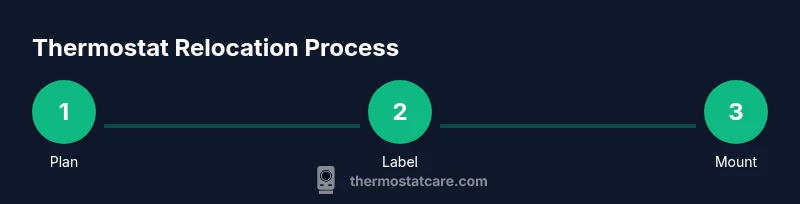
Relocating a traditional, non-smart thermostat involves removing the old plate, labeling wires, and reattaching at the new location. Start by turning off power at the breaker to prevent shock. Take a photo of the wiring configuration for reference, then disconnect the thermostat from the wall. Measure and mark the new mounting area, ensuring it aligns with studs or solid drywall. Reconnect wires to the same terminals at the new backplate, snug all screws, and reattach the plate. Finally, test the system to confirm the HVAC responds correctly to temperature changes.
Smart Thermostats: Additional Considerations and Steps
Smart thermostats add wireless connectivity and often require a stable power source. If your model relies on the C-wire, ensure it’s present at the new location; many smart devices will drain batteries if power isn’t steady. If the existing wiring cannot reach the new spot with a proper C-wire, you’ll need to run new low-voltage cable or consider a power extender kit, following manufacturer guidelines. Confirm that the Wi-Fi signal is strong enough at the chosen location, or plan to use a Wi-Fi extender if needed.
Wiring Scenarios: When You Need to Run New Wire or Use Adapters
If the distance to the new location exceeds what the current cable can safely cover, you have two options: run additional low-voltage wire or install an appropriate wireless communication bridge as allowed by the device. In some homes, you can leverage an available wiring channel in the wall cavity or around the corner to reach the furnace room. Always ensure that any added wire is rated for low-voltage HVAC use and that splices are securely insulated. Do not improvise with high-voltage conductors or household mains.
Reconnecting and Mounting: Best Practices for a Clean Move
After wiring the new location, mount the backplate squarely and verify all wires are connected to the correct terminals. Use a level to ensure the plate sits straight, then reattach the thermostat body or faceplate. If you notice unreadable labels or crowded wires, pause and re-check your wiring diagram. A clean, labeled layout reduces misreads and future maintenance headaches. Power up and test basic temperature control to confirm response.
Testing, Calibrating, and Fine-Tuning After Relocation
With power restored, test the thermostat’s readings against known room temperatures using a separate thermometer for reference. Allow the system to cycle a few times across heating and cooling modes to ensure consistent performance. If readings seem off, check sensor placement and recalibrate if the device supports it. For smart thermostats, verify app connectivity, routine triggers, and any schedules that may have carried over from the old location. Proper testing minimizes user frustration and ensures energy-saving potential is preserved.
Safety, Compliance, and When to Call a Pro
Always consider safety first. If you encounter damaged wires, burnt smells, or if the wiring pathway requires running new cables through walls or ceilings, stop and contact a licensed electrician or HVAC technician. Local electrical codes may govern low-voltage installations, and a pro can ensure code compliance, fire safety, and warranty protection. If your system powers through a furnace or air handler, coordinate relocation with the equipment’s manual and, when in doubt, seek professional guidance.
DIY vs Pro: A Clear Decision Guide
If your setup is straightforward (non-smart, short wire runs, accessible wall spaces) and you’re comfortable with basic wiring, a careful relocation can be a DIY project. For complex wiring, long cable runs, or smart thermostat integration requiring a stable C-wire and network setup, hiring a pro is a safer choice. Thermostat Care recommends evaluating the risk level, your comfort with electrical work, and the potential impact on warranties before proceeding.
Final Checklist and Quick Resources
Before you finalize the move, verify power at the breaker, confirm wiring at the new location, ensure the wall can support the mounting, and test HVAC response. Keep the old wiring photo for reference in case you need to revert. For further guidance, consult manufacturer manuals and trusted sources such as energy efficiency organizations to corroborate best practices.
Move Decisions: What You Need to Remember
Moving a thermostat can improve comfort and energy efficiency when done thoughtfully. Always plan, verify wiring, check for heat sources and sun exposure, and comply with local codes. If in doubt, seek professional help to safeguard safety and system performance.
Tools & Materials
- Phillips-head screwdriver (#2)(For wall plate screws and mounting bracket)
- Flat-head screwdriver(For terminal screws on some backplates)
- Voltage tester / multimeter(Check live wires during disconnection)
- Wire stripper/capper(Trim or strip conductors as needed)
- Pencil and stud finder(Mark new location and verify wall structure behind)
- Level(Ensure straight mounting)
- Low-voltage cable (if needed)(Only if wiring distance isn’t sufficient)
- Electrical tape(Insulate exposed conductors)
- Replacement backplate or mounting bracket (if needed)(Ensure compatibility with existing wires)
- Wall patch kit (optional)(For cosmetic repairs after relocation)
Steps
Estimated time: 2-4 hours
- 1
Plan and confirm new location
Identify a wall spot that meets height, visibility, and air draft criteria. Confirm the distance to the furnace/air handler and whether the existing wiring will reach the new point. Take measurements and mark the spot with a pencil.
Tip: Use a level and a stud finder to ensure a sturdy, straight mount. - 2
Power down safely
Turn off the circuit breaker that supplies power to the thermostat and the HVAC system. This prevents electric shock and protects sensitive electronics.
Tip: If you’re unsure which breaker controls the circuit, switch off the main at the panel temporarily and test with the multimeter. - 3
Remove the old wall plate
Unscrew the old plate, carefully detach the thermostat, and expose the terminal screws. Do not pull on wires; handle them at the terminals.
Tip: Take a clear photo of the wiring for reference during reinstallation. - 4
Label and inspect wires
Label each wire with its terminal name and color, then inspect for any damaged insulation or loose strands. If any wire looks damaged, stop and address it before proceeding.
Tip: Use small nylon tags or masking tape to keep labels legible. - 5
Check C-wire availability at the new location
Verify the C-wire path is continuous and that the new spot has a common conductor available for smart thermostats. If there is no C-wire, plan to run one or use a power extender kit if supported.
Tip: A missing C-wire can cause frequent battery drain on smart models. - 6
Plan wiring path and secure the new box
If moving to a new wall, decide whether to reuse the old cable or run a new short segment. Ensure the new backbox is rated for low-voltage usage and sized to accommodate all wires with some slack.
Tip: Avoid sharp bends; keep wires gentle and within code limits. - 7
Reconnect at the new location
Attach each wire to the corresponding terminal on the new backplate. Double-check that colors and labels match the original configuration, then gently tuck wires into the wall box.
Tip: Firm but not over-tighten terminal screws to prevent strand damage. - 8
Mount the backplate securely
Screw the backplate into studs or a solid drywall area. Use a level to ensure it sits flat and centered, and avoid overtightening which can crack the wall plate.
Tip: If the wall is hollow, consider using a wall anchor rated for low voltage. - 9
Power up and verify basic operation
Turn the breaker back on and test the thermostat’s basic functions: setpoint changes, fan control, and mode switching. Ensure the HVAC system responds to the new location.
Tip: Listen for the furnace or air handler cycling and observe the system’s response. - 10
Test sensors and readings
Compare the thermostat’s readings with a trusted room thermometer to ensure accuracy. If there’s a discrepancy, recalibrate if supported by the model.
Tip: Place a thermometer away from direct sunlight or vents for a fair reading. - 11
Update configurations for smart models
If you relocated a smart thermostat, re-connect to Wi‑Fi if needed and re-check app routines, schedules, and automatic modes since location changes can affect triggers.
Tip: Run a quick test routine to verify schedule behavior. - 12
Document and monitor performance
Keep notes on the new setup and watch for signs of reading drift or HVAC short-cycling over the next few days. If issues arise, revisit the wiring and mounting or seek professional help.
Tip: A clean benchmark helps you spot deviations early.
Questions & Answers
Can relocating a thermostat affect warranty coverage?
Some warranties require professional installation or explicit DIY allowances. Always check your product terms and warranty guide before attempting relocation.
Some warranties require professional installation; check your terms before moving.
Will moving require running new low-voltage wiring?
Not always, but if the current wire length isn’t sufficient to reach the new location or lacks a proper C-wire, you may need to run additional low-voltage cable.
You may need to run new low-voltage wiring if the distance is too far.
Is it safer to hire a professional for smart thermostat relocation?
If you’re unsure about C-wire availability, Wi‑Fi connectivity at the new location, or complex wiring, a licensed pro reduces risk and ensures code compliance.
If wiring or connectivity is uncertain, hire a professional.
What should I avoid when selecting a new thermostat location?
Avoid heat sources, direct sunlight, drafts, and areas near doors or vents. Choose a spot with stable airflow and accessibility.
Avoid heat sources and drafts; pick a stable, accessible spot.
Can battery-powered smart thermostats be relocated without wiring changes?
Some battery-powered smart thermostats can be relocated more easily, but long-term performance often benefits from a stable power or C-wire connection.
Some can move easily, but best with stable power.
What if the new location has limited wall depth or behind-decor challenges?
Limited wall depth or decorative panels can complicate mounting. Use proper backboxes and consider a shallow mounting plate or alternate wall location.
If space is limited, use proper backboxes and consider alternatives.
Watch Video
What to Remember
- Plan the relocation before touching wiring.
- Verify C-wire and power availability at the new site.
- Follow safety practices and local codes.
- Test readings and HVAC response after moving.