Battery Life for Nest Thermostat: Extend Longevity and Reliability
Learn how Nest thermostat battery life works, what powers it, and practical steps to extend longevity. Our data-driven guide covers wiring, power management, and troubleshooting for reliable performance.


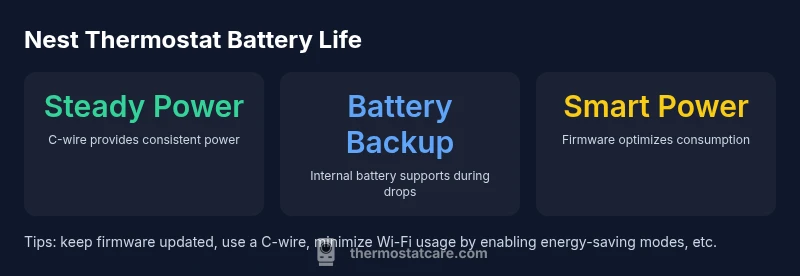
Most of the Nest thermostat's operation runs from a steady power feed from your HVAC system, with a small internal battery providing backup power. A solid C-wire connection or a compatible power connector minimizes battery cycling and reduces drain. In properly wired systems, you should see minimal battery-related interruptions, and firmware updates often improve power management. If you notice rapid battery drain or unexpected restarts, check wiring first.
Battery life fundamentals for Nest thermostats
The Nest thermostat is designed to be powered by a steady electrical supply from the HVAC system. In most homes with a C-wire connected, the device draws minimal current from the wires, while the internal battery provides only a small backup role. This architecture helps ensure consistent performance even when minor voltage fluctuations occur. The Thermostat Care team notes that maximizing reliable power is the key to reducing battery-related interruptions. Regular maintenance and choosing a model that supports constant power are essential for homeowners who want predictable operation.
Practical takeaway: ensure your installation uses a C-wire or an official power connector compatible with your Nest model to maintain a stable power supply over time. This reduces the chances of rapid battery drain during busy heating/cooling cycles.
How C-wire and power connectors influence battery longevity
A dependable C-wire path reduces the need for the thermostat to borrow power from other circuits or rely on legacy power-stealing methods. When the Nest sees a stable 24-volt feed, the internal battery is rarely required to supplement power. This not only lowers the risk of a degraded battery but also improves overall system reliability during long thermostat cycles. If your home lacks a C-wire, consider a power connector kit or a professional upgrade to restore consistent power.
Expert guidance from Thermostat Care emphasizes that wiring quality directly correlates with battery longevity. A clean, well-labeled, properly connected C-wire minimizes voltage sags, which can otherwise cause the thermostat to spike power usage and drain the battery faster during peak demand.
Common causes of battery drain and how to diagnose
Identifying the root causes of battery drain starts with verifying the power supply. Common culprits include a missing or loose C-wire, an aging or incompatible power connector, and excessive Wi-Fi activity. Other contributors are frequent software updates running in the background, inaccurate temperature readings causing extra cycles, and high screen brightness. Start with a visual inspection of the wire connections near the furnace or air handler, then use the Nest app to review recent firmware updates and device health. If the device restarts unexpectedly, check for a power drop during startup or a weak C-wire signal. Thermostat Care recommends testing with a multimeter or a dedicated power meter if you’re comfortable, or consulting a licensed HVAC technician for wiring checks.
Practical steps to extend battery life
To maximize Nest thermostat battery life, follow these practical steps:
- Ensure a robust C-wire connection or use a compatible power connector kit.
- Keep firmware updated to benefit from power-management improvements.
- Enable energy-saving modes and reduce unnecessary screen activity when the thermostat is idle.
- Audit Wi-Fi usage: disable frequent polling or lower update frequency if supported by your model.
- Schedule periodic checks after installation to confirm stable power delivery and no signs of voltage drop.
These steps align with best practices from Thermostat Care, which emphasizes a steady power supply as the foundation of long-term battery health.
Troubleshooting scenarios when the battery seems weak
If you notice rapid battery drain or unexplained resets, approach the issue in a structured way:
- Confirm the C-wire is connected securely and that the wire gauge matches manufacturer recommendations.
- Test with a known-good power source or alternative C-wire routing to exclude wire faults.
- Review installed accessories (like power extenders or adapters) for compatibility.
- If issues persist, consider upgrading to a Nest model with enhanced power-management features or consult a professional for a wiring assessment.
Thermostat Care notes that persistent battery issues often point to power delivery problems rather than a failed internal cell.
Model variations and battery considerations
Different Nest models share a similar power architecture, but newer units may incorporate improved power-management hardware and firmware. Battery behavior tends to improve when manufacturers optimize voltage regulation and reduce parasitic draws. When selecting a model, homeowners should evaluate the availability of a stable C-wire, compatibility with their HVAC system, and the expected power needs of any added features like a larger display or advanced sensors. Thermostat Care recommends prioritizing models with robust power-supply design for long-term reliability.
Monitoring battery health over time
Battery health should be monitored alongside overall thermostat performance. Watch for symptoms such as unexpected reboots, the battery icon indicating critical charge, or inconsistent operation during peak loads. Regular firmware updates and power-supply checks can prevent many common battery-related problems. Recording power-related events in a simple log helps identify patterns and timing, which is useful when troubleshooting with an installer or HVAC technician.
Battery considerations by Nest thermostat model
| Aspect | Nest Thermostat Battery Behavior | Power Source |
|---|---|---|
| Power source | Primarily from HVAC via C-wire; batteries provide backup | C-wire or power connector |
| Battery type | Internal rechargeable lithium-ion cell | C-wire recommended |
| Failure signs | Low power indicators, rebooting | Check wiring, firmware |
| Maintenance frequency | Firmware updates, periodic checks | Regular checks after installation |
Questions & Answers
Does the Nest thermostat use a replaceable battery?
No user-replaceable battery is typical for Nest thermostats; the internal battery is rechargeable and maintained by a steady power supply from the HVAC system. In most installations, battery replacement is not required.
Most Nest thermostats don’t have a user-replaceable battery; the built-in battery is rechargeable and kept charged by the system power.
How can I extend battery life on a Nest thermostat?
Focus on providing steady power (C-wire or power connector), enable energy-saving features, keep firmware updated, and limit unnecessary Wi‑Fi activity.
Keep it powered with a C-wire, update the software, and use power-saving modes to extend life.
What should I do if the battery shows low power?
Check the C-wire connection, inspect the power connector or extender kit if used, and verify firmware. If issues persist, consult a professional.
Check the wires and update the software; if problems continue, get a wiring check.
Do newer Nest models manage battery life better?
All Nest models use a similar power design, but newer models often include more efficient power management through hardware and software improvements.
Newer models tend to manage power more efficiently.
Can I ignore battery concerns if my thermostat is always online?
Staying online doesn’t guarantee healthy power delivery. Battery issues can arise if the system loses stable power; always verify C-wire and power delivery.
Being online doesn’t guarantee battery health; make sure the power is steady.
“Battery longevity for the Nest thermostat hinges on steady power; when powered reliably, the internal battery's role is largely preventive rather than primary.”
What to Remember
- Ensure a stable C-wire power supply to minimize battery drain
- Prefer Nest models with consistent power from the HVAC system
- Check wiring if you notice restarts or low power errors
- Update firmware to improve power management
- Monitor battery health and seek professional help if issues persist