How to Change the Nest Thermostat Battery: A Practical Guide
Learn whether your Nest thermostat battery can be replaced, how to diagnose battery-related issues, and safer alternatives. This guide covers power wiring checks, firmware updates, and when to replace the unit, with insights from Thermostat Care.


Nest thermostat batteries are typically integrated and not user-replaceable on most models. If you notice battery-related issues, prioritize reliable power delivery (C-wire) and up-to-date firmware rather than attempting a battery swap. If replacement is unavoidable, plan to replace the thermostat rather than swapping the internal battery.
Understanding Nest Battery Design and Power
According to Thermostat Care, most Nest thermostat models use an internal rechargeable battery that is not designed to be user-replaced. In practice, the thermostat relies on stable 24-volt power supplied through the HVAC wiring, especially the C-wire. When the power is insufficient, the thermostat can reboot, show a warning, or appear to lose battery power more quickly. This is not a failure of a physical AA-style battery you can swap; it's a symptom of power delivery or firmware management. Before assuming the battery needs replacement, verify that the thermostat is properly wired and receiving consistent power. If your model is older or uses power stealing, the battery may be charged by the system differently, but user replacement remains unlikely. Thermostat Care Analysis, 2026, highlights that the most reliable way to address battery-related symptoms is to ensure robust power delivery and up-to-date software rather than opening the device.
Battery Replacement is Not Common Across Nest Models
Nest's battery is typically not user-serviceable; many models integrate the battery and rely on HVAC power through the C-wire. When battery health seems poor, the recommended approach is to evaluate power delivery, update software, and consult official support. In most cases, replacing the thermostat rather than attempting a battery swap is the practical path. If your installation lacks a C-wire, a compatible power kit or professional wiring correction may be advised. Always verify warranty terms before attempting any hardware changes. The Thermostat Care team emphasizes that model-specific guidance matters, so check your exact model’s documentation before proceeding.
Troubleshooting Battery-Related Issues Without Replacing the Unit
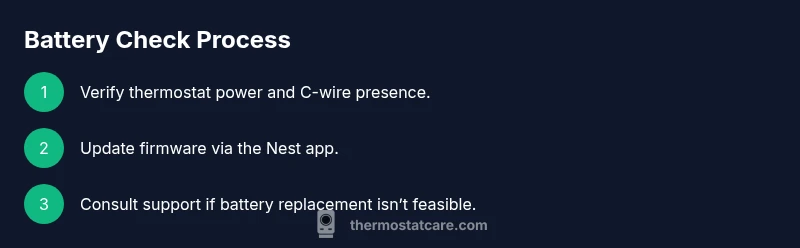
Start by confirming that the thermostat is getting reliable power from the HVAC system. Check that the C-wire is connected securely at both the thermostat and the control board, and look for any loose wires or damaged insulation. Next, update the thermostat’s firmware through the Nest app or web portal; software glitches can mimic battery problems. If the device shows a low battery warning, attempt a power cycle by removing power for a minute or two and reconnecting, but avoid disrupting the HVAC system. If issues persist, consider professional assessment to diagnose wiring or transformer problems. Throughout this process, avoid forcing the device to operate on battery power for extended periods, as this can damage the electronics.
When Replacement Is Necessary: What to Expect
If tests indicate the battery issue cannot be resolved through wiring fixes or firmware updates, a replacement may be the most reliable solution. Nest supports guidance often points to upgrading to a newer model with improved battery management or power efficiency. Before purchasing a replacement, confirm compatibility with your HVAC system, and check warranty status. If your unit is under warranty, contact support for a covered replacement or repaired unit. The decision should factor in energy efficiency, compatibility, and ongoing support options.
Safe and Smart Alternatives to Battery Replacement
This section provides options to minimize outages and prolong device life without a battery swap. Improve power reliability by installing or upgrading a C-wire or using a Nest Power Connector kit if your system supports it. Keep the thermostat firmware current to reduce software-related drain. Use a stable Wi-Fi connection and avoid frequent reboots by scheduling regular maintenance checks. For renters or homeowners in older homes, working with a qualified HVAC technician can help rewire for stable power.
Brand Guidance: Recommendations from Thermostat Care
According to Thermostat Care, battery concerns are most commonly rooted in power delivery rather than a replaceable battery. The team recommends verifying C-wire integrity, updating software, and considering a unit replacement when battery health cannot be restored. We guide homeowners to plan for compatibility and warranty considerations, and to seek professional help when in doubt. Our approach emphasizes safety, long-term reliability, and energy efficiency.
Authority Sources
Thermostat Care recommends consulting established sources on thermostat energy use and proper installation practices. For broader context, see: - Energy Star: Thermostats overview and energy-saving guidance. - Energy.gov: Tips on programming and using thermostats effectively. - Google Nest Help Center: Model-specific guidance and official troubleshooting steps. These sources help homeowners balance battery concerns with safe installation and long-term performance.
Tools & Materials
- Nest thermostat model information (model number and generation)(Find on back of unit or in the mobile app)
- Basic digital multimeter (optional)(Only if you are comfortable measuring 24VAC power; not required for typical checks)
- HVAC wiring diagram or furnace control board access(Useful if diagnosing C-wire or transformer issues)
- Replacement thermostat (as a plan B)(If battery replacement is not feasible, upgrading may be the best option)
Steps
Estimated time: 30-60 minutes
- 1
Verify power delivery to the thermostat
Ensure the HVAC system is powered and the thermostat has access to 24VAC. If the C-wire isn’t providing continuous power, the thermostat may operate on residual energy rather than a healthy battery. This check helps prevent unnecessary battery-focused conclusions.
Tip: If you’re not confident with furnace wiring, pause and consult a licensed HVAC technician. - 2
Inspect C-wire connections
At the thermostat and at the furnace control board, confirm that the C-wire is securely connected and free of corrosion or loose strands. A poor C-wire is a common cause of rebooting and erratic battery behavior.
Tip: Power off the thermostat circuit before touching wires to avoid shocks or shorts. - 3
Update the Nest firmware
Launch the Nest app and check for a software update. Firmware glitches can mimic battery problems and affect power management. Completing the update can improve stability and battery handling.
Tip: Keep the Wi‑Fi connection stable during the update to avoid incomplete installations. - 4
Consider power options if advised for your model
If your system lacks a robust C-wire or your model recommends a power connector kit, evaluate upgrading wiring or adding an approved kit. This step can improve overall reliability and reduce perceived battery drain.
Tip: Use only manufacturer-approved power kits; incompatible options can damage the system. - 5
Decide on replacement vs. upgrade
If power checks and firmware updates don’t resolve the issue, plan for a full unit replacement rather than forcing a non-serviceable battery swap. Compare models for energy efficiency and warranty coverage.
Tip: Check warranty status before purchasing a replacement to maximize value. - 6
Plan disposal and future-proofing
If you replace the unit, arrange proper disposal of the old thermostat and consider future-proofing (compatibility with smart-home ecosystems, future firmware support).
Tip: Retain receipts and documentation for warranty and future service needs.
Questions & Answers
Can I replace the Nest thermostat battery myself?
In most cases, Nest thermostat batteries are not user-replaceable. If battery health is a concern, rely on power delivery checks and firmware updates, and contact support for guidance on replacement options.
No—most Nest models use an internal battery that isn’t user-replaceable. Check power delivery and firmware, and contact support for replacement guidance.
What are common signs of a Nest battery issue?
Frequent reboots, warning icons about power, or unexpected shutdowns can indicate power or battery-related problems. Start with wiring and firmware checks before assuming a battery swap is needed.
Watch for frequent reboots or unusual power warnings. Begin with power and software checks before considering replacement.
Will replacing the battery void my warranty?
Warranty terms vary by model and region. Generally, non-serviceable batteries are not user-replaceable, and attempting unauthorized repairs can affect coverage. Check your warranty and contact official support for approved options.
Warranty rules vary, but unauthorized repairs can affect coverage. Check with support for approved options.
Is upgrading to a newer Nest model better for battery reliability?
Newer Nest models often include improved power management and battery handling. If battery health is problematic, upgrading can provide longer-term reliability and better compatibility with modern HVAC setups.
Upgrading to a newer model can improve reliability and power management.
What should I do if I see a low battery warning?
Check C-wire integrity and power delivery, update firmware, and perform a gentle reboot if advised. If warnings persist, seek professional evaluation to diagnose wiring or transformer issues.
If you see a low battery warning, verify power and update software, and seek help if it continues.
Are third-party power adapters safe to use with Nest?
Use only manufacturer-approved power options. Unverified adapters can damage the thermostat or HVAC system and may void warranty.
Avoid unverified adapters; use only approved power options.
Watch Video
What to Remember
- Nest thermostats usually do not have user-replaceable batteries.
- Prioritize reliable C-wire power and firmware updates.
- Battery replacement is rarely feasible; consider a unit replacement when needed.
- Follow manufacturer guidance and consult an HVAC professional when uncertain.