Nest Thermostat Charging: Practical Troubleshooting for Homeowners
Learn how Nest thermostat charging works, how to optimize power from your C-wire, and practical steps to prevent battery drain. A homeowner-friendly guide with safe wiring tips and troubleshooting strategies.


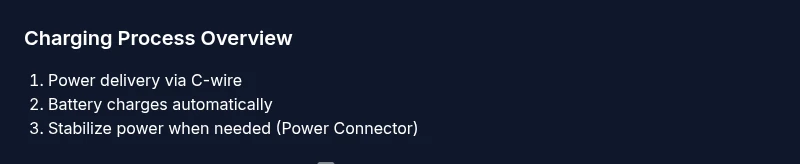
Nest thermostats aren't charged via a USB port or external battery pack. They draw power from your HVAC system through the C-wire, and the internal battery charges as long as there is a stable power supply. If charging is weak, verify the C-wire connections or add the Nest Power Connector to stabilize power and reduce battery drain.
How Nest thermostat charging works
Nest thermostats rely on a constant power supply from the HVAC system, typically delivered through a dedicated C-wire. The device uses this power to run the display, sensors, and Wi‑Fi, while the internal battery indexes energy for brief operations during the heating cycle or temporary power dips. Unlike many other devices, there isn’t a user-accessible charging port or a rechargeable battery that you plug in separately. Instead, when the C-wire and 24V supply are stable, the thermostat charges its internal battery automatically. This design helps keep settings intact during power outages and supports features like remote sensing and energy reporting. According to Thermostat Care, a well-powered Nest unit reduces unexpected reboots and keeps scheduling intact across seasons.
Common myths about charging a Nest thermostat
A frequent misconception is that you can charge a Nest thermostat with a USB cable or external charger. In reality, Nest thermostats are designed to be powered by your HVAC wiring, and their battery recharges through ongoing system power. Another myth is that a low battery is a defect—often it’s a sign of marginal power delivery rather than a failed battery. If you see persistent low-power warnings, it’s usually a signal to improve the power supply to the thermostat rather than replacing the unit. This section breaks down why charging is different for Nest and what to expect in normal operation.
The role of the C-wire and power supply
The C-wire (common) provides a return path for electricity and helps stabilize the voltage that powers the Nest thermostat. A healthy C-wire ensures the device can draw continuous current, which in turn keeps the internal battery topped up. If the C-wire is loose, corroded, or not connected to the HVAC control board, the thermostat may experience intermittent power, leading to erratic charging. In some homes, the existing wiring isn’t sufficient to supply steady current, especially during heavy load times or turning on heat modes. Thermostat Care emphasizes verifying that the C-wire is properly landed on both the thermostat and the HVAC control board, as this has a direct impact on charging reliability.
Nest Power Connector: when and how to use
The Nest Power Connector is an optional add-on that helps stabilize power for thermostats that struggle with power draw, particularly when a conventional C-wire isn’t providing enough current. Installing the Power Connector can prevent voltage drop during compressor cycles and reduce blackouts on the display. The connector is placed at the furnace/air handler end and wired to the C-wire, the R-wire, and the thermostat wire bundle according to the manufacturer’s instructions. If you’re unsure about wiring, consult a licensed HVAC technician. Using the Power Connector is a safe, effective way to improve charging consistency for many Nest setups.
Diagnosing charging issues: low power warnings, battery drain
Low power warnings typically indicate that the thermostat isn’t receiving enough current to operate and charge simultaneously. Battery drain can be caused by long Wi‑Fi usage, frequent display wakeups, or a marginal C-wire. Start by checking the thermostat’s charge status in the device menu, then inspect the C-wire continuity and connections at both ends. If you notice corrosion or a loose terminal, address it before replacing components. Thermostat Care notes that persistent drain after confirming solid wiring often points to power delivery constraints rather than a faulty battery.
Wiring considerations and safety when working with HVAC power
Working around HVAC power requires caution. Always shut off the circuit breaker serving the thermostat and furnace before inspecting wiring or making changes. Use a multimeter only if you’re confident in measuring 24V AC safely. If you’re not sure about your wiring, don’t improvise; hire a licensed electrician or HVAC technician. The risk isn’t just electric shock—an incorrect connection can damage the thermostat or HVAC equipment. Adhering to local codes and manufacturer guidelines keeps you and your system safe while you optimize charging.
Non-C-wire installation scenarios: options and compromises
Some homes lack a dedicated C-wire, which can complicate charging. In these cases, you can run new wiring or repurpose an existing conductor as a C-wire, but this requires careful planning and often a professional. Alternatives include using the Nest Power Connector or installing a thermostat that is designed for low-power operation without a constant C-wire. Each option has trade-offs in complexity, cost, and potential modifications to your system’s wiring. Thermostat Care recommends evaluating long-term reliability and energy savings when choosing a path.
Firmware, battery health, and charging performance
Firmware updates can improve how the Nest thermostat manages power and charging. Keeping the device up to date ensures compatibility with new energy-saving features and more stable operation. Battery health for Nest thermostats is generally managed internally with no user-serviceable parts; however, firmware can influence charging efficiency by optimizing wake/sleep cycles and display activity. If you notice longer charging periods after an update, consider temporarily reducing non-essential features like always-on display or high-frequency data reporting, then observe improvements over a few days.
Step-by-step: immediate fixes for common charging problems
If you encounter charging problems, start with the simplest checks: ensure the thermostat is powered by a 24V supply, verify the C-wire connection is secure, and confirm there are no obvious loose wires at the HVAC control board. If issues persist, install the Nest Power Connector as a test to stabilize power. Always power down the system before making changes, and test the thermostat after completing each step. This methodical approach helps isolate the cause and prevents unnecessary replacements.
How to maintain charging efficiency over seasons
Seasonal load changes—like winter heating or summer cooling—can affect charging efficiency. Plan for more frequent checks during transition months when the system runs longer cycles. Ensure insulation around the wiring channels is intact and look for signs of humidity or corrosion near the thermostat terminals. A well-kept HVAC wiring setup not only supports reliable charging but also contributes to longer-term energy savings and system reliability. Thermostat Care’s guidance emphasizes proactive maintenance to prevent surprises year-round.
Tools & Materials
- Multimeter or voltage tester(Used to verify 24V AC supply safely when power is off or guarded)
- C-wire tester or continuity tester(Checks that the C-wire is properly connected at both ends)
- Screwdriver set (philips/flathead)(For terminal panel access on thermostat and furnace board)
- Nest Power Connector (optional)(Stabilizes power for hard-to-power setups)
- New thermostat wire (if running a new C-wire)(Premium option when existing wiring is insufficient)
- Non-contact voltage tester(Quick safety check before touching wires)
Steps
Estimated time: 30-60 minutes
- 1
Power down and verify safety
Turn off the HVAC system and remove the thermostat from the wall if needed. This prevents shocks and protects the control board while you inspect wiring. Double-check that the 24V circuit is de-energized before touching terminals.
Tip: Always test the wires with a non-contact tester before handling. - 2
Inspect the C-wire at both ends
Carefully inspect the C-wire connection at the thermostat and the furnace control board. Look for loose screws, corrosion, or broken insulation. Tighten terminals firmly and ensure the wire is fully seated.
Tip: If you see a loose terminal, reseat and tighten slowly; avoid overtightening. - 3
Test for 24V supply
Reconnect the power and use a multimeter to confirm a stable 24V AC across R and C at the thermostat or the furnace. If the reading is inconsistent or too low, there may be a load issue in the system.
Tip: Record the voltage reading before and after switching modes (heating/cooling) to spot fluctuations. - 4
Consider a Nest Power Connector
If voltage is marginal or the thermostat repeatedly shows power issues, install the Nest Power Connector at the HVAC side per the manufacturer’s instructions. This can help deliver steady current to the thermostat.
Tip: Follow the exact wiring diagram; incorrect wiring can cause more issues. - 5
Restore power and test
Reconnect all wiring, restore power, and observe the thermostat behavior for several cycles. Confirm that the display stays powered and the battery indicator remains healthy after a few heating/cooling events.
Tip: Run a quick test at least once during peak load to gauge stability. - 6
Update firmware if available
Check for Nest firmware updates and install any available updates. New software can optimize charging, wake cycles, and power management features.
Tip: Do not interrupt an update; ensure stable Wi-Fi during installation. - 7
Document and monitor
Record what you changed and monitor charging behavior over the next 1–2 weeks. Note any recurring warnings and plan follow-up actions if the issue resurfaces.
Tip: A simple log helps you spot patterns and justify professional help if needed.
Questions & Answers
Can I charge Nest thermostat with a USB cable or external charger?
No. Nest thermostats are designed to be powered by the HVAC wiring. They do not have an external charging port. If charging seems slow, focus on power delivery through the C-wire and, if needed, a Nest Power Connector to stabilize current.
No USB charging. The thermostat relies on the HVAC wiring and C-wire power to maintain charge.
Why does my Nest thermostat drain its battery even when powered?
Battery drain with power ongoing usually points to marginal power delivery or intermittent connections. Check the C-wire integrity, ensure stable 24V supply, and consider a Power Connector if necessary. Firmware updates can also improve power management.
If you still see drain with power, inspect wiring and consider a power stabilizer.
Is the Nest Power Connector compatible with all Nest models?
The Nest Power Connector works with many Nest configurations to stabilize power, particularly when a C-wire isn’t delivering enough current. Review compatibility against your specific model and system setup before installation.
Check compatibility with your Nest model before use.
What are the warning signs of charging problems?
Look for persistent low-power warnings, the display flickering, or unexpected reboots. These often signal insufficient current rather than a bad battery and should prompt a wiring check or the Power Connector as a diagnostic step.
Watch for low-power warnings and flickering; they hint at power issues.
Can I install a C-wire myself?
If you are comfortable with HVAC wiring, you can run or reconfigure wires, but improper work can damage equipment or create safety hazards. When in doubt, hire a licensed electrician or HVAC technician.
Only if you’re confident with wiring; otherwise get a pro.
How long does Nest thermostat battery typically hold a charge?
Battery behavior varies with power delivery and usage, but a well-powered Nest should maintain charge during normal operation. If you notice unusual depletion, review C-wire integrity and firmware status.
Battery health depends on power delivery and use; monitor trends.
Watch Video
What to Remember
- Ensure a solid C-wire connection for reliable charging
- Use the Nest Power Connector if power is unstable
- Keep firmware up to date to optimize charging
- Follow safe, step-by-step procedures when wiring
- Document changes and monitor performance over time