Nest E Thermostat Wiring Diagram: A DIY Guide
Learn how to safely wire a Nest E thermostat using the Nest E wiring diagram. Step-by-step instructions, safety tips, and troubleshooting for common 24V HVAC setups.


By following this guide, you will understand the nest e thermostat wiring diagram and wire it safely for common 24V HVAC systems. The key requirements are a powered HVAC system, a compatible wiring setup, a C-wire if available, and the Nest E mounting base. This steps-based approach covers identification, connection, testing, and troubleshooting to help DIY homeowners complete the install confidently.
Understanding the Nest E thermostat wiring diagram
The Nest E thermostat wiring diagram is a visual map that shows how the thermostat's terminals line up with your HVAC control board. For most residential setups, the diagram helps you translate the wires you see at the old stat into the Nest E base terminals. The exact labels can vary by model and furnace, but the core idea remains the same: connect matching function wires to the Nest E correspondences (R to R, W to W, Y to Y, G to G, C to C). When you start, plan to confirm each wire's function so you don’t mix up heat, cooling, fan, or power lines. According to Thermostat Care, starting with a clear wiring diagram reduces the risk of miswiring and saves time during the install. If you keep a copy of your existing thermostat's wiring plan, you can reference it during the Nest wiring process. Additionally, note that some older or specialized systems may use additional terminals like O, B, or AUX, which Nest E can accommodate in certain configurations. Always review the latest Nest compatibility resources to ensure your Nest E wiring diagram matches your system.
"## Safety and planning before you start
Wiring a thermostat involves live electrical connections to your HVAC system, so safety comes first. Before touching wires, switch off power at the circuit breaker and, if possible, at the HVAC equipment's disconnect switch. Use a non-contact voltage tester to confirm that no conductors are energized. Prepare your workspace with adequate lighting and a stable ladder if you need to reach a wall-mounted stat. Label each wire as you remove it so you can recall its function, and keep a notebook or digital photo of the existing wiring. The Thermostat Care team emphasizes that taking methodical, slow steps reduces the chance of accidental shorts and miswiring, which can damage control boards or void warranties. If you’re unsure about any step, pause and consult the wiring diagram for your specific system and the Nest E instruction manual. If your HVAC has unusually colored wires or multiple rows of terminals, consider seeking professional help. This stage is not unique to Nest E wiring—it’s good practice for any thermostat upgrade.
Tools & Materials
- Screwdriver set (Phillips #2 and flathead)(Needed to mount the base and remove the old stat cover)
- Non-contact voltage tester(Used to verify power is off before touching wires)
- Wire labels/tape(Label wires as you disconnect them to map functions correctly)
- Wire stripper/cuncher(Prepare wires for terminal connections; avoid nicking conductors)
- Multimeter (optional)(For verifying voltage and continuity if needed)
- Nest E thermostat + mounting plate(The actual Nest E unit and its mounting hardware)
Steps
Estimated time: 45-75 minutes
- 1
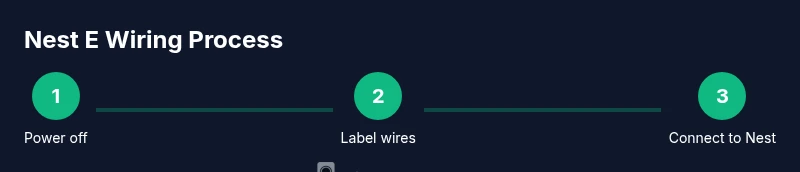
Power down and verify safety
Turn off power at the circuit breaker for the thermostat circuit and the HVAC equipment disconnect. Use the non-contact voltage tester to confirm no live voltage on the wires you’ll touch. This prevents shocks and accidental damage to control boards.
Tip: Double-check the breaker before touching any wires; a quick safety check saves time later. - 2
Remove old thermostat cover and label wires
Carefully remove the front panel of the existing thermostat. Take clear photos or label each wire with its terminal function (e.g., R, W, Y, G, C) so you can map them to the Nest E. Note any unusual wires (O/B, AUX, E) and where they connect on the furnace board.
Tip: Labeling now prevents guesswork during the Nest E wiring stage. - 3
Identify wires on the furnace control board
Locate the furnace/air handler control board and identify the corresponding terminals for each wire you labeled. Verify R, C, W, Y, and G names on the board and ensure you understand any alternate terminals (O/B, AUX, E).
Tip: If you’re unsure, consult the equipment manual or take a clear photo of the board labels. - 4
Connect wires to the Nest E base
Attach each wire to the matching Nest E terminal: R to R, C to C (if available), W to W, Y to Y, G to G. If you have O/B or AUX, set Nest’s configuration to match your system type after installation. Ensure wires are fully seated and not loose.
Tip: Do not force wires into terminals; a loose connection can cause intermittent operation. - 5
Address power if a C-wire is missing
If there is no dedicated C-wire, don’t improvise power from other conductors. Use the Nest Power Connector or run a proper C-wire from the furnace, following the equipment’s manual. This ensures stable power for the Nest E.
Tip: A proper C-wire prevents voltage drop during heat/cool cycles. - 6
Mount the Nest E base and install the faceplate
Attach the Nest E base to the wall using the supplied screws, then snap on the faceplate. Confirm a snug fit and level placement before restoring power. Re-check that all wires remain secure after mounting.
Tip: Make sure the base is level for a clean finish and accurate sensor readings. - 7
Power up and test the system
Restore power at the breaker and follow the on-screen prompts to test heat, cool, and fan calls. Listen for the control board relays engaging and watch the Nest app confirm status changes. If anything misbehaves, re-check wire mapping and C-wire integrity.
Tip: Run a quick test for each function to confirm correct wiring before finalizing.
Questions & Answers
Do I need a C-wire for Nest E to function reliably?
A C-wire is not strictly required for basic operation, but it improves reliability and prevents power issues during heat/cool cycles. If available, connect C to the Nest E C terminal. If not, consider the Nest Power Connector or consult a professional.
A C-wire helps keep the Nest E powered reliably, especially on longer or more demanding cycles.
Is it safe to install the Nest E wiring diagram myself?
Yes, with proper safety practices: power off first, label wires, confirm terminal mappings, and follow the Nest E wiring diagram. If you encounter unfamiliar components, stop and seek professional help to avoid damage.
Yes, but make sure you follow safety steps and double-check wiring.
What HVAC configurations does the Nest E support?
Nest E supports most common 24V heating and cooling setups, including conventional furnaces, ACs, and some heat pumps. For multi-stage systems or zone controls, check compatibility and consider a model that supports your configuration.
Most standard 24V systems are compatible, but check your exact setup.
How can I tell which wire is which on the control board?
Label each wire and verify its function against the furnace diagram or the control board labels. Colors aren’t a reliable map, so confirm by terminal function.
Label and verify each wire against the board or manual.
What if my existing thermostat isn’t compatible with Nest E?
Some older or very uncommon systems may require a different Nest model or a compatibility adapter. Check official Nest compatibility resources and consider consulting a pro if you’re unsure.
If it’s not compatible, you may need a different Nest model or professional help.
How do I test the Nest after wiring?
Power up, run a quick test in the Nest app for heat, cool, and fan. If any function fails, re-check connections and ensure the C-wire is secure.
Test all functions using the app, then adjust wiring if something doesn’t work.
Watch Video
What to Remember
- Verify power before touching wires
- Label and map functions to Nest E terminals
- Use a C-wire or official power connector for reliability
- Test each function (heat, cool, fan) after wiring