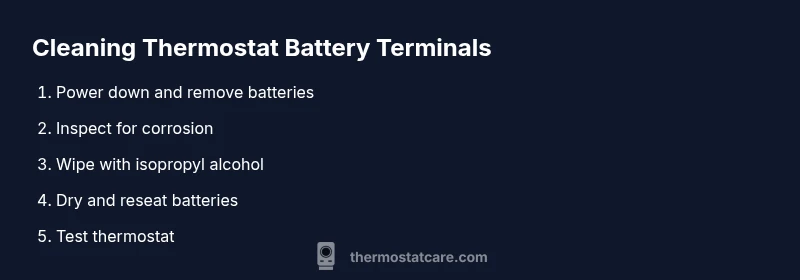
How to Clean Thermostat Battery Terminals
Learn to safely clean thermostat battery terminals to restore reliable power, prevent corrosion, and extend thermostat life with a clear, practical, step-by-step guide.


By cleaning thermostat battery terminals, you’ll restore reliable power and reduce issues like resets and erratic readings. This quick guide covers how to safely disconnect power, inspect corrosion, and clean terminals using readily available tools. You’ll learn when to replace batteries and how to prevent future buildup. Follow the steps carefully for best results.
Why cleaning thermostat battery terminals matters
A clean battery terminal contact is the backbone of reliable thermostat operation. When terminals become dirty, corroded, or mildly oxidized, the electrical connection can weaken or fail, causing unexpected resets, dim displays, or erratic temperature control. Regular maintenance helps prevent these issues and can extend the life of your thermostat battery setup. According to Thermostat Care, keeping battery contacts clean is one of the simplest, most effective DIY checks homeowners can perform to maintain dependable performance. In this section, you’ll learn how poor contact develops, what to look for, and how a quick clean fits into broader thermostat care.
Corrosion forms when moisture and battery byproducts meet the metal contact. Even modest corrosion can raise contact resistance, causing voltage drops that trigger warning lights or incorrect readings. You may notice white, gray, or greenish powder on the terminals, or you might see batteries that seem to drain faster than expected. Cleaning these contacts isn’t about removing every trace of oxidation; it’s about restoring a clean, dry path for current flow and making sure the battery sits securely. When the connection is solid, the thermostat can draw power consistently, reducing the chance of unexpected resets, inaccurate readings, or communication errors with the HVAC system.
Safety first: power, disposal, and precautions
Before you touch anything, power down the thermostat and remove the batteries. Working with live terminals can cause a short or a spark, especially if you use metal tools or wear jewelry. If your thermostat is hard-wired or shares a switch with the HVAC system, switch off the dedicated circuit at the breaker to remove all sources of power during the cleaning process. Dispose of used batteries according to local guidelines; many batteries require recycling rather than trash. Wear safety glasses if you’re concerned about tiny sparks or corrosion particles, and work on a non-conductive surface. Avoid liquids near the terminals; never spray cleaner directly onto the unit. Finally, keep a small tray or container handy to catch any drips, and wash your hands after handling batteries.
Understanding battery terminals and corrosion
Most thermostats rely on alkaline, lithium, or coin-cell batteries. The terminal contacts are usually made of copper or steel alloys plated to resist corrosion, but they aren’t immune to buildup. Corrosion often appears as a white powder (oxidation) or a gummy, greenish film where the battery meets the contact. This buildup increases electrical resistance and can cause voltage drop at the terminal, leading to intermittent power delivery. Coin-cell batteries, standard AA or AAA cells, and button cells each have different contact geometries; cleaning must be gentle and tailored to the contact area. The goal is to remove oxidation without damaging the metal surface or bending the terminal. If you’re unsure about the battery type, consult the thermostat’s manual or the manufacturer’s website. Remember: the battery is a consumable; when you replace it, you should inspect the terminal for any signs of wear.
Common causes of terminal buildup and how to prevent it
Humidity, condensation, and occasional battery leaks can foster corrosion at the terminal contact. Even in dry households, a small amount of moisture along with air can interact with metal and create a layer of oxide. Older thermostats or devices stored in garages or basements are more prone to accumulation. Preventive steps include replacing batteries promptly when they show signs of depletion, cleaning the terminals during battery replacement, and storing fresh batteries in a dry, cool place to minimize moisture exposure. Avoid touching contacts with bare fingers; skin oils can attract dust and accelerate oxidation. If you notice consistent corrosion across multiple replacements, there may be a larger issue with the terminal or battery tray. In that case, consult the manual or a technician.
Maintenance best practices to extend life
Make battery-terminal maintenance a short, routine check in your thermostat care routine. Set a reminder to inspect battery contacts every 6–12 months, or whenever you replace the batteries. Use a lint-free cloth to wipe away any residue and a cotton swab dampened with isopropyl alcohol to remove stubborn deposits. Allow the contacts to dry completely before reseating batteries, and always recheck that the polarity is correct. If your thermostat supports a digital log or self-check feature, enable it to alert you to a potential power issue early. Finally, consider upgrading to high-quality batteries from reputable brands to minimize leakage and corrosion risk. While most household thermostats tolerate standard batteries, performance is best when you pair clean contacts with fresh, compatible batteries.
Authority sources
For readers who want more in-depth guidance, here are a few reliable references you can consult:
- Energy.gov: Energy Saver tips on thermostat maintenance and energy-efficient operation.
- NIST.gov: Guidance on safe handling and disposal of household batteries.
- OSHA.gov: Workplace safety practices when handling electrical components and batteries.
By following these sources along with Thermostat Care's practical tips, you’ll approach thermostat battery-terminal cleaning with confidence and safety.
Troubleshooting glance: what to do if problems persist
If you’ve cleaned the terminals and the thermostat still behaves oddly, check battery orientation and seating. Ensure the thermostat’s contact springs aren’t bent or damaged. Try a fresh set of batteries, ideally from a fresh package, to rule out weak cells. If the problem continues, there may be internal damage to the terminal or a fault in the thermostat’s power circuit. Consult the user manual or contact the manufacturer’s support line for device-specific guidance.
Tools & Materials
- Fresh batteries (as specified by the thermostat)(Alkaline, lithium, or coin-cell, per manual)
- Isopropyl alcohol (70% or higher)(For gentle cleaning of corrosion)
- Lint-free cloth or microfiber cloth(For drying and wiping)
- Cotton swabs (Q-tips)(For tight corners and contacts)
- Small brush or soft toothbrush(Optional for stubborn buildup)
- Safety glasses(Eye protection)
- Non-conductive tray or mat(To catch drips and keep parts organized)
- Disposable bag or container for used batteries(Safe disposal)
Steps
Estimated time: 15-25 minutes
- 1
Power down and remove batteries
Turn off power to the thermostat and remove the batteries. Note orientation for correct reinstallation. This prevents short circuits and protects you from shocks during cleaning.
Tip: Take a quick photo of battery orientation before removal. - 2
Inspect terminals for corrosion and wear
Look closely at the metal contacts for white, gray, or greenish buildup. Check for bent springs, discoloration, or gaps that indicate damage. If you see corrosion, plan to clean and dry thoroughly before reassembly.
Tip: Use a flashlight to get a clear look at tight contact areas. - 3
Clean terminals with alcohol and dry brush
Dampen a cotton swab with isopropyl alcohol and gently wipe the terminals to remove oxidation. Use a dry brush on stubborn spots, avoiding excess moisture near the device internals. Let everything air-dry completely.
Tip: Never spray liquid cleaner directly onto the terminals. - 4
Clean battery contacts and connectors with cotton swabs
Pay attention to the contact surface, the spring contacts, and any connector tabs. Repeat with clean swabs until no residue remains. Dry thoroughly before proceeding.
Tip: Replace swabs regularly to avoid re-depositing debris. - 5
Reinsert batteries with correct orientation
Place each battery in the same orientation noted earlier. Ensure they sit flat against the contacts and are not loose. A confident seating prevents intermittent contacts.
Tip: Do not force batteries if they don’t settle easily; recheck polarity and contacts. - 6
Reconnect power and test the thermostat
Restore power and reinsert fresh batteries. Check the display, confirm the thermostat communicates with the HVAC system, and run a quick temperature test to verify correct operation.
Tip: Observe for any flicker or delays in display as a sign of poor contact. - 7
Observe operation and wait for stability
Give the system a few minutes to settle and monitor performance. If readings drift or power drops recur, there may be deeper terminal or wiring issues.
Tip: If issues persist, document symptoms and consult the manual or support. - 8
If issues persist, consider replacement or professional help
Severely corroded terminals or damaged contacts may require replacing the terminal tray or the thermostat itself. When in doubt, seek professional guidance or support from the manufacturer.
Tip: Keep a spare set of batteries and a small cleaning kit on hand for future maintenance.
Questions & Answers
What signs indicate I should clean the thermostat battery terminals?
Look for frequent resets, incorrect readings, or visible corrosion on terminals. These indicate a cleaning and re-seat may restore proper power delivery.
If you notice resets or odd readings and see corrosion on the terminals, clean them and re-seat the batteries.
Can I use water or household cleaners on the terminals?
No. Liquids can seep into the device and cause damage. Use dry methods first, and only isopropyl alcohol in small amounts on a swab if needed.
Avoid water or liquid cleaners near thermostat terminals; use a dry wipe and a small amount of alcohol on a swab if necessary.
How often should I clean thermostat battery terminals?
Clean when you notice issues or during battery replacements as part of routine maintenance. Annual checks are reasonable for many households.
Clean during battery changes or when you see issues like resets or erratic readings.
What should I do if corrosion is present after cleaning?
If corrosion remains after cleaning or reappears quickly, there may be damage to the terminal or leaks from batteries. Consider replacing the affected parts and consulting the manual or support.
If corrosion sticks around after cleaning, replace damaged parts and seek guidance from the manual or support.
Is it safe to replace batteries myself or should I hire a pro?
In most cases, yes, you can replace batteries and clean terminals yourself following safety steps. If you encounter broken terminals or model-specific risks, contact a professional.
You can usually DIY, but don’t hesitate to call a pro if you see bent parts or model-specific hazards.
Do all thermostats require battery-terminal maintenance?
Not all models require routine maintenance, especially hard-wired units. Check your manual for battery and terminal care instructions.
Some thermostats don’t rely on batteries; always consult your manual for maintenance guidance.
Watch Video
What to Remember
- Power down before starting
- Inspect for corrosion and wear
- Clean gently and dry thoroughly
- Test thermostat after reassembly