How to Make a Thermostat Smart: A DIY Guide
Learn how to upgrade your thermostat to smart control with practical DIY steps, wiring checks, app setup, and energy-saving scheduling for safer, more efficient home comfort.


To make a thermostat smart, upgrade to a Wi‑Fi enabled smart thermostat or retrofit your current unit with a compatibility kit. Check HVAC compatibility, ensure a C-wire is present, power off the system, remove the old unit, wire the new base, then connect the device to Wi‑Fi and complete the app setup.
What does it mean to make your thermostat smart?
A smart thermostat is more than a digital display. It adds Wi‑Fi connectivity, remote control, automatic scheduling, and sometimes learning capabilities that adapt to your routines. For homeowners, converting a traditional thermostat to a smart one typically means either replacing the unit with a Wi‑Fi enabled model or retrofitting the existing interface with a compatibility kit. According to Thermostat Care, most homes can achieve meaningful smart control by focusing on two things: proper wiring and a thermostat that matches the HVAC system’s configuration. When you add a smart thermostat, you gain the ability to adjust temperatures from your phone, integrate with voice assistants, track energy usage, and receive maintenance reminders. The payoff is usually measured in comfort and potential energy savings, but success depends on correct installation and accurate wiring. As you begin, set clear goals: do you want simple remote control, or full automation with occupancy sensing and energy insights? Your answers will guide your equipment choice and setup steps.
Compatibility and paths to smart control
Upgrading to smart control generally follows two paths. Path A is replacing your existing thermostat with a dedicated smart thermostat that connects to your home Wi‑Fi and works with your HVAC equipment. Path B is retrofitting the current thermostat using a compatibility kit or power extender that allows a smart thermostat to draw power from the system without a new C-wire. Before deciding, verify whether your HVAC is single‑stage or multi‑stage, forced air or heat pump, and whether the control wiring includes a C-wire. The presence of a common wire improves reliability, especially for longer sessions or features like continuous fan control. If you lack a C-wire, many kits provide a safe way to supply power, or you might run a dedicated conductor with a pro. Thermostat Care analysis shows that roughly half of homes can achieve reliable smart operation with minimal wiring changes when they plan ahead and choose a model that supports their system.
How to choose the right smart thermostat for your HVAC
Start by confirming compatibility with your HVAC equipment: number of stages, presence of heat pump, and whether you have a C-wire. Consider app ecosystem, voice assistant support, and whether the thermostat supports geofencing, thermostat scheduling, and energy reports. If you have a busy home, look for remote sensors that monitor real-room temperatures, hot water, or outdoor conditions. Check the thermostat’s learning capabilities and whether it supports time‑of‑use or adaptive schedules. Compare energy-saving features and whether the device updates firmware automatically. Remember to verify installation complexity and mounting compatibility with your wall space. The right model should feel intuitive, offer clear wiring diagrams, and provide reliable customer support. In short, pick a unit that aligns with your HVAC configuration, your preferred app, and your energy goals, and don’t be swayed by bells and whistles that don’t match your needs.
Thermostat Care’s team notes that planning ahead and choosing a model with solid technical support reduces setup friction and unlocks reliable energy savings over time.
Pre-installation safety and prep
Safety comes first when working with electrical components around HVAC equipment. Always shut off power at the breaker before touching the thermostat or furnace or air handler. Use a non-contact voltage tester to confirm no live current on the thermostat wires. Take clear photos of the existing wiring from multiple angles and label each wire with its terminal letter. Gather essential tools and verify you have the correct mounting plate for the new device. If you discover unfamiliar terminals (like O/B for heat pumps), consult the thermostat’s wiring guide and your HVAC manual. Do not force wires into terminals if they don’t match; miswiring can damage the control board or cause unsafe operation. If you’re unsure at any point, pause and seek professional help. The aim is to ensure a clean, safe transition that preserves system integrity.
Step-by-step installation overview (high level)
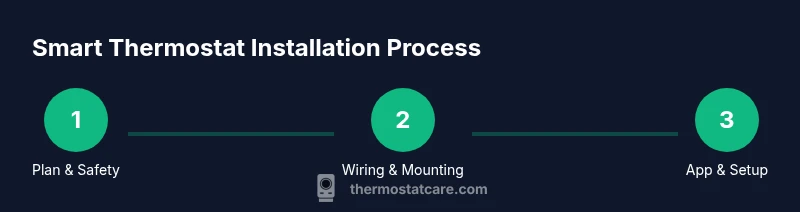
- Power down and document existing wiring. 2) Remove the old thermostat and disconnect wires carefully. 3) Mount the new base, route the wires, and connect each wire to the corresponding terminal. 4) Restore power and verify that the device powers up. 5) Configure the thermostat in the companion app, connect to Wi‑Fi, and run a quick test of heating and cooling. 6) Set up schedules, geofencing, and energy-saving features. 7) Review equipment status and firmware updates. This overview provides the order of operations; the formal, detailed steps are supplied in the Step-by-Step section below with exact terminal mappings and wiring notes.
Networking, security, and ongoing use
Connect your smart thermostat to a 2.4 GHz Wi-Fi network (many devices don't work reliably on 5 GHz). Create a strong account password, enable two‑factor authentication if available, and keep the device firmware up to date. Use the energy reports to identify patterns and adjust schedules to avoid overheating or overcooling. Regularly inspect the C-wire and battery (if applicable) and replace batteries when low. If you rely on voice assistants, ensure you maintain privacy controls and review which actions are allowed by your routines. Thermostat Care notes that a secure setup reduces vulnerability and helps you realize consistent energy savings over time. The Thermostat Care team recommends documenting your results and revisiting settings after a few weeks to maximize comfort and efficiency.
Authority sources and ongoing learning
For authoritative guidance on thermostat energy use and safety, consult trusted sources such as the U.S. Department of Energy and EPA guidelines on indoor air quality. These sources provide general safety practices and best-practice wiring considerations that complement hands-on installation steps.
Tools & Materials
- Wi‑Fi smart thermostat (replacement unit)(Ensure compatibility with your HVAC system (single/multi-stage, heat pump, etc.).)
- Screwdriver (Phillips #2)(For mounting and panel removal.)
- C-wire tester(Confirm presence and integrity of C-wire.)
- Labeling stickers or tape(Label wires before disconnecting.)
- Electrical tape(Insulate exposed conductors.)
- Non-contact voltage tester(Verify no live current before working.)
- Mounting plate and screws(Fits the chosen thermostat model.)
Steps
Estimated time: 45-90 minutes
- 1
Power down and audit wiring
Turn off power at the main breaker and verify with a non-contact tester. Take clear photos of the existing wiring and note which wires are connected to which terminals. This ensures you can recreate the setup if needed and helps with mapping to the new thermostat.
Tip: Use a bright light and a neutral background for clear photos; label each wire later if needed. - 2
Remove old thermostat and label wires
Carefully detach the thermostat from the wall plate and disconnect the wires one by one. Label each wire with its terminal letter to avoid cross-mapping during reassembly. Keep the wires organized to prevent mix-ups.
Tip: If wires are short, gently pull a bit more slack before detaching; never yank on wires. - 3
Check C-wire and prepare for new base
Check whether a C-wire is present and functional. If not, determine whether you’ll use a compatibility kit or a power extender. This step reduces power delivery issues after install and supports stable operation of smart features.
Tip: If you don’t have a C-wire, plan the alternative before buying the thermostat model. - 4
Mount the new base and route wires
Attach the new mounting plate to the wall, ensuring it is level. Route the wires through the plate, keeping runs tidy and protected. Avoid pinching wires behind the plate by bending them gently as needed.
Tip: Use a level to ensure the plate is straight; straight mounting reduces terminal stress. - 5
Connect wires to corresponding terminals
Reconnect each labeled wire to the matching terminal on the new thermostat according to the wiring diagram. Double-check the letter on the wire matches the terminal. Secure all connections before reassembly.
Tip: If a terminal uses a different color convention, rely on the letter labels rather than color alone. - 6
Power on and run initial configuration
Restore power and power up the thermostat. Follow the on-screen prompts to configure region, language, time, and HVAC type. Connect to your Wi‑Fi network and install the manufacturer’s app.
Tip: Keep the app handy during this step to complete the connection quickly. - 7
Test heating, cooling, and features
Run a quick test to verify heating and cooling cycles. Check that schedules, geofencing, and energy reports are available. Enable any features you want, such as occupancy sensing or smart home integration.
Tip: If you notice short cycles or unresponsive controls, recheck wiring and app settings. - 8
Finalize settings and monitor
Finalize the daily schedule and any advanced options. Monitor performance over the next few days and adjust settings to balance comfort with energy savings.
Tip: Review monthly energy reports to identify opportunities for optimization.
Questions & Answers
Do I need a C-wire to install a smart thermostat?
Many smart thermostats require a C-wire for constant power. If your system lacks a C-wire, you can use a power extender kit or upgrade wiring, but check compatibility first.
Most smart thermostats need a C-wire for reliable power. If you don’t have one, you can use a power extender kit, but confirm compatibility with your HVAC.
Can I retrofit without rewiring?
Yes, some thermostats support power-stealing or come with compatibility kits. However, performance depends on your wiring and HVAC configuration, so verify model guidelines.
Yes, many models offer retrofit options, but always check the wiring requirements first.
Are smart thermostats compatible with all HVAC systems?
Not all systems are identical. Check whether your system is single/multi-stage, has a heat pump, and whether the thermostat supports your equipment’s control wiring.
Not every HVAC supports every smart thermostat. Verify stages, heat pump, and wiring with the model’s guide.
How long does installation take?
Most installations take about 45 to 90 minutes, depending on wiring complexity and mounting space.
Most installs take about an hour, give or take depending on wiring and mounting.
What if my Wi‑Fi is unstable during setup?
A stable 2.4 GHz connection is often best for smart thermostats. Move closer to the router, ensure firmware updates, and avoid networks with frequent interference.
If Wi‑Fi is unstable, try a 2.4 GHz network and check for updates or interference.
Watch Video
What to Remember
- Identify path: replace or retrofit, based on HVAC and wiring.
- Secure power and label wires before removal.
- Verify C-wire availability to ensure reliable power.
- Test thoroughly and adjust schedules for energy savings.
- Follow manufacturer wiring diagrams to avoid damage.