Thermostat Assembly Guide: Step-by-Step for Homeowners
A comprehensive, expert guide to thermostat assembly for homeowners and DIYers, covering safety, tools, wiring basics, mounting, testing, and troubleshooting.


In this guide on thermostat assembly, you’ll learn how to perform safe, reliable wiring and mounting for common residential models. You’ll verify your model’s wiring diagram, disconnect power, install the mounting plate, connect wires, and test the thermostat before reactivating the circuit. This practical approach helps homeowners and DIY enthusiasts finish the job correctly.
Understanding thermostat assembly and its impact on comfort and safety
In modern homes, thermostat assembly refers to the process of preparing, wiring, and mounting a thermostat so it can accurately read temperature and command your HVAC system. According to Thermostat Care, proper assembly is not simply about fitting a device into a wall box; it's about aligning wiring colors with your control board, ensuring the C-wire is correctly connected, and securing the unit so that sensors read accurately. A well-assembled thermostat reduces false readings, avoids power issues, and extends the life of your HVAC system. This section lays the groundwork for what you'll need and the common pitfalls to avoid.
Key concepts you should know before you touch a wall plate include your system type (conventional vs. heat pump vs. multi-stage), the number of wires (five are common but some installations use more), and the role of a common wire (C) in providing continuous power. Many households lack a C-wire, which can cause dim displays or frequent reset cycles. If your current wiring looks unfamiliar, consult the wiring diagram that came with your thermostat and compare it to the terminal labels on your furnace control board. When in doubt, pause and check the power state of the circuit — a floating measurement can be misleading and dangerous to handle live. This upfront understanding helps you avoid underwhelming results and potential safety concerns.
Safety first: prepare your workspace and power down
Safety comes first when performing thermostat assembly. The primary hazard is electrical shock or damaging a live circuit. Always switch off the circuit breaker that feeds the HVAC equipment before you begin. Use a non-contact voltage tester to verify that the thermostat wires are not energized before you touch them. Create a clean, well-lit workspace and lay out your tools on an insulated mat. If you rent or share space with a landlord, ensure you have permission to access the furnace area and to handle wiring. Remember: never work while the thermostat or HVAC panel is powered, and avoid using wet hands or metal tools near exposed conductors. A calm, methodical approach reduces errors and increases the chance of a safe, successful installation.
Tools, materials, and choosing the right thermostat for your system
Before you start, confirm you have the right thermostat model for your HVAC system and wall box. Most installations require a clean mounting plate, a compatible power source (often 24VAC), and color-coded wires. Essential tools include a small screwdriver set, needle-nose pliers, wire strippers, a multimeter or voltage tester, and electrical tape. For heat-pump or multi-stage systems, you may also need a jumper wire or a compatible adapter. Keep the thermostat packaging diagram handy; it provides color-to-terminal mappings that are specific to your device. If your system uses a proprietary terminal block, do not improvise with wires that are not listed in the documentation. The right model and kit dramatically reduce installation time and the chance of miswiring.
Step-by-step overview of the wiring process
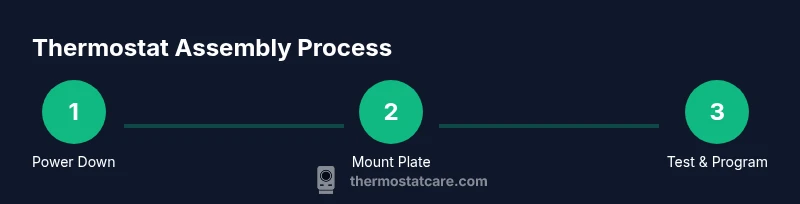
In broad terms, thermostat assembly follows these phases: 1) power-down and safety verification, 2) remove existing device if present, 3) attach the mounting plate, 4) connect wires to the corresponding terminals on the thermostat, 5) secure the thermostat to the plate, and 6) restore power and run a basic test. Each phase has critical checks: ensure you map each wire to the correct terminal based on the diagram, verify that the C-wire is connected if the thermostat requires power, and confirm there are no stray wires that can short out the control board. The following STEP-BY-STEP section provides granular instructions that align with these phases.
Wiring and mounting in detail (what to do and why)
This section translates the high-level phases into actionable actions you can perform. The wiring portion requires accuracy: match wire colors to terminals per the diagram, double-check with a voltage tester before touching live connectors, and secure the wires with small screws to prevent movement. In mounting, align the plate with the wall stud or box and avoid overtightening screws, which can crack the plastic. Finally, reassemble the faceplate and leave adequate clearance for airflow around the thermostat. Following these rules reduces the risk of misreadings and nuisance reset cycles.
Common mistakes and troubleshooting during thermostat assembly
Mistakes during thermostat assembly are often caused by skipping the power-down step, mislabeling wires, or forcing connections into the wrong terminal. Common symptoms of miswiring include a blank screen, frequent resets, unresponsive controls, and inaccurate temperature readings. If you encounter issues, recheck the wiring against the diagram, test power at the furnace terminals, and ensure the C-wire (if used) is properly connected. For troubleshooting, keep a photo record of each wire before you disconnect anything, and consult the thermostat’s documentation for terminal mappings. With careful checks, most problems resolve quickly without a call to a pro.
Verifying installation and initial programming
After you reapply power, confirm the thermostat powers on, displays current room temperature, and communicates with the HVAC system. Perform a quick system test by setting heating and cooling modes and listening for the system response. If your thermostat prompts for system type (gas, electric, heat pump) or fan settings, choose the configuration that matches your equipment. Finally, program essential settings such as date, time, and temperature units, then monitor for stability over the next 24 hours. The goal is a reliable baseline that you can fine-tune as you gain experience.
Tools & Materials
- Phillips head screwdriver #2(Used to secure mounting plate and terminal screws)
- Flathead screwdriver(For terminal tabs and plastic covers)
- Wire stripper/cutters(Strip insulation 1/4 inch (6mm) for clean connections)
- Voltage tester or multimeter(Verify power is off and confirm 24VAC signals if needed)
- Electrical tape(Seal exposed conductors and tidy wiring)
- Level or alignment tool(Helpful to keep mounting plate straight)
- Manufacturer wiring diagram for thermostat(Model-specific reference for terminals and colors)
- Replacement mounting plate (if needed)(Use on older boxes or mismatched backplates)
Steps
Estimated time: 30-60 minutes
- 1
Power down and confirm non-energized
Turn off the breaker feeding the HVAC. Use a non-contact tester to confirm wires are de-energized before touching them.
Tip: Always test both the old and new device locations before proceeding. - 2
Label and remove wires
Carefully remove the old thermostat and label each wire, or take a clear photo. Note the terminal letters for reference.
Tip: A photo saves you from guessing terminal mappings later. - 3
Mount the new backplate
Attach the mounting plate to the wall box or stud using screws. Ensure it is level and firmly seated.
Tip: Drywall anchors may be needed for a secure fit. - 4
Connect wires to terminals
Insert each wire into the corresponding terminal on the new thermostat according to the diagram. Double-check that you haven’t swapped conductors.
Tip: Verify each connection is tight and free of frayed insulation. - 5
Attach thermostat to backplate
Carefully clip or screw the thermostat module onto the mounting plate ensuring wires are not pinched.
Tip: Check for any loose wires that could short or pull out. - 6
Restore power and test basic operation
Turn the breaker back on and power up the thermostat. Confirm the display lights up and basic functions respond (heat, cool, fan).
Tip: If nothing powers, recheck the wiring and the common (C) connection. - 7
Program initial settings
Set date/time, temperature units, and system type. Run a quick test to ensure the HVAC responds to changes.
Tip: For learning thermostats, allow a short acclimation period before fine-tuning. - 8
Final safety check and cleanup
Tidy wires, remove tools, and ensure there is adequate clearance for airflow around the unit.
Tip: Document settings and keep a photo record for future reference.
Questions & Answers
Do I really need to turn off power at the breaker before thermostat assembly?
Yes. Turning off the power prevents electrical shock and equipment damage. Use a tester to confirm the lines are de-energized before handling wires.
Yes. Always power down and verify with a tester before touching wires.
What if there is no C-wire in my wall box?
Some thermostats run on batteries or use power-sharing schemes. Check your model’s documentation for compatible options or consider a C-wire retrofit.
If you don’t have a C-wire, check if your model supports batteries or a retrofit kit.
Can a novice safely install a thermostat myself?
Yes for simple, documented installations and if you follow the wiring diagram carefully. For complex systems (heat pumps, multiple stages), consider professional help.
Yes, if you follow the manual and stay within your comfort level; seek a pro for tricky setups.
My thermostat shows a blank screen after installation. What should I do?
Power issues or miswired connections commonly cause blank screens. Recheck power, verify C-wire, and confirm terminal mappings per the diagram.
If the screen is blank, recheck power and wiring against the diagram.
How can I tell if I wired the terminals correctly?
Compare each wire with the device diagram, ensure tight connections, and confirm no stray strands. A misplaced wire will produce errors.
Double-check each wire against the diagram and ensure solid, tight connections.
How long does thermostat assembly typically take?
Most installations take 30-60 minutes, depending on system complexity and whether you need to run new wires.
Most installs finish in about half an hour to an hour.
Watch Video
What to Remember
- Power off before touching wiring.
- Always wire-to-diagram, not by color guess.
- Mount plate level and secure; test before leaving.
- Program basic settings and observe system response for 24 hours.