How to Use a Thermostat Efficiently: A Homeowner's Guide
Discover practical steps to use your thermostat efficiently. This Thermostat Care guide covers scheduling, eco modes, maintenance, and smart features to cut energy use while staying comfortable. Learn a quick-start plan and troubleshooting tips for homeowners.


You will learn how to use thermostat efficiently by leveraging scheduling, setback temperatures, and smart features to save energy without sacrificing comfort. This quick guide outlines essential steps, required tools, and common mistakes, so you can start today and reduce your bills while keeping your home at a pleasant temperature.
Why Efficient Thermostat Use Saves Money and Comfort
In many homes, the thermostat becomes the silent energy villain, driving bills higher while comfort fluctuates with weather and occupancy. Understanding how to use thermostat efficiently can reduce waste and improve daily life. According to Thermostat Care, small changes in scheduling and feature usage compound over time, delivering noticeable savings without sacrificing warmth in winter or cool air in summer. The core idea is simple: tailor temperature settings to when people are home, adjust gradually rather than making dramatic swings, and rely on the thermostat's built-in tools rather than manual overrides. When you treat the thermostat as a proactive energy-management device, you unlock steady gains in efficiency. This means comfort bands, predictable routines, and smart controls that respond to your routine. The result is less energy waste, fewer temperature swings, and a home that stays comfortable through seasonal changes. The objective of this guide is to translate that idea into actionable steps you can apply this week, using the features already in most modern thermostats to achieve real savings. This is precisely how to use thermostat efficiently in daily life.
Plan for Comfort and Savings: Define Your Baseline
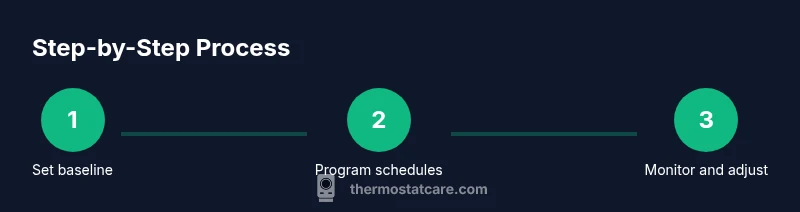
Before you adjust anything, establish a baseline of typical comfort needs and current energy use. Note the parts of the house that feel too warm or too cold and the times when energy bills spike. The baseline gives you a reference point for every future change, so you can measure improvements rather than guess at impact. This planning phase also helps you identify opportunities to tie temperature settings to daily or weekly routines, rather than relying on ad-hoc comfort tweaks. By anchoring decisions to real usage patterns, you’ll make smarter, more sustainable changes that persist beyond a single season.
Program and Schedule: Daily Routines and Occupancy-Based Changes
The most powerful way to use a thermostat efficiently is to align its programming with when people are home and asleep. Create a daily schedule that lowers heating during work or school hours and raises it before occupants return home. If your device supports occupancy sensing or geofencing, enable these features to automatically adjust when you leave or arrive. A well-crafted schedule reduces energy waste from heating or cooling empty spaces, while maintaining comfort when it matters most. Remember to match your schedules to weekends and holidays, when routines shift, so savings aren’t lost to inconsistent habits.
Leverage Energy-Saving Features and Smart Controls
Modern thermostats offer eco modes, adaptive recovery, and learning capabilities that optimize energy use without constant manual input. Turn on eco or auto mode for steady setbacks, then fine-tune your settings based on observed comfort. If you have a smart thermostat, use remote access to tweak schedules on the fly when plans change, and enable alerts if the system detects unusual usage. These features are designed to extract savings with minimal effort, especially when paired with a stable Wi‑Fi connection and routine checks.
Zoning and Insulation: How They Affect Thermostat Use
If your home has multiple heating or cooling zones, ensure each zone has a clear control strategy. Zoning lets you heat or cool only the areas in use, which dramatically reduces waste. Pair zoning with proper insulation and air-sealing to maximize impact: drafts and blocked ducts undermine even the best scheduling. The thermostat can direct energy where it’s most needed, but only if the physical space supports it. Review door drafts, attic insulation, and ductwork for best results.
Maintenance and Calibration for Accuracy
An accurate thermostat reads temperature correctly and relays reliable commands to your HVAC system. Schedule periodic calibration checks and sensor cleanings to keep readings honest. Replace batteries if you have a battery-powered unit and ensure the thermostat is away from heat sources (sunlight, appliances) that could skew readings. Regular maintenance reduces unnecessary cycles and keeps savings consistent, rather than episodic.
Common Mistakes to Avoid
Avoid large temperature swings—small setbacks over time beat dramatic changes. Don’t override scheduled modes with manual setpoints, as this can undo planned energy-saving efforts. Resist turning the HVAC system off completely for long periods, which can cause energy spikes when you return to comfort. Finally, neglecting regular maintenance and sensor placement can erode gains and lead to higher bills than expected.
Quick-Start Plan You Can Implement This Week
Begin with a baseline check of current settings and a short, two-week test of a conservative setback. Create a simple daily schedule that lowers temperatures during typical away times and raises them before you return home. Enable eco or adaptive recovery features and monitor energy usage through your thermostat’s app. If you have multiple zones, experiment with small adjustments per zone to identify where the biggest savings occur.
Measuring Savings and Adjusting Over Time
Track energy usage as you implement changes and compare it to your baseline. Look for trends over a few weeks to determine whether additional tweaks are needed. If bills don’t drop as expected, reexamine insulation, window drafts, and the placement of heat sources that might skew readings. The goal is gradual, trackable improvement that’s easy to sustain, not a one-off spike in comfort or cost.
Tools & Materials
- Smart thermostat(Ensure compatibility with your HVAC system and existing wiring)
- Smartphone or computer(For scheduling, remote access, and app updates)
- User manual or app guide(Keep handy for feature references and setup specifics)
- Wi-Fi network with stable internet(Needed for cloud-based scheduling and remote control)
- Notebook or digital log(To record baseline readings and savings observations)
Steps
Estimated time: 60-90 minutes
- 1
Assess baseline usage
Review your last few weeks of energy use and note typical comfort levels. Identify rooms that commonly feel too warm or too cold and consider when people are home. This establishes a reference point to measure future gains.
Tip: Document your current thermostat behavior before changing anything. - 2
Define comfort bands
Decide on a conservative range for heating and cooling that keeps everyone comfortable with minimal energy waste. Keep in mind sun exposure, drafts, and device heat that can skew perceived comfort.
Tip: Aim for small, realistic adjustments rather than large swings. - 3
Program daily schedules
Create a repeatable schedule that lowers heat during work hours and increases it before occupants return. Align the schedule with weekends and holidays to prevent drift in energy use.
Tip: Test schedules for a week and adjust by 1-2 degrees as needed. - 4
Enable eco features
Turn on eco or adaptive recovery modes and ensure the thermostat optimizes for efficiency. If supported, enable occupancy sensing or geofencing to adjust automatically.
Tip: Keep the device connected to Wi-Fi to receive updates and improvements. - 5
Consider zoning
If your home has multiple zones, verify each zone has a suitable schedule and that dampers and vents are properly managed. Zone-based control can dramatically cut waste in unoccupied areas.
Tip: Avoid over-complicating with too many schedules at first. - 6
Maintain accuracy
Calibrate sensors if the thermostat allows, replace batteries, and clear any heat sources near the sensor. Accurate readings prevent overworking the HVAC system.
Tip: Inspect sensors during seasonal transitions. - 7
Track savings
Use the thermostat app to monitor energy usage and compare it to your baseline. Adjust gradually based on observed trends to sustain savings.
Tip: Set a monthly review reminder in your calendar.
Questions & Answers
What are the most important steps to use a thermostat efficiently?
Start with a baseline, define comfort bands, and program daily schedules that match occupancy. Enable eco modes and monitor results to refine settings over time.
Start with a baseline, set comfortable bands, and schedule your thermostat to match occupancy. Then enable eco modes and check results to adjust.
Should I adjust my thermostat when I'm not home?
Yes. Use a scheduled setback or a smart feature that detects absence to minimize energy use while you’re away.
Yes. Schedule a setback or use occupancy features so energy isn’t wasted when you’re away.
Are smart thermostats worth it for energy savings?
Smart thermostats can offer meaningful savings by learning routines and optimizing schedules automatically, especially in homes with variable occupancy.
Smart thermostats often save energy by learning routines and adjusting schedules automatically.
How long does it take to see savings after changing settings?
Savings appear gradually as you settle into a new schedule and habits. Most homes notice updates within a few weeks, depending on usage.
Savings show up gradually over a few weeks as you settle into new habits.
Can zoning improve efficiency?
Yes, zoning can dramatically improve efficiency by conditioning only the occupied spaces, provided the system supports it and is properly balanced with insulation.
Yes—zone control is powerful when paired with good insulation and a balanced system.
What maintenance helps keep a thermostat efficient?
Regular calibration checks, sensor cleaning, and battery replacements keep readings accurate and reduce unnecessary cycles.
Regular calibration and sensor care help keep readings accurate and save energy.
Watch Video
What to Remember
- Set a baseline and plan around occupancy
- Use scheduling and eco modes to reduce waste
- Maintain accuracy through calibration and sensor care
- Track savings to validate improvements