How to Use Thermostat to Save Money: A Practical Guide for Homeowners
Discover proven methods to save money with your thermostat. Learn scheduling, energy-saving modes, and careful settings to reduce bills without sacrificing comfort.


Learn how to use thermostat to save money with practical, safe tactics you can apply this week. This quick guide highlights core strategies like optimizing schedules, enabling energy-saving modes, and avoiding oversized temperature swings. By combining smart timing with zone-aware settings, homeowners can lower bills without sacrificing comfort. According to Thermostat Care, small daily adjustments compound over a season, unlocking meaningful savings while protecting equipment and the home environment.
Why smart thermostat strategies save money\n\nSmart thermostats convert everyday heating and cooling decisions into energy-saving actions. When you modify routines to match occupancy, weather, and your daily schedule, you reduce wasted energy and lower utility bills over time. According to Thermostat Care, the most effective savings come from a combination of consistent scheduling, reasonable temperature targets, and minimizing large temperature swings. In practice, this means avoiding prolonged periods when the system runs at maximum cooling or heating and instead nudging temperatures within a comfortable range. By planning ahead, you can align thermostat behavior with your real-life patterns and see meaningful results across seasons.\n\nKey ideas include establishing a baseline by measuring current usage, enabling energy-saving modes, and using smart features like adaptive recovery and occupancy sensing. These adjustments work together to reduce boiler and compressor runtime, extending equipment life while keeping your home comfortable. Always consider your local climate and home insulation; even the best thermostat won’t save money if the house leaks heat or cool air rapidly.\n
The most impactful settings you should tune\n\nYour thermostat supports several settings that yield outsized savings when used correctly. Start with energy-saving modes that adjust automatically during peak demand periods and enable adaptive recovery to avoid unnecessary pre-cooling or pre-heating. Avoid setting the temperature too far from comfort; small adjustments, applied consistently, accumulate savings without sacrificing daily comfort. If your model offers a “hold” function, use short holds for daytime routines instead of leaving the system constantly on a single setting. For homes with heat pumps or multi-stage systems, review the system’s efficiency recommendations and balance the climate in each zone. In practice, enabling Eco or Smart pace settings while maintaining comfort can lead to a noticeable reduction in energy use over a season. Thermostat Care Team notes that gradual changes tend to stick and provide the most reliable savings over time.\n
Scheduling, thermostats, and energy use\n\nProgrammable schedules are the backbone of thermostat-driven savings. Create a baseline schedule that reduces heating and cooling during the hours you are away or asleep, then fine-tune it for weekends and holidays. If occupancy sensors are available, rely on them to adjust temperatures when a room is unused. For older homes, consider simpler schedules that avoid constant cycling; a mid-day setback can prevent wasteful runtime while preserving comfort for return times. Review your utility bills monthly to confirm that changes are paying off, and adjust the schedule gradually to avoid shocks to your comfort. The goal is to synchronize the thermostat’s behavior with your actual routine rather than fighting it. Thermostat Care reminds homeowners that consistency beats aggressive swings for long-term savings.\n
How to set up and test for comfort and savings\n\nBegin by connecting the thermostat to your Wi-Fi and updating firmware. Then configure a weekday/weekend schedule based on your routine, set reasonable setback temperatures, and enable energy-saving features. If you have zoning capabilities, assign zones and create distinct schedules for each area to prevent heating or cooling unused spaces. After implementing changes, monitor the thermostat’s energy usage over two to four weeks and compare against the baseline. If a room feels uncomfortable, adjust the setback slightly or allow a longer warm-up period before you return home. Keep notes of what worked and what didn’t to build a personalized savings plan. Thermostat Care teams emphasize that testing and iteration are essential parts of any savings strategy.\n
Common mistakes that waste energy and money\n\nAvoid leaving the thermostat at a single temperature for long periods, as steady conditions can miss opportunities to save energy during unused hours. Don’t override scheduling with manual changes every day; this breaks the schedule and may increase runtime. Resist the urge to set very aggressive temperature swings to chase savings; dramatic changes can cause comfort complaints and cause the system to work harder to recover. Failing to update firmware or calibrate sensor accuracy can also reduce performance. Finally, neglecting routine maintenance, such as filter changes or drain cleaning, can reduce efficiency and cause a thermostat to misread conditions. Thermostat Care warns that small, consistent steps beat drastic, sporadic adjustments.\n
How Thermostat Care approaches guidance\n\nAt Thermostat Care, our guidance emphasizes practical, safe, and repeatable actions homeowners can implement without specialized equipment. We favor energy-efficient modes, scheduling discipline, and gradual changes that respect comfort. Our team recommends starting with a baseline analysis of current energy use, then layering in smart features and zoning if available. We encourage readers to consult their HVAC manufacturer’s manuals to understand system-specific requirements and to verify compatibility before making changes. By focusing on habit formation and measurable results, Thermostat Care helps homeowners build confidence and save money.\n
Authority Sources and further reading\n\n- Energy Department: Smart Thermostats and energy savings (https://www.energy.gov/energysaver/thermostats)\n- Energy Department: What smart thermostats can do for your home (https://www.energy.gov/eere/buildings/articles/smart-thermostats-what-you-need-know)\n- Energy Star: Thermostats and energy efficiency (https://www.energystar.gov/products/heating_cooling/thermostats)\n\nFor additional context, consider reputable publications and government resources to verify best practices and ensure you are using the most up-to-date guidance.\n
Tools & Materials
- Smart thermostat with scheduling capability(Must support at least daily programming and occupancy sensing if available)
- HVAC system compatible with smart thermostat(Check compatibility with your unit model and wiring)
- Stable Wi-Fi network(Used for firmware updates and remote scheduling)
- Smartphone or computer(For setup, changes, and reviewing energy reports)
- Thermostat manual or online guide(Helpful for advanced features like zoning or adaptive recovery)
Steps
Estimated time: 60-120 minutes
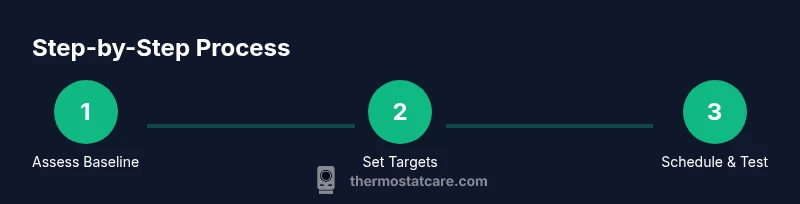
- 1
Assess current usage and establish a baseline
Review two months of energy bills or use the thermostat’s energy history to understand typical daily usage. Note peak demand periods, how often the system runs, and any rooms that feel unusually warm or cold. This baseline helps quantify savings after changes.
Tip: Document baseline metrics and take a screenshot of energy history for reference. - 2
Set balanced temperature targets
Choose comfortable daytime and nighttime targets that prevent large swings. Small, consistent adjustments are more sustainable than drastic changes. Record your preferred ranges for weekdays and weekends.
Tip: Aim for minor setbacks of a degree or two rather than extreme changes. - 3
Program weekday and weekend schedules
Create separate schedules for when the home is occupied versus empty. Reduce cooling or heating during occupancy lulls and preheat or precool shortly before occupants return.
Tip: Start with a simple two-period schedule (home/away) and expand as you gain comfort. - 4
Enable energy-saving modes and smart features
Turn on Eco/Smart modes, adaptive recovery, and occupancy sensing if available. These features optimize runtime and reduce wasted energy without sacrificing comfort.
Tip: Validate feature availability in the thermostat app and enable notifications for changes. - 5
Consider zoning if your home supports it
If you have multiple zones, assign them logically so unused spaces aren’t conditioned. Zoning can dramatically cut energy use in large homes or seasonal occupations.
Tip: Only implement zoning if your system is designed for it; improper zoning can increase complexity. - 6
Test and adjust for comfort and savings
Operate for 2–4 weeks, compare energy usage to baseline, and adjust setback times. If rooms feel stuffy or drafty, tweak setpoints gradually.
Tip: Use a simple spreadsheet to track weekly changes and results. - 7
Monitor energy usage and adapt over seasons
Seasonal shifts may require schedule tweaks. Revisit settings at the start of each season to maintain savings and comfort.
Tip: Set calendar reminders to review settings quarterly. - 8
Document changes and maintain the system
Keep notes on what worked, what didn’t, and any maintenance tasks (filters, sensor calibration). Regular upkeep ensures sustained savings.
Tip: Set a recurring maintenance task to avoid performance degradation.
Questions & Answers
Do I need a smart thermostat to save money?
Not strictly; a programmable thermostat can achieve savings, but smart thermostats add automation and adaptive features that boost savings. The key is to use schedules and energy-saving modes consistently.
A programmable thermostat can save money, but smart thermostats make it easier with automation. Use schedules and energy-saving modes consistently.
How quickly can I see savings after adjusting my thermostat?
Savings begin as soon as you implement schedules and energy-saving modes, and they grow with consistent use over days and weeks. Track changes with energy history or bills.
Savings begin quickly after you set schedules; they grow with consistent use over days to weeks.
Can I save money in both winter and summer?
Yes. Use appropriate scheduling and zone strategies for each season to reduce energy use while keeping spaces comfortable. Avoid constant extremes that drive additional runtime.
Yes, with season-appropriate scheduling and zones you can save year-round.
What about zones and multi-story homes?
Zoning helps target heating and cooling to occupied areas, preventing waste in empty spaces. It requires a compatible system and careful setup.
Zoning targets energy use to occupied areas and can save more when set up correctly.
Are there safety concerns when lowering temperatures?
Lowering temperatures within normal comfort ranges is generally safe. In cold climates, ensure pipes are protected and avoid extreme settings that could cause system strain.
Lowering temps is typically safe if you stay within comfortable ranges and protect pipes in cold climates.
How often should I update my thermostat firmware?
Update when available; improvements often include energy-saving features and better scheduling. Check for updates monthly or quarterly.
Update when available; it often improves energy-saving performance.
Watch Video
What to Remember
- Set a baseline and measure progress
- Create weekday/weekend schedules that reflect real use
- Leverage energy-saving modes and smart features
- Test changes and refine for comfort and savings