How to Lower Your Thermostat: A Practical Guide
Learn how to safely lower your thermostat for comfort and energy savings with a step-by-step approach, scheduling, and practical troubleshooting.


By the end of this guide you will know how to safely lower your thermostat to save energy while staying comfortable. You’ll learn practical targets for day-to-day use, how to adjust schedules, and how to test outcomes without sacrificing winter warmth or summer cooling. According to Thermostat Care, small, deliberate setting changes and smart programming yield the best balance between efficiency and comfort.
Why lowering thermostat matters
Lowering your thermostat isn't just about cutting bills—it's about shaping comfort, energy use, and the performance of your HVAC system. When you dial your home's temperature down (in heating seasons) or up (in cooling seasons) to match occupancy and activity, you reduce heat loss, production cycles, and unnecessary operation. The result is less wear on your furnace or air conditioner and lower energy consumption over time. According to Thermostat Care, modest, deliberate adjustments paired with good scheduling can yield meaningful savings without sacrificing comfort. Start by understanding your baseline: know what temperature you typically keep the house and when people are home. Then, implement gradual changes, monitor how your space responds, and tune accordingly. The goal is an approach that respects both energy efficiency and personal preferences, avoiding jarring shifts that cause discomfort or frequent thermostat checks.
Understand the baseline: reading your thermostat settings
Before you change anything, take a moment to audit your current setup. Read the thermostat display, note the mode (heating or cooling), the programmed schedule, and any eco or adaptive modes enabled. Check whether the thermostat is using a hold or a scheduled program and whether there are separate settings for weekdays and weekends. If you have a smart thermostat, open the companion app to review recent activity, energy reports, and any recent firmware updates. A clear baseline helps you measure the impact of every adjustment, so you can prove to yourself and family that comfort remains intact even as you lower the settings. Document the baseline in a notebook or app for easy reference during future tweaks.
Safe lower limits by season and climate
Safety and comfort should drive every decision to lower a thermostat. In heating seasons, aim for a comfortable nighttime setting and a sensible daytime target when the home is occupied; in cooling seasons, avoid overly aggressive reductions that rely on fans alone. If you have mobility or health considerations, or if you live with children or elderly adults, choose gradual changes and monitor how long it takes for rooms to reach the new target. For homes with poor insulation or drafty windows, you may need smaller reductions and longer ramp times. Always keep a plan for quick re-adjustments if an occupant feels too cool or too warm. This guidance aligns with energy‑saving best practices while remaining mindful of home health and comfort needs.
How to implement a lower setting without sacrificing comfort
Small, deliberate steps work best. Start by lowering the thermostat slightly for the periods when the home is occupied and adjust by small increments over several days if needed. Use clothing, blankets, fans, and ceiling vents to maintain comfort during transitional days. For bedrooms, consider a warmer baseline at night and a cooler living area during the day if you prefer a two-zone approach. Make sure to document each change so you can correlate comfort with temperature modifications. If you rely on a radiant or heat pump system, avoid large swings that could trigger inefficient cycles and increased fuel use. The idea is to create a smooth, continuous change rather than sudden shifts.
Programming and schedules: maximizing savings with smart features
Most modern thermostats shine when you use schedules. Program the system to lower temperatures during work hours and overnight, then raise slightly before people return or wake up. If your device supports adaptive recovery, let it learn how long your space takes to reach the target so that it consistently arrives on time. For smart thermostats, leverage geofencing to adjust when you leave home, and enable energy-saving modes that auto-adjust when occupancy is low. Review the energy reports regularly to see how your changes affect usage over days and weeks. This is where Thermostat Care’s testing framework comes into play: repeatable adjustments yield measurable results if you stay consistent.
Zoning, thermostats, and HVAC compatibility
If your home has multiple zones, you can direct lower temperatures where you spend the most time while leaving other zones less restricted. A single-room or whole-house thermostat workflow can misrepresent energy use if ducts or miscalibrations exist. Check compatibility with your equipment: some older systems may not respond well to rapid or frequent temperature changes. In those cases, consider updating to a smart thermostat or adding compatible zone controls for better precision. When in doubt, consult the HVAC manual or a qualified technician to verify wiring, heat load, and sensor placement. The approach should be to design a system that supports your lifestyle while preserving airflow and equipment efficiency.
Quick troubleshooting when lowering thermostat causes issues
If a lower setting leads to cold rooms or heat cycling, start with the basics: verify batteries in non‑powered thermostats; check Wi‑Fi connectivity for smart units; and confirm wiring connections if you recently changed the device. Ensure the thermostat is not stuck in a temporary heat or cool hold and that the HVAC system is actually responding to the commands. If you notice extended delays or inconsistent temperatures, test by manually adjusting the thermostat and watching system response. Document anomalies and, if needed, reset the device according to the manufacturer’s instructions. Persistent problems may require a service call.
Maintenance habits that support lower settings
Routine maintenance makes lower settings workable. Replace air filters on schedule, seal obvious air leaks around doors and windows, and ensure ducts are clean and unobstructed. Continuous airflow reduces the energy your system must expend to maintain comfort. Keep vents open in rooms you use most and close doors to minimize airflow to unused spaces. Check insulation in attics and basements to minimize heat gain or loss. Small investments in maintenance compound into noticeable, sustained comfort and savings.
Common mistakes and how to avoid them
Common mistakes include dramatic temperature swings, ignoring humidity, and relying solely on fans without sealing leaks. Another pitfall is neglecting to adjust schedules after changes in occupancy. Always re-check the thermostat after a few days to confirm comfort and performance. Avoid programming errors that override the desired target, and prefer gradual changes to abrupt shifts. By planning ahead and monitoring outcomes, you keep energy use steady without sacrificing everyday comfort. Thermostat Care emphasizes deliberate, measured adjustments over quick, impulsive changes.
Tools & Materials
- Screwdriver set (Phillips and flathead)(For battery panels and mounting plates)
- Fresh batteries (AA/AAA as required)(Replace in older or battery-based thermostats)
- Owner’s manual / HVAC manual(Keep for model-specific guidance)
- Notepad or digital tool(Record baseline and changes)
- Smartphone or computer with thermostat app(Optional for smart controls and energy reports)
- Thermal comfort accessories (blankets, fans)(To maintain comfort during adjustments)
Steps
Estimated time: 60-75 minutes
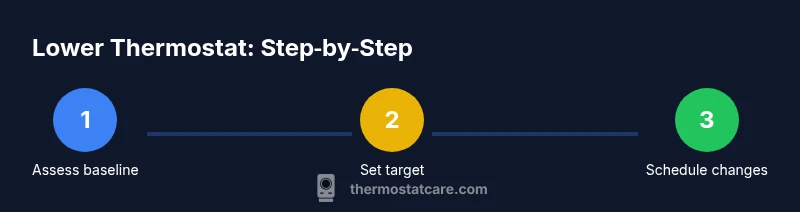
- 1
Assess your current settings
Begin by noting the current mode, schedule, and any holds. Record the baseline temperature, occupancy pattern, and recent changes. This gives you a reference point to measure the impact of each adjustment.
Tip: Write down the baseline before making any changes. - 2
Set a target range
Decide on a reasonable target range for occupied hours and for sleeping. Align targets with how you actually live in the home, not just with ideal numbers. Use the season and occupancy as your guide.
Tip: Choose targets that you can sustain for several days. - 3
Adjust schedules
Modify your programmed schedule so the lower setting applies when people are home and awake. Ensure the system returns to a comfortable level before you return or wake up.
Tip: Use a daily or weekday/weekend pattern to maximize savings. - 4
Enable eco modes
Turn on eco or adaptive recovery if available. These features learn and apply efficient ramp times without you having to micromanage every hour.
Tip: Let the thermostat study occupancy patterns for a week. - 5
Implement gradual changes
Make small temperature adjustments over several days rather than large swings. This helps your body acclimate and keeps HVAC cycles efficient.
Tip: Avoid sudden, drastic drops that trigger extended cycles. - 6
Test comfort and cycles
Observe room temperatures and HVAC cycling after each change. Wait for at least one full cycle to gauge effectiveness before proceeding.
Tip: Give the system time to respond before evaluating. - 7
Check battery, wiring, and connectivity
Ensure power sources and wiring are secure on non‑powered or smart devices. Update firmware if available and verify app connectivity for remote control.
Tip: Weak batteries or loose wires can mimic a failure to respond. - 8
Document and review results
Summarize what worked and what didn’t, and adjust targets accordingly. Create a small, repeatable process for ongoing optimization.
Tip: Review results weekly for the first month.
Questions & Answers
What is the first step to lower a thermostat safely?
Begin with auditing your current settings. Check mode, schedule, and any holds to establish a reliable baseline before making changes.
Start by auditing your current settings to set a safe starting point.
Can lowering the thermostat save energy without sacrificing comfort?
Yes, when you adjust gradually and use scheduling and eco features. Monitor room temperatures and adjust as needed to maintain comfort.
Yes, gradual changes with smart scheduling help save energy without sacrificing comfort.
Should I lower thermostat in winter or summer?
Lower during occupied hours in winter and avoid aggressive reductions during peak cooling; tailor to season and occupancy.
Lower when you’re home and adjust with the season; don’t ignore comfort.
What if my thermostat is old and unresponsive?
Check batteries and wiring, and consider upgrading to a smart thermostat for reliable control and better features.
If it’s old, check batteries and connections, and think about upgrading.
How do smart thermostats help with lowering the temperature?
Smart thermostats automate schedules, learn behavior, and allow remote adjustments, making it easier to lower settings without sacrificing comfort.
Smart thermostats handle scheduling and learning for you, easing the process.
Are there safety concerns when lowering the thermostat?
Avoid extreme drops and ensure ventilation remains adequate. If unsure, consult a professional to prevent issues like frozen pipes or drafts.
Avoid big drops and keep ventilation in mind; ask a pro if unsure.
Watch Video
What to Remember
- Lower gradually to balance comfort and savings
- Use schedules and eco modes to automate adjustments
- Test comfort after each change before proceeding
- Maintain HVAC health to maximize long-term benefits
- Consider smart thermostats for precise control