Replacing a Honeywell Thermostat with Nest: A Step-by-Step Guide
Learn whether you can swap a Honeywell thermostat for a Nest, how to verify compatibility, wiring steps, and troubleshooting tips from Thermostat Care.


Compatibility and Preparations
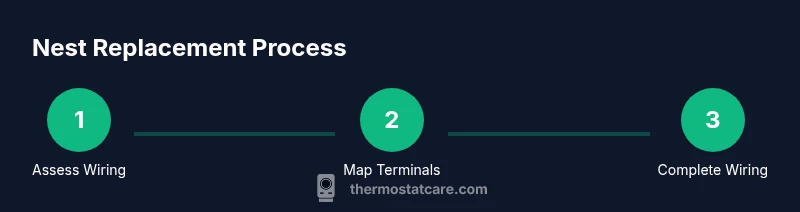
If you're asking, can you replace Honeywell thermostat with Nest, start by confirming the type of HVAC control your system uses. Nest relies on a 24V control circuit and standard thermostat terminals (R, C, W, Y, G, etc.). The Honeywell you’re replacing may use similar terminals, but some models use nonstandard layouts or power methods. According to Thermostat Care, the first compatibility check is to map the wires on the old thermostat to the Nest’s terminal layout and verify that a common wire (C) is present or that you can power Nest reliably with the available wiring. This step reduces the risk of a nonfunctional replacement and avoids surprises after you mount the new device.
In many homes, a straightforward swap works well for single‑stage cooling or heating, and Nest’s app installation tends to be intuitive. However, systems with heat pumps, multi‑stage equipment, or proprietary control signals may need extra configuration or a different model. If you’re unsure, consult the Nest compatibility checklist and compare with your current wiring diagram. Thermostat Care recommends documenting wire colors and terminals before you remove the old unit so you can recreate the mapping on Nest without guesswork.
This section sets the stage for a safe, effective replacement. Understanding your wiring, power needs, and the Nest model you choose will save time and avoid incorrect connections. The goal is a clean switch to Nest that preserves comfort and energy savings without compromising system safety.
Wiring and Installation Overview
Nest thermostats require 24V power from the HVAC control board, and a common wire (C) is often helpful to ensure consistent operation. Begin by turning off power to the HVAC system at both the thermostat and the furnace or air handler to avoid shocks or shorts. When you inspect wires, you’ll typically see colored conductors labeled at the old thermostat: red (R or RC), white (W), yellow (Y), green (G), and sometimes blue or C (C for common). If you find a wire labeled differently or a nonstandard terminal, you’ll need to cross-check the Nest wiring diagram and your system’s control board. Once you’ve mapped wires and confirmed power is off, you can proceed to remove the old thermostat, label each wire, and prepare for Nest installation.
tipableIdag