Why Do Thermostats Hiss? Practical Troubleshooting
Discover why thermostats hiss, identify common causes like duct leaks and wiring issues, and follow safe fixes. Learn with Thermostat Care for urgent, practical solutions.


Most hiss sounds come from airflow issues or electrical noise. The quickest fix is to power down the system, then inspect the thermostat wiring for looseness and the furnace access panels for proper seating. Check for dirty or kinked ducts, and clear any obstructions. If the hiss persists, contact a licensed HVAC technician.
Why Thermostats Hiss: What It Signals in Your System
A hiss from a thermostat-driven HVAC system often signals something amiss in airflow or electrical components rather than the thermostat itself. In many homes, the noise comes from ducts, vents, and fans as air is forced through tight passages, or from loose wiring that rattles or hums as the system runs. According to Thermostat Care, hiss is typically linked to pressure changes or resonance in the ductwork, and can indicate leaks, blockages, or mounting issues. The first step is to identify where the sound originates and whether it changes with fan settings. By isolating the source, you’ll know whether you can resolve it with simple maintenance or if a professional check is needed. This guide explains how to distinguish between common causes and safe fixes. It’s important to act quickly because small airflow or wiring issues can escalate if ignored, affecting comfort and efficiency.
Common Causes of Hissing in Home HVAC
Hiss sounds aren’t always dangerous, but they’re a warning sign that something in your system is not operating as it should. Here are the most frequent culprits:
- Airflow restrictions: A dirty filter, closed registers, or blocked return air can cause pressure changes that manifest as a hiss.
- Duct leaks and loose connections: Small gaps or loose fittings let air escape, creating a whistle or hiss along the ductwork.
- Pressure differences in the plenum or trunk lines: Improper sealing or oversized ducts can produce pumping noises.
- Electrical noise near the thermostat or furnace: Loose terminals, relay chatter, or transformer hum can sound like a hiss, especially when a fan or stage changes occurs.
- Fan or blower issues: A rubbing blower wheel or misaligned blower housing can generate high-frequency squeals that resemble hiss at certain speeds.
- Humidifier or gas valve operation: In some setups, auxiliary equipment can emit hissing sounds when active.
Note: Thermostat hiss is most often a symptom rather than a faulty thermostat itself. Detecting whether noise correlates with fan speed helps distinguish airflow problems from electrical issues.
Quick Checks You Can Do Safely
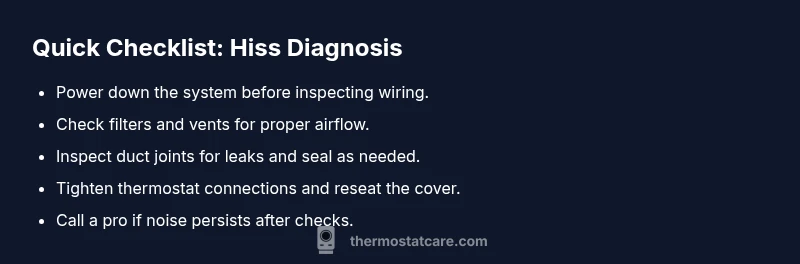
Before you touch any wiring, power down the system to avoid shocks. Then perform these checks:
- Inspect thermostat wiring at the terminals for looseness or damaged insulation; tighten screws if needed and reseat the cover.
- Replace or clean the air filter if it’s dirty; a clogged filter changes air pressure and can exaggerate noise.
- Look for blocked or closed vents and ensure return air paths are clear; balance airflow by opening registers in problem rooms.
- Listen near the furnace and along duct sections to pinpoint where the hiss originates; use a tissue to feel air movement or a paper towel as a simple probe.
- Check for obvious loose panels or mounting screws on the furnace cabinet and thermostat base; secure any loose parts.
If you notice the hiss changes when you adjust the thermostat or fan settings, this often points to airflow problems that can be fixed with duct sealing or filter changes. If the hiss remains steady, the issue may be electrical and should be evaluated by a professional. According to Thermostat Care, addressing both airflow and wiring concerns early can prevent bigger problems and improve system efficiency.
Diagnosing Airflow vs Electrical Noise
Start by switching the fan to 'on' and then to 'auto' to see if the hiss changes with fan speed. If the noise is louder when the blower runs, it’s more likely an airflow issue or duct problem; if the noise stays constant or is linked to relay activation, it may be electrical. Inspect the thermostat terminals; a loose wire can cause arcing or buzzing that resembles hiss. In bathrooms or humid spaces, condensate drain lines can occasionally hum; ensure these lines are clear. If you identify the source as duct-related, the fix often involves sealing leaks and improving airflow; if it’s wiring-related, you’ll want to verify all connections are tight and intact, then consider a professional inspection.
Preventive Maintenance to Reduce Noise
Implement a simple maintenance routine to prevent hiss from returning:
- Replace air filters every 1–3 months depending on use and allergen load.
- Schedule an annual HVAC inspection to catch loose connections, worn bearings, or duct leaks before they escalate.
- Seal duct leaks with mastic sealant or metal tape; ensure joints are tight and properly insulated to minimize pressure changes.
- Secure thermostat mounting and cabinet panels; vibration can contribute to audible noise.
- Keep the air handler area clean and unobstructed; obstruction increases airflow resistance and noise potential.
- If you use a humidifier, ensure it’s properly tuned to avoid producing hiss-like noise from water flow.
By staying on top of these checks, you’ll reduce nuisance sounds and sustain system efficiency over time. The Thermostat Care team emphasizes that proactive maintenance saves time and money and helps your thermostat do its job more reliably.
Steps
Estimated time: 30-60 minutes
- 1
Power down and verify safety
Turn off power at the thermostat and the corresponding breaker. Confirm no devices are energized before you touch wiring or panel doors. This keeps you safe while you investigate. The goal is to prevent shocks and accidental startup.
Tip: Always de-energize both the thermostat circuit and the furnace/air handler supply. - 2
Inspect thermostat wiring
Remove the thermostat cover and look for loose or damaged wires at the terminals. If you see loose conductors, gently tighten screws and re-seat the wires. Compare with a reference photo if you’ve recently changed connections.
Tip: Take a photo of the wiring before you adjust anything. - 3
Check the air filter and vents
Replace a dirty filter and ensure all supply and return vents are open. Blocked airflow increases noise and reduces efficiency. After replacement, run the system on both ‘auto’ and ‘on’ to compare sound changes.
Tip: Verify that the filter matches your system and has not been installed backward. - 4
Inspect ductwork for leaks
Look for obvious gaps along ducts and at joints. If you hear a hiss near a seam, seal it with duct mastic or metal tape and re-test. Consider a smoke test or incense to visualize leaks in dark spaces.
Tip: Avoid forcing sealant into confined spaces; use appropriate materials for metal or fiberglass ducts. - 5
Evaluate the blower and electronics
If the hiss persists after airflow fixes, listen for noise when changing fan speeds. A buzzing or buzzing-hiss near the furnace may indicate a loose component or relay issue that requires professional service.
Tip: Do not attempt to service internal electrical components beyond visual checks. - 6
Decide on next steps
If you’re unsure or the hiss remains after basic checks, contact a licensed HVAC technician. Persistent noise can indicate components that pose safety risks if mishandled.
Tip: When in doubt, schedule a pro visit sooner rather than later to prevent further damage.
Diagnosis: Thermostat system emits a hiss
Possible Causes
- highAir leaks in ductwork or poorly sealed vents
- highLoose or vibrating thermostat wiring or internal relay chatter
- mediumBlower/fan rubbing or misalignment
- lowHumidifier or auxiliary equipment producing noise
Fixes
- easyPower off the system at the breaker and inspect visible duct connections for gaps; seal leaks with mastic or foil tape
- easyTighten thermostat terminal screws and reseat the wiring; ensure no loose strands
- easyReplace the air filter and ensure vents are open; check for obstructed return paths
- mediumSeal duct leaks further along the run with appropriate materials; consider professional duct sealing for extensive leaks
- hardIf hiss persists, schedule professional HVAC inspection to check blower, furnace, and electrical components
Questions & Answers
What causes a hiss at a thermostat?
Hiss is usually due to airflow issues or electrical noise. Check ducts, filters, and wiring to identify the source and take safe corrective steps.
Hiss typically comes from airflow problems or electrical noise; start with ducts and wiring checks.
Is a hiss dangerous?
Usually not dangerous by itself, but it signals issues that can affect safety or efficiency. Shut down and assess or call a pro if uncertain.
Hiss isn’t usually dangerous, but take it seriously and consider professional help if it persists.
Can a thermostat hiss indicate wiring problems?
Yes. Loose or damaged wires can produce buzzing or humming that resembles a hiss. Inspect terminals carefully and avoid touching live parts.
Yes—wiring issues can cause hiss; inspect thermostat terminals safely.
Should I replace the thermostat or the HVAC components?
Usually the problem lies in airflow or wiring, not the thermostat itself. Only replace components after confirming via basic diagnostic checks or a pro’s assessment.
Most likely not the thermostat; diagnose airflow and wiring first.
What should I do if the hiss changes with fan speed?
If it changes with fan speed, it’s more likely an airflow issue. If it stays constant, check electrical connections and components.
If it changes with fan speed, it’s usually airflow; if not, check electrical parts.
When should I call a professional?
If basic checks don’t resolve the sound or you’re unsure about electrical work, schedule an HVAC professional inspection promptly.
Call a pro if it persists after simple checks or you’re unsure how to proceed.
Watch Video
What to Remember
- Identify whether hiss is airflow- or electrical-related.
- Check filters, vents, and ducts first before touching wiring.
- Tighten connections and reseat thermostat wiring as needed.
- Seal leaks and test across fan speeds to confirm fixes.
- Call a licensed HVAC pro if unresolved after basic checks.