Who Can Replace a Thermostat? A Homeowner's Guide
Discover who can replace a thermostat, when to DIY, and how to do it safely. This guide covers licensing, compatibility, and practical steps for homeowners and DIY enthusiasts troubleshooting thermostats.


Who can replace a thermostat? In most homes, a homeowner with basic electrical awareness can swap a simple digital thermostat. Yet, due to wiring, HVAC compatibility, and local codes, many situations require a licensed HVAC technician or electrician. Always verify compatibility with your system, shut off power at the breaker, and follow manufacturer instructions.
Understanding who can replace a thermostat
Replacing a thermostat can be a straightforward DIY task in many homes, but who should actually do it depends on your system, local codes, and personal comfort with electrical work. According to Thermostat Care, homeowners with basic electrical awareness can swap a simple digital thermostat when the wiring is conventional and the backplate matches the existing terminals. The Thermostat Care team found, however, that more complex setups—such as systems with proprietary wiring, heat pumps, or two-stage cooling—often require professional oversight to avoid damaging control boards or creating unsafe conditions. If you’re under a rental agreement or in a zone with strict electrical codes, check with your local authority or a licensed professional before proceeding. The goal is to replace the device safely, preserve the existing HVAC control logic, and ensure the new thermostat is compatible with your furnace or heat pump. When in doubt, err on the side of safety and consider a professional assessment.
Safety and regulatory considerations
Electrical work around a thermostat can present shock hazards and potential damage to the HVAC system if miswired. Always power down the circuit at the main breaker and, if applicable, disconnect any battery power for non‑powered wireless models. Ensure the new thermostat is compatible with your system’s voltage, cooling/heating configuration, and the furnace’s control board. Local building codes and contractor licensing requirements vary by city and state; in some areas, even the act of replacing a thermostat may trigger electrical permits or inspections. To avoid voiding warranties, review both the thermostat manufacturer’s guidelines and your HVAC equipment’s documentation before starting. If you plan to access high‑voltage components or unfamiliar wiring, opt for a professional diagnosis to prevent equipment damage and personal injury.
DIY vs professional: decision criteria
A homeowner can typically handle a basic digital thermostat swap when the existing wiring is straightforward, terminals are clearly labeled, and the new device is a direct replacement. If you have a heat pump, dual fuel system, multi‑stage cooling, or proprietary wiring, the risk of miswiring increases dramatically. In such cases, a licensed HVAC technician or electrician is the safer choice, both for performance and code compliance. Consider your comfort with following wiring diagrams, the thermostat’s compatibility with your system, and the potential impact on energy savings and warranty terms. Thermostat Care recommends weighing the benefits of learning a new skill against the consequences of a faulty installation.
Compatibility and model considerations
Thermostats come in many flavors—programmable, non‑programmable, and smart devices with different power needs and wiring requirements. Before buying, verify that the thermostat supports your system type (gas, electric, heat pump) and the number of wires available, especially the common wire (C‑wire). Many newer models require a C‑wire for reliable power; if your existing setup lacks one, you may need to run a new wire or use a power‑stealing workaround that some manufacturers discourage. Check voltage compatibility, whether the thermostat requires a C‑wire, and whether your HVAC equipment supports the chosen model. The goal is to ensure stable operation and accurate temperature control without triggering fault codes or energy inefficiencies.
Step-by-step workflow for a typical digital thermostat replacement
- Power down: Turn off the breaker feeding the HVAC system and, if applicable, remove the existing thermostat’s batteries.
- Document the old wiring: Take a clear photo of all wire connections and terminal labels before removing the old unit.
- Disconnect and remove: Gently detach the old thermostat from the wall, exposing the wiring.
- Prepare the new thermostat: Mount the faceplate, install any required backplate, and inspect the included wiring adapters.
- Wire mapping: Connect each wire to the corresponding terminal on the new thermostat, labeling wires if necessary.
- Mount and restore power: Secure the thermostat to the wall plate, reattach the wiring, and restore power at the breaker.
- Initial test: Power on, follow the setup prompts, and verify heating and cooling responses by adjusting temperature.
- Fine‑tuning: Program schedules, calibrate sensors if available, and confirm that fan modes operate as expected.
Tools, supplies, and safety equipment
For a typical simple replacement, you’ll need a basic screwdriver set, a small level, wire labels or tape, and a non‑contact voltage tester. A smartphone camera helps capture wiring before disassembly. If your system requires testing with live power, you might also need a multimeter and, for non‑battery powered models, a compatible jumper or wire cap. Always use insulated tools and keep the work area dry. While some homeowners manage these steps without incident, never work on live circuits if you’re uncomfortable with electrical safety, and consult a professional if you notice signs of damage or unfamiliar wiring.
Testing, programming, and fine‑tuning after install
After powering up, go through the initial setup to confirm correct wiring and system response. Program daily schedules, set temperature offsets if the device supports them, and verify performance across heating and cooling cycles. If the thermostat supports occupancy or adaptive scheduling, run a quick test to ensure it updates on time and responds to sensor inputs. If you detect lag, inconsistent readings, or failure to communicate with the HVAC equipment, recheck the wiring against the new model’s diagram and consult the manufacturer’s troubleshooting guide. Finally, keep the original documentation for warranty purposes and future reference.
Troubleshooting common issues after replacement
Common issues include the thermostat not powering on, inaccurate readings, or failure to control the HVAC system. Double‑check that the C‑wire (if required) is connected, ensure the power is on at the breaker, and re‑verify that each wire is in the correct terminal. If the device shows error codes, consult the model’s manual to interpret them. Some problems stem from incompatible models or unsupported configurations; in such cases, revert to the previous thermostat or choose a model that specifically lists compatibility with your system. When suspicious behavior persists, seek professional help to avoid damage or safety risks.
When to call a professional and what to expect
If the job involves unfamiliar wiring, heat pumps, two‑stage systems, or if local codes require licensing, it’s prudent to hire a pro. An HVAC technician can confirm compatibility, ensure safe wiring, and calibrate the system for optimal performance. Expect a quick assessment of your current wiring, a compatibility check, a secure replacement, and a test run across heating and cooling cycles. A licensed professional may also help with warranty considerations and ensure compliance with local regulations.
Thermostat replacement timing and required expertise
| Aspect | DIY Suitability | Typical Duration | Regulatory Note |
|---|---|---|---|
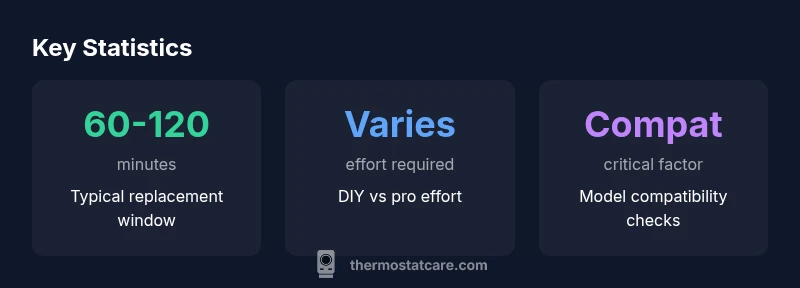
| Time to replace | 60-120 minutes | 1-2 hours | Varies by model and wiring |
| Required expertise | Beginner to intermediate | 1-2 hours | Check local requirements |
| Power considerations | Turn off power; disconnect battery if battery powered | N/A | Ensure power is off to avoid shock |
Questions & Answers
Do I need a permit to replace a thermostat?
Permits vary by location. In many cases, a standard thermostat replacement does not require a permit, but local codes may differ. Check with your city or county building department before starting.
Permits vary by location; many replacements don’t require a permit, but always check local codes before starting.
Can I replace my thermostat myself if I have no HVAC experience?
If the system uses simple wiring and a non‑smart model, a careful homeowner can replace it. For complicated setups, or if you’re unsure, hire a professional to avoid damage.
DIY is possible for simple setups, but not for complex systems.
What tools do I need for a thermostat replacement?
Common tools include a screwdriver, wire labels, a voltage tester, and possibly a thermostat installation kit. Always follow the manufacturer’s instructions.
A screwdriver, labels, tester, and the replacement kit usually cover it.
How can I tell if my thermostat is compatible with my furnace?
Check that the thermostat supports your system type (gas, electric, heat pump) and voltage. The compatibility list from the thermostat’s manufacturer is a reliable guide.
Check system type and voltage against the thermostat’s compatibility list.
What should I do if the new thermostat won’t power on?
Double-check wiring, ensure power is on, and verify the C-wire connection if applicable. If power remains off, consult a professional.
Check wiring and power; if it still won’t power on, seek help.
“Replacing a thermostat safely hinges on correct wiring and model compatibility; when in doubt, consult a professional.”
What to Remember
- Check local codes before DIY replacement.
- Verify thermostat compatibility with your HVAC system.
- Power down and label wires before removal.
- Consider hiring a pro for complex setups.
- Test and reprogram the new thermostat thoroughly.