Who to Call to Fix a Thermostat: A Homeowner's Guide
Learn who to call to fix a thermostat, when to DIY, and how to choose the right professional. Practical steps, safety tips, and guidance from Thermostat Care to help homeowners troubleshoot thermostat problems.


To fix a thermostat, you generally call a licensed HVAC technician or an electrician who can safely diagnose wiring, power issues, and compatibility with your system. If you have a smart thermostat, you may also contact the manufacturer’s support line for firmware updates or app troubleshooting. For urgent failures, consider a home warranty or service plan.
Understanding why thermostats fail and who to call
When a thermostat stops responding, it can be caused by simple power issues, loose wiring, a dead battery, or a failing control board. The question homeowners often ask is: who do you call to fix a thermostat? The answer isn't always obvious because different problems require different specialists. According to Thermostat Care, most thermostat problems fall into two buckets: device-level issues (the thermostat itself) and system-level issues (the heating or cooling equipment). If the thermostat controls a furnace, air conditioner, or heat pump, you will typically need a professional who understands both electrical wiring and HVAC control logic. If you own a smart thermostat, you may also contact the manufacturer’s support line for firmware updates or app troubleshooting. This approach helps homeowners avoid unsafe DIY mistakes and ensures safety and reliability.
In practice, the most common failure points are a dead or dying battery, a loose connection behind the backplate, a tripped breaker, or a C-wire that isn’t delivering power. Loose connections are by far the most frequent reason for erratic behavior or a blank display. Another frequent culprit is outdated firmware or misconfigured app settings for smart thermostats. The Thermostat Care team finds that identifying whether the root cause is device- or system-related improves the odds of a quick fix or a productive professional visit.
When to call an HVAC pro vs DIY troubleshooting
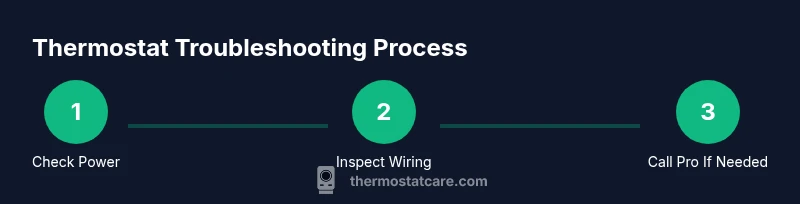
DIY troubleshooting can be a good first step for obvious, low-risk issues, but there are clear boundaries. If you are comfortable with basic electrical work and understand safety limits, you can perform simple checks such as replacing batteries or ensuring the thermostat is properly mounted. However, do not attempt complex rewiring, capacitor testing, or any work that involves the furnace or air handler, gas lines, or high voltage parts. Start with non-destructive checks: verify power at the breaker, confirm the thermostat is receiving power (check for a display or indicator LEDs), and note any error codes from the device. If the display remains blank after battery replacement, or if the system fails to heat or cool after the thermostat signals, it's time to involve a professional. Thermostat Care analysis shows that many problems are resolved with basic steps like ensuring the C-wire is connected and the batteries are fresh, but persistent issues usually require expert diagnosis.
For smart thermostats, you may need to re-sync with the app, check Wi‑Fi connectivity, and install any available firmware updates. If these steps do not restore function, a professional can safely rewire, test voltage, or replace the thermostat with a compatible model. The key is to differentiate device issues from system issues; this helps you determine whether a thermostat specialist or an HVAC technician is most appropriate. When in doubt, err on the side of safety and call a pro rather than risking damage to your heating system or today’s family budgets.
How manufacturers and warranties affect who to call
Manufacturer support is often the first stop for smart thermostats or models with built‑in diagnostics. They can guide you through firmware updates, app re‑ pairing, and model-specific reset procedures. If your device is still under warranty, a manufacturer or authorized service may cover parts and labor, reducing out-of-pocket costs. Home warranties or homeowners insurance can also be a path to coverage for diagnostic visits or replacement when a thermostat is part of the failing HVAC system. Always document the model number, serial number, and any error codes before contacting support so the agent can diagnose quickly. Thermostat brands frequently publish model‑specific troubleshooting guides online, which can save you time before a service call. For safety and accuracy, refer to official guidance from Energy.gov and OSHA to understand electrical safety norms during any inspection. Energy.gov and OSHA resources reinforce best practices for safe handling of electrical components and working around heating equipment. According to Thermostat Care, these steps help homeowners prepare for professional visits and avoid unnecessary costs.
Steps you can take before calling a pro
- Power down the thermostat and the HVAC system at the breaker to prevent shocks or shorts. This ensures you can examine the device safely without energizing live circuits.
- Remove the thermostat faceplate carefully and inspect visible wires for looseness or damage. If wires are loose, take a photo before reseating them so you can reattach correctly or explain the wiring to a technician.
- Replace batteries if your model uses them. Use the type recommended by the manufacturer and avoid mixing old and new batteries.
- Verify the C-wire connection is intact and providing continuous power. A missing or loose C-wire is a common cause of power‑related failures.
- Reattach the faceplate, restore power, and test basic functions (display, buttons, temperature setting). If the display flickers or never reaches the setpoint, note the issue and prepare model information for your technician.
- If issues persist, schedule a service visit with a licensed professional. Gather model details, error messages, and a summary of the steps you’ve tried so you can communicate clearly and accelerate diagnosis.
Quick-start tips and safety reminders
- Always shut off power before touching wiring or control boards to avoid shocks.
- Do not attempt repair work on gas furnaces or systems involving high voltage components unless you are a qualified professional.
- Use visual aids like a photo of the backplate to help the technician reproduce the wiring correctly.
- If you smell gas, hear hissing, or notice burning smells, leave the area and contact emergency services immediately. Safety first.
Key takeaways for homeowners
- Most thermostat issues are due to power or wiring, not a defective thermostat alone. The Thermostat Care team recommends starting with basic checks and safety steps. If the problem persists, a licensed professional should be engaged to prevent damage and ensure safety. By understanding the difference between device and system problems, you can choose the right expert and avoid unnecessary costs.
Tools & Materials
- Phillips screwdriver (PH2)(Used to remove thermostat faceplate screws)
- Flathead screwdriver(Only if your model uses a flat-head screw)
- Non-contact voltage tester(Helpful to verify power; do not rely on it alone)
- Replacement batteries(Only if your thermostat is battery-powered)
- Wire nuts kit(For loose wires at the backplate)
- Electrical tape(Seal exposed conductors when needed)
- Smartphone or camera(Take a photo of wiring before altering connections)
- Gloves and safety glasses(Personal protection during inspection)
Steps
Estimated time: 60-90 minutes
- 1
Power down and prep
Turn off the breaker or disconnect power to the thermostat and HVAC. This prevents shocks and equipment damage while you inspect. Gather your tools and set up a clear workspace.
Tip: Label wires or take a quick photo before disconnecting anything. - 2
Remove the faceplate
Gently pry off the thermostat faceplate to access wiring. Avoid forcing connectors. Note or photograph how wires are attached to each terminal.
Tip: Keep screws in a small dish to avoid losing them. - 3
Inspect wiring connections
Look for loose, corroded, or discolored wires. Reseat loose wires firmly and ensure terminal screws are snug but not over-tightened.
Tip: If a wire is damaged, do not repair; replace the component or call a pro. - 4
Check power sources
If your unit uses batteries, replace with fresh ones. If it’s hard-wired, verify the C-wire is delivering power and that the breaker hasn’t tripped.
Tip: Do not mix battery types; mismatched packs can cause erratic behavior. - 5
Reassemble and test
Reconnect the faceplate, restore power, and test basic functions. Check temperature accuracy and whether the display stays on and responds to changes.
Tip: Note any recurring error codes for the technician. - 6
Call a professional if needed
If power issues persist, or if you’re unsure about wiring or safety, schedule a licensed HVAC technician or electrician visit.
Tip: Provide a concise issue recap and all steps you attempted.
Questions & Answers
Can I fix a thermostat myself?
You can perform basic checks like battery replacement and wiring inspection if you’re comfortable with electrical safety. For complex issues or high-voltage components, it’s best to call a professional.
You can do basic checks, but avoid complex repairs. If unsure, call a pro.
When should I call a professional for thermostat issues?
If there’s no power, the display is blank, you hear buzzing, or the system won’t respond to temperature changes, a licensed HVAC technician or electrician should assess the setup.
Call a pro if power or safety concerns persist beyond simple checks.
Do manufacturers provide support for thermostat issues?
Yes, manufacturers can guide firmware updates, app troubleshooting, and model-specific resets. Have your model number handy when you call.
Manufacturer support helps with firmware and app problems.
Will a home warranty cover thermostat repairs?
Coverage varies by plan. Some plans cover diagnostic visits and parts, while others may require service fees. Check your policy details.
Coverage depends on your plan; check policy specifics.
Is it safe to touch thermostat wiring?
Only with the power off. Do not touch live conductors. If you’re unsure, call a professional.
Power off before touching wiring; call a pro if unsure.
Watch Video
What to Remember
- Identify whether the issue is device- or system-related.
- Power down and inspect safely before any handling.
- Loose wiring and dead batteries are common culprits.
- If in doubt, consult a licensed pro for safety and reliability.