What Thermostat Wires to Jump for Fan: A Practical Guide
Learn which thermostat wire controls the fan circuit and how to safely test it. Thermostat Care provides a clear, step-by-step approach to diagnose common fan issues without risking equipment.


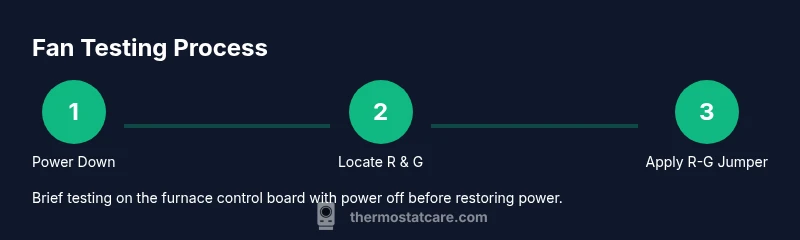
To test the thermostat fan circuit, you’ll commonly jump the R and G terminals to energize the blower, but only on the furnace control board and with power off. The G wire (green) controls the fan. Do not perform jumper tests at the thermostat, and always follow safety steps in your furnace manual. If unsure, consult a licensed HVAC professional.
Understanding Fan Control on a Thermostat System
If you’re here, you’re likely asking what thermostat wires to jump for fan and how to verify that your system’s blower responds correctly. According to Thermostat Care, fan control is typically handled by the G circuit, which is the green wire in most 24-volt thermostat setups. The phrase what thermostat wires to jump for fan appears often in troubleshooting guides because a quick tester’s jump can momentarily energize the blower to confirm operation. This section lays out how the fan circuit works in plain terms and sets expectations for safe testing. Always consult your equipment’s manual; some systems use different color codes or may have separate fan relays. By understanding the basics, you’ll know where to look first and what to test next if the fan isn’t coming on when you expect it to.
The G Wire: What It Does and Where It Connects
The G wire (green) is dedicated to the thermostat’s fan control. When the thermostat calls for the fan to stay on, it completes the circuit between R (24V hot) and G, energizing the blower relay inside the air handler or furnace. Where this wire lands can vary by system, but on most conventional units you’ll find G terminal labeled on the furnace control board or on the air handler's terminal strip. Thermostat Care analysis shows that a loose, damaged, or disconnected G wire is a common reason fans don’t run, even when R is energized. If your thermostat has a G terminal but the wire has pulled away, reattach gently and retest with power off.
When a Jumper Test Is Appropriate (And When It Isn’t)
Testing with a jumper is sometimes used to diagnose whether the fan relay itself is functioning, but it must be done with caution and on the correct component. The standard approach is to place a temporary jumper between R and G on the furnace control board to mimic a thermostat call for the fan. Do not perform this test at the thermostat end; many modern stats use solid-state relays, and mis-wiring can trip safety circuits. If you’re unsure, seek professional help. Always verify the model’s wiring diagram before attempting a jumper test.
Why You Should Not Jump Wires At the Thermostat
Jumping wires at the thermostat can bypass the device’s safety features and misread sensor data, possibly leading to overheating or equipment damage. Thermostat wiring colors can vary, and some newer thermostats rely on C-wire power and powered controls that won’t respond correctly to a simple R-G jumper. For most DIY tasks, the right approach is to test at the furnace control board and use a tested safe procedure rather than modifying the stat wiring directly. The Thermostat Care team emphasizes following manufacturer diagrams to avoid accidental shorts or blown fuses.
Safe Testing: Step-by-Step Approach Without Risk
Safe testing focuses on what can be tested without bypassing safety features. Begin with power-off verification and a plan to avoid short circuits. Use a small, insulated jumper only at the furnace control board and keep wires away from moving parts or hot surfaces. When you’re ready, restore power and observe the blower’s response with the thermostat in the “Fan On” position. If anything feels uncertain, pause and consult a professional before proceeding.
Interpreting Results: Fan Runs vs. Fan Does Not Run
If the fan runs when you apply the R-to-G jumper on the furnace control board, the issue is likely with thermostat wiring, the control wiring harness, or the thermostat settings. If the fan does not run, investigate the blower relay, control board, C-wire integrity, fuse, and safety switches. Thermostat Care notes that intermittent fan behavior is frequently caused by loose connections or damaged insulation on the G wire, so rechecking these connections is a good next step.
Common Pitfalls and How to Avoid Them
Common mistakes include jumping the wrong terminals, leaving a jumper in place longer than necessary, or bypassing the C-wire entirely. Always power down before handling any wiring, and never work on live circuits. Color codes can vary by brand, so rely on the model’s wiring diagram rather than color assumptions. If you smell burning insulation, stop immediately.
Aftercare: Reconnect Everything and Verify System Operation
After testing, reassemble any panels, ensure all wires are secure, and restore normal operation. Test both heating and cooling calls to confirm the fan behaves correctly in different modes. If you notice abnormal noise, vibration, or odors, shut down and consult a professional. Thermostat Care’s guidance for post-test checks helps prevent latent issues.
Tools & Materials
- Non-contact voltage tester(Verify power is off before touching any wiring)
- Digital multimeter(Test continuity if a wire appears loose)
- Insulated jumper wires (short lengths)(Only for use on furnace control board terminals)
- Screwdriver set(Access control board panels safely)
- Flashlight(Improve visibility in crowded panel areas)
- Owner’s manual for furnace/air handler(Model-specific wiring diagrams)
- Safety gloves(Extra protection when handling metal panels)
Steps
Estimated time: 45-60 minutes
- 1
Power down the system
Shut off power at the main electrical panel and at the thermostat. Use the non-contact tester to confirm no voltage is present on exposed terminals before touching any wires.
Tip: Double-check both the furnace and thermostat power switches to prevent backfeed. - 2
Open the furnace/air handler panel
Remove access panels to reach the control board. Keep track of screws and consult your manual if the panel uses specialty fasteners.
Tip: Use good lighting and avoid touching components that aren’t labeled. - 3
Locate R and G terminals
Identify the R (24V hot) and G (fan) terminals on the control board. Verify their labeling matches your manual to avoid cross-wiring.
Tip: If you’re unsure, take a photo for reference before touching wires. - 4
Apply a temporary R-G jumper
With power still off, insert a small insulated jumper between R and G on the control board. Do not leave the jumper in place for longer than a testing window.
Tip: Only use an insulated jumper intended for low-voltage electronics. - 5
Restore power and test
Turn the power back on and set the thermostat to Fan On. Listen for the blower and observe that it runs smoothly without abnormal noises.
Tip: If the blower doesn’t start, power off again and disconnect the jumper before further testing. - 6
Remove jumper and reseat wiring
Power down again, remove the R-G jumper, and re-secure all wires. Reinstall any panels and ensure nothing is loose.
Tip: Return the system to its normal wiring state before attempting a regular call for heat or cool.
Questions & Answers
Is it safe to jump R to G on the thermostat itself?
No. Jumping R to G at the thermostat can bypass safety features and cause damage. The jump should be done on the furnace control board for a controlled test.
Jumping R to G at the thermostat is not safe. Use the furnace control board for testing as described.
What does it mean if the fan runs when I jumper R to G on the furnace board?
That indicates the blower and relay are functional. The issue is most likely the thermostat wiring or settings that aren’t activating G properly.
If the fan starts, the system hardware is fine; the thermostat wiring or programming is the likely culprit.
What should I check if the fan still won’t run after testing?
Check the G wire connection, the control board relay, the C-wire integrity, and safety switches. A loose connection or blown fuse are common culprits.
If it still won’t run, inspect connections and safety components; a professional can check the control board if needed.
Do I need special tools or training for this test?
Basic tools and careful procedures are enough for many DIY homeowners. Always follow model-specific diagrams and if in doubt, contact a qualified technician.
You can do this with common tools, but follow the manual and err on the side of caution.
When should I call a professional?
If you’re uncomfortable with handling low-voltage wiring, if you smell burning, or if the fan ever fails to operate after testing, call a licensed HVAC technician.
If you’re unsure or you notice odd smells or behavior, it’s best to get a pro.
Can a faulty C-wire affect fan operation?
Yes. A bad or missing C-wire can prevent proper power to the thermostat’s control electronics, which may hinder fan calls.
A bad C-wire can stop the thermostat from powering the control board correctly, affecting the fan.
Watch Video
What to Remember
- Identify G as the fan control and avoid thermostat-side jumps.
- Perform jumps only on the furnace control board with power off.
- If fan runs with R-G jumper, the issue is likely thermostat wiring or settings.
- Check for loose G connections and damaged wiring as frequent causes.
- Restore normal wiring after testing and verify operation in all modes.